Dayo | 4 Sep 2025


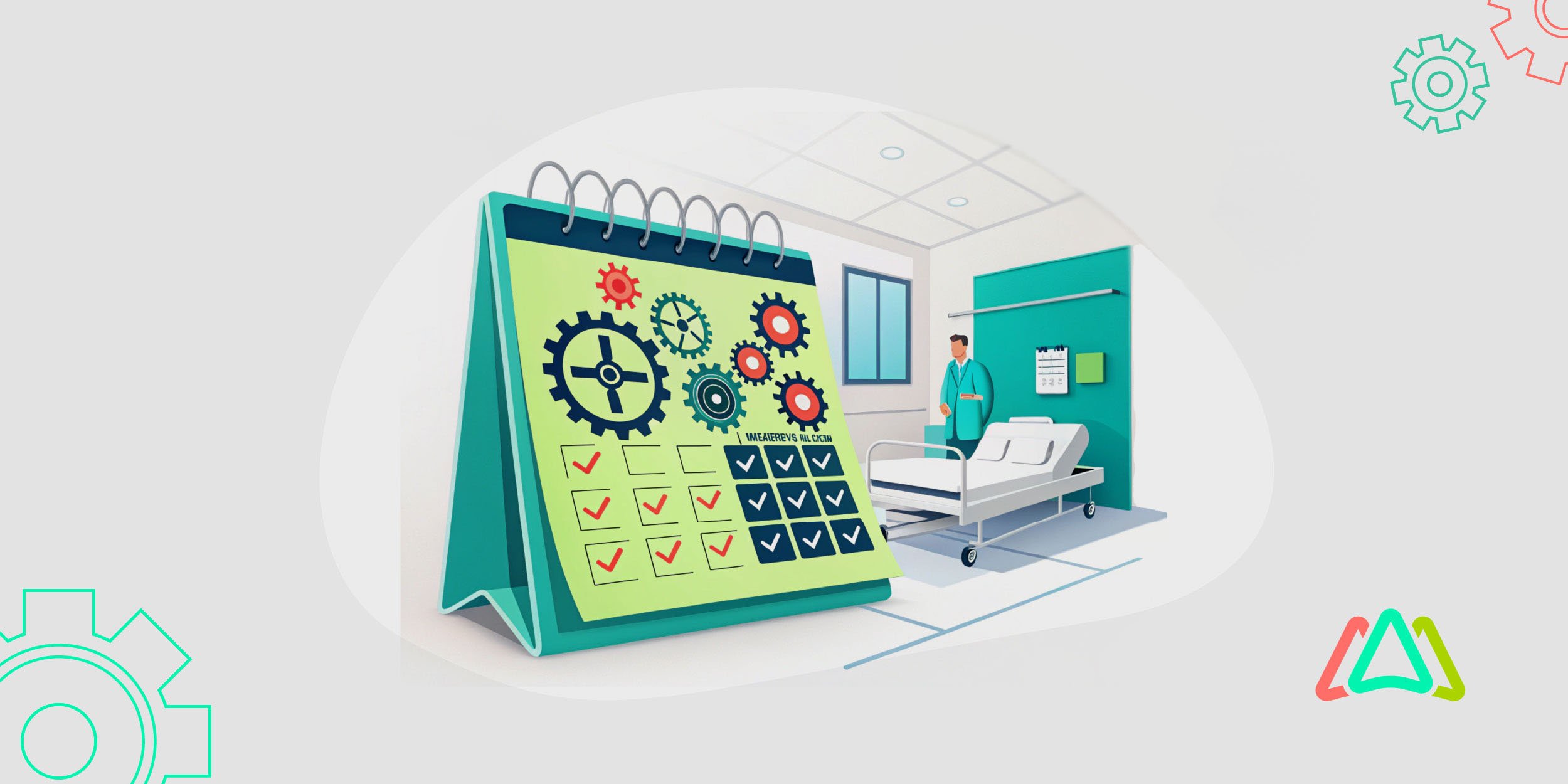
Healthcare facility maintenance is becoming more complex. Traditional spreadsheets, paper records, and reactive maintenance practices can make it difficult for facility teams to keep up with equipment inspections, preventive maintenance schedules, and urgent repairs. Hospital facility management software helps healthcare organizations centralize maintenance activities, automate recurring tasks, track critical assets, and proactively identify maintenance needs. By moving from manual and reactive processes to a more structured approach, hospitals can improve equipment reliability, reduce unplanned downtime, and support safer, more efficient healthcare facility operations.
When considering proactive maintenance, we refer to conducting preventive maintenance (PM) by regularly inspecting, servicing, and repairing equipment and facility infrastructure to prevent failures. In a hospital setting, where equipment reliability is paramount, Preventive maintenance is not just a recommendation or best practice, rather a necessity. Utilizing a preventive maintenance strategy ensures that all medical systems function optimally, thereby safeguarding patient safety and enhancing the quality of care.
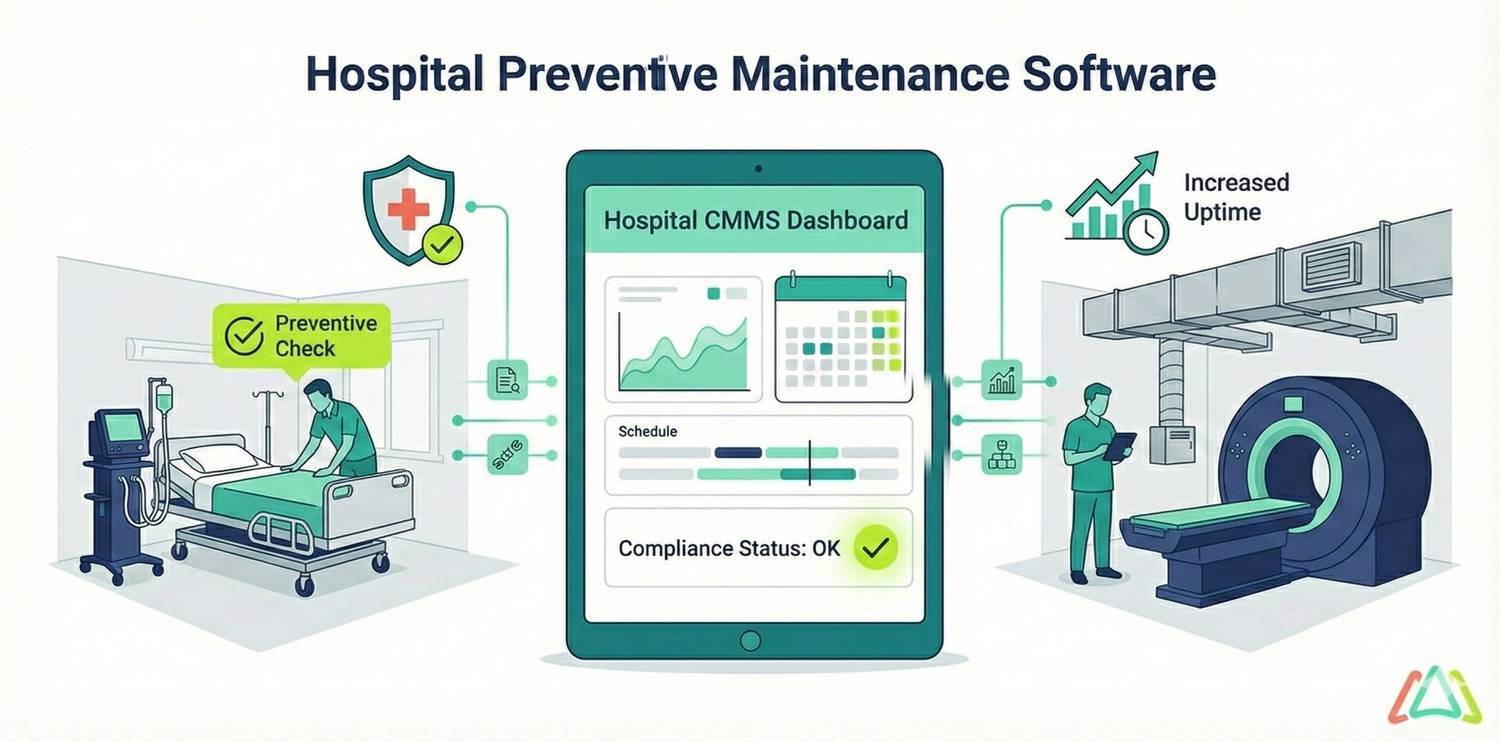
This is where Preventive Maintenance Software and hospital maintenance software can help healthcare facilities manage complex maintenance operations. Preventive maintenance is a core capability of a Computerized Maintenance Management System (CMMS), enabling hospitals to automate maintenance schedules, generate recurring work orders, track inspections and repairs, and maintain accurate service records for assets and medical equipment. By implementing hospital maintenance software, healthcare facilities can shift from reactive repairs to proactive maintenance, helping reduce equipment downtime, improve asset reliability, comply with regulations, and support safer patient care. This article explores how CMMS and preventive maintenance software improves hospital maintenance, along with the key features and benefits healthcare organizations should consider when selecting a solution.
Importance of Preventive Maintenance Software
Hospitals today rely on a vast network of medical devices, building systems, and critical infrastructure that must operate seamlessly around the clock. As noted, managing this complexity with traditional, paper-based methods or spreadsheets is beyond the scope and demands of modern healthcare facilities, mainly because they are prone to error and inefficiencies and cannot provide the necessary insights into effective maintenance management.
Common Maintenance Challenges in Healthcare
Hospitals operate in a high-pressure environment where equipment downtime or facility failures can have immediate and direct consequences for patient safety and the delivery of care. One of the most pressing challenges is overseeing aging infrastructure and outdated medical equipment. Many healthcare facilities struggle with limited budgets, which results in delaying upgrades and replacements. This limitation leads to higher risks of unexpected breakdowns and costly emergency repairs. This issue is further complicated by the sheer scale of assets that must be maintained—from life-saving medical devices, such as ventilators and MRI machines, to essential building systems, including HVAC, plumbing, and electrical grids. Keeping track of each asset’s maintenance history, service schedules, and compliance requirements is a daunting task without the appropriate digital tools. (Click Maint)
Another major challenge is balancing critical maintenance demands with regulatory compliance obligations. Hospitals are expected to run 24/7, making it almost impossible to schedule downtime for maintenance. When maintenance tasks are delayed or skipped, hospitals are left vulnerable to equipment failure and an increased risk of non-compliance with healthcare regulations. Regulatory bodies, such as The Joint Commission in the U.S., require strict documentation and proof of routine maintenance, which can be challenging to manage using a non-digital format. Without streamlined systems, too much time is spent on paperwork rather than patient-centered care. This limitation leads to inefficiencies, errors, and potential compliance risks.
The Role of Preventive Maintenance Software
Preventive Maintenance Software (PMS) plays a central role in helping hospitals shift from reactive “run to fail” approaches to proactive and structured maintenance strategies. It achieves this by centralizing all maintenance activities into a single, accessible platform, enabling healthcare facilities to track every piece of equipment, schedule preventive tasks, and monitor work orders in real-time. Instead of relying on spreadsheets or paper logs, maintenance teams gain a clear overview of what needs to be done, when, and by whom. This level of organization not only reduces confusion but also ensures that critical hospital assets—from surgical equipment to backup generators—receive attention before issues escalate into emergencies.
Automation is another critical advantage of PMS. The software automates routine processes such as generating work orders, sending notifications to technicians, and prioritizing tasks based on urgency. For example, the system can automatically schedule regular inspections for medical imaging devices or alert teams when sterilization equipment is nearing the end of a service window. By automating workflows, preventive maintenance software minimizes the risk of oversight, reduces manual administrative workload, and frees up clinical and technical staff to focus more on patient care.
Beyond scheduling and task management, preventive maintenance software offers hospitals data-driven insights. The software collects and analyzes maintenance data over time, guiding decision-makers in identifying patterns, spotting recurring issues, and optimizing resource allocation. In addition to supporting predictive maintenance efforts, the software also provides valuable documentation for audits and compliance reviews. It also assists hospital administrators in making more informed budgeting decisions by identifying equipment that is nearing the end of its life or costing more to maintain than to replace. All considered, preventive maintenance software enables hospitals to transform their maintenance operations into a proactive, measurable, and strategic advantage.
Key Features of Hospital Preventive Maintenance Software
A robust Hospital Preventive Maintenance Software (PMS) comes equipped with asset management capabilities. Hospitals must maintain thousands of assets ranging from critical medical devices, such as ventilators and infusion pumps, to infrastructure systems like elevators, HVAC, and power generators. PMS provides a centralized database where each asset is logged with details such as model, location, service history, and warranty information. This ensures that no piece of equipment is overlooked, and maintenance teams can quickly access the history of any device to make informed decisions about repairs or replacements. By digitizing asset tracking, hospitals can extend the lifespan of equipment, reduce unnecessary costs, and ensure that critical devices are always available when needed.
Another key feature is work order management, which involves streamlining the entire process of assigning, tracking, and completing maintenance tasks. PMS automatically generates work orders based on schedules, equipment usage, or even predictive alerts. Maintenance staff receive notifications directly on their mobile devices, ensuring that urgent repairs—like a malfunctioning sterilizer in an operating room—are addressed immediately. Work order systems also provide real-time visibility into task status, technician assignments, and completion timelines, enabling supervisors to prioritize critical jobs and ensure accountability across the team. This structured approach reduces downtime, minimizes delays, and helps hospitals run more efficiently.
Preventive maintenance software (and CMMS) also offers compliance and documentation tools. As noted, hospitals are required to maintain detailed records of equipment inspections, calibrations, and repairs for accreditation bodies such as The Joint Commission in the U.S. Preventive maintenance software simplifies this process by automatically logging each activity, storing digital records, and generating compliance-ready reports. This not only reduces the administrative burden on staff but also ensures hospitals can provide instant proof of compliance during audits.
Finally, mobile accessibility is a preventive maintenance software feature that enhances efficiency and responsiveness in hospital settings. Since maintenance teams are often spread across large facilities, it’s often impractical to rely on desktop-only systems. PMS solutions with mobile access let technicians view work orders, update task status, and access asset histories directly from their smartphones or tablets wherever they are. Real-time communication between staff reduces delays, while features such as barcode or QR code scanning enable quick identification of equipment.

Selecting the Right Hospital CMMS Software for Preventive Maintenance
Selecting the right hospital CMMS software starts with understanding the unique maintenance needs of your healthcare facility. Hospitals vary in size, patient volume, services, regulatory requirements, and the volume of their medical equipment and facility assets, making it important to choose a healthcare CMMS with the right capabilities. For example, a large municipal hospital may require advanced reporting, predictive maintenance capabilities, asset tracking, and integrations with building management systems, while a smaller community hospital may prioritize ease of use, scalability, and affordability. Conducting a thorough preventive maintenance software evaluation based on asset type, maintenance workloads, work order processes, and compliance requirements can help healthcare facility leaders identify the hospital CMMS software features needed to improve preventive maintenance, reduce equipment downtime, and support efficient facility operations.
Once a hospital’s needs are identified, leadership should evaluate key selection criteria such as usability, integration, and scalability. A user-friendly interface is crucial for encouraging adoption among technicians and staff, while having mobile accessibility ensures that teams can manage tasks on the go. Integration capabilities are also an important consideration, as a PMS should possess the ability to work seamlessly with other systems, such as electronic health records (EHRs), inventory management platforms, or enterprise resource planning (ERP) software. Scalability is another key consideration since hospitals’ needs are likely to change over time. Having a solution that can grow with their operations guards against the software from becoming obsolete. Finally, and equally important, is vendor support. A reliable provider offers robust training, responsive customer service, and regular software updates that keep pace with the evolving standards of the healthcare industry. There isn't enough body of work to vouch for open-source preventive maintenance software in healthcare, but that is also an option to consider.
To make an informed choice, hospital leadership can also review popular preventive maintenance software options specifically geared toward the healthcare industry. Comparing vendors based on functionality, pricing, and customer feedback helps decision-makers identify which platform best fits their environment. Check out SoftwareConnect’s 6 Best CMMS for healthcare facilities.
Implementing Best Practices
The successful implementation of preventive maintenance software (PMS) in hospitals begins with proper training and onboarding. Even the most powerful PMS will fail to deliver results if staff do not use it effectively and consistently. Comprehensive training sessions tailored to different roles—technicians, administrators, and managers—help ensure that everyone understands how to use the system to its fullest potential. Ongoing support, such as quick reference guides, help desks, and vendor-provided resources, should be made available to address questions as they arise. Adoption rates increase when staff members feel confident and supported.
Finally, hospitals should practice ongoing monitoring of their operations with a goal of continuous improvement. Regularly reviewing system reports allows administrators to identify trends, such as recurring equipment failures, and adjust maintenance schedules accordingly. Collecting feedback from staff also helps refine workflows and address challenges in real time. Treating PMS as an evolving tool rather than a one-time implementation enables hospitals to continually adapt and strengthen their maintenance programs, ensuring long-term success and improved patient outcomes.
Improve Hospital Operations with Healthcare Maintenance Software
Hospital preventive maintenance software has become an essential part of modern healthcare operations. By replacing reactive repairs with proactive maintenance strategies, healthcare maintenance software helps hospitals improve medical equipment reliability, reduce unplanned downtime, control maintenance costs, and simplify compliance management. With preventive maintenance schedules, centralized asset records, automated work orders, and maintenance reporting, healthcare facilities can create safer environments for patients while improving efficiency for maintenance and clinical teams.
For hospital and facility leaders, choosing the right healthcare maintenance software starts with evaluating current maintenance processes, identifying operational gaps, and determining which CMMS features best support the facility’s needs. Whether your priorities include reducing equipment downtime, improving preventive maintenance, simplifying regulatory reporting, or extending asset life, the right solution can deliver measurable operational value.

TABLE OF CONTENTS