Reena Sommer | 11 Nov 2026


Looking for a Hippo CMMS alternative in 2026? If your maintenance team previously used Hippo CMMS or is evaluating Eptura Asset, understanding the differences in pricing, features, and ease of use is essential.
Hippo CMMS was a popular maintenance management software solution for organizations looking to manage work orders, preventive maintenance, and equipment records.
However, Hippo CMMS has undergone significant changes.
In 2025, Eptura retired Hippo CMMS as a standalone product and incorporated its core features into Eptura Asset.
This does not mean all existing Hippo CMMS accounts were immediately shut down. Eptura continues to provide login access, customer support, and training resources for existing Hippo users.

For maintenance managers evaluating their next CMMS software, this transition raises important questions:
- What happened to Hippo CMMS?
- Is Hippo CMMS still available in 2026?
- How does Eptura Asset compare with Click Maint?
- Which platform offers more predictable pricing?
- Which CMMS is easier for maintenance technicians to use?
- Is Click Maint a suitable replacement for Hippo CMMS?
This guide compares Click Maint vs. Hippo CMMS (Eptura Asset) to help maintenance and facility managers make an informed software decision.
What Happened to Hippo CMMS?
Hippo CMMS was founded in Winnipeg, Canada, in 2004. The software focused on helping small and midsize organizations manage maintenance operations through a web-based system.
Its main capabilities included work order management, preventive maintenance scheduling, equipment tracking, and maintenance reporting.
In 2019, iOFFICE acquired Hippo CMMS. Following organizational changes, Hippo became part of the Eptura portfolio in 2022.
In 2025, Eptura officially retired Hippo CMMS as a standalone solution and integrated its core functionality into Eptura Asset.
Is Hippo CMMS Discontinued in 2026?
Yes. Hippo CMMS is no longer offered as a standalone product.
However, this distinction is important:
Hippo CMMS is no longer offered as a standalone product, but this does not mean all existing Hippo accounts were immediately shut down.
Eptura maintains a dedicated Hippo CMMS customer resources page where existing users have access to:
- Hippo desktop and mobile login resources
- Technical support
- Training materials
- Product documentation
- Knowledge Center resources
Existing customers should contact Eptura to confirm their account status, support arrangements, renewal options, and transition requirements.
For organizations considering a replacement, this is an opportunity to review their current maintenance management needs before committing to another platform.
Official sources:
Click Maint vs. Hippo CMMS (Eptura Asset): Quick Comparison
Click Maint and Eptura Asset both support maintenance management, but they offer different pricing structures and approaches to software functionality.
|
Feature |
Click Maint |
Hippo CMMS / Eptura Asset |
|
Product availability |
Active standalone CMMS |
Hippo retired; Eptura Asset is the current platform |
|
Starting pricing |
$35 USD/user/month |
Contact Eptura for a quote |
|
Pricing structure |
One Professional Plan |
Advanced and Power tiers |
|
Work order management |
Included |
Included |
|
Preventive maintenance |
Included |
Included |
|
Asset management |
Included |
Included |
|
Inventory management |
Included |
Included |
|
Mobile maintenance |
iOS and Android app |
Technician mobile capabilities |
|
QR code and barcode tools |
QR code scanning |
Barcode-based asset and parts tracking |
|
Maintenance request portal |
Unlimited requesters |
Service request workflows |
|
Maintenance reporting |
Included |
Reporting capabilities vary by tier |
|
API access |
Included |
Available in Power tier |
|
Trial |
30-day trial |
Confirm current availability |
|
Primary positioning |
Small and midsize maintenance teams |
Organizations needing broader asset management capabilities |
Comparison based on published product information available in November 2026. Eptura Asset features depend on the selected subscription tier. Confirm current pricing, feature availability, and contract terms directly with each provider.
1. Click Maint vs. Hippo CMMS: Work Order Management
Work order management is one of the most important functions of maintenance management software.
Maintenance managers need a system that helps them assign tasks, monitor work order status, communicate with technicians, and maintain accurate maintenance records.
Click Maint Work Order Management
Click Maint provides a centralized work order management system designed to simplify daily maintenance operations.
Its work order capabilities include:
- Creating and assigning work orders
- Tracking work order status and priorities
- Adding checklists and maintenance procedures
- Recording labor time and maintenance costs
- Attaching photos and documents
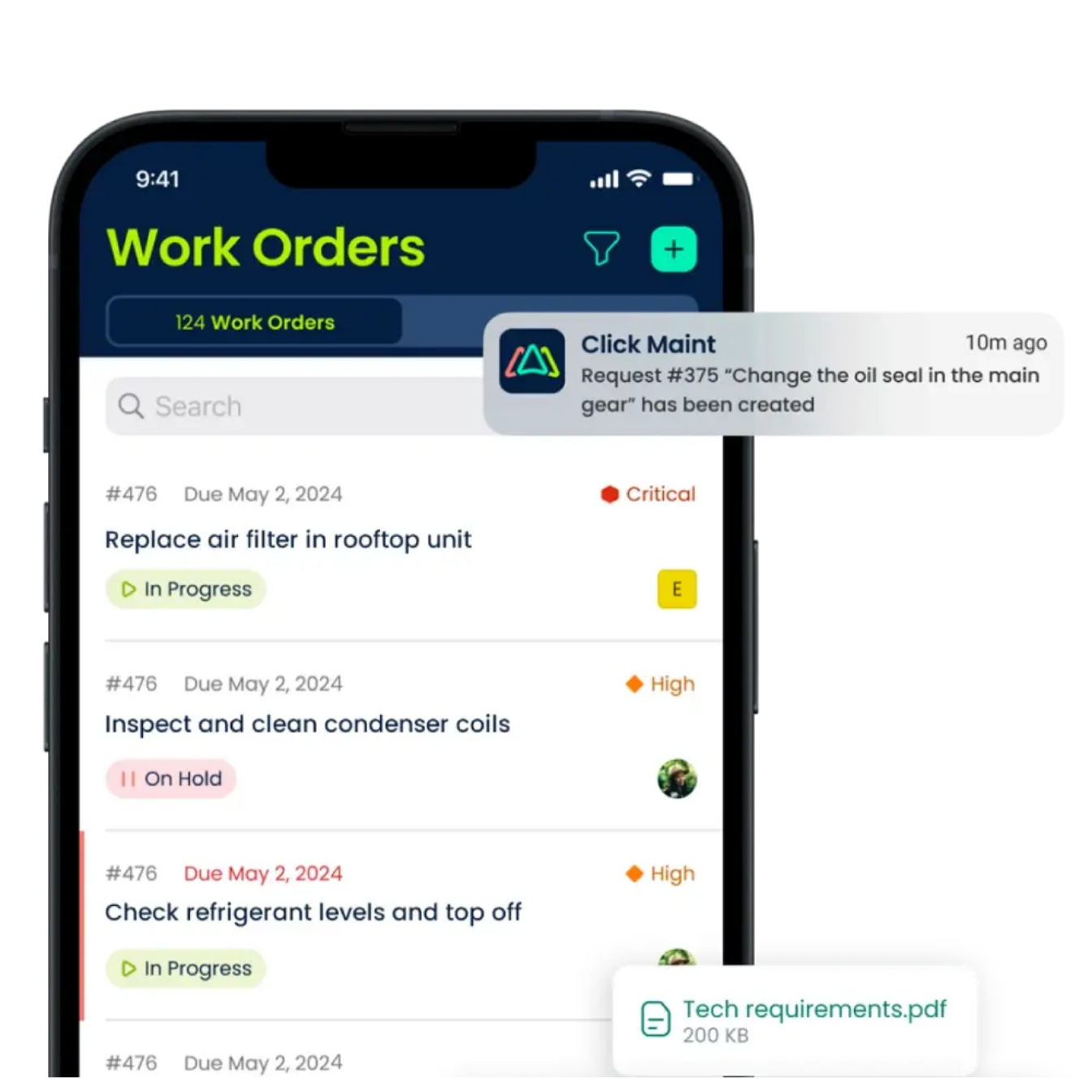
- Sending real-time notifications
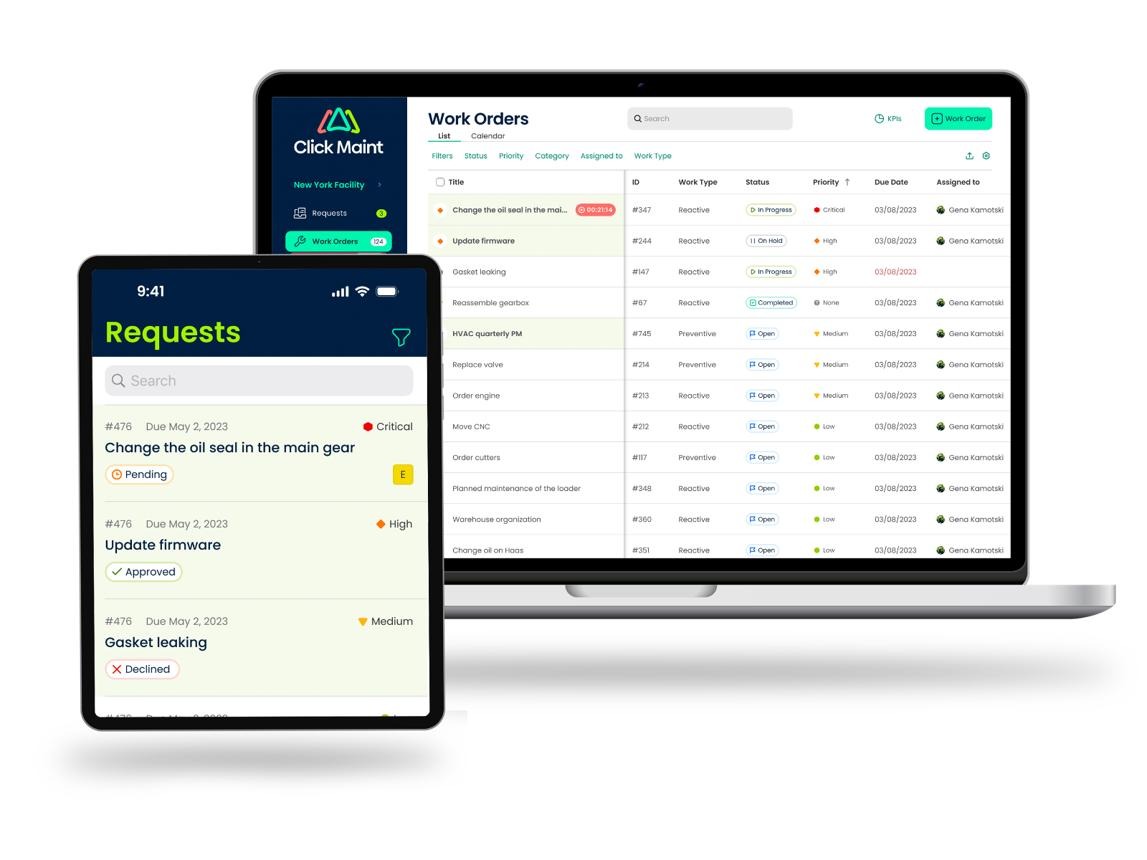
- Managing maintenance requests through a dedicated portal
- Accessing work orders from mobile devices
Click Maint also provides unlimited maintenance requesters within its Professional Plan.
Employees, teachers, building occupants, and other authorized requesters submit maintenance requests without requiring paid technician accounts.
This is useful for schools, hospitals, manufacturing facilities, hotels, and organizations managing multiple buildings.
Eptura Asset Work Order Management
Eptura Asset supports work order creation, technician assignments, preventive maintenance, and maintenance cost tracking.
Its published capabilities also include vendor work orders, maintenance procedures, and technician labor tracking.
Advanced automation, including automatic ticket assignments based on custom rules, is associated with its Power tier.
Which Platform Fits Your Work Order Needs?
Click Maint is worth evaluating for organizations that prioritize straightforward work order tracking, technician communication, and accessible maintenance request workflows.
Eptura Asset deserves consideration when maintenance operations require advanced automation, purchasing workflows, and integration with broader enterprise asset management processes.
See how Click Maint helps maintenance teams create, assign, track, and complete work orders from one easy-to-use platform.
Explore Click Maint Work Order Software
2. Preventive Maintenance: Click Maint vs. Eptura Asset
Preventive maintenance software helps organizations schedule routine maintenance before equipment failures interrupt operations.
Both Click Maint and Eptura Asset provide preventive maintenance functionality.
Click Maint Preventive Maintenance Features
Click Maint helps maintenance managers organize preventive maintenance schedules for equipment, buildings, and facilities.
Key capabilities include:
- Recurring preventive maintenance schedules
- Daily, weekly, monthly, and annual scheduling
- Hourly maintenance intervals
- Custom maintenance checklists
- Automatic maintenance notifications
- Preventive maintenance calendar views
- Maintenance history tracking
- PM progress monitoring
- Pause and resume options for PM work orders
Maintenance teams track scheduled work alongside reactive repairs, providing a clearer view of daily workload.
Eptura Asset Preventive Maintenance Features
Eptura Asset supports preventive maintenance scheduling, equipment inspections, recurring procedures, and maintenance documentation.
Its asset management capabilities also support maintenance planning across facilities and equipment portfolios.
Organizations with complex asset structures should evaluate how Eptura Asset's maintenance scheduling works with their existing asset management processes.
Which Should Maintenance Managers Choose?
Click Maint offers an accessible approach for teams focused on organizing routine maintenance, improving PM completion, and reducing manual scheduling.
Eptura Asset offers additional enterprise asset management functionality for organizations with more complex operational requirements.
The right choice depends on maintenance workload, equipment complexity, reporting needs, and available resources.
3. Asset Management and Equipment Tracking
Asset management software helps maintenance teams monitor equipment history, repair costs, downtime, and maintenance activity.
Click Maint Asset Management
Click Maint provides equipment and asset tracking tools that connect maintenance information with daily work orders.
Features include:
- Asset and location management
- Parent-child asset relationships
- Equipment maintenance history
- Asset downtime tracking
- Maintenance cost reporting
- QR code generation and scanning
- Equipment documents and manuals
- Warranty tracking
- Asset records across multiple locations
For example, a manufacturing maintenance manager tracks equipment breakdowns, reviews maintenance history, and identifies assets requiring repeated repairs.
Eptura Asset Management
Eptura Asset offers asset tracking, equipment records, preventive maintenance, and parts management.
Its published Power tier adds capabilities such as downtime event tracking, installed parts tracking, and additional inventory workflows.
Eptura also offers broader integrations and enterprise asset management functionality.
Key Difference
Click Maint includes downtime tracking and maintenance cost insights within its published Professional Plan.
Eptura Asset separates certain advanced asset and downtime capabilities into higher subscription tiers.
Maintenance managers should compare the exact features included in their Eptura quote rather than assuming every advertised capability is available in the entry tier.
4. Click Maint vs. Hippo CMMS Pricing in 2026
Pricing is an important consideration for small and midsize maintenance teams.
Beyond the monthly subscription, organizations should evaluate implementation, training, migration, integrations, and ongoing support.
Click Maint Pricing
Click Maint publishes a starting price of $35 USD per user per month for its Professional Plan.
The plan includes work order management, preventive maintenance, asset management, inventory, mobile access, reporting, and maintenance request management.
Click Maint also offers:
- Monthly and annual subscription options
- Discounted annual subscriptions
- Unlimited maintenance requesters
- A 30-day trial
- Customer support
- Onboarding and training resources
Additional implementation or data migration fees apply in certain situations.
Example Click Maint Subscription Costs
|
Paid Users |
Monthly Cost |
Annual Cost |
|
5 users |
$175 |
$2,100 |
|
10 users |
$350 |
$4,200 |
|
15 users |
$525 |
$6,300 |
|
20 users |
$700 |
$8,400 |
Illustrative subscription calculations using the published $35 USD per-user monthly rate for 12 months. Actual annual billing, discounts, taxes, and implementation costs differ.
Hippo CMMS / Eptura Asset Pricing
Hippo CMMS is no longer sold as a standalone solution.
Organizations evaluating its successor should review Eptura Asset pricing.
Eptura's official pricing page identifies two Eptura Asset tiers:
Advanced: Includes core asset management, work orders, inspections, inventory, preventive maintenance, and service request workflows.
Power: Adds capabilities such as asset downtime tracking, automated maintenance assignments, expanded purchasing tools, and developer API access.
Eptura directs buyers to its sales team for pricing.
Its published terms also describe annual agreements.
Which CMMS Offers More Predictable Pricing?
Click Maint provides publicly available per-user pricing and a single Professional Plan covering core maintenance management functions.
Eptura Asset uses a tiered structure and requires a sales quote to establish the total subscription cost.
For maintenance teams comparing budgets, Click Maint provides a straightforward starting point.
Organizations considering Eptura Asset should request an itemized quote covering subscription tiers, implementation, support, integrations, and data migration.
CTA: Compare Your CMMS Costs Before Switching
See how much your maintenance team would spend with Click Maint and explore the features included in one Professional Plan.
5. Ease of Use: Is Click Maint Easier Than Hippo CMMS?
Ease of use directly affects CMMS adoption.
A maintenance platform should help technicians complete daily tasks without requiring extensive administrative work.
Click Maint Ease of Use
Click Maint emphasizes simple navigation, accessible maintenance records, and mobile workflows.
Maintenance technicians use the platform to:
- View assigned work orders
- Update work order status
- Record maintenance activity
- Upload equipment photos
- Scan QR codes
- Review asset information
- Complete preventive maintenance tasks
For maintenance managers, the system provides dashboards, reporting, work order visibility, and maintenance planning tools.
Eptura Asset Ease of Use
Eptura Asset provides a broader collection of maintenance and asset management capabilities.
Its technician tools support mobile maintenance, work order documentation, equipment records, and maintenance procedures.
Organizations requiring advanced asset management should assess how these capabilities fit their teams' technical experience and training requirements.
What Do Software Reviewers Say?
G2's published comparison of Click Maint and Eptura Asset reports the following ease-of-use scores:
|
G2 Review Category |
Click Maint |
Eptura Asset |
|
Ease of use |
9.7/10 |
8.3/10 |
|
Ease of setup |
9.4/10 |
7.4/10 |
|
Ease of administration |
9.4/10 |
7.9/10 |
|
Quality of support |
9.8/10 |
8.4/10 |
Source: G2 Click Maint vs. Eptura Asset Comparison. Ratings are based on user reviews and change over time. Review sample sizes differ between products.
These ratings indicate that Click Maint reviewers report a more favorable experience in these categories.
However, software buyers should still test both platforms against their own maintenance workflows.
6. Real Customer Story: Long Island Head Start Switched From Hippo CMMS to Click Maint
A useful way to evaluate a Hippo CMMS alternative is to examine organizations that have already made the transition.
About Long Island Head Start
Long Island Head Start is an early childhood education organization operating 15 facilities in New York.
Its maintenance department is responsible for keeping classrooms, buildings, and equipment safe and operational.
Before implementing Click Maint, Long Island Head Start used Hippo CMMS.
Maintenance Challenges With Hippo CMMS
According to the Click Maint customer case study, the organization experienced challenges involving:
- Maintenance reporting
- Equipment and asset tracking
- Work order visibility
- User experience
- Maintenance coordination across multiple locations
Managing maintenance activity across 15 facilities required a system that supported better organization and simpler reporting.
Why Long Island Head Start Chose Click Maint
The organization selected Click Maint for its user-friendly interface, maintenance reporting, asset management capabilities, and ability to support multiple facilities.
Click Maint helped centralize work orders, preventive maintenance, and equipment information.
Results After Switching
According to the customer case study, Long Island Head Start reported:
- Improved work order visibility
- Faster maintenance reporting
- Better preventive maintenance tracking
- Reduced administrative follow-up
- Improved maintenance coordination across 15 facilities
The organization also reported a straightforward implementation experience supported by the Click Maint onboarding team.
This example demonstrates how a maintenance team previously using Hippo CMMS transitioned to Click Maint to address its operational needs.
Read the Long Island Head Start Case Study
7. How to Switch From Hippo CMMS to Click Maint
Organizations currently using Hippo CMMS should plan their transition carefully to preserve important maintenance records.
Step 1: Review Your Existing Hippo CMMS Account
Identify the maintenance information your organization currently manages, including:
- Open and completed work orders
- Preventive maintenance schedules
- Equipment and asset records
- Inventory information
- Maintenance history
- Locations and user accounts
Confirm data export options and account access with Eptura.
Step 2: Schedule a Click Maint Demo
Meet with a Click Maint representative to review maintenance requirements, existing workflows, and software functionality.
Discuss the number of maintenance technicians, locations, equipment assets, and requesters.
Step 3: Request a Personalized Quote
Click Maint provides pricing based on the number of paid users and implementation requirements.
Confirm any additional services needed for importing existing Hippo CMMS data.
Step 4: Start a 30-Day Trial
Use the Click Maint trial to evaluate work orders, preventive maintenance, asset tracking, and mobile workflows.
Include maintenance managers and technicians in testing.
Step 5: Plan Data Migration
Export the required information from Hippo CMMS and review its format before importing it into Click Maint.
The Click Maint customer success team assists with onboarding and migration planning, with professional service fees applying where required.
Step 6: Complete Testing and Training
Test important workflows, review imported records, and train administrators and maintenance technicians.
Confirm that work orders, preventive maintenance schedules, and equipment information are accurate before fully transitioning.
CTA: Ready to Move From Hippo CMMS to Click Maint?
Explore a simpler maintenance management platform with transparent pricing, mobile work orders, preventive maintenance, and asset tracking.
8. Who Should Choose Click Maint vs. Eptura Asset?
Consider Click Maint If Your Team Needs:
- Published per-user subscription pricing
- Work order management and preventive maintenance in one plan
- Mobile access for maintenance technicians
- QR code-based maintenance workflows
- Unlimited maintenance requesters
- Equipment downtime and maintenance cost tracking
- Straightforward maintenance reporting
- A 30-day trial before purchasing
Click Maint is particularly relevant for small and midsize organizations in manufacturing, healthcare, education, hospitality, nonprofit facilities, and property management.
Consider Eptura Asset If Your Team Needs:
- Advanced enterprise asset management
- Complex purchasing and inventory workflows
- Automated maintenance assignment rules
- Broader enterprise software integrations
- Additional asset lifecycle capabilities
- Connections with other Eptura workplace technologies
Eptura Asset deserves consideration for organizations whose requirements extend beyond core CMMS functionality.
Frequently Asked Questions
1. What happened to Hippo CMMS?
Hippo CMMS was acquired by iOFFICE in 2019 and became part of Eptura in 2022. In 2025, Eptura retired Hippo CMMS as a standalone solution and incorporated its core functionality into Eptura Asset.
2. Is Hippo CMMS still available in 2026?
Hippo CMMS is no longer offered as a standalone product. However, existing users still have access to Eptura's Hippo customer login, support, and training resources. Individual account availability and transition arrangements should be confirmed with Eptura.
3. What replaced Hippo CMMS?
Eptura Asset is the current Eptura product incorporating Hippo CMMS functionality. It includes maintenance management, asset tracking, preventive maintenance, and inventory capabilities.
4. Is Click Maint a good alternative to Hippo CMMS?
Click Maint is an option for organizations replacing Hippo CMMS. It offers work order management, preventive maintenance, asset tracking, inventory management, mobile access, and published subscription pricing. Long Island Head Start is one documented example of a customer that moved from Hippo CMMS to Click Maint.
5. How much does Click Maint cost compared with Eptura Asset?
Click Maint publishes pricing starting at $35 USD per user per month. Eptura Asset provides Advanced and Power tiers with pricing available through its sales team. Buyers should compare full subscription and implementation quotes.
6. Is Click Maint easier to use than Eptura Asset?
G2 reviewers have rated Click Maint higher for ease of use, setup, and administration. However, organizations should evaluate each platform using their own maintenance processes and technician requirements.
7. Does Click Maint offer a trial for Hippo CMMS users?
Yes. Click Maint offers a 30-day trial, allowing maintenance teams to evaluate work order management, preventive maintenance, asset tracking, and mobile capabilities before purchasing.
8. Is Click Maint suitable for Canadian businesses?
Yes. Click Maint serves maintenance teams in Canada and the United States. Its published pricing page also states that the company accepts payments in USD and CAD.
Final Verdict: Click Maint vs. Hippo CMMS (Eptura Asset)
Hippo CMMS played an important role in helping organizations digitize maintenance management.
Following its integration into Eptura Asset, existing Hippo customers now have an opportunity to evaluate whether Eptura's current platform aligns with their maintenance needs.
Click Maint is a practical alternative for small and midsize maintenance teams that prioritize ease of use, predictable pricing, and essential maintenance management features.
With published pricing starting at $35 USD per user per month, Click Maint combines work orders, preventive maintenance, asset tracking, inventory, reporting, and mobile functionality in one Professional Plan.
Eptura Asset provides broader enterprise asset management capabilities, including advanced automation and integrations through its higher subscription tiers.
The right decision depends on organizational size, maintenance complexity, budget, and required functionality.
Looking for a Hippo CMMS Replacement? Explore Click Maint.
If your organization is evaluating alternatives to Hippo CMMS or Eptura Asset, see how Click Maint supports maintenance operations without unnecessary complexity.

TABLE OF CONTENTS