Reena Sommer | 5 Nov 2026


Maintenance teams start with simple tools. Spreadsheets track equipment, emails manage repair requests, and paper forms record completed maintenance. These methods work when an organization has a small number of assets, limited maintenance requests, and a few technicians.
As facilities grow, basic tracking tools become harder to manage. Work orders get missed, equipment records become outdated, spare parts are difficult to locate, and maintenance managers struggle to understand why equipment keeps breaking down.
In 2026, organizations need more than a digital list of maintenance tasks. They need maintenance management software that connects work order management, inventory management, asset tracking, preventive maintenance, and equipment downtime tracking.
For maintenance and facilities managers evaluating CMMS software, the important question is not simply whether their current tools work. It is whether those tools support the organization's growing maintenance requirements.
This guide explains when basic maintenance tracking tools become insufficient, what features to look for in scalable CMMS software, and how Click Maint helps organizations move toward more organized maintenance operations.

What are Some Basic Maintenance Tracking Tools?
Basic maintenance tracking tools are systems used to record repair requests, maintenance activities, equipment information, and scheduled tasks without a dedicated maintenance management platform.
Common examples include:
- Excel and Google Sheets: Used for equipment lists, maintenance schedules, and repair records.
- Paper work orders: Used to assign repairs and document completed maintenance.
- Email: Used to submit maintenance requests and communicate with technicians.
- Shared calendars: Used to schedule inspections and recurring maintenance.
- Basic task management apps: Used to assign general maintenance responsibilities.
- Manual inventory logs: Used to track spare parts, supplies, and equipment.
These tools provide a starting point for smaller maintenance operations. However, as the number of assets, locations, technicians, and work orders increases, managing information across separate systems becomes time-consuming.
A spreadsheet does not automatically connect equipment history with repair costs. An email inbox does not provide a structured maintenance backlog. A paper work order does not provide real-time visibility into repair progress. This is where dedicated maintenance management software becomes valuable.
7 Signs Your Maintenance Team Has Outgrown Basic Tracking Tools
1. Work Orders are Getting Lost or Delayed
One of the earliest signs that basic tracking tools are no longer effective is poor work order visibility.
Maintenance requests arrive through emails, phone calls, paper forms, and verbal conversations. Managers manually assign tasks and follow up with technicians.
As request volume increases, important repairs get overlooked.
Common warning signs:
- Technicians receive incomplete repair instructions.
- Maintenance requests remain unanswered.
- Managers struggle to identify outstanding work orders.
- Employees repeatedly ask for repair updates.
- Completed maintenance tasks lack documentation.
How Maintenance Management Software Helps
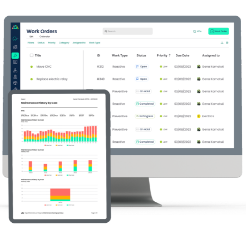
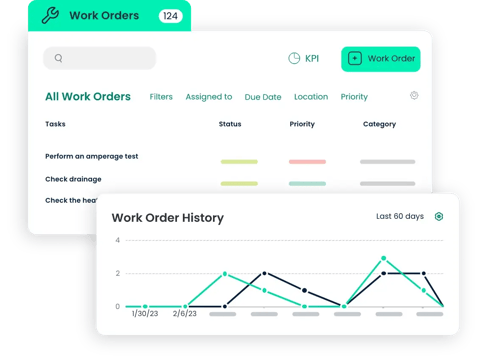
A CMMS centralizes work order management.
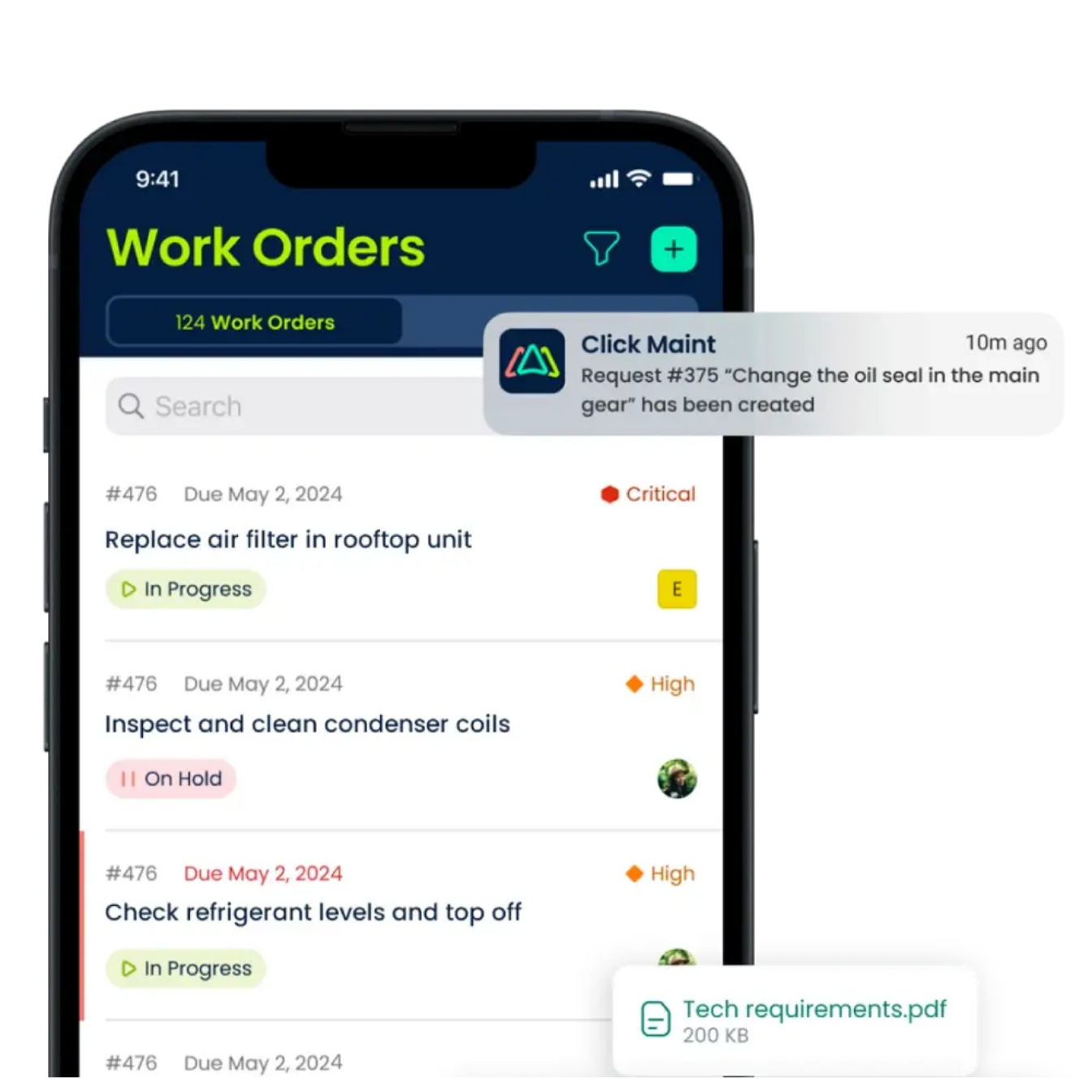
Employees submit maintenance requests through a dedicated portal. Maintenance managers review requests, assign technicians, set priorities, and monitor progress. Technicians access assigned tasks and record maintenance activities in the system.
This creates a structured process from request submission through work order completion.
2. Equipment Maintenance History Is Difficult to Find
When equipment information is stored in spreadsheets, paper folders, or separate databases, finding historical maintenance records becomes difficult.
Maintenance technicians need access to previous repairs, recurring problems, and equipment information. Without reliable asset records, teams spend time investigating issues that have already occurred.
How Asset Tracking Helps
Maintenance management software organizes equipment information in one location.
Maintenance teams track:
- Equipment identification and location
- Asset maintenance history
- Previous work orders
- Preventive maintenance activities
- Repair notes and documentation
- Equipment condition and service records
For example, a manufacturing facility experiencing repeated motor failures reviews historical work orders to identify recurring issues.
Instead of searching through paper files, the maintenance manager accesses the asset record directly. This supports better maintenance planning and equipment-related decisions.
3. Spare Parts and Inventory are Difficult to Track
Basic maintenance tracking systems rarely provide a reliable connection between spare parts and maintenance activities. Maintenance teams rely on spreadsheets or manual counts to monitor inventory.
This creates several problems:
- Critical spare parts run out unexpectedly.
- Technicians spend time searching for components.
- Duplicate parts get ordered.
- Inventory records become inaccurate.
- Emergency purchases increase maintenance costs.
How Inventory Management Software Helps
A CMMS with inventory management features helps maintenance teams track spare parts, quantities, storage locations, and parts usage.
Maintenance managers gain better visibility into the materials needed for repairs and preventive maintenance.
For example, a technician repairing an HVAC unit checks the inventory record to determine whether the required replacement part is available. This reduces unnecessary searching and supports better repair planning.
4. Preventive Maintenance Is Frequently Missed
Spreadsheets and shared calendars require manual updates.
When maintenance teams become busy responding to breakdowns, scheduled preventive maintenance tasks get delayed or forgotten. Over time, missed inspections and servicing activities increase the risk of equipment problems.
How CMMS Software Helps
Maintenance management software supports recurring preventive maintenance schedules. Managers create maintenance plans based on calendar intervals or other supported scheduling criteria.
Examples include:
- Monthly HVAC inspections
- Quarterly equipment servicing
- Weekly safety checks
- Annual facility inspections
- Routine lubrication and filter replacement
Scheduled work orders help technicians stay organized and give managers visibility into upcoming maintenance responsibilities. This supports a more consistent preventive maintenance program.
5. Equipment Downtime is Not Being Tracked
Many maintenance teams know when equipment breaks down but lack accurate records of how long it remains unavailable.
Without equipment downtime tracking, managers struggle to understand the operational impact of recurring failures.
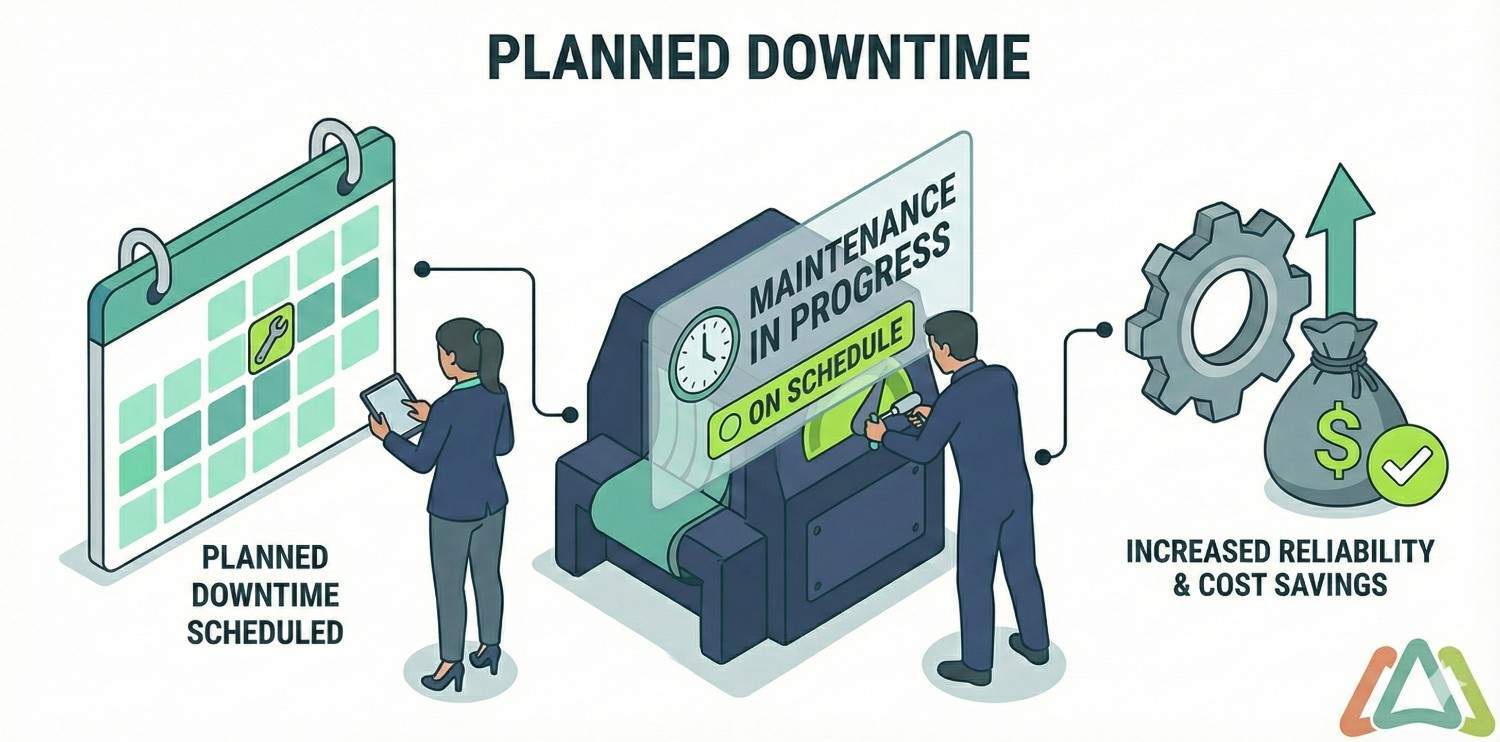
For manufacturing facilities, unexpected equipment downtime disrupts production.
For hotels, equipment failures affect guest services.
For healthcare facilities, unavailable building systems create operational challenges.
How Equipment Downtime Tracking Helps
Maintenance management software helps teams document breakdowns, repair activities, and equipment availability.
When downtime information is recorded consistently, managers review trends such as:
- Number of equipment breakdowns
- Total recorded downtime
- Recurring equipment failures
- Repair duration
- Maintenance workload
- Assets requiring frequent repairs
These insights help maintenance managers identify equipment requiring additional attention.
Important: Accurate downtime reporting depends on how the software records downtime events and how consistently technicians enter information.
6. Maintenance Teams are Growing Across Multiple Locations
A spreadsheet that works for three technicians becomes difficult to manage when an organization expands to 15 technicians across several facilities. Different locations begin using separate tracking methods. Maintenance managers lose visibility into work order status, equipment records, and maintenance performance.
How Scalable Maintenance Management Software Helps
A scalable CMMS brings maintenance information together in one platform. Organizations manage maintenance activities across departments, buildings, and locations.
Maintenance managers review work orders, assets, inventory, and maintenance activity without maintaining separate spreadsheets for every facility. This supports maintenance team scalability as operational requirements grow.
7. Maintenance Managers Cannot Measure Performance
Basic tracking tools record information but provide limited reporting without additional manual analysis.
Maintenance managers struggle to answer important questions:
- How many work orders were completed this month?
- Which equipment requires the most repairs?
- How much maintenance work remains outstanding?
- Which preventive maintenance tasks are overdue?
- Where is maintenance spending increasing?
- Which assets experience repeated downtime?
How CMMS Reporting Helps
Maintenance management software provides reporting tools that organize maintenance data. Managers use reports to review work order activity, preventive maintenance completion, equipment history, and maintenance costs. Better reporting supports more informed maintenance planning and resource allocation.
Basic Maintenance Tracking Tools vs. Maintenance Management Software
|
Feature |
Basic Tracking Tools |
Maintenance Management Software |
|
Work order management |
Manual entries and updates |
Centralized work order workflows |
|
Maintenance requests |
Email, phone, or paper |
Dedicated request management |
|
Preventive maintenance |
Manual calendars |
Recurring maintenance scheduling |
|
Asset tracking |
Separate equipment lists |
Connected equipment records |
|
Inventory management |
Manual spreadsheets |
Centralized parts tracking |
|
Equipment downtime tracking |
Manual calculations |
Structured downtime records and reporting |
|
Mobile access |
Depends on the tool |
Mobile maintenance workflows |
|
Maintenance reporting |
Manual data analysis |
Built-in reports and dashboards |
|
Multi-location management |
Separate files |
Centralized facility visibility |
|
Maintenance team scalability |
Increasing manual administration |
Structured workflows for growing teams |
The difference is not simply digital recordkeeping.
Maintenance management software connects maintenance information, people, equipment, and processes in one system.
What Features Should You Look for in Scalable Maintenance Management Software?
When replacing spreadsheets or basic maintenance tracking tools, organizations should prioritize practical functionality over unnecessary complexity.
Work Order Management
Work order management is the foundation of a CMMS.
Look for software that supports maintenance request submission, technician assignments, work order priorities, task status tracking, repair documentation, and maintenance history. An organized work order process helps maintenance teams respond to repairs more efficiently.
Preventive Maintenance Scheduling
A scalable CMMS should support recurring maintenance schedules and planned servicing activities. Maintenance managers need a clear view of upcoming, overdue, and completed preventive maintenance tasks.
Asset Tracking
Equipment records should connect directly to maintenance activities. Look for asset profiles, repair history, equipment documentation, and maintenance records.
Inventory Management
Inventory management helps maintenance teams monitor spare parts and supplies. Evaluate whether the software supports inventory quantities, storage locations, parts usage, and stock management.
Equipment Downtime Tracking
Maintenance managers need reliable equipment performance information. Look for downtime recording, repair history, and reporting features that help identify recurring failures.
Mobile Maintenance Management
Maintenance technicians spend much of their time away from desks. Mobile access helps them review assigned work orders, update tasks, and access equipment information while working throughout a facility.
Reporting and Analytics
Maintenance reporting should provide useful information without requiring extensive spreadsheet work. Managers should review work order performance, maintenance history, preventive maintenance completion, and operational trends.
Ease of Implementation
A complicated system creates additional work for maintenance teams. Choose maintenance management software with a straightforward interface, clear workflows, and practical onboarding support.
Why Choose Click Maint When Replacing Basic Maintenance Tracking Tools?
Click Maint is affordable, easy-to-use maintenance management software designed for organizations moving away from spreadsheets, paper work orders, and disconnected maintenance processes.
It brings work order management, preventive maintenance, inventory management, asset tracking, and reporting into one cloud-based platform. Click Maint is relevant for maintenance and facilities managers who want organized maintenance operations without implementing an overly complex enterprise system.
1. Centralized Work Order Management
Click Maint helps maintenance managers create, assign, prioritize, and track work orders. Technicians review assigned tasks and update maintenance information. This improves work order visibility and reduces dependence on manual tracking methods.
2. Preventive Maintenance Scheduling
Click Maint supports recurring preventive maintenance tasks. Maintenance managers organize scheduled inspections and equipment servicing in one system.
3. Equipment and Asset Tracking
Click Maint stores equipment information and maintenance records. Teams review asset history, associated work orders, and previous maintenance activities.
4. Inventory and Parts Management
Maintenance departments track spare parts and inventory information alongside maintenance operations. This improves visibility into parts availability and usage.
5. Mobile Work Order Management
Click Maint provides mobile access for maintenance technicians. Technicians review tasks, update work orders, and access maintenance information while working in the field.
QR code functionality also supports equipment identification and access to related maintenance records.
6. Maintenance Request Portal
Employees submit maintenance requests through a centralized portal. Maintenance managers review requests and coordinate the appropriate maintenance response.
7. Maintenance Reports and Analytics
Click Maint provides maintenance reporting tools that help managers evaluate work order activity, preventive maintenance, and equipment maintenance records. These features support better maintenance planning and operational visibility.
8. Affordable Pricing and Straightforward Implementation
Maintenance teams replacing spreadsheets need software that fits their operational requirements and budget. Click Maint emphasizes affordability, ease of use, and practical functionality for small and growing maintenance departments.
Organizations should request current pricing based on user count and implementation requirements.
Ready to Replace Spreadsheets and Paper Work Orders?
Discover how Click Maint brings work orders, preventive maintenance, inventory, and equipment records together.
Explore Click Maint Maintenance Management Software
Real-World Example: Southern Carton Manufacturing
Manufacturing organizations need reliable maintenance records to support equipment operations and preventive maintenance.
Southern Carton is a manufacturing business featured in Click Maint's customer case studies.
Its experience provides a relevant example for manufacturing maintenance teams evaluating the move toward centralized maintenance management software.
Manufacturing facilities manage multiple equipment assets, recurring maintenance tasks, and unexpected repair requests.
A dedicated CMMS helps organize these activities and connects maintenance records to the equipment being serviced.
For maintenance managers evaluating software, customer experiences such as Southern Carton's provide useful context about adopting maintenance management technology in a manufacturing environment.
Read the customer story: Southern Carton Case Study
Click Maint Recognition and Customer Reviews
When choosing maintenance management software, organizations should evaluate product functionality, customer support, implementation requirements, and independent customer feedback.
Click Maint has received industry recognition, including being featured by CIOReview in 2025 as a leading work order management software provider for Canadian companies.
Read Click Maint's CIOReview Recognition
Prospective buyers should also review customer feedback on platforms such as Capterra, Software Advice, and G2 to understand user experiences with software usability, maintenance workflows, and support.
Recognition and customer reviews provide additional evaluation context, but organizations should confirm that the software meets their specific requirements.
How to Move From Basic Tracking Tools to CMMS Software
Replacing spreadsheets and paper records does not require changing every maintenance process at once.
A structured implementation approach helps teams transition while maintaining daily operations.
Step 1: Review Existing Maintenance Processes
Identify how the team currently manages work orders, equipment records, preventive maintenance, and inventory.
Document problems such as missed requests, duplicate records, and inconsistent reporting.
Step 2: Organize Maintenance Data
Collect existing equipment lists, maintenance schedules, spare parts records, and outstanding work orders.
Remove duplicate entries and correct outdated information.
Clean data makes the transition easier.
Step 3: Choose Maintenance Management Software
Compare CMMS solutions based on ease of use, work order management, preventive maintenance, asset tracking, inventory management, reporting, and pricing.
Request a product demonstration using examples from your maintenance operations.
Step 4: Start With Work Order Management
Begin by moving maintenance requests and work orders into the new system.
Train technicians to review assignments, update task status, and record completed repairs.
Step 5: Add Preventive Maintenance and Asset Records
Once work order workflows are established, configure recurring maintenance schedules and equipment records.
Connect preventive maintenance tasks to the appropriate assets.
Step 6: Set Up Inventory Management
Import spare parts information and organize inventory locations.
Establish consistent procedures for updating inventory records.
Step 7: Train Maintenance Teams
Provide practical training for maintenance managers, technicians, and requesters.
Focus on daily tasks rather than introducing every software feature immediately.
Step 8: Review Maintenance Performance
After implementation, monitor work order completion, preventive maintenance activity, equipment issues, and inventory accuracy.
Use the information to improve maintenance processes over time.
How Does Scalable CMMS Software Support Maintenance Team Growth?
Maintenance team scalability means supporting more technicians, equipment, work orders, and facilities without creating unnecessary administrative work.
As organizations expand, maintenance complexity increases.
A growing manufacturing business adds production equipment. A school district opens additional facilities. A property management company takes responsibility for more buildings.
Without standardized maintenance processes, each expansion creates additional spreadsheets, emails, and manual tracking responsibilities.
Scalable maintenance management software provides a centralized structure for managing these changes.
For example:
A maintenance department begins with five technicians managing one facility.
Over time, the organization expands to three locations and 15 technicians.
With basic tracking tools, managers need to consolidate maintenance information from multiple files and departments.
With a CMMS, maintenance managers organize work orders, equipment records, preventive maintenance, and reporting within a shared platform.
The software supports more consistent maintenance processes as the organization grows.
How Much Does It Cost to Replace Basic Maintenance Tracking Tools?
The cost of maintenance management software depends on several factors:
- Number of users
- Required maintenance features
- Implementation and onboarding services
- Data migration requirements
- Software subscription terms
- Training and support requirements
- Additional integrations
Organizations should evaluate total ownership costs rather than subscription pricing alone.
For example, a low-cost spreadsheet requires manual administration, data maintenance, and additional reporting work.
A dedicated CMMS introduces subscription expenses but reduces reliance on disconnected maintenance tracking processes.
The financial value depends on maintenance workload, staff time, equipment reliability, and implementation success.
How to Evaluate CMMS Return on Investment
Maintenance managers should establish baseline measurements before implementation.
Useful metrics include:
- Monthly work order volume
- Average work order completion time
- Preventive maintenance completion rate
- Recorded equipment downtime
- Maintenance labor hours
- Emergency repair spending
- Spare parts inventory accuracy
After implementing maintenance management software, compare these measurements over time.
This provides a clearer picture of operational improvements and software value.
Frequently Asked Questions
When Should a Maintenance Team Replace Spreadsheets With CMMS Software?
A maintenance team should consider CMMS software when work orders are missed, preventive maintenance becomes difficult to schedule, equipment history is scattered, or managers lack visibility into maintenance performance. Increasing technician counts and multiple facilities are additional signs.
What Is the Difference Between Basic Maintenance Tracking and Maintenance Management Software?
Basic maintenance tracking tools record tasks and equipment information, usually through spreadsheets, calendars, or paper forms. Maintenance management software connects work orders, preventive maintenance, assets, inventory, and reporting within a centralized system.
Which Maintenance Management Software Is Suitable for Growing Teams?
Click Maint is an option for small and growing maintenance teams seeking affordable work order management, preventive maintenance scheduling, asset tracking, inventory management, and mobile maintenance features.
Does Maintenance Management Software Help Track Equipment Downtime?
Yes. CMMS platforms with downtime recording and reporting features help teams document equipment failures, repair activity, and maintenance history. Buyers should verify the specific downtime tracking capabilities of each product.
Why Is Inventory Management Important in CMMS Software?
Inventory management helps maintenance teams track spare parts, monitor stock levels, and improve visibility into materials needed for repairs. It supports better maintenance planning and reduces dependence on manual inventory logs.
How Does CMMS Software Support Maintenance Team Scalability?
CMMS software standardizes work order workflows, asset records, preventive maintenance schedules, and reporting. This helps organizations manage increasing maintenance workloads and additional locations.
Is Click Maint Suitable for Manufacturing, Healthcare, and Education Facilities?
Yes. Click Maint serves maintenance operations across industries including manufacturing, healthcare, education, hospitality, property management, and nonprofit organizations.
Conclusion: Is it Time to Replace Your Maintenance Tracking Tools?
Spreadsheets, paper work orders, and basic task management tools provide a starting point for maintenance tracking.
However, as maintenance operations grow, disconnected systems create challenges with work order management, inventory management, asset tracking, equipment downtime tracking, and reporting.
Maintenance management software brings these processes together in one centralized platform.
For organizations looking to replace basic maintenance tracking tools in 2026, Click Maint offers an affordable, easy-to-use CMMS solution that supports work orders, preventive maintenance, equipment records, inventory, and mobile maintenance operations.
Instead of managing maintenance information across multiple systems, teams gain a clearer view of daily maintenance activities and equipment history.
Ready to Upgrade Your Maintenance Management in 2026?
Replace Spreadsheets, Paper Work Orders, and Disconnected Maintenance Tools With Click Maint.
Bring work orders, preventive maintenance, asset tracking, inventory management, and maintenance reporting into one easy-to-use platform.
Take the 2-minute interactive product tour or schedule a personalized demo to see how Click Maint supports your maintenance operations.
Ready to Upgrade Your Maintenance Management in 2026?
TABLE OF CONTENTS