Reena Sommer | 9 Nov 2026


Managing maintenance costs and accounting records in separate systems creates extra work for maintenance teams. Technicians record labor hours, parts usage, and equipment repairs in one system, while accounting departments track invoices, vendor payments, and expenses in QuickBooks.
Without connected workflows, businesses face duplicate data entry, delayed invoices, missing maintenance expenses, and inaccurate financial reports.
The Best CMMS with QuickBooks integration helps businesses connect maintenance activities with financial processes, improving cost visibility and reducing administrative work.
However, not every CMMS provides the same level of QuickBooks connectivity. Some offer direct integration, while others rely on APIs, third-party automation platforms, or manual data exports.
This guide compares CMMS software options, explains the features businesses should evaluate, and explores why an Affordable CMMS such as Click Maint is worth considering for maintenance teams focused on cost control and operational efficiency.

What is CMMS Software with QuickBooks Integration?
CMMS software with QuickBooks integration connects maintenance management information with accounting records.
A Computerized Maintenance Management System (CMMS) manages daily maintenance activities, including work orders, preventive maintenance, equipment records, inventory, and maintenance costs.
QuickBooks handles financial activities such as invoicing, expenses, payments, and accounting reports. When the two systems are connected, maintenance and accounting teams gain a more consistent view of operational spending.
What Information Should Sync Between CMMS and QuickBooks?
|
Maintenance Information |
QuickBooks Workflow |
|
Labor hours and labor costs |
Invoice line items and expense allocation |
|
Replacement parts |
Parts charges and purchasing expenses |
|
Completed work orders |
Customer invoice creation |
|
Vendor maintenance services |
Vendor bills and expense tracking |
|
Maintenance purchase orders |
Purchasing and accounting reconciliation |
|
Equipment repair costs |
Maintenance expense reporting |
Actual synchronization depends on the software, integration configuration, and QuickBooks version.
For example, a manufacturing facility completing a $750 equipment repair might record $300 in labor, $350 in replacement parts, and $100 in outside service costs.
A properly configured integration transfers the appropriate financial details to QuickBooks without requiring the accounting team to enter the same information again.
5 Best CMMS Software Options to Evaluate for QuickBooks Integration
Selecting the Best CMMS requires more than checking whether QuickBooks appears on a software vendor's integration list. Businesses should confirm which financial records sync, how the integration works, and whether additional fees apply.
1. MaintainX — For QuickBooks Online Work Order Invoicing
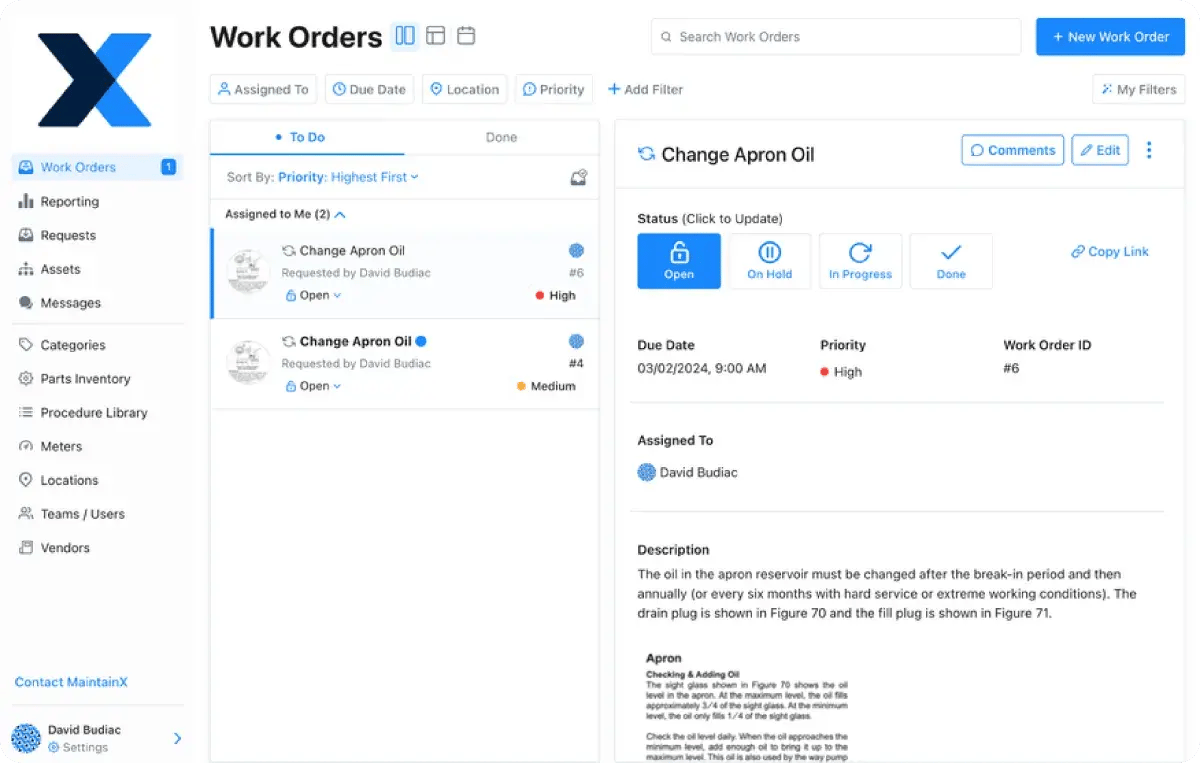
MaintainX is a maintenance management platform designed for manufacturing, industrial maintenance, and facility operations. Its QuickBooks Online integration is particularly relevant for businesses that bill customers for completed maintenance work.
Key features include:
- Digital work order management
- Preventive maintenance scheduling
- Labor and parts tracking
- Mobile maintenance operations
- QuickBooks Online invoicing integration
QuickBooks consideration: MaintainX offers documented QuickBooks Online invoicing functionality. Buyers should verify supported fields, synchronization direction, and integration eligibility for their subscription.
Suitable for: Service-oriented maintenance operations that require work order information to support customer invoicing.
2. eMaint CMMS — For Complex Maintenance and Accounting Workflows
eMaint, a Fluke Reliability product, supports maintenance operations across manufacturing, healthcare, facilities, and industrial environments. The platform offers integration capabilities for connecting maintenance information with other business systems.
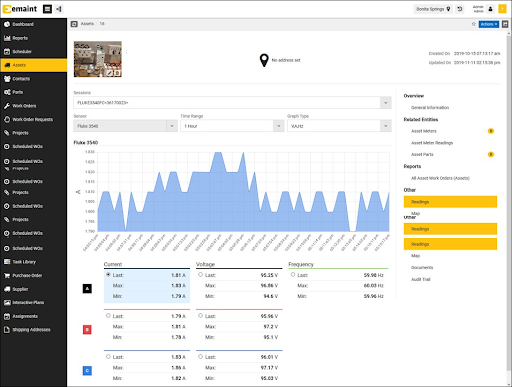
Key features include:
- Work order management
- Preventive maintenance scheduling
- Asset management
- Maintenance inventory tracking
- Purchasing and maintenance cost reporting
- Enterprise integration capabilities
QuickBooks consideration: Confirm whether the required QuickBooks connection is supported directly or requires middleware or custom integration work.
Suitable for: Organizations with complex equipment maintenance requirements and established accounting processes.
3. UpKeep — For Mobile Maintenance Management
UpKeep provides mobile-focused maintenance management software for teams managing equipment, repairs, inspections, and preventive maintenance. Its integration capabilities make it an option for businesses exploring connections between maintenance and accounting systems.
Key features include:
- Mobile work order management
- Asset maintenance history
- Preventive maintenance
- Inventory and parts tracking
- Maintenance analytics
- Integration and API capabilities
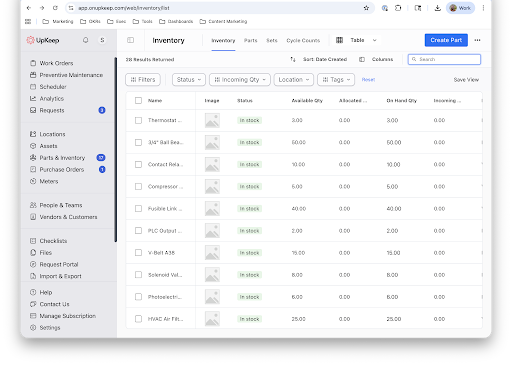
QuickBooks consideration: Buyers should confirm the available QuickBooks integration method and whether invoice creation, expense syncing, and vendor records are supported.
4. Fiix CMMS — For Manufacturing Maintenance Operations
Fiix, part of Rockwell Automation, provides CMMS software for asset-intensive operations. Manufacturing teams use the platform to organize maintenance activities, monitor equipment reliability, and analyze maintenance performance.
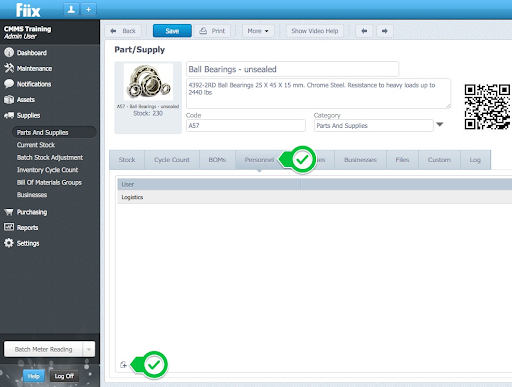
Key features include:
- Asset management
- Preventive maintenance scheduling
- Work order tracking
- Maintenance cost analysis
- Inventory management
- Integration capabilities
QuickBooks consideration: Organizations should confirm whether their desired QuickBooks workflow requires custom API development or an external integration platform.
Suitable for: Manufacturing organizations with advanced maintenance and systems integration requirements.
5. Click Maint — Affordable CMMS for Small and Mid-Sized Maintenance Teams
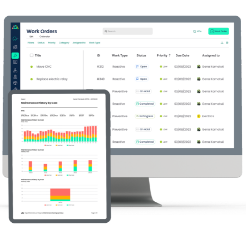
Click Maint is an affordable, easy-to-use maintenance management system designed for businesses seeking better work order organization, preventive maintenance scheduling, equipment tracking, and maintenance cost visibility.
For small and mid-sized businesses, implementing an overly complex CMMS creates additional training and administrative requirements.
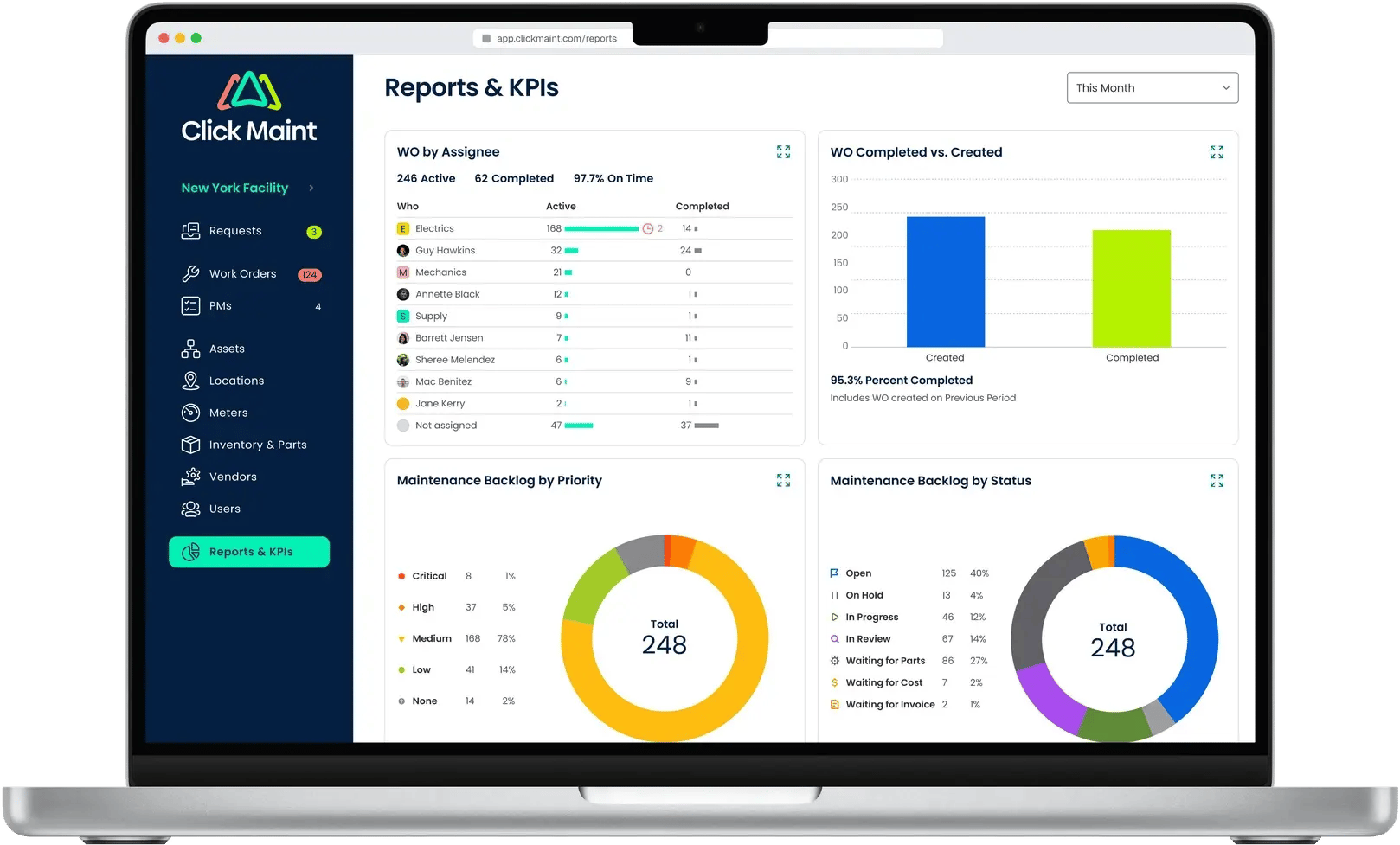
Click Maint focuses on helping maintenance teams manage essential operations through a centralized platform.
Key Click Maint features include:
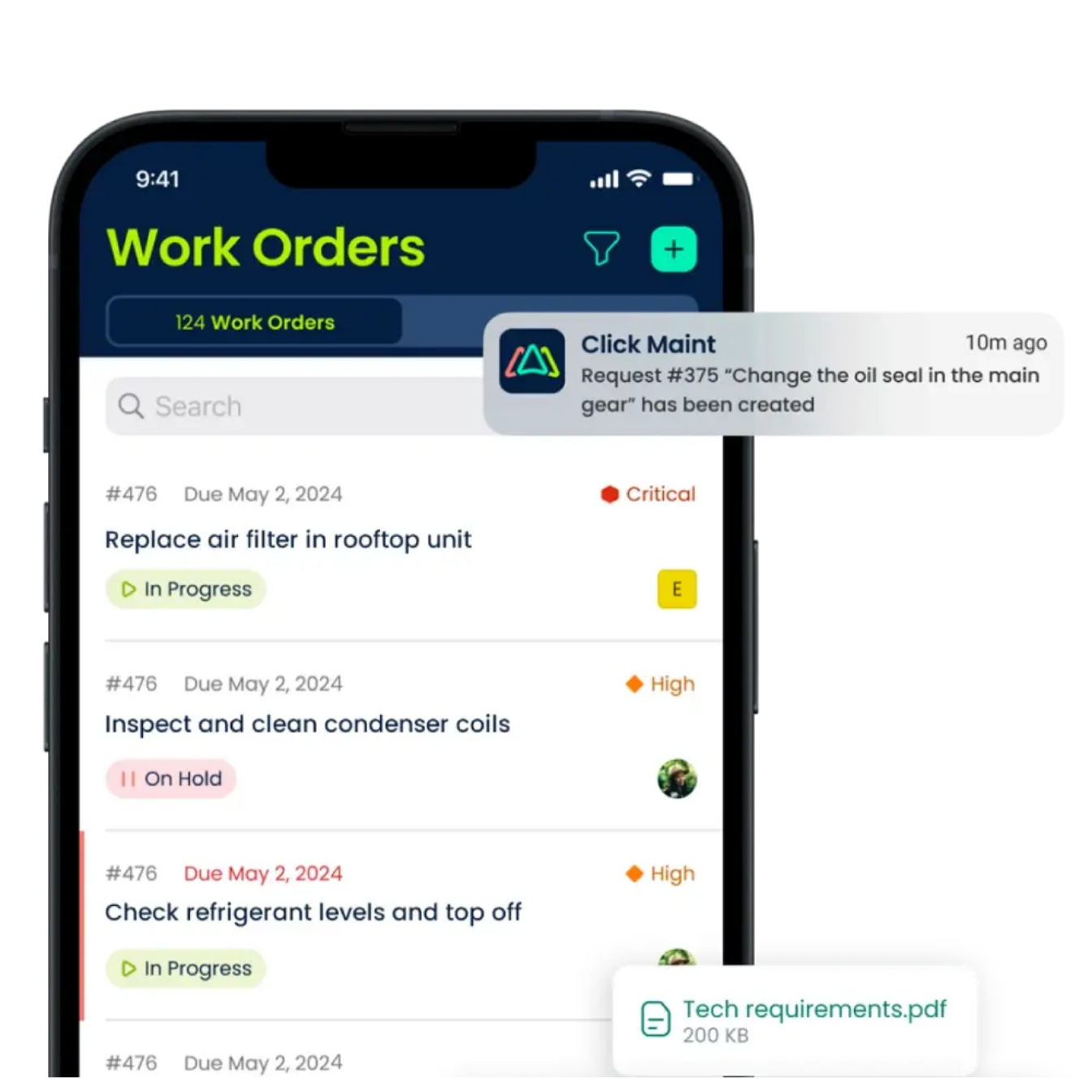
- Work order management: Create, assign, prioritize, and track maintenance tasks.
- Preventive maintenance: Schedule recurring maintenance to reduce unexpected equipment failures.
- Equipment and asset tracking: Maintain equipment records and service history.
- Inventory management: Organize replacement parts and maintenance supplies.
- Mobile maintenance: Update work orders and access maintenance information in the field.
- QR code scanning: Access equipment information and maintenance records.
- Maintenance reporting: Review work order activity and maintenance performance.
- Maintenance request portal: Simplify requests from employees and facility users.
Click Maint QuickBooks Integration
Click Maint supports integration with QuickBooks through its API, allowing businesses to transfer work order costs, account codes, and General Ledger (GL) codes tracked within Click Maint into QuickBooks. This helps maintenance teams organize expenses and improve financial reporting.
For businesses that prefer a simpler approach, Click Maint also supports exporting maintenance cost data to CSV files, which can then be imported into QuickBooks on a scheduled basis.
Setting up an API integration requires support from an IT team or developer with experience building system integrations.
Some competing CMMS platforms offer direct, native QuickBooks integrations, potentially restricted to higher-tier or enterprise plans. Others support integrations through third-party automation tools such as Zapier. Integration availability, pricing, and technical requirements vary by provider and should be verified before purchasing.
Why Choose Click Maint? Click Maint provides flexible options for transferring maintenance costs into QuickBooks, giving businesses a choice between API-based integration and scheduled CSV exports without requiring a native QuickBooks connector.
Explore: Click Maint CMMS Software
How Does CMMS Software Help Businesses Control Maintenance Costs?
Accounting integration is useful, but effective maintenance cost management begins with accurate work order and equipment records.
An Affordable CMMS helps maintenance teams understand where money is being spent and identify opportunities to reduce unnecessary expenses.
1. Track Labor and Repair Costs
Every maintenance task requires resources. Without a centralized system, tracking labor hours, replacement parts, and repair expenses becomes difficult.
CMMS software helps maintenance managers organize work order information and review maintenance activity.
For example, if a production machine requires five repairs in one month, maintenance records help managers investigate recurring problems and determine whether additional preventive maintenance is necessary.
2. Reduce Unexpected Equipment Downtime
Unexpected equipment failures create direct repair expenses and indirect costs from lost productivity.
Preventive maintenance software helps teams schedule equipment inspections, lubrication, cleaning, and servicing.
Click Maint provides preventive maintenance scheduling to help businesses maintain equipment consistently.
For manufacturing businesses, this supports more organized maintenance planning and reduces dependence on reactive repairs.
3. Improve Inventory and Parts Management
Poor inventory management leads to unnecessary purchases, missing replacement parts, and maintenance delays.
A CMMS with inventory management helps maintenance teams organize spare parts, monitor usage, and maintain better records.
When accounting integration is available, relevant purchasing and expense information can also be transferred to financial systems.
4. Improve Maintenance Budget Planning
Maintenance managers need accurate information when preparing annual maintenance budgets.
CMMS reports provide visibility into work order activity, recurring maintenance requirements, and equipment performance.
Combined with accounting records, this information supports better maintenance budget decisions.
Related reading: How to Create, Manage, and Optimize a Maintenance Budget Using CMMS Software
CMMS and QuickBooks Integration: Example Workflow
Consider a small manufacturing company that uses CMMS software to manage equipment maintenance and QuickBooks Online for accounting.
Step 1: Create a Maintenance Work Order
Record the equipment problem and assign a technician
Step 2: Complete the Repair
Record labor hours, replacement parts, and service expenses
Step 3: Transfer Approved Costs
Use the configured integration to send eligible work order information to QuickBooks
Step 4: Review Invoices and Expenses
Accounting verifies amounts, customer details, and financial records
Illustrative workflow for a CMMS with configured QuickBooks synchronization. It does not represent a verified Click Maint integration.
This process reduces repeated administrative work when the selected integration supports the required records and automation.
How to Choose the Best CMMS With QuickBooks Integration
Before purchasing CMMS software, maintenance and accounting teams should evaluate these requirements.
QuickBooks Online vs. QuickBooks Desktop
Confirm which QuickBooks version the CMMS supports. An integration designed for QuickBooks Online does not necessarily support QuickBooks Desktop.
Automatic Invoice Creation
Check whether completed work orders generate draft invoices automatically or require manual approval and transfer.
Cost and Expense Synchronization
Determine whether the integration supports labor charges, parts, vendor expenses, purchase orders, and customer billing.
Ease of Implementation
An Affordable CMMS should be straightforward to implement and use. Complex integration projects increase the total cost of ownership.
Total Software Cost
Evaluate more than the advertised monthly subscription price. Include setup, user licenses, integration services, training, and ongoing support.
For example, MaintainX documents its QuickBooks Online integration as a managed service for eligible Premium or Enterprise customers, with scoping and a separate quote.
Why Small Businesses Should Consider Affordable CMMS Software
Small businesses face different maintenance challenges than large industrial organizations.
A small maintenance department typically needs reliable work order tracking, preventive maintenance scheduling, asset records, and inventory visibility without excessive implementation complexity.
Click Maint focuses on these core maintenance functions.
For businesses that do not require automatic QuickBooks invoice synchronization, a centralized maintenance platform is still valuable for improving maintenance operations and reducing administrative work.
For businesses that require direct accounting integration, compatibility should be confirmed before selecting the software.
Click Maint Customer Example: Southern Carton
Southern Carton: Southern Carton provides a relevant manufacturing example for organizations evaluating CMMS software.
Manufacturing teams need organized maintenance records to manage equipment repairs, schedule preventive maintenance, and monitor recurring maintenance activities.
The Southern Carton customer story illustrates the application of Click Maint in a manufacturing environment.
Although the case study is relevant to maintenance management, it should not be interpreted as evidence of QuickBooks integration or automated accounting synchronization.
Read the customer story: Southern Carton – Click Maint Case Study
Click Maint Recognition and Customer Reviews
Click Maint has received industry recognition for its maintenance management software. In 2025, CIOReview recognized Click Maint as a leading work order management software provider for Canadian companies.
Read more: Click Maint Recognition – CIO Review 2025
Businesses evaluating Click Maint should also review customer feedback on software review platforms such as Capterra, Software Advice, and G2. Customer reviews provide additional insight into usability, implementation, support, and overall software value.
Frequently Asked Questions About CMMS and QuickBooks Integration
1. What is the Best CMMS with QuickBooks integration?
MaintainX is a strong option for businesses requiring documented QuickBooks Online invoice generation from maintenance work orders. Other CMMS platforms should be evaluated according to their supported accounting integration capabilities, cost, and implementation requirements.
2. Does Click Maint integrate directly with QuickBooks?
A native QuickBooks integration has not been publicly verified for Click Maint. Businesses should contact Click Maint to confirm current integration options, supported accounting workflows, and data export capabilities.
Click Maint supports QuickBooks integration through its API. The API is designed to be straightforward and easy to use. However, setting up and managing the integration requires IT support from professionals with experience in API development and system integrations.
3. What is the Best Affordable CMMS for small businesses?
Click Maint is worth considering for small businesses seeking affordable maintenance management software with work orders, preventive maintenance, asset tracking, and inventory management. Businesses should compare total costs and required integrations before purchasing.
4. Does CMMS software automatically generate invoices?
Some CMMS platforms support automatic invoice creation through direct accounting integrations or third-party automation tools. MaintainX, for example, documents the ability to generate QuickBooks Online invoices from qualifying work orders.
5. How does CMMS software reduce maintenance costs?
CMMS software helps businesses organize preventive maintenance, monitor equipment history, track maintenance activity, and improve inventory management. These capabilities support better maintenance planning and spending decisions.
6. Is QuickBooks integration necessary for every maintenance team?
No. Organizations focused on internal equipment maintenance rather than customer billing may prioritize work orders, preventive maintenance, and equipment cost reporting. Accounting integration becomes more important when financial data must move frequently between systems.
Final Verdict: Which CMMS Should You Choose?
The Best CMMS depends on your maintenance operations, accounting requirements, and available budget. Businesses requiring automated QuickBooks Online invoicing should evaluate MaintainX because its documented integration supports transferring work order information into customer invoices.
Businesses seeking an Affordable CMMS for managing maintenance activities should consider Click Maint. With work order management, preventive maintenance scheduling, asset tracking, inventory management, mobile access, and reporting, Click Maint provides essential maintenance functionality for growing organizations.
Before purchasing any CMMS, confirm that the software supports your required accounting workflows and that implementation costs fit your budget.
Ready to Simplify Maintenance Management?
Take Control of Maintenance Costs With Click Maint
Stop managing maintenance tasks across disconnected spreadsheets and paper records. Organize work orders, preventive maintenance, equipment history, and inventory with an affordable CMMS built for growing maintenance teams.

TABLE OF CONTENTS