Reena Sommer | 4 Nov 2026


As businesses grow, maintenance operations become more complex. New equipment, additional facilities, larger maintenance teams, and increasing work orders create challenges that spreadsheets and basic maintenance tracking tools struggle to handle.
For maintenance and facilities managers, managing these growing responsibilities requires organized workflows, accurate equipment records, and clear visibility into maintenance performance.
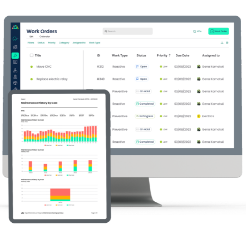
Maintenance management software helps growing organizations centralize work order management, inventory management, equipment asset tracking, preventive maintenance, and downtime tracking in one system.
Instead of relying on disconnected spreadsheets, emails, and paper records, maintenance teams use computerized maintenance management system (CMMS) software to coordinate daily operations and plan maintenance activities.
Click Maint provides affordable, easy-to-use CMMS software designed to help growing maintenance teams organize work, improve equipment reliability, and expand maintenance operations without unnecessary complexity.
This guide explains when basic maintenance tracking tools stop meeting business needs, how scalable CMMS software works, and what maintenance managers should look for before choosing a system.

What is CMMS Software for Growing Maintenance Teams?
CMMS software is a centralized maintenance management system that helps organizations manage work orders, preventive maintenance, equipment assets, spare parts inventory, and maintenance reporting.
For growing organizations, CMMS software provides a structured way to manage increasing maintenance responsibilities.
A small maintenance team might begin with spreadsheets to record equipment repairs and maintenance requests.
However, as the organization expands, spreadsheets become difficult to maintain.
Multiple technicians need access to the same information, equipment records require frequent updates, and maintenance managers need visibility into outstanding repairs.
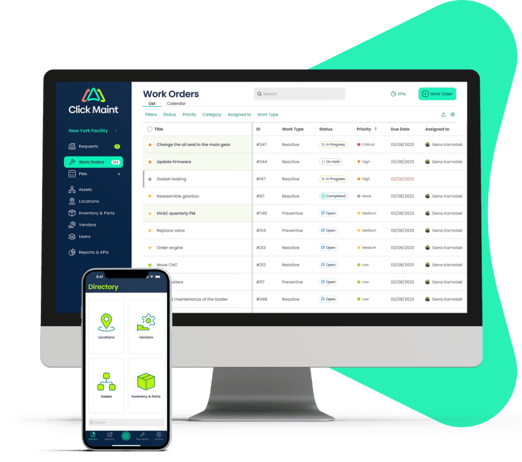
Maintenance management software replaces disconnected tracking methods with a centralized system.
What Does CMMS Software Manage?
|
Maintenance function |
How CMMS helps |
|
Work order management |
Creates, assigns, and tracks maintenance tasks |
|
Preventive maintenance |
Schedules recurring inspections and equipment servicing |
|
Inventory management |
Organizes spare parts and replacement components |
|
Equipment asset tracking |
Maintains equipment records and repair histories |
|
Downtime tracking |
Records equipment failures and maintenance-related downtime |
|
Maintenance reporting |
Provides visibility into work orders, costs, and maintenance performance |
|
Team coordination |
Helps managers assign work and monitor technician activities |
When Do Maintenance Teams Outgrow Spreadsheets?
Spreadsheets and paper-based maintenance records work for simple operations with limited equipment and few maintenance requests.
As organizations expand, these tools create administrative work and reduce visibility.
Here are seven signs that a growing maintenance team needs dedicated maintenance management software.
1. Maintenance Requests Get Lost
Employees report maintenance problems through emails, phone calls, text messages, and paper forms.
Without centralized work order management, requests get overlooked or duplicated.
A CMMS provides a structured maintenance request process and helps managers track repairs from submission to completion.
2. Technicians Lack Clear Work Order Priorities
As maintenance teams grow, technicians handle more equipment and repair requests.
Without a centralized system, maintenance managers struggle to assign tasks and monitor progress.
Work order management software helps supervisors prioritize repairs and coordinate technician workloads.
3. Preventive Maintenance Gets Missed
Recurring equipment inspections become difficult to manage across multiple assets and locations.
Missed preventive maintenance increases the risk of unexpected equipment failures.
CMMS software helps automate recurring maintenance schedules and track completed tasks.
4. Equipment Maintenance Records are Incomplete
Growing organizations need accurate equipment histories to make repair and replacement decisions.
Spreadsheets frequently contain outdated or inconsistent information.
Equipment asset tracking provides centralized records of maintenance activities, equipment repairs, and asset information.
5. Spare Parts are Difficult to Track
As the number of assets increases, spare parts requirements also grow.
Without organized inventory management, maintenance teams face missing components, duplicate purchases, and repair delays.
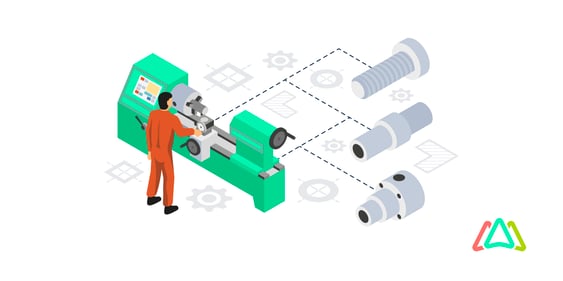
CMMS inventory management helps organize spare parts and improve stock visibility.
6. Equipment Downtime Is Difficult to Measure
Maintenance managers need to understand how frequently equipment fails and how long repairs take.
Without downtime tracking, identifying recurring equipment problems becomes difficult.
A CMMS helps teams record equipment failures and maintenance activities, providing information for reliability analysis.
7. Maintenance Operations Expand Across Locations
Managing maintenance across multiple facilities requires consistent workflows and centralized information. Growing organizations need visibility into maintenance activities across buildings, departments, and sites.
Scalable maintenance management software helps standardize work orders, asset tracking, and maintenance scheduling. Outgrowing Spreadsheets and Paper Work Orders?
See how Click Maint helps growing maintenance teams organize repairs, equipment, and preventive maintenance in one platform.
How Does Maintenance Management Software Help Growing Teams Scale?
Scalable maintenance management software helps organizations increase maintenance capacity without creating unnecessary administrative work.
As businesses add equipment, employees, and locations, maintenance managers need systems that support consistent operations.
1. Centralize Work Order Management
Work order management is the foundation of organized maintenance operations.
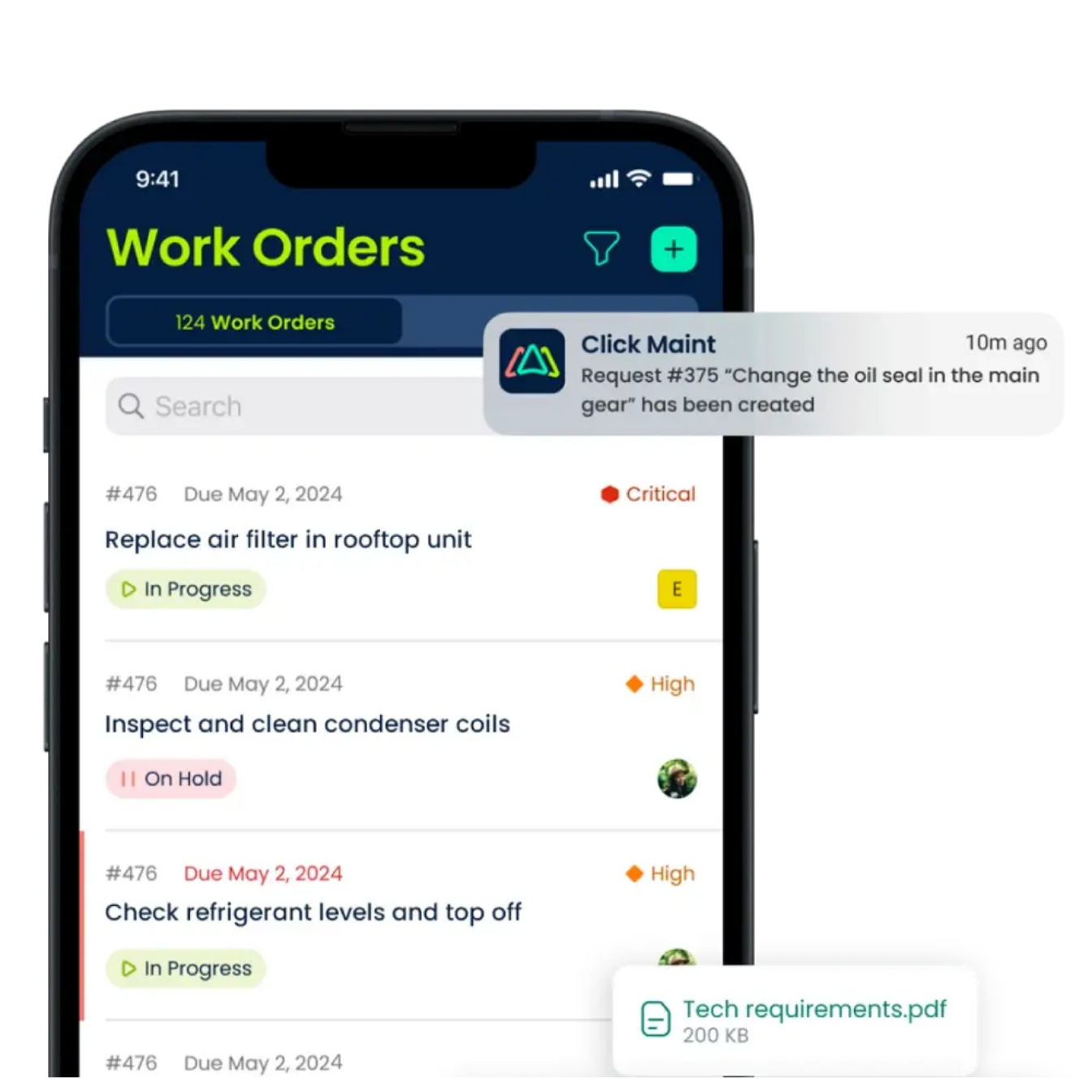
Click Maint helps maintenance managers create, assign, prioritize, and track work orders.
Instead of relying on emails or paper records, maintenance teams access work orders through a centralized system.
Example: A manufacturing business expands from one production line to three. Maintenance requests increase, and technicians need clearer task assignments.
With Click Maint, the maintenance manager organizes repair requests, assigns technicians, and monitors work order progress.
This improves accountability and reduces confusion.
2. Automate Preventive Maintenance Scheduling
Growing organizations manage increasing numbers of equipment assets.
Preventive maintenance software helps teams schedule recurring inspections and equipment servicing.
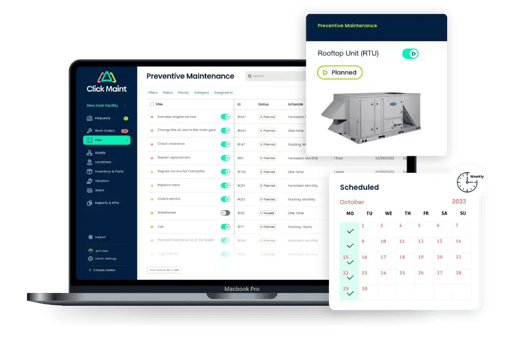
Click Maint supports preventive maintenance scheduling for assets such as:
- HVAC systems
- Production machinery
- Pumps and motors
- Conveyors
- Refrigeration equipment
- Commercial building systems
- Facility infrastructure
Maintenance managers create recurring tasks and assign responsibilities.
This helps reduce missed inspections and supports more reliable equipment performance.
3. Improve Inventory Management
Inventory management becomes increasingly important as organizations expand.
Maintenance teams need spare parts available when equipment requires servicing.
Click Maint's inventory management capabilities help teams organize spare parts and monitor inventory levels.
For example, a growing manufacturer maintains replacement belts, bearings, filters, and motors for production equipment.
Centralized inventory records help maintenance managers understand which components are available and which need replenishment.
This reduces repair delays caused by missing parts.
4. Strengthen Equipment Asset Tracking
Equipment asset tracking provides maintenance teams with accurate records of equipment information and repair histories.
Click Maint helps organizations maintain equipment records and review completed maintenance work.
As businesses expand, maintenance managers use asset histories to identify recurring repairs and support equipment replacement decisions.
Example: A facility operates 50 HVAC units across multiple buildings. Equipment asset tracking helps the maintenance team organize servicing records for each unit.
5. Improve Downtime Tracking and Equipment Reliability
Equipment downtime affects productivity, operating costs, and service delivery.
Growing organizations need visibility into equipment failures and repair times.
CMMS software supports downtime tracking by organizing maintenance records and work order histories.
Maintenance managers use this information to evaluate equipment reliability and identify recurring problems.
Common downtime metrics include:
- Total unplanned downtime
- Mean Time Between Failures (MTBF)
- Mean Time to Repair (MTTR)
- Equipment breakdown frequency
- Maintenance costs per asset
- Preventive maintenance completion rate
Accurate downtime reporting depends on consistent data entry and appropriate system configuration.
6. Support Maintenance Team Scalability
Maintenance team scalability means expanding maintenance operations without losing control over work orders, equipment records, and technician responsibilities.
Click Maint helps maintenance teams standardize workflows as organizations add employees and facilities.
For example, a business with three maintenance technicians grows to a team of 15.
A centralized CMMS helps the maintenance manager assign work, monitor task completion, and maintain consistent maintenance records.
Why is Click Maint a Practical CMMS for Growing Organizations?
Growing maintenance teams need software that balances functionality, affordability, and ease of use.
Click Maint focuses on delivering essential maintenance management capabilities through a straightforward platform.
Work Order Management
Create, assign, prioritize, and monitor maintenance work orders through a centralized system.
Preventive Maintenance Scheduling
Organize recurring equipment inspections and planned servicing activities.
Inventory Management
Track spare parts and organize maintenance inventory records.
Equipment Asset Tracking
Maintain equipment information and repair histories.
Mobile Maintenance Management
Give technicians access to work orders and equipment information from mobile devices.
Interactive Floor Plans
Help technicians locate equipment and organize facility maintenance activities.
How Does CMMS Software Support Maintenance Across Multiple Facilities?
As organizations grow, maintenance responsibilities expand across buildings, departments, and locations.
For example, a healthcare organization might manage maintenance across several clinics, while a manufacturer operates multiple production facilities.
Without centralized maintenance management software, each location might use different spreadsheets and maintenance procedures.
A CMMS helps organizations establish consistent processes for:
- Maintenance requests
- Work order assignments
- Preventive maintenance schedules
- Equipment asset tracking
- Spare parts inventory
- Maintenance reporting
- Technician responsibilities
Centralized maintenance records help facility managers compare maintenance activities across locations and identify operational challenges.
How Much Could Growing Teams Save with CMMS Software?
The financial value of maintenance management software depends on equipment reliability, maintenance spending, technician productivity, and software implementation costs. Consider a hypothetical organization with 10 maintenance technicians.
|
Metric |
Illustrative annual amount |
|
Administrative time spent tracking work |
1,000 hours |
|
Estimated labor cost per hour |
$35 |
|
Annual administrative labor cost |
$35,000 |
|
Assumed administrative time reduction |
30% |
|
Potential annual labor savings |
$10,500 |
ILLUSTRATIVE ANNUAL LABOR SAVINGS
$10,500
Based on a hypothetical 30% reduction in administrative tracking time, before software and implementation expenses. Additional benefits might include reduced downtime, fewer emergency repairs, improved inventory management, and better equipment replacement decisions. These are illustrative calculations, not verified Click Maint customer results.
How Do You Choose Scalable Maintenance Management Software?
Maintenance and facilities managers should evaluate software based on current operational needs and future growth.
|
Evaluation criteria |
Questions to ask |
|
Ease of use |
Will technicians adopt the system without extensive training? |
|
Work order management |
Does the platform support maintenance requests, assignments, and tracking? |
|
Preventive maintenance |
Does it support recurring equipment servicing? |
|
Inventory management |
Does it help organize spare parts and stock levels? |
|
Equipment asset tracking |
Does it maintain accurate asset histories? |
|
Downtime tracking |
Does it support equipment failure and repair reporting? |
|
Multi-location support |
Does it help manage maintenance across facilities? |
|
Mobile access |
Will technicians access work orders in the field? |
|
Pricing |
Does the total cost fit the maintenance budget? |
|
Implementation |
What training, configuration, and data migration are required? |
For growing organizations, selecting software that maintenance employees will use consistently is just as important as choosing advanced functionality.
How Should Growing Teams Implement CMMS Software?
A structured implementation helps maintenance teams transition from spreadsheets and disconnected tools to centralized maintenance management.
- Review Current Maintenance Processes
Identify existing work order challenges, equipment tracking gaps, inventory problems, and reporting requirements. - Organize Equipment and Asset Records
Prepare equipment lists, asset locations, maintenance histories, and critical equipment information. - Configure Work Order Management
Establish maintenance request categories, repair priorities, technician assignments, and work order procedures. - Set Up Preventive Maintenance Schedules
Create recurring maintenance tasks based on equipment requirements and operating conditions. - Import Inventory Records
Organize spare parts, stock quantities, and equipment-related replacement components. - Train Maintenance Employees
Introduce technicians and maintenance supervisors to mobile work orders, asset records, and maintenance workflows. - Monitor Maintenance Performance
Track work order completion, preventive maintenance compliance, downtime, and maintenance spending.
Click Maint Manufacturing Case Study: Southern Carton
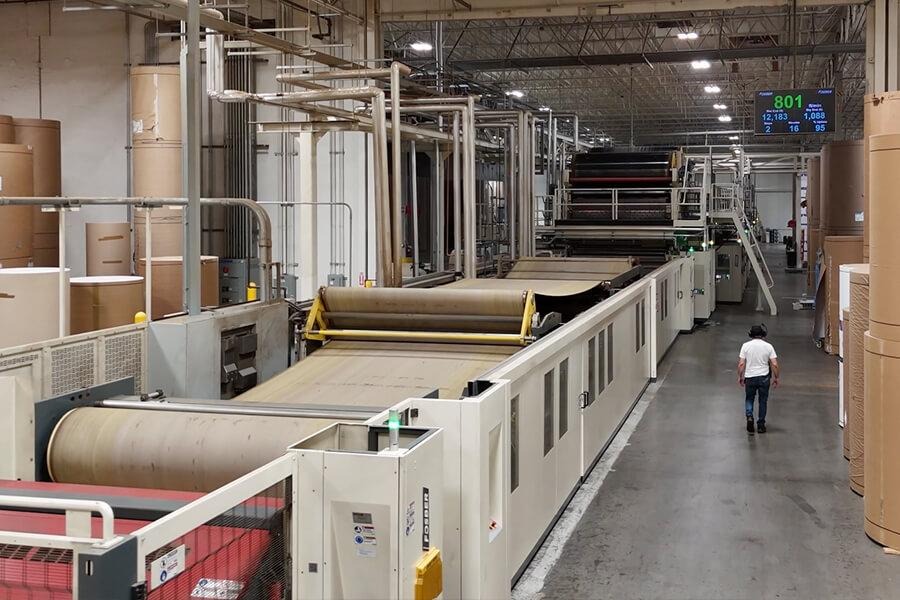
How Manufacturing Teams Use Click Maint
Southern Carton is a manufacturing customer featured in Click Maint's published case studies.
Its experience provides a relevant example for maintenance managers evaluating centralized maintenance management software and more organized maintenance workflows.
Read the Southern Carton Case Study
Why Do Growing Teams Choose Click Maint?
Click Maint is designed for maintenance teams seeking straightforward maintenance management software with practical features and accessible workflows.
Its combination of work order management, preventive maintenance, inventory management, and equipment asset tracking makes it relevant for organizations expanding beyond basic maintenance tracking tools.
Affordable and Easy to Use
Click Maint focuses on providing strong value for organizations that need essential CMMS functionality without unnecessary software complexity.
Mobile Maintenance Management
Technicians access work orders and equipment information through the Click Maint mobile app, including QR code scanning.
Centralized Maintenance Requests
Employees submit maintenance issues through a centralized request portal, helping maintenance managers organize incoming work.
Recognition and Customer Reviews
Click Maint has received recognition through software review platforms, including Capterra and Software Advice.
The company was also featured by CIOReview for its work order management software serving Canadian businesses.
Read Click Maint's CIOReview Feature
Ready to Scale Your Maintenance Operations?
Explore how Click Maint helps growing teams centralize work orders, preventive maintenance, inventory, and equipment tracking.
Frequently Asked Questions
What is the best maintenance management software for growing teams?
The right maintenance management software depends on team size, equipment complexity, budget, and future expansion requirements. Click Maint is worth evaluating for growing organizations seeking affordable, easy-to-use CMMS software with work order management, preventive maintenance, inventory, and asset tracking.
When should a maintenance team replace spreadsheets with CMMS software?
Maintenance teams should consider CMMS software when work orders get lost, preventive maintenance is missed, equipment records become difficult to manage, inventory problems increase, or maintenance responsibilities expand across facilities.
How does CMMS software improve work order management?
CMMS software centralizes maintenance requests, technician assignments, repair priorities, and work order histories. This improves maintenance visibility and accountability.
Does CMMS software support inventory management?
Yes. Many CMMS platforms include inventory management features that help maintenance teams organize spare parts, monitor stock levels, and support equipment repairs.
How does equipment asset tracking help growing organizations?
Equipment asset tracking maintains centralized equipment records, repair histories, and maintenance activities. These records help managers identify recurring failures and make informed maintenance decisions.
How does CMMS software support downtime tracking?
CMMS software helps maintenance teams record equipment failures, repair activities, and service histories. Consistent downtime data supports reliability analysis and maintenance planning.
Is Click Maint suitable for small maintenance teams planning to expand?
Click Maint is relevant for small and mid-sized maintenance teams seeking straightforward maintenance management software that supports growing work order volumes, equipment records, and maintenance responsibilities.
Conclusion: Scale Maintenance Operations with Click Maint
As organizations grow, spreadsheets and basic maintenance tracking tools become increasingly difficult to manage.
Maintenance management software helps growing teams centralize work orders, preventive maintenance, inventory management, equipment asset tracking, and downtime visibility.
For maintenance and facilities managers seeking affordable, easy-to-use CMMS software, Click Maint offers a practical solution for organizing daily maintenance operations.
By adopting structured maintenance workflows early, growing organizations improve equipment reliability, technician coordination, and maintenance visibility as operations expand.
Ready to Replace Spreadsheets and Scale Your Maintenance Team?
Grow Your Maintenance Operations With Click Maint
Manage more work orders, equipment, spare parts, and facilities without losing visibility into maintenance performance.

TABLE OF CONTENTS