


Reena Sommer | 19 Oct 2026


Choosing the right computerized maintenance management system (CMMS) is an important decision for businesses looking to reduce maintenance costs, improve equipment reliability, and organize daily maintenance operations.
Two platforms worth comparing are Click Maint and UpKeep. Both provide digital maintenance management tools that help businesses move away from paper work orders, spreadsheets, and disconnected maintenance processes.
However, pricing, included features, software usability, and long-term subscription costs influence which platform delivers better value.
For small and mid-sized maintenance teams that need essential CMMS functionality at an affordable price, Click Maint is a strong option. UpKeep is also worth evaluating, particularly for businesses prioritizing mobile-first maintenance workflows and broader asset operations requirements.
This comparison examines both solutions to help maintenance managers, facility managers, manufacturing companies, and operations directors in the United States choose the right CMMS.
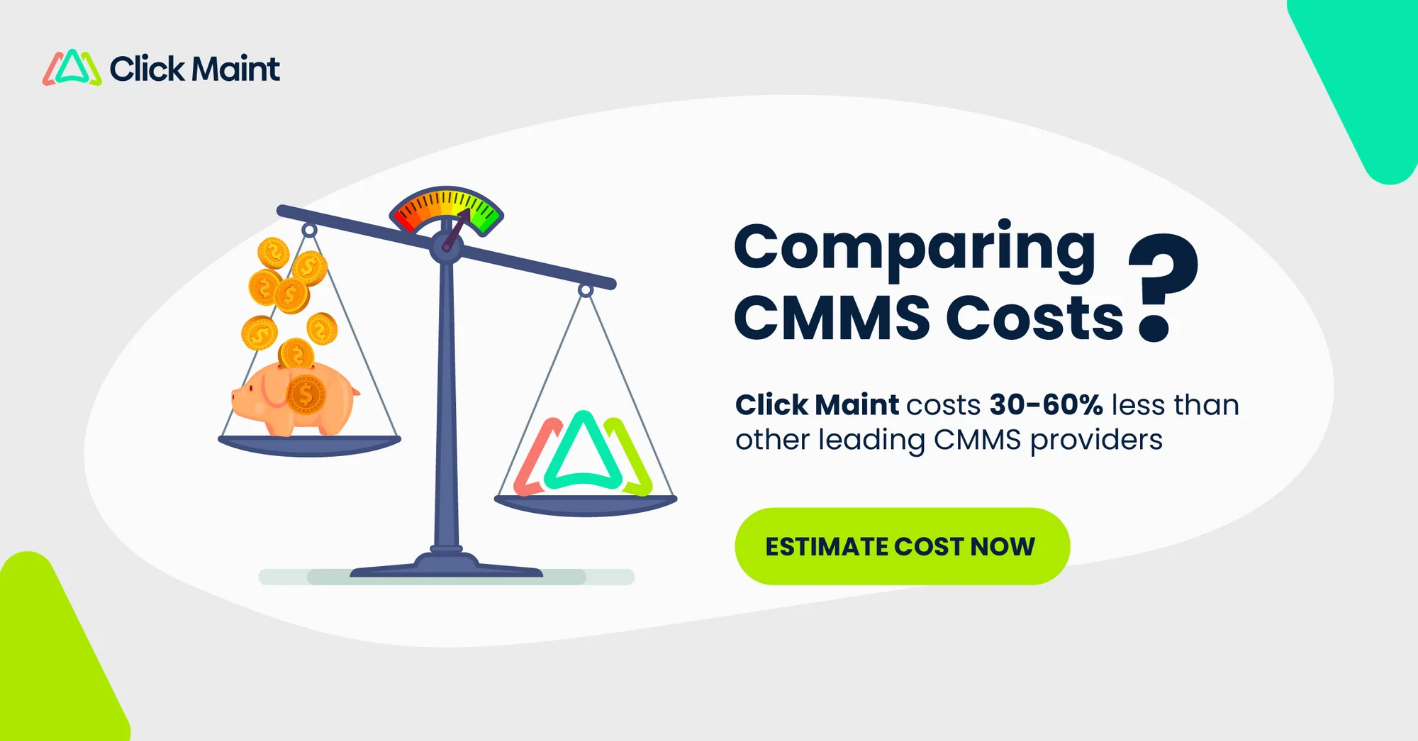
Paying Too Much for CMMS Software? Compare the Cost With Click Maint.
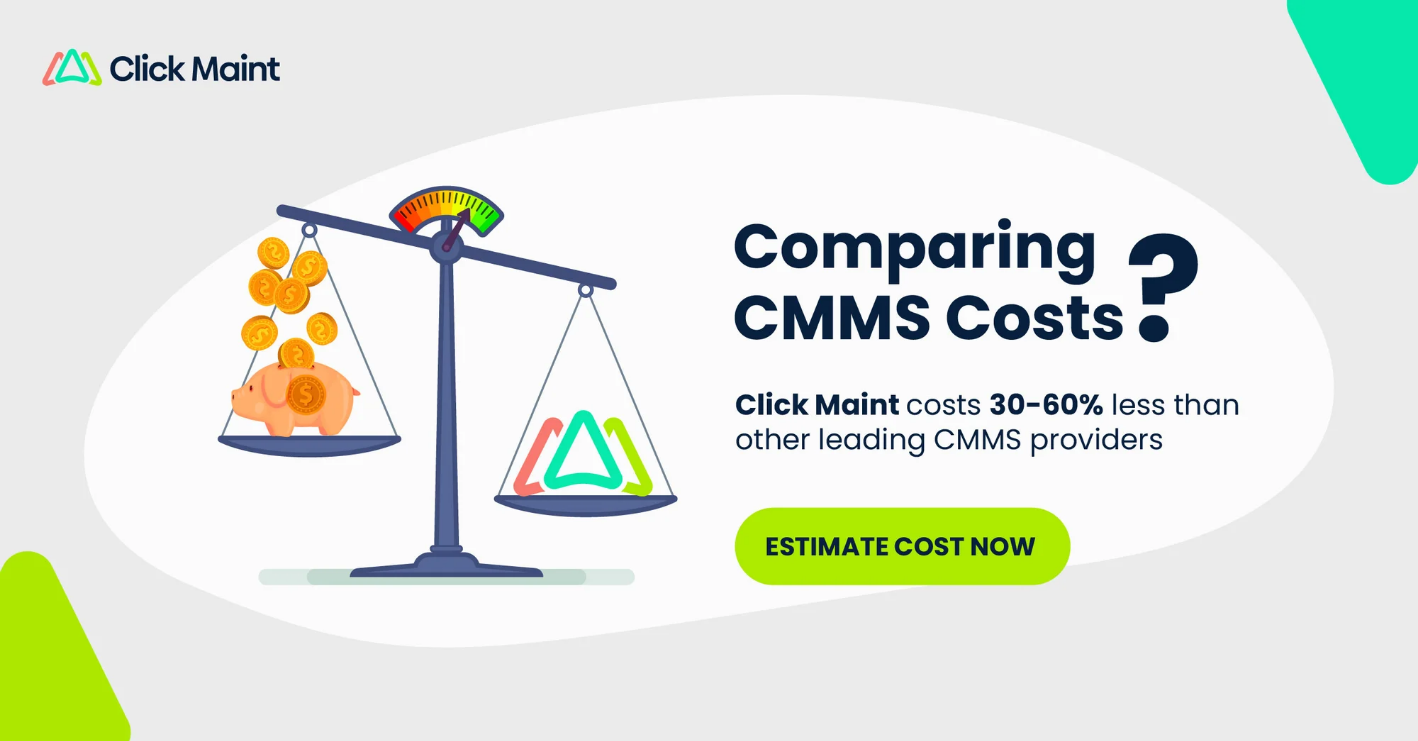
Why pay more for essential maintenance features? Click Maint starts at $35 per user/month with annual billing, including work orders, preventive maintenance, asset tracking, inventory management, and reporting.
For a team of 5 users, Click Maint's listed subscription price is $1,200 less per year than UpKeep Premium, based on the prices compared in this article.
Click Maint vs UpKeep: Quick Comparison
Both Click Maint and UpKeep provide cloud-based maintenance management solutions. Their pricing structures differ.
|
Feature |
Click Maint |
UpKeep |
|
Starting price |
$35/user/month |
$24/user/month |
|
Work order management |
Included |
Included |
|
Preventive maintenance scheduling |
Included |
Premium and above |
|
Parts and inventory management |
Included |
Premium and above |
|
Asset management |
Included |
Included |
|
Mobile application |
Included |
Included |
|
QR/barcode scanning |
Included |
Available |
|
Maintenance request portal |
Included |
External portal in Professional |
|
Maintenance reporting |
Included |
Varies by plan |
|
Unlimited free requesters |
Yes |
Yes |
|
Free trial |
30 days |
Available |
|
Pricing structure |
One core plan |
Multiple tiers |
Pricing and feature details are based on the vendors' published 2026 information.
Quick verdict: UpKeep offers a lower entry price for basic work order management. Click Maint offers stronger published pricing for teams requiring preventive maintenance, inventory management, maintenance requests, and reporting together. UpKeep's higher tiers are worth considering for advanced enterprise capabilities.
1. Click Maint vs UpKeep Pricing: Which is More Affordable?
Pricing is one of the most important factors for small businesses evaluating maintenance management software.
Click Maint pricing
Click Maint offers a Professional Plan starting at $35 USD per user per month with an annual subscription. Its subscription includes essential CMMS features such as:
- Work order management
- Preventive maintenance scheduling
- Equipment and asset tracking
- Parts inventory management
- Interactive floor plans
- Mobile maintenance access
- QR code scanning
- Maintenance request portals
- Maintenance reporting and analytics
- API access
- Webhooks
- Customer support
Click Maint also provides unlimited free maintenance requesters and a 30-day free trial without requiring a credit card.
UpKeep pricing
UpKeep offers several pricing tiers designed for different maintenance requirements.
- Essential — $24/user/month: Entry-level work orders, location management, and basic maintenance functionality.
- Premium — $55/user/month: Adds preventive maintenance scheduling, inventory management, time tracking, and additional analytics.
- Professional — Custom pricing: Adds offline mobile functionality, external request portals, asset lifecycle tracking, and deeper analytics.
- Enterprise — Custom pricing: Includes capabilities for multi-site organizations, advanced workflows, integrations, and governance.
Cost comparison for small maintenance teams
CMMS Subscription Cost Comparison
Number of paid users
5
Click Maint
$175
per month
UpKeep Essential
$120
per month
UpKeep Premium
$275
per month
Annual difference: Click Maint vs UpKeep Premium
$1,200 less per year
Illustrative USD subscription costs using published rates. Excludes taxes, implementation, migration, and other fees. Confirm billing terms with each vendor. For a five-user maintenance team, Click Maint's published subscription rate is $100 less per month than UpKeep Premium, or $1,200 less per year.
Which offers better pricing value?
UpKeep Essential is less expensive for teams needing basic maintenance management. However, organizations requiring both preventive maintenance and inventory management should compare Click Maint with UpKeep Premium rather than UpKeep Essential. For those requirements, Click Maint offers a lower published per-user price.
2. Work Order Management: Click Maint vs UpKeep
Work order software is essential for organizing maintenance tasks, assigning technicians, and tracking repairs.
Click Maint work order management
Click Maint provides a centralized system for creating, assigning, tracking, and completing maintenance work orders.
Its work order functionality includes configurable forms, checklists, labor and cost tracking, file attachments, and real-time notifications. Maintenance managers gain visibility into pending work, completed repairs, technician assignments, and maintenance costs.
UpKeep work order management
UpKeep also provides digital work order management, including work order creation, assignment, tracking, and maintenance documentation.
Upkeep offers a high level of customization. The software gives users the ability to add a lot of custom fields and workflows. In addition, the feature depth with the mobile app is extensive.
Verdict: Both platforms offer core work order management. Click Maint is attractive for teams wanting work orders combined with preventive maintenance, inventory, and reporting in one plan. UpKeep is worth evaluating for more customization options with workflows, page layouts, and custom fields.
3. Preventive Maintenance: Which CMMS Offers Better Value?
Preventive maintenance software helps businesses schedule recurring inspections, equipment servicing, and planned maintenance tasks.
Click Maint includes preventive maintenance scheduling in its Professional Plan. Its features include recurring schedules, maintenance checklists, calendar views, notifications, and preventive maintenance progress tracking.
UpKeep provides preventive maintenance scheduling beginning with its Premium tier. For organizations seeking affordable preventive maintenance software, the difference in pricing is important.
Verdict: Click Maint provides a lower published subscription price for teams requiring preventive maintenance functionality. Both platforms should be evaluated for specific scheduling requirements.
4. Inventory and Spare Parts Management
Maintenance inventory software helps teams track replacement parts, stock levels, and materials used in repairs.
Click Maint includes parts and inventory management in its Professional Plan. Features include stock tracking, low-stock alerts, storeroom management, vendor information, and associations between parts, assets, and work orders.
UpKeep provides inventory management with costing in its Premium plan and above.
Verdict: Click Maint offers a pricing advantage for small teams that need inventory management alongside work orders and preventive maintenance. Larger organizations should compare purchasing, inventory, and integration requirements separately.
5. Mobile Maintenance and QR Code Scanning
Mobile CMMS software helps technicians access maintenance information while working on equipment. Click Maint supports iOS and Android devices and includes mobile work order management, preventive maintenance, asset records, parts information, and QR code scanning.
UpKeep emphasizes mobile-first maintenance workflows. Its Professional plan also includes offline mobile access, a feature worth evaluating for facilities with limited connectivity.
Verdict: Click Maint provides practical mobile maintenance tools in its core plan. UpKeep is a strong option for teams that need offline mobile workflows and additional field capabilities.
6. Ease of Use and Implementation
Maintenance software delivers value when employees consistently use it. For small maintenance teams, complex interfaces and lengthy implementation processes create additional administrative work and risks lower user adoption.
Click Maint emphasizes simple workflows, straightforward onboarding, and ease of adoption. Its website reports that most customers are managing work orders and assets within 30 days.
UpKeep offers a mobile-focused interface and additional configuration options across its subscription tiers. Both products offer trials, making it possible to evaluate real maintenance tasks before purchasing.
Verdict: Click Maint is a strong option for businesses prioritizing simple implementation. UpKeep deserves consideration for teams requiring advanced mobile and configurable operations. Ease of use should be tested with actual maintenance technicians rather than assumed from product descriptions.
7. Reporting and Maintenance Analytics
Maintenance managers need accurate information to make better decisions about equipment reliability, maintenance costs, and technician performance.
Click Maint includes reporting capabilities such as:
- Mean Time to Repair (MTTR)
- Mean Time Between Failures (MTBF)
- Equipment downtime and repair costs
- Preventive maintenance versus reactive maintenance
- Work order completion performance
- Parts and inventory usage
UpKeep provides analytics with different capabilities across its subscription tiers. Premium includes a limited analytics history, while Professional provides full analytics history and Enterprise adds custom dashboards.
UpKeep
Verdict: Click Maint provides useful maintenance KPI reporting in its core plan. UpKeep's higher-tier reporting capabilities are relevant for organizations requiring more advanced analysis and customization.
8. Which CMMS is Better for Different Industries?
Both platforms serve maintenance teams across multiple industries, but the best fit depends on operational requirements.
|
Industry or organization |
Recommended evaluation |
|
Small manufacturing companies |
Click Maint for value and core features |
|
Schools and educational facilities |
Click Maint for requests, PM, and work orders |
|
Healthcare and senior living facilities |
Compare compliance, asset, and support requirements |
|
Property management |
Click Maint for maintenance request workflows |
|
Multi-site industrial enterprises |
Evaluate UpKeep Enterprise alongside Click Maint |
|
Small teams replacing spreadsheets |
Compare Click Maint with UpKeep Essential and Premium |
These are fit-based recommendations, not measured rankings or guarantees of performance.
For manufacturing companies in the United States, Click Maint is particularly relevant when the goal is to manage equipment maintenance, work orders, spare parts, and preventive maintenance without paying for a higher-priced subscription tier.
9. Click Maint vs UpKeep: Pros and Cons
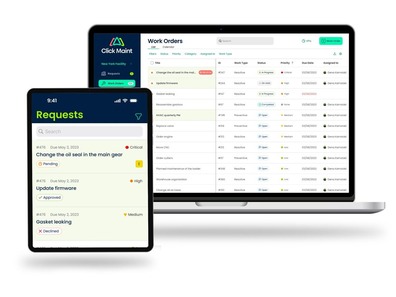
Click Maint
Strengths
Essential features in one plan, transparent pricing, free requesters, QR code scanning, and included customer support.
Considerations
Organizations requiring advanced enterprise automation, specialized integrations, or offline mobile functionality should verify suitability.
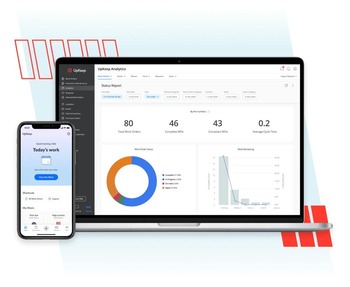
UpKeep
Strengths
Lower-priced entry plan, mobile-first workflows, AI features, and advanced capabilities in higher tiers.
Considerations
Preventive maintenance, inventory, external request portals, and deeper analytics require higher subscription tiers.
10. How to Choose Between Click Maint and UpKeep
Before making a purchase, maintenance managers should ask the following questions:
- Does the software include all essential maintenance features at the selected price?
- How many paid users will the organization need?
- Is preventive maintenance scheduling included?
- Does the software support parts and inventory management?
- Is mobile access suitable for technicians?
- Are maintenance request portals available?
- What reporting and analytics are included?
- What are the implementation and training costs?
- Does the software support existing business systems?
- How well does the product perform during a real maintenance workflow test?
A practical software trial should include creating a work order, scheduling preventive maintenance, scanning an equipment QR code, tracking a spare part, and generating a maintenance report.
These practical tests help maintenance managers and business owners compare CMMS software features, usability, and overall value to identify the solution that best fits their operational needs and budget.
For a closer look at Click Maint's capabilities, explore the resources below:
- Watch the Click Maint Video – Explore Click Maint and learn more about its maintenance management software.
- Click Maint vs. UpKeep: Software Comparison – Review both platforms on Software Advice to support your CMMS buying decision.
Ready to Find the Right CMMS Software for Your Team?
Discover how Click Maint's affordable, easy-to-use CMMS software helps maintenance teams streamline work orders, schedule preventive maintenance, manage assets, and improve maintenance efficiency.
Frequently Asked Questions: Click Maint vs UpKeep
Is Click Maint cheaper than UpKeep?
Click Maint starts at $35 USD per user per month with annual billing, while UpKeep Essential starts at $24 and Premium at $55 per user per month. Click Maint has a lower published rate than UpKeep Premium but a higher rate than Essential.
Which CMMS is better for small businesses?
Click Maint is a strong choice for small businesses requiring work orders, preventive maintenance, inventory, and reporting in one plan. UpKeep Essential is worth evaluating for businesses that need a lower-cost entry-level solution.
Does Click Maint include preventive maintenance?
Yes. Click Maint includes preventive maintenance scheduling, recurring work orders, custom checklists, notifications, and maintenance calendar functionality in its Professional Plan.
Does UpKeep offer inventory management?
Yes. UpKeep includes parts and inventory management with costing in its Premium subscription and higher tiers.
Which is better for manufacturing maintenance?
Click Maint is well suited to small and mid-sized manufacturers focused on essential maintenance workflows and predictable software costs. UpKeep offers higher-tier capabilities for businesses requiring more advanced asset operations and enterprise workflows.
Does Click Maint offer a free trial?
Yes. Click Maint provides a 30-day free trial without requiring a credit card, giving maintenance teams access to its features for evaluation.
Is Click Maint a good UpKeep alternative in the USA?
Yes. Click Maint is worth evaluating for US manufacturing businesses, schools, healthcare facilities, property managers, and maintenance teams seeking affordable, easy-to-use CMMS software.
Final Verdict: Click Maint vs UpKeep — Which Offers Better Value?
Click Maint and UpKeep are both capable maintenance management platforms, but they serve different purchasing priorities. Choose Click Maint if your organization prioritizes:
- Affordable CMMS software with essential features in one plan
- Preventive maintenance and inventory management without upgrading to multiple tiers
- Easy-to-use work order management
- Mobile access and QR code scanning
- Unlimited maintenance requesters
- Straightforward pricing and customer support
Choose UpKeep if your organization prioritizes a lower entry-level subscription, offline mobile functionality in higher tiers, or advanced enterprise capabilities such as multi-site modules, automation, and specialized integrations.
For small and mid-sized US businesses that need comprehensive everyday maintenance functionality, Click Maint offers better published subscription value than UpKeep Premium. The final choice should reflect each organization's operational requirements, implementation needs, and total cost.
Looking for a More Affordable UpKeep Alternative?
See how Click Maint helps maintenance teams manage work orders, preventive maintenance, assets, and inventory in one easy-to-use system.
Take the quick 2-minute interactive product tour or schedule a personalized demo to explore Click Maint.

TABLE OF CONTENTS






