



Reena Sommer | 12 Oct 2026


Facility management software in Canada helps organizations manage building maintenance, work orders, preventive maintenance, equipment assets, inventory, and facility maintenance requests from one centralized platform.
For Canadian facility managers, maintenance directors, property managers, and operations leaders, selecting the right software is essential for controlling maintenance costs, reducing equipment downtime, and improving operational efficiency.
In 2026, organizations across manufacturing, healthcare, education, hospitality, senior living, commercial real estate, and government facilities are moving away from spreadsheets, paper work orders, and disconnected maintenance processes.
Modern facility management software provides maintenance teams with digital tools to organize daily activities, track equipment performance, and maintain accurate service records.
Click Maint offers an affordable, easy-to-use computerized maintenance management system (CMMS) designed for organizations seeking simpler maintenance workflows, mobile access, and centralized facility maintenance operations.
This guide explains what to look for in facility management software, important features, pricing considerations, and real customer experiences from Canadian organizations using Click Maint.
What Is Facility Management Software in Canada?
Facility management software is a digital platform that helps organizations organize, track, and manage building maintenance, equipment servicing, preventive maintenance, work orders, and facility operations.
Canadian organizations use facility management software to maintain commercial buildings, manufacturing plants, healthcare facilities, schools, hotels, warehouses, and other properties.
The software provides a centralized system for tracking maintenance activities, assigning technicians, managing assets, and reviewing operational performance.
Common capabilities include:
- Work order management
- Preventive maintenance scheduling
- Equipment and asset tracking
- Facility maintenance requests
- Spare parts and inventory management
- Mobile maintenance access
- Maintenance reporting and analytics
- Multi-location facility management
- Maintenance cost tracking
For organizations focused primarily on building and equipment maintenance, CMMS software provides the operational tools needed to manage these activities.

Why Do Canadian Organizations Need Facility Management Software in 2026?
Canadian organizations face increasing pressure to maintain aging facilities, manage maintenance budgets, improve equipment reliability, and coordinate maintenance across multiple locations.
Facility managers are responsible for keeping buildings safe, functional, and operational while managing limited resources.
Without a centralized maintenance platform, everyday activities become difficult to coordinate.
1. Rising Facility Maintenance Costs
Unexpected equipment repairs, inefficient work order processes, and poor inventory visibility increase operating expenses.
Facility management software provides maintenance managers with better visibility into labor, spare parts, equipment servicing, and maintenance history.
This information supports more informed maintenance budgeting and resource allocation.
2. Unplanned Equipment Downtime
Unexpected equipment failures interrupt facility operations and create costly repair delays.
Preventive maintenance scheduling supports regular inspections, servicing, and equipment maintenance.
Facility managers gain visibility into upcoming maintenance activities and overdue tasks.
3. Disconnected Maintenance Requests
Many organizations still receive maintenance requests through emails, telephone calls, paper forms, and text messages.
These disconnected processes create communication gaps and make tracking requests difficult.
Digital maintenance request systems organize incoming requests and provide visibility into their progress.
4. Managing Multiple Facilities
Organizations operating multiple buildings require consistent maintenance processes across locations.
Centralized software supports maintenance coordination, equipment tracking, and reporting across facilities.
5. Limited Maintenance Reporting
Facility managers need accurate information about work order completion, equipment downtime, maintenance expenses, and preventive maintenance performance.
Digital reporting provides greater visibility into these operational metrics.
What Features Should Canadian Facility Managers Look for in Facility Management Software?
The right facility management platform should match the organization's maintenance requirements, budget, team size, and operational complexity.
Work Order Management
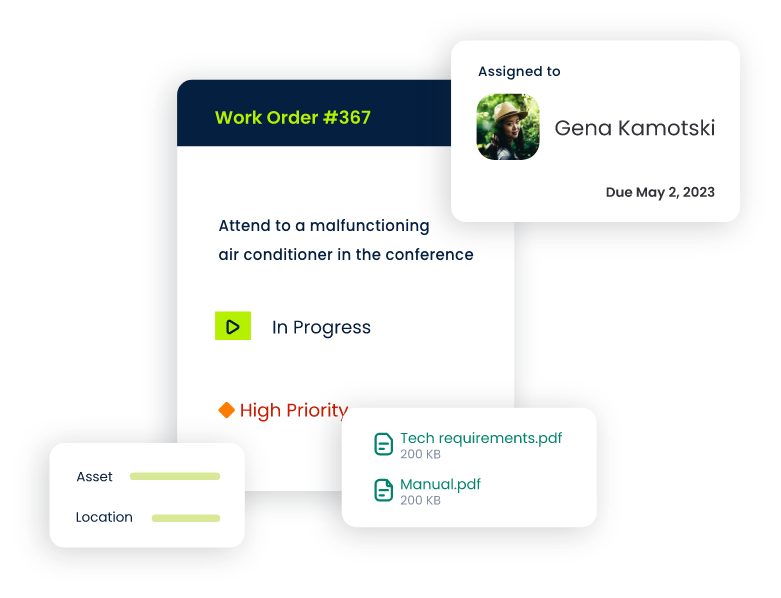
Work order software organizes maintenance requests, technician assignments, priorities, repair activities, and completion records.
Facility managers track outstanding tasks and identify maintenance backlogs through centralized work order records.
Click Maint provides digital work order functionality that includes technician assignments, priorities, due dates, checklists, attachments, and maintenance cost tracking.
Preventive Maintenance Scheduling
Preventive maintenance software organizes recurring equipment inspections, servicing, and maintenance activities.
Facility managers schedule maintenance according to established intervals and equipment requirements.
Click Maint supports recurring preventive maintenance schedules, technician assignments, maintenance checklists, and task notifications.
Asset and Equipment Management
Asset management functionality centralizes equipment information, service history, warranties, maintenance costs, and equipment documentation.
Facility managers use this information to understand recurring repairs and make informed equipment maintenance decisions.
Click Maint also supports QR codes for accessing asset records.
Spare Parts and Inventory Management
Inventory tracking provides visibility into spare parts quantities, storage locations, suppliers, and maintenance-related materials.
Organized inventory records reduce unnecessary purchasing and improve access to essential replacement components.
Mobile Maintenance Access
Mobile functionality gives maintenance technicians access to assigned work orders, equipment records, and maintenance tasks while working throughout a facility.
Click Maint supports mobile maintenance workflows, including work order updates, image attachments, QR code scanning, and maintenance notifications.
Maintenance Reporting
Reporting tools provide visibility into maintenance activities, equipment performance, work order completion, and maintenance expenses.
Facility managers use reports to identify recurring problems, evaluate maintenance performance, and improve operational planning.
How Does Click Maint Support Facility Management in Canada?
Click Maint is a cloud-based CMMS designed to simplify maintenance operations for facility managers, maintenance technicians, and operations teams.
The platform brings essential maintenance functions into one centralized system.
Its facility management capabilities include:
- Creating and assigning maintenance work orders.
- Scheduling preventive maintenance tasks.
- Tracking equipment assets and service history.
- Organizing maintenance requests.
- Monitoring spare parts and inventory.
- Accessing maintenance information through mobile devices.
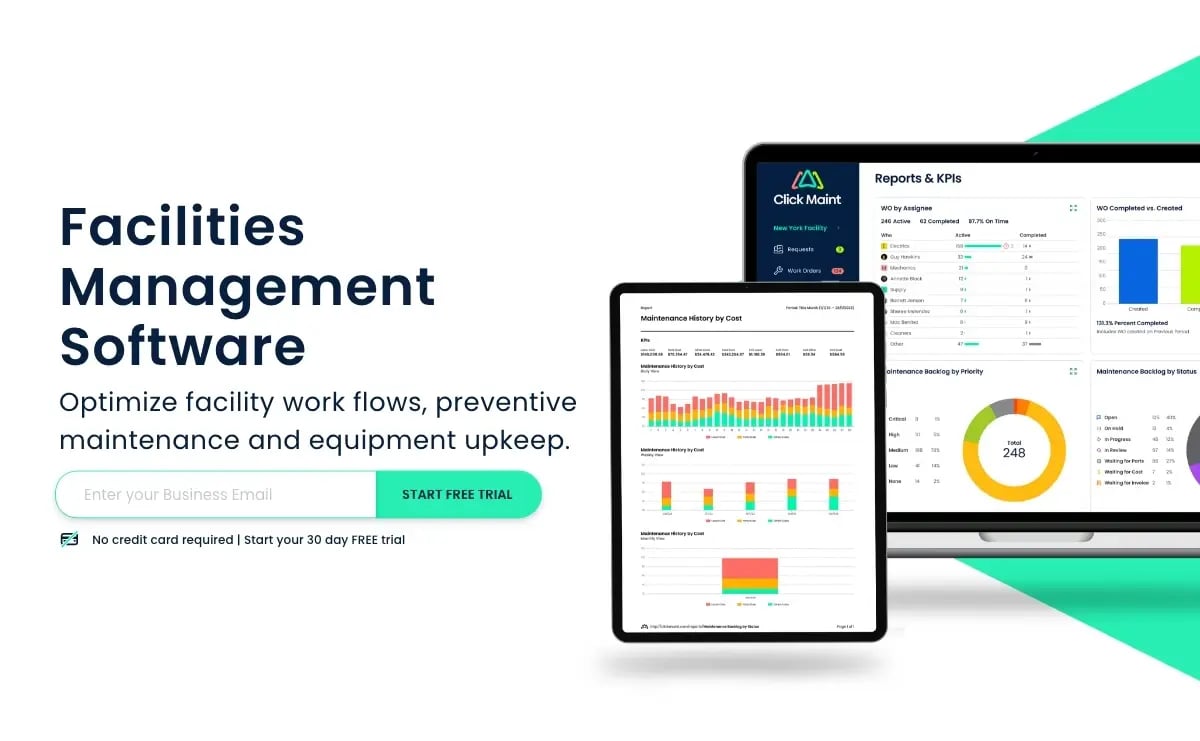
- Reviewing maintenance reports and operational data.
- Coordinating maintenance activities across locations.
Click Maint emphasizes usability, straightforward implementation, and affordable software pricing.
According to its official website, Click Maint promotes pricing approximately 20–60% lower than several competing CMMS platforms, depending on the products and plans compared.
Organizations should evaluate total subscription costs, required features, onboarding, and implementation requirements before purchasing.
For Canadian organizations replacing spreadsheets or complicated maintenance systems, Click Maint provides a practical approach to digital maintenance management.
Explore Click Maint Facility Management Software.
Real Canadian Customer Success Stories Using Click Maint
Customer experiences provide useful insight into how facility maintenance software performs in operational environments.
Several Canadian organizations have implemented Click Maint to improve work order tracking, preventive maintenance, equipment records, and maintenance coordination.
Gracious Living: 20% Reduction in Oil Consumption
Gracious Living is a Canadian manufacturer specializing in plastic molded consumer products.
Headquartered in Vaughan, Ontario, the organization operates manufacturing facilities in Canada and the United States.
Before implementing Click Maint, Gracious Living struggled with complicated maintenance software, inconsistent preventive maintenance processes, and inefficient equipment documentation.
The organization selected Click Maint to simplify work order management, improve preventive maintenance tracking, and organize equipment information.
Following implementation, Gracious Living reported:
- 20% reduction in oil consumption through improved usage tracking and identification of equipment leaks.
- More organized preventive maintenance scheduling.
- Improved visibility into equipment maintenance history.
- Reduced time spent troubleshooting recurring equipment issues.
- Better inventory organization and purchasing visibility.
- Reduced administrative workload.
The company also began expanding Click Maint into an additional facility.
These outcomes demonstrate how accessible maintenance information and consistent preventive maintenance support manufacturing facility operations.
Read the case study: https://www.clickmaint.com/case-study-gracious-living
TS Manufacturing: Moving From Paper Records to Digital Maintenance
TS Manufacturing is a Canadian manufacturer located in Lindsay, Ontario.
The organization specializes in automated material handling equipment and custom-engineered industrial systems.
Before implementing Click Maint, TS Manufacturing relied on paper binders, handwritten maintenance records, and manual preventive maintenance tracking.
Technicians spent considerable time searching for previous equipment repairs, service records, and maintenance information.
After implementing Click Maint, the organization reported:
- Faster access to equipment maintenance history.
- Improved preventive maintenance organization.
- Reduced time spent searching through paperwork.
- Better maintenance communication.
- More consistent equipment documentation.
- Reduced administrative effort.
The transition created a centralized maintenance information system and improved visibility into completed and upcoming maintenance activities.
Read the case study: https://www.clickmaint.com/case-study/ts-manufacturing
Bethania Group: 50% Increase in Completed Work Orders
Bethania Group is a senior living and personal care organization based in Winnipeg, Manitoba.
The organization manages eight facilities and supports residents across personal care homes and apartment properties.
Before implementing Click Maint, Bethania Group faced challenges managing a high volume of maintenance requests, coordinating work between shifts, and prioritizing urgent repairs.
The organization selected Click Maint for its straightforward interface, mobile accessibility, and maintenance request functionality.
Following implementation, Bethania Group reported:
- 50% increase in completed work orders, including reactive and preventive maintenance activities.
- Faster work order response and completion.
- Improved communication between maintenance teams.
- Better organization of maintenance supplies.
- Easier maintenance request submission through QR codes.
- Improved maintenance tracking across facilities.
The results demonstrate the importance of accessible maintenance request systems and structured work order processes in multi-building operations.
Read the case study: https://www.clickmaint.com/case-study/bethania-group
Click Maint Awards and Industry Recognition in 2026
Industry awards and customer review recognition provide additional evaluation signals when organizations compare facility management software.
Click Maint displays several awards and distinctions on its official website, including:
- G2 Easiest Setup — 2025
- G2 Easiest to Use — 2025
- G2 Highest User Adoption — 2026
- Capterra Value Recognition — 2026
- Software Advice Customer Support Recognition — 2026
- GetApp Category Leaders — 2025
These distinctions highlight factors relevant to facility management software selection, including usability, customer support, implementation, adoption, and perceived value.
Software recognition should be evaluated alongside product demonstrations, customer experiences, required functionality, and total ownership costs.
Explore Click Maint's awards and software features.
Facility Management Software for Different Canadian Industries
Manufacturing Facilities
Manufacturing facility managers oversee production equipment, building systems, preventive maintenance, and repair activities.
Click Maint supports equipment tracking, work orders, maintenance scheduling, and inventory management.
Healthcare and Senior Living
Healthcare and senior living facilities require reliable building maintenance, equipment servicing, and timely maintenance request handling.
Click Maint provides centralized maintenance records and work order tracking for facility maintenance teams.
Schools and Educational Facilities
Educational institutions manage classrooms, HVAC systems, plumbing, electrical infrastructure, and facility maintenance requests.
Digital work order systems improve communication between school staff and maintenance departments.
Commercial Buildings and Property Management
Commercial property managers coordinate maintenance across tenants, contractors, buildings, and equipment assets.
Centralized maintenance software supports request tracking, preventive maintenance, and building maintenance documentation.
Hotels and Hospitality
Hotels require consistent maintenance to support guest comfort, equipment reliability, and uninterrupted facility operations.
Facility maintenance software organizes repair requests, preventive maintenance, and equipment records.
Government and Municipal Facilities
Municipalities manage public buildings, recreation centres, community facilities, and other infrastructure.
Maintenance software provides structured processes for scheduling inspections, assigning work orders, and maintaining asset records.
How Much Does Facility Management Software Cost in Canada?
Facility management software pricing depends on the number of users, required features, facilities, implementation requirements, and subscription structure.
Common pricing considerations include:
| Cost factor | What to evaluate |
|---|---|
| Software subscription | Monthly or annual subscription |
| User licenses | Number of maintenance users |
| Implementation | Configuration and onboarding |
| Data migration | Transfer of existing maintenance records |
| Training | Employee training requirements |
| Integrations | Connections with existing systems |
| Customer support | Included support and additional charges |
| Multi-location access | Additional facility requirements |
Canadian organizations should also confirm whether software pricing is listed in Canadian or US dollars.
Rather than comparing subscription prices alone, evaluate the total first-year cost and the functionality included.
How to Choose Facility Management Software in Canada
Selecting facility management software requires a clear understanding of the organization's maintenance challenges.
Step 1: Identify Current Maintenance Problems
Review equipment downtime, maintenance backlogs, work order delays, inventory problems, and reporting limitations.
Step 2: Define Essential Software Features
Identify the functions maintenance teams use every day.
Prioritize work orders, preventive maintenance, asset tracking, inventory, mobile access, and reporting.
Step 3: Evaluate Ease of Use
Include maintenance technicians and facility managers in software demonstrations.
Review how quickly employees complete common maintenance tasks.
Step 4: Compare Total Software Costs
Review subscriptions, implementation, training, support, integrations, and additional user requirements.
Step 5: Review Customer Experiences
Look for customer examples from organizations with similar facility requirements.
Canadian case studies provide useful insight into implementation, employee adoption, and operational outcomes.
Step 6: Evaluate Support and Implementation
Review onboarding assistance, training resources, customer support, and data migration requirements.
Step 7: Schedule a Product Demonstration
Test everyday maintenance workflows before making a purchasing decision.
Facility Management Software vs. CMMS: What's the Difference?
Facility management software and CMMS software share several maintenance-related capabilities, but their scope differs.
Facility management software is a broad category covering building operations, maintenance, space management, service coordination, and other facility activities.
CMMS software focuses primarily on maintenance operations, including work orders, preventive maintenance, equipment assets, inventory, and maintenance history.
For Canadian organizations prioritizing equipment maintenance and facility repair coordination, a CMMS provides a focused solution.
Organizations requiring advanced space planning, lease administration, or real estate portfolio management should evaluate additional facility management functionality.
Frequently Asked Questions About Facility Management Software in Canada
What is facility management software?
Facility management software is a digital platform that organizes building maintenance, work orders, preventive maintenance, equipment assets, and facility operations in one system.
What facility management software is suitable for small businesses in Canada?
Small businesses should prioritize affordable pricing, straightforward implementation, mobile access, work order management, and preventive maintenance scheduling. Click Maint offers these maintenance-focused capabilities.
How does facility management software reduce maintenance costs?
Facility management software improves maintenance scheduling, tracks repair expenses, organizes spare parts, and reduces manual administration. These improvements support better cost control and maintenance planning.
What is the difference between facility management software and CMMS?
Facility management software addresses broader building operations, while CMMS software focuses on equipment maintenance, work orders, preventive maintenance, asset tracking, and maintenance records.
Is cloud-based facility management software suitable for Canadian businesses?
Cloud-based software provides centralized maintenance information and mobile access across locations. Canadian organizations should review security requirements, data residency, privacy obligations, and vendor support before purchasing.
How does facility management software improve preventive maintenance?
The software organizes recurring inspections, schedules maintenance tasks, tracks completion, and provides visibility into overdue activities.
What should Canadian facility managers look for before purchasing software?
Evaluate usability, work order management, preventive maintenance, asset tracking, mobile access, reporting, implementation, customer support, and total software costs.
Does Click Maint support multiple facility locations?
Click Maint provides maintenance management functionality for organizations coordinating maintenance across multiple facilities, including asset records, work orders, and preventive maintenance activities.
Conclusion: Choosing Facility Management Software in Canada for 2026
Selecting facility management software is an important decision for Canadian organizations seeking to improve maintenance operations, control expenses, and maintain reliable equipment.
The right solution should provide straightforward work order management, preventive maintenance scheduling, asset tracking, mobile accessibility, and useful maintenance reporting.
Click Maint offers an affordable, easy-to-use CMMS designed for facility managers, maintenance teams, and operations leaders.
Canadian customer experiences from Gracious Living, TS Manufacturing, and Bethania Group demonstrate improvements in maintenance organization, equipment tracking, work order completion, and operational efficiency.
For organizations replacing spreadsheets, paper maintenance records, or complicated maintenance platforms, Click Maint provides a centralized approach to everyday facility maintenance management.
Simplify Facility Maintenance With Click Maint
Looking for an affordable, easy-to-use facility management solution in Canada?
Discover how Click Maint helps facility managers organize work orders, preventive maintenance, equipment assets, maintenance requests, and inventory in one centralized platform.
Take the quick 2-minute interactive product tour or schedule a personalized demo.
Easy-to-use facility management solution in Canada?
TABLE OF CONTENTS






