


Reena Sommer | 27 Aug 2026


Introduction
For maintenance managers and facilities leaders at small to mid-sized multi-site organizations, choosing the right maintenance management software is no longer just a back-office software purchase. It is an operational decision that affects uptime, labor efficiency, spare-parts availability, reporting quality, and the consistency with which teams work across locations. The wrong system leaves maintenance stuck in reactive mode, with work orders delayed by missing parts, incomplete asset histories, and excessive reliance on technician memory. The right system connects work order management, inventory management, asset management, and reporting so teams can make faster, better decisions every day.
That distinction matters even more for small and mid-sized operations. Large enterprises can sometimes absorb inefficiencies through additional layers of administration, support staff, or specialized analysts. Smaller organizations usually do not have that luxury. They need a CMMS that helps lean teams complete more work with fewer delays, less admin time, and better visibility across sites. In other words, they need maintenance management software that creates leverage, not overhead.
This guide compares six widely considered platforms: Fiix, UpKeep, MaintainX, eMaint, Limble, and Click Maint. The goal is simple: compare maintenance management software that combines work orders and inventory control so multi-site facilities teams can identify the best-fit CMMS for operational efficiency.
What the Best Maintenance Management Software Should Do in 2026
In 2026, serious maintenance management software should do more than digitize requests. It should help teams create, assign, prioritize, schedule, complete, and analyze work without forcing them to jump between disconnected systems. It should also tie maintenance work directly to spare parts, purchasing, asset records, and preventive maintenance schedules.
That is the direction the stronger vendors are clearly taking. Fiix emphasizes customizable work request forms, inspection tasks, mobile and offline access, QR and barcode support, centralized scheduling, and analytics for work orders, labor, parts, and supplies. UpKeep positions its platform as a mobile-first maintenance management that allows teams to create work orders in seconds, automate PMs, and give technicians real-time visibility from any device at https://upkeep.com/. eMaint highlights centralized work-order routing, approval workflows, asset histories, KPI dashboards, and condition-based maintenance triggers.
For small and mid-sized organizations, the real test is not whether a platform can technically do all these things. It is whether it helps lean teams use them without complexity, swallowing the value. A bloated feature set is not a strength if the operation lacks the time or headcount to adopt it well. The best CMMS for this market is the one that improves maintenance operations in practice, not just in demos.
Why Work Order Management and Inventory Management Need to Be Connected
Many maintenance programs still run on fragmentation. Work orders live in one system, spare-parts tracking in another, and planning happens in spreadsheets or in people’s heads. That separation creates predictable failures: technicians begin jobs without the right parts, urgent orders inflate costs, recurring failures go unnoticed, and managers have no clear way to link downtime to materials usage.
The best maintenance management software platforms increasingly address this directly. Fiix’s inventory software describes minimum stock quantities, purchase requests, purchase orders, vendor records, cycle counts, mobile QR lookup, parts forecasting, FIFO cost tracking, and cross-facility parts visibility. UpKeep’s inventory overview highlights real-time stock visibility, parts consumption history, barcode generation and scanning, reorder automation, vendor tracking, and bulk import at https://upkeep.com/learning/inventory-management-software/. eMaint also highlights automated spare-parts reordering, PO generation, barcode and QR code scanning, and inventory visibility across multiple locations.
For small and mid-sized teams, this is not a nice-to-have. It is the difference between a maintenance program that plans its work and one that constantly gets ambushed by missing parts. Lean teams do not need more manual reconciliation between systems. They need a CMMS that integrates parts, work, and asset data.
Let’s now break down the top software platforms by what they do best.
Fiix - Best for Linking Work Orders, Spare Parts, and Planning
Fiix is one of the strongest options for teams that want a clear operational link between work order management and inventory management. On the work-order side, Fiix supports customizable request portals, inspection-type tasks, automated follow-up activities, CSV uploads, centralized scheduling, preventive maintenance triggers based on date, time, meter, or events, offline mobile access, QR and barcode support, photo attachments, customizable forms, and reporting dashboards.
Its positioning is refreshingly practical. Fiix says it helps teams “stop work from falling through the cracks,” “take your work orders mobile,” and “track and report on work orders. That is exactly the kind of language that resonates with operations leaders who are trying to reduce friction, not win a software beauty contest.
Where Fiix becomes especially compelling is in parts and inventory control. Fiix describes stock thresholds, purchasing workflows, ERP data sharing, vendor records, cycle counts, bills of materials, FIFO cost tracking, and the ability to share spare parts across facilities. It also highlights forecasting, helping teams determine what to order, how much to order, and when to order.
For small- and mid-sized operations, Fiix offers clear value by helping formalize maintenance planning without forcing the team into a heavyweight enterprise environment. If your sites struggle with stockouts, weak purchasing discipline, or too much improvisation around work orders, Fiix stands out as one of the most balanced choices in the market.
.png?width=543&height=441&name=work%20orders%20list_2%20(1).png)
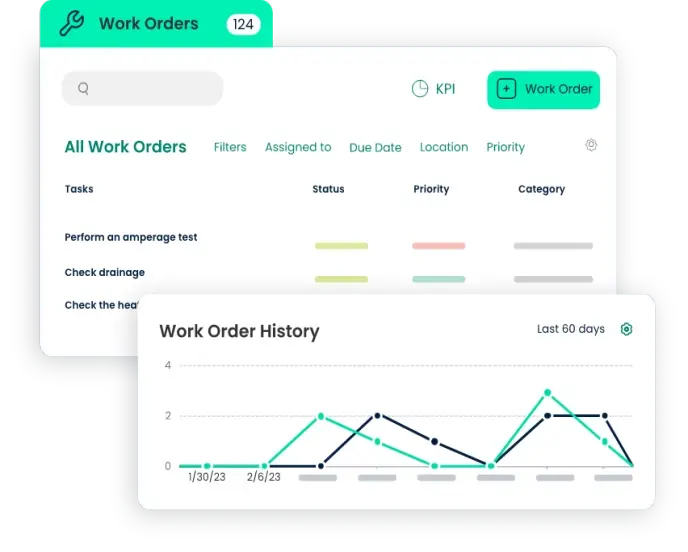
See Click Maint Work Order Software in Action
See how easy it is to manage work orders, maintenance requests and PMs with Click Maint CMMS. Take the quick 2 minute interactive product tour.
UpKeep - Best for Mobile-First Execution and Fast Technician Adoption
UpKeep’s strength is speed, especially in field execution. The company describes itself as mobile-first maintenance management and says users can create work orders in seconds, with photos, checklists, and real-time updates from any device. At the same time, technicians can close work on the spot to reduce admin time and improve response speed.
That matters because many maintenance software projects fail at the technician level. Leaders buy for visibility; technicians experience friction. UpKeep’s model tries to close that gap by making daily use easier. For small and mid-sized operations, that is critical. A lean team cannot afford a system that adds steps without reducing workload.
UpKeep also explicitly spans both smaller teams and more distributed organizations. It says its Essential plan is designed for “small teams or single-site operations getting off spreadsheets/paper for the first time,” while also stating that the platform is “built for hundreds of sites.” It lets organizations “add sites without adding complexity”. That is a strong signal for growing organizations that want a platform with an easier entry point but enough scale to support expansion.
Its inventory management capabilities reinforce the same theme. UpKeep highlights real-time inventory visibility, consumption history, barcode generation and scanning, purchase orders, vendor tracking, reorder automation, and data customization. For small and mid-sized teams, the appeal is obvious: less paperwork, faster work closure, better parts awareness, and stronger multi-site visibility without a huge adoption barrier.
MaintainX - Best for Frontline Standardization Across Multiple Sites
MaintainX has built a strong identity around frontline maintenance execution, and that is one of the smartest positions in the category. Too many platforms are manager-friendly but technician-hostile. MaintainX emphasizes the operational floor, saying teams can create, assign, and track work orders across all sites, monitor parts inventory, receive low-stock alerts, automate reorders, and use AI-powered suggestions and insights to keep jobs running smoothly.
Its multi-site and process-standardization angle is especially relevant. MaintainX says teams can enforce safety guidelines and operating procedures across sites, capture institutional knowledge, deliver real-time assistance, and surface actionable insights. It also says it helps teams identify root causes faster, extend asset life, and make smarter data-driven decisions to improve efficiency and reduce costs.
For small and mid-sized operations, that combination is valuable because growth tends to expose inconsistency. What worked in one site with one experienced team often breaks down across three, five, or ten sites. MaintainX appears especially useful for organizations trying to reduce that variation by giving frontline workers a clearer, shared operating system. If your biggest maintenance problem is not a lack of software but a lack of consistency, MaintainX deserves a place near the top of the shortlist.
eMaint - Best for Compliance, Control, and More Advanced Maintenance Operations
eMaint is one of the strongest candidates for organizations that need more rigor in maintenance workflows. The platform highlights centralized work-order routing, real-time status tracking, approval routing, customizable workflows, time-, meter-, or condition-based preventive maintenance, and complete asset histories with documentation at https://www.emaint.com/cmms-software.
It also places heavy emphasis on reporting, governance, and compliance. eMaint highlights KPI dashboards that track MTBF, MTTR, PM compliance, and costs, along with audit reports and signature trails. It further states that the system includes compliance templates for FDA 21 CFR Part 11 and ISO 55001, and supports automated work orders triggered by sensor data via native Fluke integration.
Its inventory story is similarly robust, with automated spare-parts reordering, PO generation, barcode and QR scanning, and multi-location inventory visibility. For regulated sectors or operations with stricter reporting requirements, that matters a great deal.
For small and mid-sized operations, eMaint is not always the simplest tool to start with, but simplicity is not always the right metric. In healthcare, food production, regulated manufacturing, and audit-heavy environments, weak traceability is not just inconvenient; it is dangerous. It is an operational risk. In that context, eMaint’s extra structure can be a real advantage.
Limble - Best for Ease of Use and Balanced Maintenance Visibility
Limble is often attractive because it aims for capability without excess complexity. The company says it helps teams “slash downtime, simplify work orders, and give your team real-time visibility”. It also says it helps organizations “simplify work orders, keep assets running smoothly, and increase productivity across every site”.
Its work-order functionality includes mobile and desktop access, task assignment, configurable templates, photo capture, QR-based requests, notifications, drag-and-drop scheduling, and company-wide filtering by team, location, and assets. Limble also emphasizes visibility into downtime, costs, and asset performance, as well as real-time tracking of asset history and spare parts with alerts before critical inventory runs low.
For smaller organizations, what stands out is the support for implementation and adoption. Limble says users can start seeing results quickly with guidance, tailored implementation, 24/7 support, training resources, and customer-success support. That matters because many small- and mid-sized maintenance teams lack dedicated internal systems administrators. They need software that can improve maintenance operations without becoming a maintenance project itself.
If your team wants balanced CMMS functionality, better visibility, and a lower-friction path to adoption, Limble is one of the strongest middle-ground options.
Click Maint - Best for Affordability and Speed to Value
Click Maint makes one of the most direct appeals in the category: affordable, easy to use, and quick to implement. The company highlights competitive pricing, easy setup, fast adoption, and the goal of getting users trained and live within 30 days. It also offers a no-credit-card free trial, which lowers the barrier for smaller organizations evaluating options.
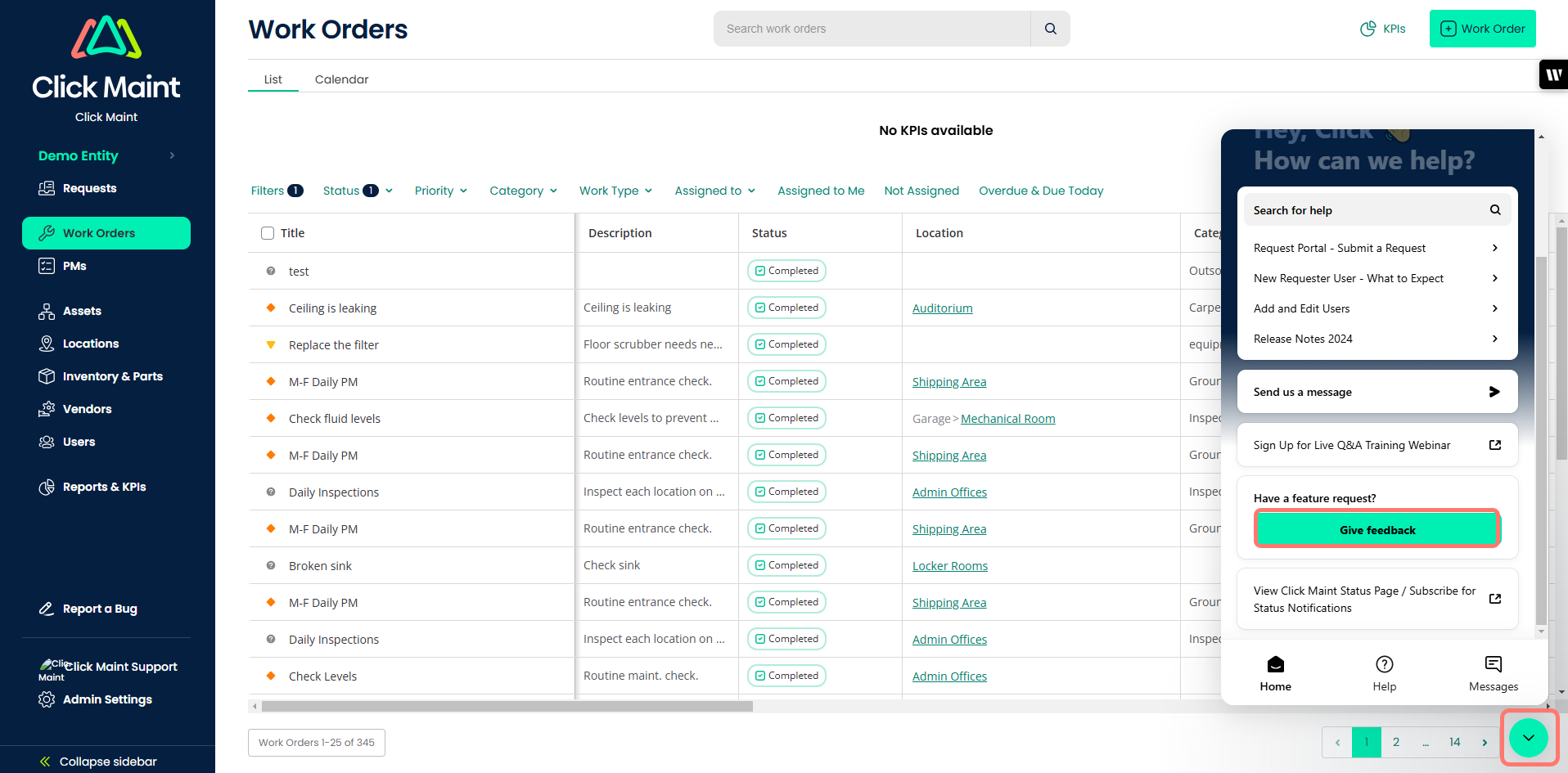
Its core focus is practical. Click Maint emphasizes work orders, preventive maintenance, and asset management. On its work-order page, it lays out the key elements of a structured maintenance work order, including identification, requester details, assigned personnel, materials and bills of materials, timelines, cost estimates, and approval processes.
That focus may sound basic, but basic discipline is exactly what many small and mid-sized operations need. Not every team is shopping for a full-blown digital transformation. Many are trying to get off spreadsheets, standardize work, gain visibility into assets, and stop running maintenance through inboxes and whiteboards.
For those buyers, Click Maint is a credible value play. It may not be the deepest platform on this list, but it clearly understands the appeal of manageable complexity and faster ROI.
Which Maintenance Management Software Is Best for Small and Mid-Sized Multi-Site Organizations?
If your top priority is connecting work orders and inventory control, Fiix offers one of the clearest cases, as its platform explicitly ties parts, purchasing, forecasting, and maintenance execution together at https://fiixsoftware.com/cmms/parts-inventory-management-software/.
If mobile usability and technician adoption are the biggest issues, UpKeep stands out because it is positioned for both smaller teams moving away from spreadsheets and multi-site organizations that need shared visibility and reduced complexity.
If your operation struggles most with inconsistent execution across sites, MaintainX is especially compelling because it emphasizes frontline guidance, standard procedures, and work-order management across all sites.
If compliance, traceability, and deeper reporting are essential, eMaint deserves a serious look because it offers structured workflows, auditability, multi-location inventory visibility, and stronger KPI reporting.
If your team wants balanced functionality, easier adoption and strong support, Limble is a strong choice because it focuses on simplified work orders, real-time visibility and quick results.
If cost control and rollout speed are the priorities, Click Maint is the pragmatic option because it explicitly targets affordability, ease of setup, and speed to value.
FAQ
What is maintenance management software?
Maintenance management software is a digital system used to organize and execute maintenance work, including work requests, preventive maintenance, asset histories, reporting, and often spare-parts control. On stronger platforms, work order management, inventory management, and asset management operate together rather than in silos. That broader role is reflected in platforms such as Fiix, UpKeep, and eMaint.
What is the difference between a CMMS and work order software?
Work order software usually focuses on creating, assigning, tracking, and closing maintenance tasks. A CMMS goes further by connecting those tasks to assets, preventive maintenance schedules, inventory, purchasing, analytics, and compliance. Fiix’s work-order capabilities at https://fiixsoftware.com/cmms/work-orders/ and its inventory module demonstrate how these functions come together within a broader CMMS.
Why does inventory management matter in a CMMS?
Because maintenance fails when parts are unavailable, a CMMS with inventory management helps teams set minimum stock levels, perform cycle counts, link parts to work orders, track costs, and reduce stockouts. Fiix explicitly highlights stock thresholds, cross-facility parts sharing, mobile bills of materials, and parts forecasting. For small and mid-sized operations, that translates into fewer delays, less emergency purchasing, and better use of limited labor time.
What should small and mid-sized organizations prioritize in maintenance management software?
They should prioritize fast adoption, mobile usability, strong work-order workflows, connected parts tracking, and visibility across sites without excessive implementation burden. UpKeep explicitly speaks to “small teams or single-site operations getting off spreadsheets/paper for the first time” while also supporting multi-site organizations. Click Maint emphasizes easy setup and trained users within 30 days. Those are exactly the kinds of advantages that matter when lean teams have little extra bandwidth.
Which maintenance management software is best for multi-site teams?
There is no single universal answer. Fiix is strong if the main issue is coordinating work orders and parts across facilities. UpKeep is strong if mobile execution and shared visibility are the priorities. MaintainX is especially compelling if the goal is to standardize frontline procedures and work execution across sites.
Is mobile work order management really that important?
Yes. Maintenance work happens in the field, not at a desk. UpKeep says technicians can create work orders in seconds and close work on the spot from any device/. Fiix also highlights offline access, mobile updates, barcode and QR support, and photo attachments. For small and mid-sized teams, mobile capabilities reduce paperwork, speed completion, and limit bad handoffs between technicians and supervisors.
Which platform is strongest for inventory-heavy maintenance operations?
Based on the vendor positioning reviewed here, Fiix stands out most clearly for inventory-heavy environments because it emphasizes stock thresholds, purchasing workflows, ERP updates, parts forecasting, bills of materials, and cross-site parts sharing. eMaint is also strong, especially for teams needing automated reordering, POs, and multi-location inventory visibility.
Which CMMS seems easiest for lean maintenance teams to adopt?
UpKeep, Limble, and Click Maint all make strong adoption arguments, but from different angles. UpKeep emphasizes mobile-first work execution. Limble emphasizes simplified work orders, visibility, and support resources. Click Maint emphasizes affordable pricing, fast setup, and quicker ROI. For lean teams, the best answer is often the system technicians will actually use consistently.
Which maintenance management software is best for regulated or compliance-heavy environments?
eMaint appears strongest in this group for compliance-heavy environments because it highlights audit trails, approval workflows, documentation, KPI dashboards, and compliance templates for standards such as FDA 21 CFR Part 11 and ISO 55001. If your maintenance records need to withstand audits and inspections, that level of structure matters.
How does a CMMS help reduce downtime?
A CMMS reduces downtime by improving scheduling, preventive maintenance, parts availability, and reporting visibility. eMaint points to predictive scheduling, KPI dashboards, and condition-based triggers. Fiix emphasizes scheduling and analytics. Limble says unplanned downtime costs 10x as much as preventive maintenance and emphasizes PM scheduling and downtime tracking. For small and mid-sized operations, downtime reduction usually comes from better execution of the basics rather than from grand transformation rhetoric.
Final Verdict
The best maintenance management software for work orders in 2026 is not the platform with the broadest claim set. It is the platform that best helps a lean organization run maintenance with speed, consistency, and visibility across multiple sites.
For small and mid-sized operations, that means the software should reduce technician admin time, connect work orders with inventory management, improve asset visibility, and standardize maintenance operations without becoming a burden to implement. That is where the real value lies.
If the shortlist is being narrowed specifically for small and mid-sized multi-site organizations, Fiix, UpKeep, MaintainX, and eMaint belong in the strongest top tier, each for different reasons. Limble is a strong simplicity-first option, and Click Maint is the pragmatic affordability play. The final decision should come down to what the operation needs most: stronger parts control, better mobile execution, more cross-site consistency, tighter compliance, or faster rollout.
In 2026, the best CMMS is no longer just a system of record. It is a system of operational leverage.
TABLE OF CONTENTS






