



Reena Sommer | 29 Sep 2026


Managing a maintenance budget is one of the most important responsibilities for maintenance managers, facility managers, plant managers, and operations leaders. Without clear visibility into labor, parts, equipment repairs, preventive maintenance, and contractor costs, maintenance spending can quickly become difficult to control.
CMMS software makes maintenance budgeting easier by centralizing maintenance data, tracking costs, improving preventive maintenance planning, and helping teams make better spending decisions.
With Click Maint CMMS software, maintenance teams organize work orders, track asset maintenance activities, monitor parts and inventory, and use historical maintenance information to support better budgeting.
What is a Maintenance Budget?
A maintenance budget is the amount of money an organization plans to spend on maintaining its assets, equipment, facilities, and infrastructure during a specific period. A maintenance budget may include costs for:
- Preventive maintenance
- Corrective maintenance
- Emergency repairs
- Spare parts and inventory
- Maintenance labor
- Contractors and vendors
- Equipment inspections
- Tools and supplies
- Equipment replacement
- Training
- Maintenance software
- Compliance-related maintenance
The goal is not simply to reduce maintenance spending. A good maintenance budget helps organizations allocate resources efficiently while protecting equipment reliability, safety, and uptime.

Why is Maintenance Budgeting Important?
Poor maintenance budgeting can create several operational problems. When maintenance departments do not understand where money is being spent, they may experience frequent emergency repairs, excessive overtime, unnecessary parts purchases, equipment downtime, and unexpected capital expenses. A well-managed maintenance budget helps organizations:
- Control maintenance costs
- Plan preventive maintenance
- Reduce emergency repairs
- Improve equipment reliability
- Forecast future maintenance expenses
- Allocate labor more effectively
- Manage spare parts inventory
- Prioritize critical assets
- Justify maintenance investments
- Support capital replacement planning
CMMS software helps provide the maintenance data needed to make these decisions.
How Can CMMS Software Help With Maintenance Budgeting?
CMMS software creates a centralized system for managing maintenance operations. Instead of relying on spreadsheets, paper records, emails, or separate maintenance systems, organizations can keep work orders, preventive maintenance schedules, asset information, maintenance history, labor activity, and inventory records in one system.
This gives maintenance managers better visibility into where maintenance resources are being used. For example, a maintenance manager may be able to review:
- Number of work orders completed
- Preventive versus corrective maintenance
- Maintenance frequency by asset
- Parts used during repairs
- Equipment repair history
- Labor associated with maintenance
- Recurring equipment problems
- Maintenance workload
- Asset downtime
This information can help managers build more realistic maintenance budgets.
How to Create a Maintenance Budget Using CMMS Software
1. Review Historical Maintenance Data
The first step is understanding what the organization has previously spent on maintenance. Historical maintenance information can show which assets require the most attention and which types of maintenance consume the most resources. Review information such as:
- Previous work orders
- Repair frequency
- Preventive maintenance activity
- Parts consumption
- Equipment breakdowns
- Contractor activity
- Labor requirements
- Maintenance trends by asset
CMMS software helps centralize this information so managers do not have to search through multiple spreadsheets or paper files.
Example
Suppose a manufacturing plant discovers that one production machine required 18 corrective maintenance work orders during the previous year. That information may indicate that the asset needs:
- A better preventive maintenance plan
- Additional inspections
- Replacement components
- Operator training
- A major overhaul
- Replacement consideration
Without maintenance history, those recurring costs can easily be overlooked during budgeting.
2. Identify All Maintenance Cost Categories
Maintenance managers should separate their budget into clear categories. Common maintenance budget categories include:
Labor
Include expected maintenance labor requirements such as technician hours and overtime.
Spare Parts
Estimate the cost of commonly used replacement parts and maintenance supplies.
Preventive Maintenance
Include inspections, lubrication, servicing, calibration, cleaning, testing, and scheduled component replacement.
Corrective Maintenance
Budget for repairs that occur when equipment develops problems.
Emergency Maintenance
Organizations should reserve funds for unexpected breakdowns and urgent repairs.
Contractors
Include costs associated with third-party technicians, electricians, HVAC contractors, plumbers, equipment specialists, and other service providers.
Tools and Equipment
Consider tools, diagnostic equipment, safety equipment, and maintenance supplies.
Training
Maintenance teams may require technical, safety, compliance, or equipment-specific training.
Software
Maintenance technology, including CMMS software, may also form part of the maintenance operating budget.
3. Evaluate Asset Criticality
Not every asset requires the same maintenance investment. Maintenance managers should identify which assets are most important to operations. Critical equipment may require more preventive maintenance, inspections, spare parts, and monitoring. Consider factors such as:
- Operational importance
- Safety impact
- Replacement cost
- Production impact
- Downtime consequences
- Compliance requirements
- Repair difficulty
- Availability of spare parts
A CMMS can help maintenance teams organize asset information and maintenance history, making it easier to prioritize maintenance resources.
4. Analyze Preventive Versus Reactive Maintenance
One important budgeting consideration is the balance between planned and unplanned maintenance. Organizations that rely heavily on reactive maintenance may face higher costs from emergency repairs, overtime, production interruptions, and expedited parts purchases.
Preventive maintenance helps teams service equipment before common problems lead to failure. CMMS software can help maintenance departments schedule recurring tasks based on:
- Calendar intervals
- Equipment requirements
- Inspection schedules
- Operating cycles
- Internal maintenance procedures
Moving more maintenance activity toward planned maintenance can make maintenance spending easier to forecast.
How to Manage a Maintenance Budget Throughout the Year
Creating a maintenance budget is only the beginning. Maintenance managers should continuously review maintenance activity and adjust plans when operational conditions change.
Track Maintenance Costs by Asset
Asset-level maintenance tracking can reveal which equipment consumes the largest share of maintenance resources. For example, two similar machines may have significantly different maintenance requirements. If one asset generates repeated work orders while another operates reliably, management may need to investigate the difference.
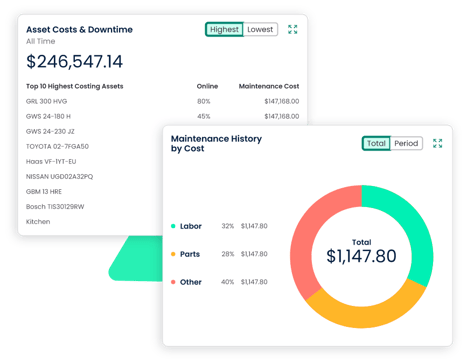
Possible causes could include:
- Asset age
- Operating conditions
- Maintenance frequency
- Improper use
- Parts quality
- Equipment design
- Previous repair quality
CMMS maintenance history helps managers identify these patterns.
Monitor Work Order Activity
Work orders provide valuable information about how maintenance resources are being used.
Maintenance teams should monitor:
- Work order volume
- Emergency work orders
- Preventive maintenance work orders
- Corrective maintenance work orders
- Completion times
- Backlogs
- Repeated repairs
A growing number of emergency work orders may indicate that preventive maintenance needs improvement.
Manage Spare Parts Inventory
Inventory can represent a significant portion of a maintenance budget. Too much inventory ties up capital and storage space. Too little inventory can delay repairs. Maintenance teams should understand:
- Which parts are used most frequently
- Which parts support critical equipment
- Current stock levels
- Reorder requirements
- Slow-moving inventory
- Frequently unavailable parts
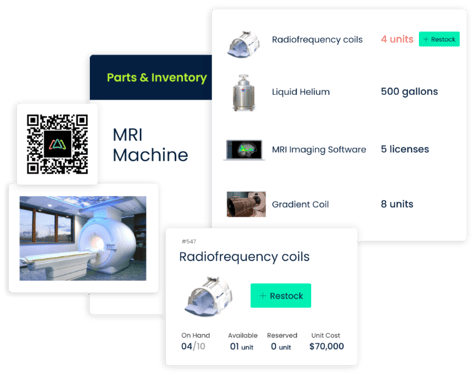
CMMS inventory management can help teams connect parts usage with maintenance work and improve purchasing decisions.
Review Maintenance Performance Regularly
Maintenance budgets should not be reviewed only once per year. Monthly or quarterly reviews can help managers identify changing maintenance conditions. Review questions might include:
- Are emergency repairs increasing?
- Are preventive maintenance tasks being completed?
- Which assets have the highest maintenance workload?
- Is the maintenance backlog growing?
- Are parts shortages delaying repairs?
- Are certain assets repeatedly failing?
Regular reviews allow managers to make adjustments before maintenance problems become more expensive.
How to Optimize a Maintenance Budget With CMMS Software
1. Reduce Unnecessary Emergency Maintenance
Emergency maintenance can be expensive because it often requires immediate labor, urgent parts purchases, contractor support, and operational disruption. Preventive maintenance scheduling can help teams identify potential problems earlier. Instead of waiting for equipment to fail, maintenance teams can schedule inspections and routine servicing.
2. Prioritize High-Risk Assets
Maintenance budgets should focus resources where operational risk is highest. CMMS asset records can help teams identify equipment with:
- Frequent failures
- Repeated work orders
- High maintenance activity
- Significant operational importance
Maintenance managers can then prioritize inspections and preventive maintenance accordingly.
3. Improve Maintenance Planning
Better planning can reduce wasted technician time. When work orders include asset information, maintenance instructions, required parts, and maintenance history, technicians may spend less time looking for information.
This can improve maintenance productivity and help organizations use available labor more effectively.
4. Identify Recurring Maintenance Problems
Repeated repairs can quietly consume a maintenance budget. For example, replacing the same component every few months may indicate an underlying equipment problem. Maintenance history can help managers identify recurring failures and determine whether a longer-term solution is needed.
5. Improve Inventory Control
CMMS software can also help organizations understand which parts are actually being used. Better inventory visibility can help reduce:
- Duplicate purchases
- Excess stock
- Parts shortages
- Emergency ordering
- Unnecessary inventory carrying costs
6. Support Repair-or-Replace Decisions
There comes a point when continuing to repair an aging asset may no longer make operational sense. Maintenance history provides useful information when evaluating whether equipment should be repaired, overhauled, or replaced.
Managers can review factors including:
- Repair frequency
- Downtime
- Asset age
- Maintenance workload
- Parts availability
- Operational importance
These insights can support capital planning discussions.
Important Maintenance Budget KPIs to Track
CMMS software can help organizations monitor maintenance performance indicators that support budget planning.
Useful maintenance KPIs may include:
Maintenance Cost by Asset
Shows which equipment requires the most maintenance resources.
Preventive Maintenance Completion Rate
Measures whether scheduled preventive maintenance is being completed as planned.
Work Order Backlog
Shows the amount of maintenance work that remains incomplete.
Emergency Work Order Volume
Helps identify whether the organization relies too heavily on reactive maintenance.
Mean Time Between Failures
Helps teams understand how frequently equipment experiences failures.
Mean Time to Repair
Measures how long repairs typically take.
Parts Usage
Shows which spare parts are used most frequently.
These metrics provide operational context behind maintenance spending.
Maintenance Budget Example
Consider a facility with an annual maintenance budget divided into the following categories:
|
Maintenance Category |
Example Budget Allocation |
|
Preventive maintenance |
$60,000 |
|
Corrective maintenance |
$40,000 |
|
Spare parts and inventory |
$45,000 |
|
Contractors |
$25,000 |
|
Tools and supplies |
$10,000 |
|
Training |
$5,000 |
|
Emergency maintenance reserve |
$15,000 |
|
Total |
$200,000 |
The actual percentages will vary significantly depending on the industry, facility size, equipment type, asset age, and maintenance strategy.
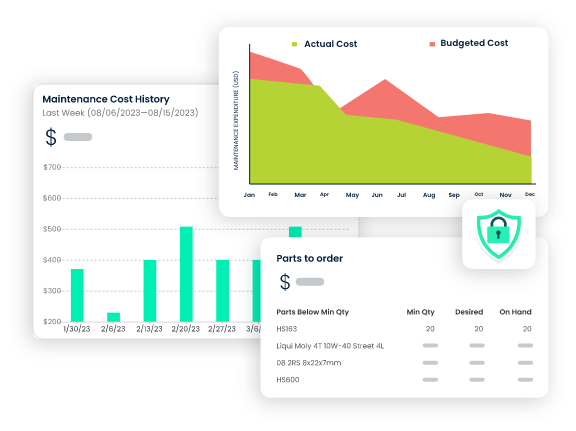
The important part is tracking actual maintenance activity against the planned budget and understanding why differences occur.
Common Maintenance Budgeting Mistakes
Relying Only on Last Year's Budget
Simply increasing last year's maintenance budget by a fixed percentage may ignore changes in equipment condition, operations, staffing, or maintenance strategy. Historical data should be combined with current asset conditions and planned maintenance requirements.
Ignoring Aging Equipment
Older equipment may require additional inspections, parts, and repairs. Maintenance history can help identify assets that may require increased budget attention.
Underfunding Preventive Maintenance
Reducing preventive maintenance may appear to save money initially, but equipment problems can become more difficult to manage if important maintenance tasks are delayed.
Keeping Maintenance Data in Separate Systems
When work orders, parts records, asset information, and maintenance schedules are stored separately, managers may struggle to see the complete maintenance picture. A CMMS helps centralize this information.
Failing to Track Actual Spending Drivers
A maintenance budget should explain not only how much is being spent but also why. Maintenance activity by asset, task type, and parts usage provides important context.
How Can Click Maint Help With Maintenance Budget Management?
Click Maint CMMS software helps maintenance teams organize the operational information needed to plan and manage maintenance more effectively.
Maintenance teams can use Click Maint to support activities such as:
- Managing work orders
- Organizing asset information
- Scheduling preventive maintenance
- Tracking maintenance activity
- Managing spare parts and inventory
- Reviewing maintenance history
- Coordinating maintenance requests
By moving maintenance information into one centralized system, managers can gain better visibility into maintenance operations and use that information to support budget planning.
Frequently Asked Questions
What should be included in a maintenance budget?
A maintenance budget may include labor, spare parts, preventive maintenance, emergency repairs, contractors, tools, training, software, equipment servicing, inspections, and other maintenance-related expenses.
How does CMMS software help control maintenance costs?
CMMS software helps organizations track maintenance activity, organize work orders, schedule preventive maintenance, manage assets, monitor inventory, and review historical maintenance information. This visibility can help managers identify inefficient maintenance practices and recurring problems.
Can CMMS software help reduce equipment downtime?
CMMS software can help teams schedule preventive maintenance, organize maintenance requests, track work orders, and maintain equipment history. These capabilities support a more proactive maintenance approach designed to reduce avoidable equipment failures and downtime.
How often should a maintenance budget be reviewed?
Many organizations establish an annual maintenance budget while reviewing actual maintenance activity monthly or quarterly. More frequent reviews may be useful for facilities with high equipment usage or rapidly changing maintenance requirements.
How can maintenance managers reduce reactive maintenance costs?
Maintenance managers can improve preventive maintenance scheduling, identify recurring equipment failures, prioritize critical assets, improve spare parts availability, and analyze maintenance history.
What is the role of preventive maintenance in budgeting?
Preventive maintenance makes certain maintenance activities more predictable. Scheduling inspections and routine servicing allows organizations to plan labor, parts, and maintenance resources in advance rather than relying entirely on unexpected repairs.
Build a More Data-Driven Maintenance Budget With Click Maint
Maintenance budgeting becomes easier when managers have reliable information about assets, work orders, preventive maintenance, parts, and maintenance history. Instead of making budget decisions based primarily on estimates or disconnected spreadsheets, organizations can use Click Maint CMMS software to centralize maintenance operations and create greater visibility into how maintenance resources are being used.
Whether you manage a manufacturing plant, commercial facility, school, healthcare facility, nonprofit organization, or multi-site operation, improving maintenance data can support better planning, more proactive maintenance, and more informed budget decisions.
See how Click Maint can help your team organize work orders, preventive maintenance, assets, and maintenance inventory. Take the quick 2-minute interactive product tour or schedule a personalized demo.
Simplify Your Maintenance Operations With Click Maint.
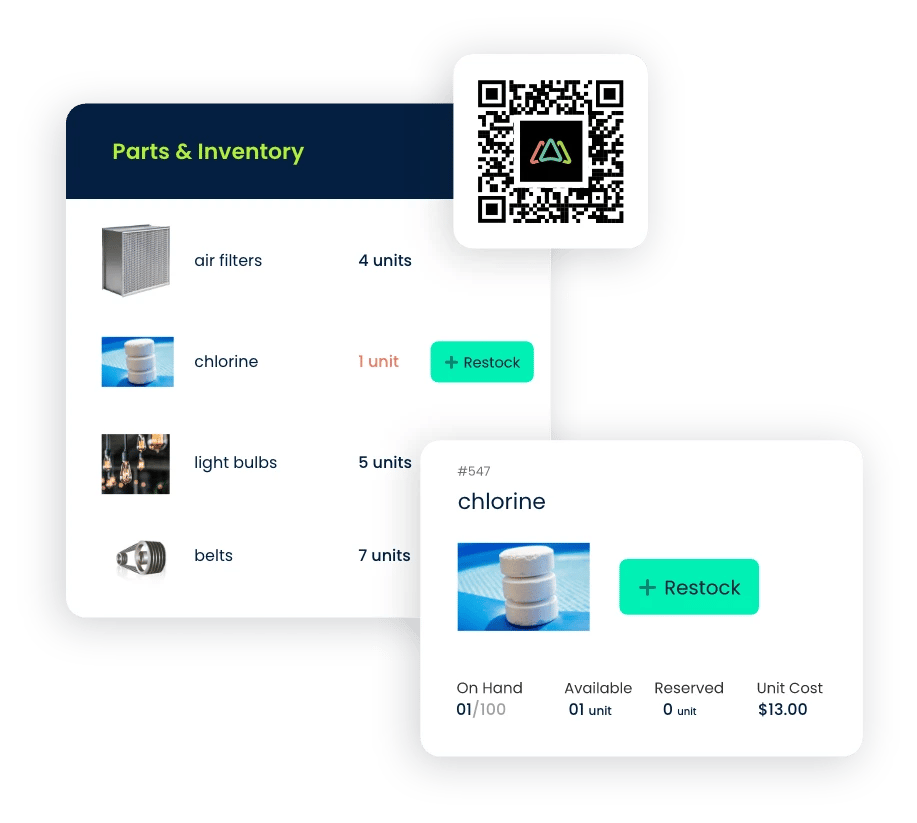
TABLE OF CONTENTS






