



Reena Sommer | 2 Oct 2026


Assigning the right work order to the right maintenance technician sounds simple. A maintenance request comes in, a manager chooses a technician, and the repair gets completed.
In practice, work order assignments become complicated. Which technician is available? Who has the right skills? Is the repair urgent? Where is the equipment located? Does another technician already have several high-priority jobs?
When work orders are assigned through paper forms, spreadsheets, emails, phone calls, or text messages, maintenance managers struggle to see workloads and priorities.
Work order software create a more organized process. With a CMMS such as Click Maint, maintenance teams centralize work orders, technician assignments, preventive maintenance, assets, and maintenance information.
This guide explains how to assign work orders to maintenance technicians effectively and what to consider when building a digital work order assignment process.
What Does Work Order Assignment Mean?
Work order assignment is the process of selecting the person or team responsible for completing a maintenance task. A work order includes information such as:
- Asset or equipment
- Location
- Problem description
- Priority
- Requested completion date
- Assigned technician
- Task instructions
- Required parts
- Safety information
- Photos or attachments
- Work order status
The objective is not simply to give someone a task. Good work order assignment ensures maintenance work reaches an appropriate technician with enough information to complete the job efficiently.
.png?width=551&height=447&name=work%20orders%20list_2%20(1).png)
How to Assign Work Orders to Maintenance Technicians
A consistent process makes work order assignment easier to manage.
1. Review the Maintenance Request
Start by reviewing what needs to be done. A useful maintenance request answers basic questions:
What is wrong?
Where is the problem?
Which asset is affected?
When was the issue discovered?
How urgent is it?
For example, “Machine broken” provides little information.
A better request states:
Packaging Line 2 conveyor stopped at approximately 9:15 a.m. Motor is running, but the belt is not moving. Better information helps the maintenance manager determine priority and choose an appropriate technician.
2. Set the Work Order Priority
Not every maintenance request requires immediate attention. Before assigning a technician, determine the importance of the work relative to other open tasks. A simple priority structure includes:
Emergency: Immediate safety or critical operational issue.
High: Significant equipment or operational problem requiring prompt attention.
Medium: Important repair scheduled around higher-priority work.
Low: Minor repair or non-urgent maintenance.
Use consistent priority definitions across the maintenance department. Without clear definitions, nearly every requester views their issue as urgent.
3. Match the Work Order With Technician Skills
Technician availability is important, but availability alone does not determine the right assignment. Consider whether the technician has the skills required for the task. Maintenance work includes areas such as:
- Electrical systems
- HVAC
- Plumbing
- Mechanical repairs
- Building maintenance
- Production equipment
- Vehicle maintenance
- Inspections
- Calibration
A technician familiar with the specific asset diagnoses problems more efficiently. For specialized work, qualifications, certifications, safety requirements, and organizational policies determine who is permitted to perform the task.
4. Check Technician Availability and Workload
A highly experienced technician looks like the right person for a repair, but assigning another job to someone who already has ten open high-priority work orders creates a bottleneck. Review the technician's existing workload.
Look at:
- Open work orders
- High-priority assignments
- Scheduled preventive maintenance
- Current location
- Shift
- Availability
- Expected completion dates
The objective is to balance expertise with capacity.
5. Consider the Technician's Location
Location significantly affects maintenance response time, particularly for organizations with large campuses or multiple facilities.
Suppose two qualified technicians are available. One is working in the same building as the new maintenance request, while the other is at a facility 30 minutes away.
When other factors are similar, assigning the nearby technician reduces travel time and improves response time. Location becomes increasingly important for organizations managing multiple buildings or sites.

6. Include Clear Work Order Instructions
After selecting a technician, make sure the work order provides enough information to begin the job. Include relevant details such as:
Asset: Air Handling Unit AHU-04
Location: Building B, rooftop
Priority: High
Problem: Unit is producing unusual vibration
Task: Inspect fan assembly, motor, belt, and mounting hardware
Safety requirement: Follow applicable lockout/tagout procedures
Assigned technician: Technician name
Due date: September 30
Attach relevant photos, manuals, documents, or previous work information when useful. Clear instructions reduce unnecessary calls and back-and-forth communication.
7. Notify the Technician
Once assigned, the technician needs to know about the work. Traditional processes rely on:
- Printed work orders
- Phone calls
- Emails
- Whiteboards
- Text messages
The problem is that assignment information becomes separated from the actual maintenance record. With digital work order software, assignment and work order information remain connected within the maintenance system.
8. Let Technicians Update Work Order Status
Assignment is only the beginning. Managers also need visibility into what happens afterward. A digital workflow uses statuses such as:
Open → Assigned → In Progress → On Hold → Completed → Closed
If a repair remains incomplete because a part is unavailable, the technician documents that information instead of leaving managers wondering why the work order remains open. Consistent status updates provide better visibility into maintenance operations.
9. Record Parts, Labor, Notes, and Photos
Technicians should document important information as they perform maintenance. Depending on the job, this information includes:
- Work performed
- Diagnosis
- Parts used
- Labor time
- Photos
- Meter readings
- Equipment condition
- Follow-up recommendations
This information makes the completed work order more valuable. Instead of simply knowing that an asset was “fixed,” the organization develops a maintenance history showing what happened.

10. Close and Review the Work Order
When maintenance is complete, close the work order according to your organization's process. For important repairs, supervisors verify that required information has been entered before closing the work order.
Over time, completed work orders help managers answer questions such as:
- Which assets require the most repairs?
- Which work orders take the longest to complete?
- How much labor is being used?
- What types of problems occur repeatedly?
- How much reactive maintenance is being performed?
Manual vs. Digital Work Order Assignment
|
Manual Assignment |
Digital Work Order Assignment |
|
Paper work orders |
Digital work orders |
|
Phone or text assignments |
Centralized assignments |
|
Separate spreadsheets |
Work orders managed in one system |
|
Limited workload visibility |
Clear visibility into open work |
|
Updates communicated manually |
Work order status updated digitally |
|
Fragmented maintenance history |
Completed work connected to maintenance records |
|
Photos stored separately |
Photos attached to work information |
|
Reporting requires manual work |
Recorded data supports reporting |
Digital work order management becomes increasingly valuable as the number of technicians, assets, facilities, and maintenance requests grows.
How Should Maintenance Managers Decide Who Gets a Work Order?
Base work order assignment decisions on five factors:
Priority
How quickly does the work need to be completed?
Skills
Who has the appropriate experience or qualifications?
Availability
Who is currently available to take the job?
Workload
How much open work does each technician already have?
Location
Which qualified technician reaches the asset most efficiently? Using these criteria consistently prevents work orders from being assigned simply to the first technician who comes to mind.
Common Work Order Assignment Mistakes
Assigning Everything as High Priority
If every work order is urgent, technicians cannot identify which jobs genuinely require immediate attention. Create clear priority definitions.
Overloading Your Most Experienced Technician
Managers frequently assign difficult work to their strongest technician. Over time, that person becomes a bottleneck while other technicians remain underutilized. Balance workload while considering skill requirements.
Providing Incomplete Information
A technician should not spend the first 20 minutes figuring out which asset needs repair or where it is located. Provide clear asset, location, problem, and task information.
Assigning Work Through Too Many Channels
A technician receives one job by text, another by email, two on paper, and another verbally.
Now neither the technician nor the manager has one reliable list of outstanding work.
Centralizing assignments eliminates this problem.
Failing to Update Work Order Status
When technicians complete repairs without updating work orders, managers lose visibility and maintenance history becomes incomplete.
Make documentation part of the normal workflow.
How Click Maint Helps With Work Order Assignment
Click Maint helps maintenance teams organize work orders and technician assignments in a centralized maintenance management system. Instead of coordinating maintenance through paper, spreadsheets, texts, and disconnected communication, teams use Click Maint to manage the work order process digitally. Maintenance teams use Click Maint to support areas including:
Work Order Management
Create, prioritize, assign, track, and complete maintenance work orders.
Maintenance Requests
Create a structured process for receiving and managing maintenance issues.
Preventive Maintenance
Organize recurring maintenance tasks alongside other work.
Asset Management
Connect work activity with equipment and asset information.
Inventory Management
Keep maintenance parts and inventory information connected with maintenance operations.
Mobile Maintenance
Give technicians access to maintenance information while working away from a desk.
By centralizing these processes, maintenance managers spend less time coordinating work across spreadsheets, paper forms, emails, and text messages.
Frequently Asked Questions
Who Should Assign Maintenance Work Orders?
Maintenance managers, supervisors, planners, dispatchers, and other employees responsible for coordinating maintenance assign work orders. The exact process depends on the size and structure of the organization.
What Information Does a Technician Need on a Work Order?
Provide a clear problem or task description, asset or location, priority, assignment, and relevant instructions. Include parts, safety information, documents, photos, and maintenance history when relevant to the job.
How Do You Prioritize Maintenance Work Orders?
Consider safety, operational impact, asset criticality, urgency, and the consequences of delaying the repair. Define consistent priority levels so employees understand what each level means.
Does CMMS Software Assign Work Orders to Technicians?
CMMS software supports digital work order creation, assignment, tracking, and completion. Assignment and automation capabilities differ between CMMS products.
How Do You Prevent Technicians From Becoming Overloaded With Work Orders?
Review technician workload before making assignments. Consider existing open work orders, priorities, preventive maintenance responsibilities, availability, skills, and location.
How Do Maintenance Teams Stop Assigning Work Orders Through Text Messages?
Create one standard process for submitting, assigning, updating, and closing work orders. A CMMS provides a centralized place for maintenance teams to manage the workflow instead of relying on separate communication channels.
Make Work Order Assignment Easier With Click Maint
Effective work order assignment involves more than choosing a technician. Maintenance managers need to consider priority, skills, workload, availability, and location while ensuring technicians receive the information required to complete the job.
As maintenance operations grow, coordinating work through paper, spreadsheets, calls, and text messages becomes increasingly difficult. Click Maint helps maintenance teams centralize work orders, technician assignments, preventive maintenance, assets, maintenance requests, and maintenance information in one system.
See how digital work order assignment works with Click Maint. Take the quick 2-minute interactive product tour.
Make Work Order Assignment Easier With Click Maint
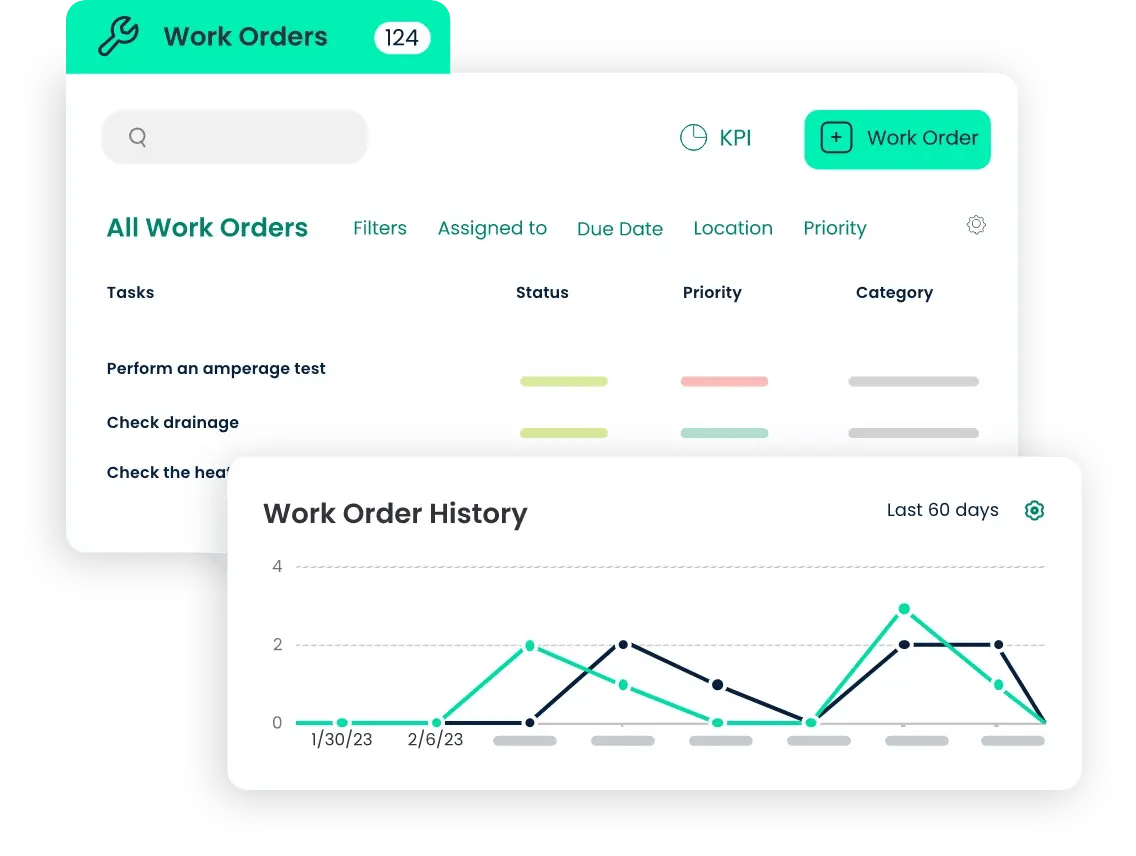
TABLE OF CONTENTS






