


Reena Sommer | 2 Oct 2026


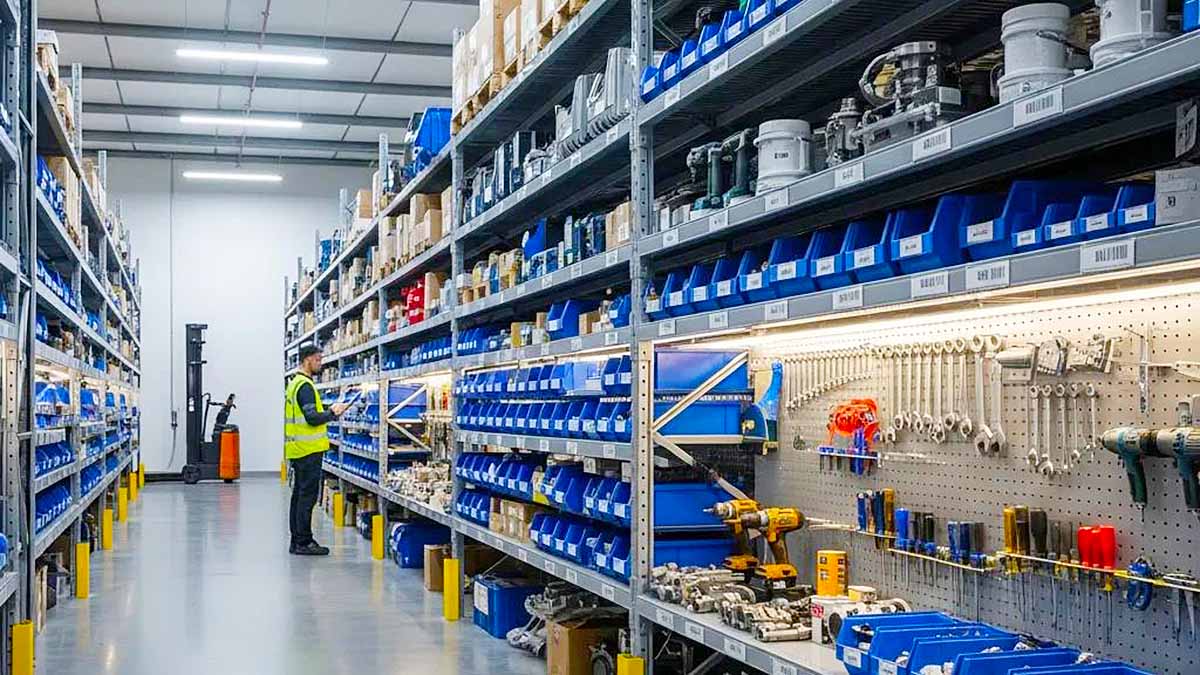
A maintenance technician is ready to repair a critical piece of equipment, but the replacement bearing is not in the stockroom. The inventory spreadsheet says three are available. After searching the shelves, the team discovers there are none. The repair is now delayed while someone orders the part.
This problem highlights the importance of effective maintenance inventory management. When spare parts are tracked through spreadsheets, paper records, or employee memory, stock information quickly becomes outdated.
CMMS software for parts and inventory management helps maintenance teams organize spare parts, stock levels, storage locations, costs, and parts usage alongside work orders and equipment maintenance. Instead of treating inventory as a separate process, a computerized maintenance management system (CMMS) connects parts directly to the maintenance work that consumes them. This guide explains how CMMS inventory management works, which features to look for, and how Click Maint helps maintenance teams improve parts and inventory tracking.
What Is CMMS Parts and Inventory Management?
CMMS parts and inventory management is the process of using Maintenance Management Software to track spare parts, supplies, and materials required to maintain equipment and facilities. Maintenance teams organize information such as:
- Part names
- Part numbers
- Descriptions
- Current quantities
- Storage locations
- Minimum stock levels
- Unit costs
- Suppliers
- Parts used on work orders
- Parts associated with assets
The objective is straightforward: give maintenance teams a clear understanding of what parts they have, where those parts are located, and how they are being used.

Why Is Parts Inventory Management Important for Maintenance?
A maintenance department needs more than skilled technicians. Technicians also need the right parts at the right time. Poor inventory management creates two major problems.
Too Little Inventory
When critical parts are unavailable, repairs get delayed. A technician diagnoses the problem correctly but remains unable to complete the repair until the replacement component arrives. The result is longer equipment downtime.
Too Much Inventory
Keeping excessive quantities of every part creates another problem. Unused inventory occupies storage space and ties up money in components sitting on shelves for months or years. Some components also become obsolete as equipment changes.
Effective maintenance inventory management maintains enough stock to support maintenance without unnecessarily overstocking the storeroom.
How Does a CMMS Manage Spare Parts Inventory?
A CMMS brings maintenance inventory into the same environment used to manage equipment and work orders. Consider this workflow:
Equipment fails → Work order is created → Technician identifies required part → Part is used → Work order is completed → Parts usage is recorded
Instead of updating a separate spreadsheet after the repair, technicians record parts consumption as part of the maintenance workflow. This gives Maintenance Managers greater visibility into maintenance activity and inventory usage.
10 CMMS Features for Parts and Inventory Management
Maintenance teams do not need an unnecessarily complicated warehouse management system. Focus on inventory capabilities that support everyday maintenance operations.
1. Centralized Parts Inventory
The CMMS provides one central place to organize maintenance parts. A part record includes:
- Part name
- Part number
- Description
- Quantity
- Unit of measure
- Storage location
- Cost
- Supplier information
Centralization reduces dependence on separate spreadsheets for different categories of maintenance inventory.
2. Stock-Level Tracking
Knowing that a part exists is not enough. Maintenance Managers need visibility into the quantity available. For example:
|
Part |
Quantity |
Minimum Level |
Location |
|
HVAC Filter |
18 |
10 |
Storeroom A |
|
Pump Seal |
4 |
3 |
Shelf B-4 |
|
Drive Belt |
2 |
4 |
Shelf C-2 |
|
Bearing |
7 |
5 |
Parts Room |
Visibility into current quantities helps teams identify inventory requiring attention.
3. Minimum Stock Levels
Running out of an inexpensive part creates expensive maintenance delays. Minimum stock levels help maintenance teams identify low inventory before shortages disrupt maintenance work.
For example, if the team requires at least five bearings in stock and the quantity drops below five, the inventory record identifies the need for replenishment. This process is especially valuable for frequently used and operationally important parts.
4. Parts Locations
Knowing that a part exists provides little value when technicians cannot find it. Maintenance inventory gets stored across:
- Stockrooms
- Shelves
- Cabinets
- Maintenance shops
- Service vehicles
- Different facilities
A strong inventory system identifies exactly where each part is stored.
For example:
Storeroom A → Shelf 03 → Bin B
Clear locations reduce the time technicians spend searching for components.
5. Parts Connected to Work Orders
Connecting parts with work orders is one of the biggest advantages of using a CMMS instead of a standalone inventory spreadsheet.For example:
Work Order: WO-1058
Asset: Pump P-204
Repair: Replace leaking mechanical seal
Part Used: Mechanical Seal MS-220
Quantity: 1
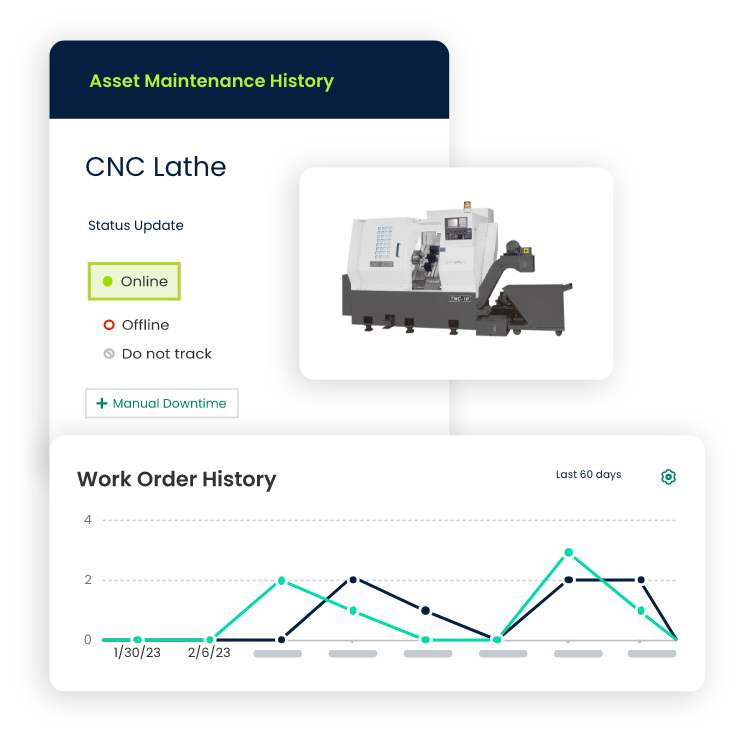
The organization now knows why the part left inventory and which asset required it. Over time, these records create valuable maintenance history.
6. Parts Associated With Assets
Connecting spare parts with assets gives maintenance teams greater visibility into the components required for specific equipment.
Technicians identify relevant replacement parts before planned maintenance begins. Maintenance Managers also use this information to plan inventory for critical equipment.
7. Parts Cost Tracking
Maintenance costs include more than technician labor. Replacement parts represent a significant portion of equipment maintenance costs. Tracking parts costs gives Maintenance Managers greater visibility into:
- Work order costs
- Asset maintenance costs
- Frequently consumed components
- Expensive repairs
Suppose Machine A uses $800 in replacement parts during the year while Machine B uses $6,000. That difference provides valuable information when evaluating maintenance strategies and equipment replacement decisions.
8. Supplier Information
Keeping supplier information connected to parts simplifies purchasing research.
Useful information includes:
- Supplier name
- Supplier part number
- Contact information
- Typical cost
- Ordering notes
When stock reaches its minimum level, employees have a clear starting point for replenishment.
9. Parts Usage History
Historical inventory data gives managers answers to questions such as:
- Which parts do we use most frequently?
- Which assets consume the most replacement parts?
- Which components are rarely used?
- Are certain parts being replaced unusually frequently?
These insights strengthen maintenance and inventory decisions.
10. Inventory Reporting
Maintenance Managers need straightforward access to inventory information without manually building complex spreadsheets.
Useful reports include:
- Current inventory
- Low-stock parts
- Parts usage
- Inventory costs
- Parts used by work order
- Parts used by asset
The objective is not to generate more reports. The objective is to make inventory information easier to understand and act on.
CMMS Inventory Management vs. Excel
Many maintenance departments begin with Excel. A spreadsheet works for a basic parts list, but its limitations become more noticeable as inventory activity increases.
|
Capability |
Excel |
CMMS Inventory Management |
|
Parts list |
Yes |
Yes |
|
Quantities |
Manual updates |
Centralized tracking |
|
Storage locations |
Yes |
Yes |
|
Minimum stock levels |
Formula/manual process |
Maintenance inventory workflow |
|
Work order connection |
Manual |
Connected |
|
Asset connection |
Manual |
Connected |
|
Parts usage history |
Manual |
Centralized |
|
Multiple users |
Shared spreadsheet |
Designed for team workflows |
|
Maintenance cost visibility |
Requires setup |
Connected to maintenance data |
|
Inventory reporting |
Requires setup |
Maintenance-focused |
Excel stores inventory information when employees keep it updated. The challenge is that maintenance work happens outside the spreadsheet.
A technician takes a bearing from the storeroom. Someone needs to update Excel. Another technician uses two filters. Another update is required. A part gets returned. The spreadsheet requires another update.
When employees miss these updates, the spreadsheet no longer reflects actual inventory. A CMMS brings inventory updates closer to the maintenance workflow where technicians consume parts.
How Parts Inventory Affects Equipment Downtime
Parts availability directly affects repair time. Consider two scenarios.
Scenario A: Part Is Available
A critical pump fails. The technician diagnoses a failed bearing, locates the correct replacement in the stockroom, completes the repair, and returns the equipment to service.
Scenario B: Part Is Not Available
The same pump fails. The technician diagnoses the problem, but the bearing is out of stock. The organization now needs to:
- Find a supplier.
- Order the bearing.
- Wait for delivery.
- Return to the repair.
- Install the component.
The maintenance work itself requires one hour. Waiting for the part extends the total repair time. Better parts management gives maintenance teams greater visibility into inventory and helps identify shortages before they turn into repair delays.
How CMMS Inventory Management Supports Preventive Maintenance
Spare-parts management is important for emergency repairs and preventive maintenance. Scheduled preventive maintenance requires materials such as:
- Filters
- Belts
- Lubricants
- Gaskets
- Seals
- Batteries
- Fasteners
When a technician starts scheduled maintenance without the required materials, the PM gets delayed. Connecting inventory information with maintenance planning gives teams greater visibility into parts required for upcoming preventive maintenance.
How to Set Up Parts Inventory in a CMMS
Moving inventory from spreadsheets or paper records into a CMMS works best with a structured implementation process.
Step 1: Audit Your Existing Inventory
Start by physically reviewing the maintenance storeroom.
Identify:
- Parts currently available
- Duplicate records
- Obsolete inventory
- Unidentified parts
- Incorrect quantities
Do not import inaccurate spreadsheet data into a new system. Clean the data first.
Step 2: Standardize Part Names
Inconsistent naming creates confusion.
The same component appears under names such as:
Bearing 6205
6205 Bearing
Motor Bearing
BRG-6205
Choose a consistent naming convention to simplify searching and reporting.
Step 3: Assign Storage Locations
Create clear storage locations.
For example:
Maintenance Storeroom → Rack 2 → Shelf B → Bin 04
Align the physical storeroom with the digital system as closely as possible.
Step 4: Set Starting Quantities
Perform a physical count of important parts and enter those quantities into the CMMS as the starting inventory.
Step 5: Identify Critical Parts
Not every component has the same operational importance.
Prioritize parts that:
- Support critical equipment
- Have long supplier lead times
- Are used frequently
- Are difficult to substitute
- Create significant downtime when unavailable
These items deserve closer inventory attention.
Step 6: Establish Minimum Stock Levels
Determine an appropriate minimum quantity for important parts.
Consider:
- Historical usage
- Supplier lead time
- Equipment criticality
- Number of assets using the part
- Storage cost
Avoid arbitrary quantities that do not reflect actual maintenance requirements.
Step 7: Connect Parts to Work Orders
Train technicians to record the parts they use.
Inventory accuracy depends on consistent parts usage records. When parts leave the stockroom without being recorded, inventory records become inaccurate.
Keep the recording process simple for technicians.
Step 8: Review Inventory Regularly
Compare physical inventory with CMMS records on a regular schedule.
Investigate significant differences.
Inventory management is an ongoing maintenance process rather than a one-time setup project.
How to Identify Critical Spare Parts
One of the most important inventory decisions is determining which parts need to remain available.
Use three questions to evaluate spare-part criticality.
What Happens If This Part Is Unavailable?
If equipment stops operating without the part, give the component a higher inventory priority.
How Quickly Do We Get Another One?
A component available locally within an hour presents a different inventory requirement from a component with a six-week supplier lead time.
How Frequently Do We Use It?
Frequently consumed maintenance parts require closer inventory monitoring and appropriate stock levels.
Using these factors prevents maintenance teams from treating every spare part as equally important.
Signs Your Maintenance Team Needs Better Inventory Management
Your maintenance team needs a more structured parts management process when:
- Technicians regularly cannot find parts
- Spreadsheet quantities are frequently incorrect
- Emergency orders are common
- Repairs are delayed while waiting for parts
- Multiple employees maintain separate inventory lists
- The team lacks visibility into which assets consume specific parts
- Duplicate parts are being ordered
- Overstocked components sit unused for years
- Maintenance managers cannot estimate parts costs
- Technicians rely on memory to locate inventory
When several of these problems occur together, the maintenance inventory process has outgrown spreadsheets and manual tracking.
What to Look for in CMMS Software for Parts and Inventory
When evaluating CMMS software, do not choose a system based only on the size of its feature list. Evaluate how easily your maintenance team completes everyday inventory tasks. Ask the CMMS vendor to demonstrate how to:
- Create a part.
- Find its storage location.
- Check the available quantity.
- Associate the part with a work order.
- Record parts used during a repair.
- Review parts used on an asset.
- Identify low-stock inventory.
- Review inventory costs.
If these basic tasks are difficult during the demo, technicians face the same complexity after implementation. Ease of use matters because inventory accuracy depends on employees consistently recording the parts they use.
Parts Inventory Management for Different Industries
CMMS inventory management supports maintenance operations across numerous industries.
Manufacturing
Manufacturers track bearings, belts, motors, sensors, seals, filters, and other components required to maintain production equipment.
Facilities Management
Facility teams manage HVAC filters, electrical components, plumbing parts, lighting supplies, and building maintenance materials.
Schools
Education facilities maintain spare parts for HVAC equipment, plumbing, doors, lighting, grounds equipment, and other building systems.
Hotels
Hospitality maintenance teams track parts for guest rooms, HVAC systems, kitchen equipment, laundry equipment, and facility systems.
Healthcare Facilities
Healthcare maintenance teams organize parts used to maintain facility systems and equipment according to established maintenance processes.
Restaurants
Restaurant maintenance inventory includes components for refrigeration, HVAC systems, cooking equipment, plumbing, and other facility assets.
Frequently Asked Questions About CMMS Parts and Inventory Management
What Is CMMS Inventory Management?
CMMS inventory management uses computerized Maintenance Management Software to organize spare parts, quantities, storage locations, costs, suppliers, and parts usage related to maintenance operations.
Does a CMMS Track Spare Parts?
Yes. CMMS software tracks spare parts and connects inventory information with work orders, assets, preventive maintenance, and other maintenance activities according to the system's available features.
What Is the Difference Between CMMS Inventory Management and Excel?
Excel maintains an inventory list, but quantities and parts usage require manual updates. A CMMS connects maintenance inventory with workflows such as work orders, equipment repairs, assets, and preventive maintenance.
Why Should Parts Be Connected to Work Orders?
Connecting parts with work orders shows why inventory was consumed and which equipment required the component. This improves maintenance history and provides greater visibility into asset maintenance costs.
How Do Maintenance Teams Prevent Spare-Parts Stockouts?
Track current quantities, identify critical parts, establish appropriate minimum stock levels, monitor usage, account for supplier lead times, and regularly compare physical inventory with system records.
What Parts Should Maintenance Teams Track?
Prioritize parts and materials that are regularly used, operationally important, expensive, difficult to obtain, or required for critical equipment.
Manage Maintenance Parts and Inventory With Click Maint
Maintenance inventory should support technicians, not slow them down. When parts information is scattered across spreadsheets, paper records, storage rooms, and employee knowledge, maintenance teams struggle to understand what inventory is actually available.
Click Maint helps maintenance teams organize inventory alongside work orders, assets, preventive maintenance, and other maintenance information. By connecting parts management with everyday maintenance workflows, Click Maint gives Maintenance Managers greater visibility into what parts they have, where those parts are stored, which assets use them, and how inventory supports maintenance operations.
Take Control of Your Maintenance Inventory
See how Click Maint helps your team organize spare parts, inventory, assets, work orders, and preventive maintenance in one system. Take the quick 2-minute interactive product tour.
Take Control of Your Maintenance Inventory
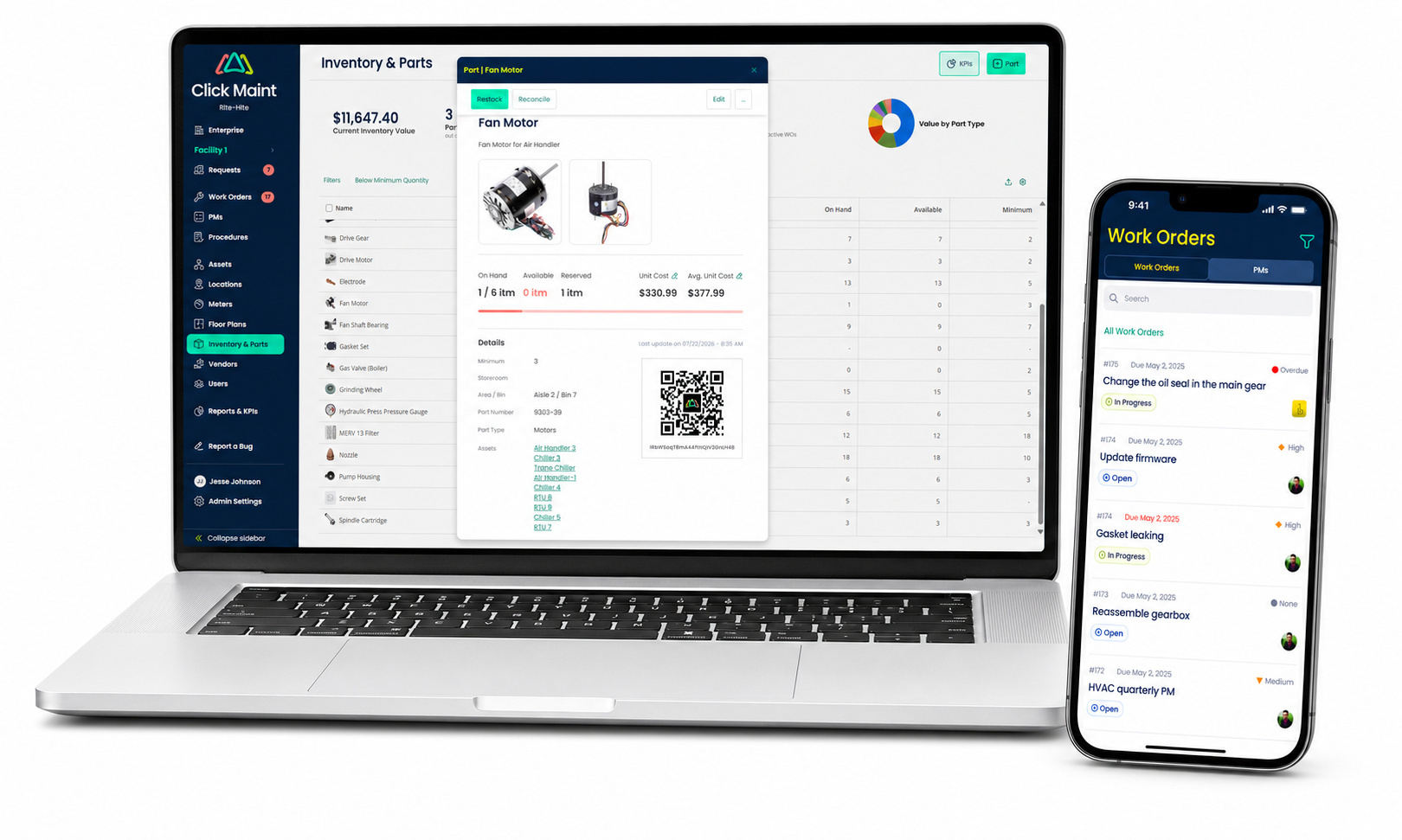
TABLE OF CONTENTS






