



Reena Sommer | 29 Sep 2026


Executive Directors are responsible for much more than day-to-day operations. They oversee budgets, employees, facilities, organizational performance, risk, and long-term planning. When maintenance problems begin affecting these areas, relying on spreadsheets, emails, paper forms, or text messages can make it difficult to understand what is actually happening across an organization.
A Computerized Maintenance Management System (CMMS) provides a centralized way to manage work orders, preventive maintenance, equipment, facilities, maintenance requests, parts, and maintenance records.
But Executive Directors usually do not need the most complicated maintenance platform available. They need software that employees can actually use and that gives leadership clear visibility into maintenance operations. This Executive Director CMMS checklist explains what organizational leaders should evaluate before buying CMMS software and which capabilities can help improve maintenance oversight.
What is a CMMS in the Context of Executive Directors?
A CMMS is software that centralizes maintenance activities and information. For an Executive Director, the value of a CMMS goes beyond creating work orders. The system can provide greater visibility into questions such as:
- What maintenance work is currently outstanding?
- Which repairs are overdue?
- Which assets require frequent maintenance?
- Is preventive maintenance being completed on time?
- Where is the maintenance budget being spent?
- Which facilities have the most maintenance problems?
- Are employees responding to requests efficiently?
- Are important maintenance records readily available?
Instead of gathering information from multiple employees and systems, leadership can use one platform to understand maintenance activity. Solutions such as Click Maint CMMS software help organizations centralize maintenance requests, work orders, preventive maintenance, asset information, inventory, and reporting.

Executive Director CMMS Checklist
Before selecting maintenance management software, Executive Directors should evaluate the following areas.
1. Is the CMMS Easy for Employees to Use?
Ease of use should be one of the first considerations. A CMMS can offer dozens of advanced features, but those capabilities provide limited value when employees find the system difficult to use.
This is especially important for organizations where maintenance involves people outside a dedicated maintenance department. Teachers, administrators, property staff, volunteers, healthcare workers, operations employees, or other team members may need to submit requests. Look for:
- A simple user interface
- Easy work order creation
- Straightforward navigation
- Minimal training requirements
- Mobile accessibility
- Simple maintenance request forms
- Clear notifications
Executive Directors should ask vendors to demonstrate the everyday workflows employees will actually use rather than focusing exclusively on advanced functionality.
Checklist question: Can an employee with minimal training submit and track a maintenance request?
2. Can Employees Submit Maintenance Requests Easily?
Maintenance problems often begin with a simple request. Someone notices a leaking faucet, broken door, damaged piece of equipment, lighting problem, HVAC issue, or another facility concern.
Without a structured process, requests may arrive through:
- Text messages
- Phone calls
- Emails
- Paper forms
- Verbal conversations
- Messaging applications
The maintenance team then has to remember, record, prioritize, and follow up on those requests.
A CMMS should provide a consistent maintenance request process. Employees should be able to report a problem quickly while maintenance staff can convert requests into trackable work orders.
Checklist question: Does the CMMS replace informal maintenance requests with a centralized, trackable process?
3. Does It Centralize Work Order Management?
Work order management is one of the most important CMMS capabilities. Executive Directors should look for software that allows teams to:
- Create work orders
- Assign technicians
- Establish priorities
- Add due dates
- Record maintenance notes
- Attach documents or photos
- Track work order status
- Record labor and parts
- Review completed work
Centralized work orders create accountability.
Instead of asking employees whether a repair has been completed, authorized users can check its status within the system. This can be particularly valuable for organizations operating several buildings or locations.
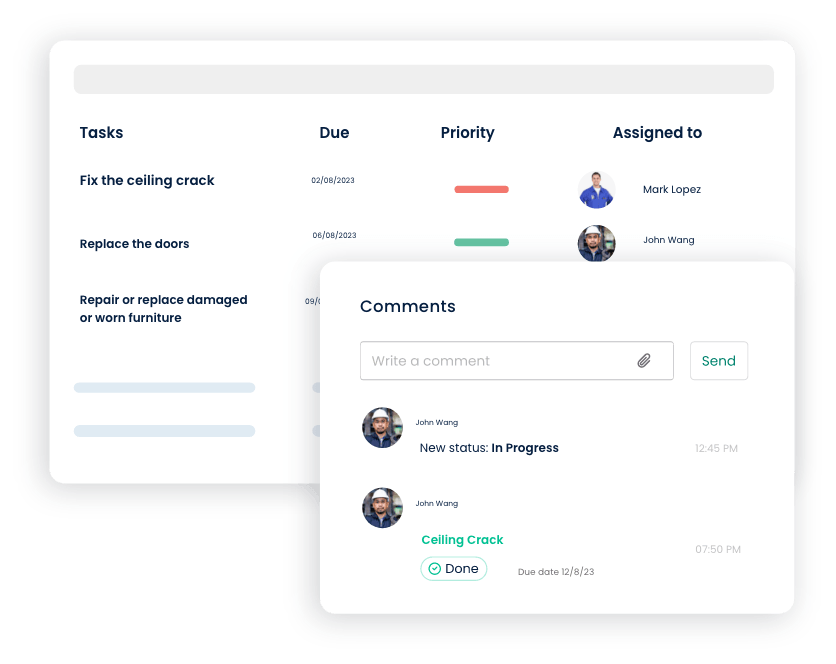
Checklist question: Can leadership quickly determine which work orders are open, overdue, or completed?
4. Does the CMMS Support Preventive Maintenance?
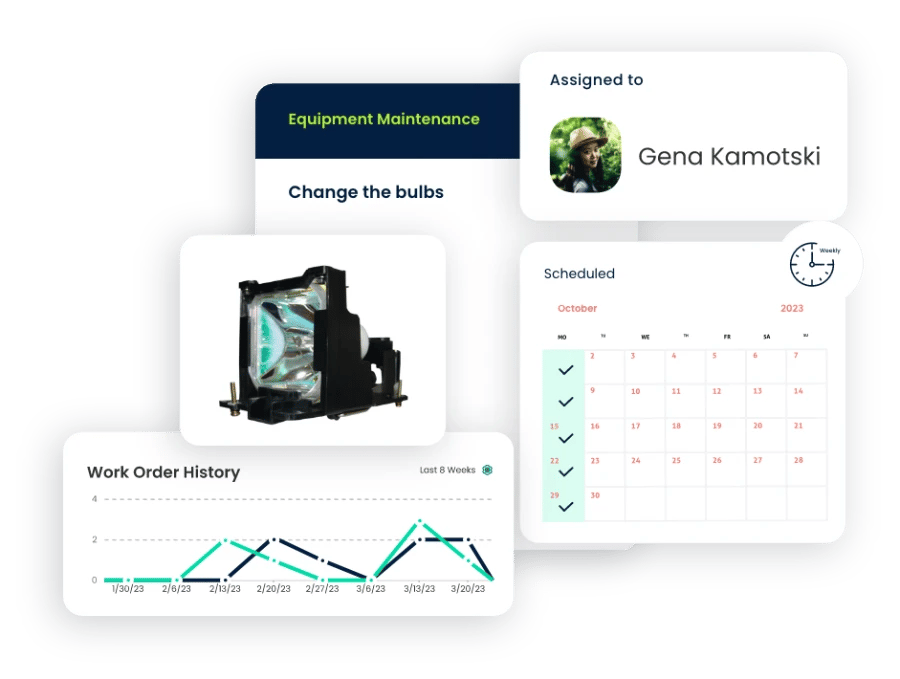
Organizations should not have to wait for equipment to fail before maintenance begins. Preventive maintenance software helps teams schedule recurring maintenance based on defined intervals. Examples include:
- HVAC inspections
- Filter replacements
- Fire safety inspections
- Generator maintenance
- Vehicle servicing
- Equipment lubrication
- Plumbing inspections
- Building inspections
- Safety checks
A CMMS can automatically generate scheduled maintenance tasks, reducing dependence on calendars, spreadsheets, and employee memory. A stronger preventive maintenance program can also help organizations identify problems before they become more disruptive repairs.
Checklist question: Can preventive maintenance tasks be scheduled and automatically generated?
5. Can It Track Assets and Equipment?
Executive Directors need visibility into important organizational assets. A CMMS should create a central record for equipment and facilities, potentially including:
- Asset name
- Location
- Model
- Serial number
- Purchase information
- Maintenance history
- Repair history
- Manuals
- Warranty information
- Associated work orders
Maintenance history can provide valuable context when deciding whether equipment should continue being repaired or whether replacement should be considered.
Checklist question: Can the organization see the complete maintenance history of an asset in one place?
6. Does It Provide Maintenance Cost Visibility?
Maintenance expenses can become difficult to understand when information is spread across invoices, spreadsheets, work orders, and accounting systems. Executive Directors should look for a CMMS that helps track costs associated with maintenance activities.
Depending on the system, this could include:
- Parts costs
- Labor
- Contractor expenses
- Asset maintenance costs
- Work order costs
Better maintenance data can help leadership identify assets or locations consuming significant maintenance resources. For example, an older piece of equipment may appear inexpensive to keep until its repeated repairs are considered together.
Checklist question: Can leadership understand where maintenance resources and money are being used?
7. Does It Support Multiple Locations?
Multi-site organizations have additional maintenance challenges. An Executive Director may oversee several:
- Buildings
- Schools
- Churches
- Community centers
- Residential properties
- Healthcare facilities
- Offices
- Warehouses
Maintenance software should make it easy to organize information by facility or location while still providing organization-wide visibility. Leadership should be able to review maintenance activity across the organization without maintaining separate spreadsheets for every site.
Checklist question: Can the CMMS provide both individual facility and organization-wide maintenance visibility?
8. Does It Include Inventory and Spare Parts Management?
A repair can be delayed simply because the required part is unavailable. A CMMS with inventory management capabilities can help maintenance teams track:
- Spare parts
- Supplies
- Stock quantities
- Storage locations
- Parts used on work orders
- Reorder information
Better inventory visibility can help organizations avoid unnecessary purchases while reducing the risk of discovering critical parts are unavailable when needed.
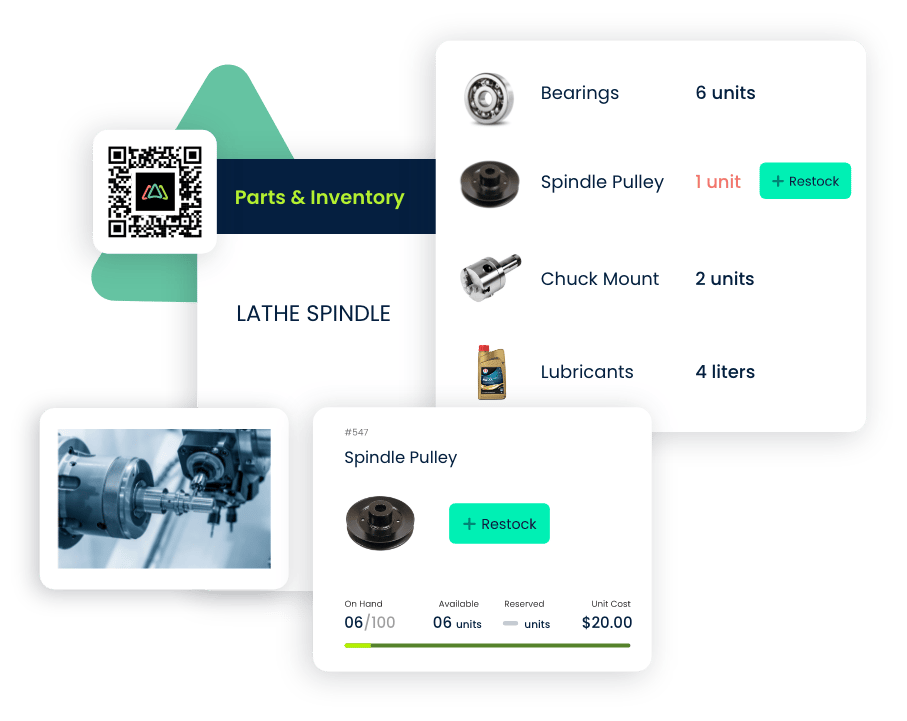
Checklist question: Can maintenance staff quickly determine whether the required spare part is available?
9. Does the CMMS Provide Useful Reports and KPIs?
Executive Directors generally do not need to review every individual work order. They need useful operational information. CMMS reporting can help leadership monitor areas such as:
- Open work orders
- Overdue work orders
- Completed work
- Preventive maintenance completion
- Maintenance costs
- Asset repair history
- Work order trends
The goal is not simply to collect more data. It is to make maintenance information easier to understand and act on. Reports should therefore be clear enough for both maintenance teams and senior leadership.
Checklist question: Can the system turn maintenance data into information leadership can use?
10. Can Employees Access the CMMS From Mobile Devices?
Maintenance work happens throughout a facility, not behind a desk. Mobile access allows maintenance personnel to review and update work while they are in the field.
Depending on the platform, technicians may be able to:
- View assigned work
- Update work order status
- Add notes
- Record labor
- Review asset information
- Check maintenance history
- Upload photos
- Close completed work orders
This reduces the need for employees to write information down and enter it into another system later.
Checklist question: Can maintenance employees complete their everyday tasks from a phone or tablet?
11. Can the System Improve Maintenance Accountability?
One reason organizations adopt CMMS software is to establish clearer ownership of maintenance work. Every work order should answer basic questions:
What needs to be done? Who is responsible? What is the priority? When is it due? Has it been completed?
When maintenance requests are handled through text messages and conversations, those answers can become difficult to determine. Centralized work orders establish a documented process from request through completion.
Checklist question: Can managers quickly identify who owns a maintenance task and its current status?
12. Does It Maintain Maintenance Records?
Organizations may need historical maintenance information for operational reviews, inspections, audits, budgeting, or internal reporting. Instead of searching filing cabinets, emails, and spreadsheets, a CMMS can maintain digital maintenance records associated with work orders and assets. Records may include:
- Completed work orders
- Inspection information
- Maintenance history
- Equipment records
- Technician notes
- Attached documents
- Preventive maintenance history
Executive Directors should determine which records their organization needs to maintain and verify that the CMMS supports those requirements.
13. Can the CMMS Scale With the Organization?
Buying software based only on today's requirements can create problems later. An organization might currently operate one facility with a small maintenance team but eventually add:
- More employees
- Additional buildings
- New assets
- More maintenance requests
- New operational processes
Executive Directors should ask how the software handles organizational growth. The right platform should support future needs without forcing employees into unnecessary complexity today.
Checklist question: Can the CMMS grow with our facilities, assets, users, and maintenance workload?
14. How Difficult Is Implementation?
Implementation deserves as much attention as software functionality. Ask prospective vendors about:
- Initial setup
- Data migration
- User onboarding
- Training
- Customer support
- Asset imports
- Preventive maintenance setup
- Time required to launch
Complex implementations can delay adoption. For organizations moving away from spreadsheets or informal maintenance processes, a straightforward system can make the transition easier.
15. Does the CMMS Fit the Organization's Budget?
Executive Directors should consider both the initial and ongoing cost of CMMS software. Ask vendors about:
- Subscription costs
- User pricing
- Implementation charges
- Training costs
- Support fees
- Additional modules
- Upgrade costs
However, price should not be considered in isolation. Leadership should compare cost with the operational problems the organization is trying to solve. For example, consider how much staff time is currently spent:
- Searching for maintenance information
- Following up on repair requests
- Updating spreadsheets
- Tracking down employees
- Responding to preventable breakdowns
- Recreating missing maintenance records
The objective should be to find software that delivers the required capabilities without paying for unnecessary complexity.
Executive Director CMMS Evaluation Scorecard
When comparing CMMS solutions, use this checklist:
|
Requirement |
Yes/No |
|
Easy for employees to learn |
☐ |
|
Simple maintenance request process |
☐ |
|
Centralized work order management |
☐ |
|
Preventive maintenance scheduling |
☐ |
|
Asset and equipment tracking |
☐ |
|
Maintenance history |
☐ |
|
Maintenance cost visibility |
☐ |
|
Inventory and spare parts tracking |
☐ |
|
Mobile access |
☐ |
|
Multiple facility support |
☐ |
|
Reporting and maintenance KPIs |
☐ |
|
Clear work order accountability |
☐ |
|
Digital maintenance records |
☐ |
|
Easy implementation |
☐ |
|
Scalable as the organization grows |
☐ |
|
Fits organizational budget |
☐ |
|
Vendor training and support |
☐ |
Use the checklist to document requirements consistently rather than selecting a platform based only on the number of features offered.
What CMMS Features Matter Most for Executive Directors?
The most useful features depend on the organization, but Executive Directors should generally prioritize capabilities that improve visibility, accountability, cost control, and maintenance planning.
Core capabilities to evaluate include:
Work order management: Centralizes maintenance tasks from request through completion.
Preventive maintenance: Helps teams schedule recurring maintenance before failures occur.
Asset management: Maintains equipment information and maintenance history.
Maintenance requests: Gives employees a consistent way to report problems.
Inventory management: Tracks maintenance parts and supplies.
Reporting: Provides leadership with maintenance performance information.
Mobile access: Allows employees to manage maintenance work away from a desktop.
The best feature set is not necessarily the longest one. It is the one employees will use consistently.
Questions Executive Directors Should Ask During a CMMS Demo
Do not spend the entire software demonstration watching highly specialized features. Ask the CMMS vendor to demonstrate actual scenarios your organization encounters.
For example:
- How does an employee submit a maintenance request?
- How does a manager turn that request into a work order?
- How are technicians assigned?
- How do we see overdue work?
- How do we schedule recurring preventive maintenance?
- How do we review an asset's maintenance history?
- How do technicians update work from their phones?
- How can leadership review maintenance costs?
- How does inventory connect to work orders?
- How quickly can our organization implement the software?
These questions help move the evaluation away from feature lists and toward real workflows.
Signs Your Organization May Need CMMS Software
Organizations often begin evaluating CMMS software after maintenance processes become difficult to manage manually. Common warning signs include:
- Maintenance requests are frequently sent through text messages or emails.
- Work orders are forgotten or difficult to track.
- Employees repeatedly ask for maintenance status updates.
- Preventive maintenance is tracked manually.
- Equipment breaks down unexpectedly.
- Asset maintenance history is difficult to locate.
- Maintenance information exists across several spreadsheets.
- Leadership lacks visibility into maintenance costs.
- Different facilities follow different maintenance processes.
- The organization is growing beyond its current maintenance system.
If several of these problems are occurring simultaneously, centralizing maintenance information can become increasingly important.
How Click Maint Helps Executive Directors
Click Maint is CMMS and maintenance management software designed to help organizations simplify and centralize their maintenance operations.
Organizations can use Click Maint to manage areas such as:
- Work orders
- Maintenance requests
- Preventive maintenance
- Assets and equipment
- Inventory
- Maintenance records
- Mobile maintenance workflows
- Reporting
For Executive Directors, the goal is greater visibility without needing to personally manage every maintenance task. Maintenance teams can manage everyday work while organizational leaders gain a clearer picture of what is happening across facilities and assets.
Take the Next Step
Your organization should not have to depend on scattered spreadsheets, emails, paper forms, and text messages to understand its maintenance operations.
See how Click Maint can help your organization centralize work orders, maintenance requests, preventive maintenance, assets, and maintenance information.
Take the quick 2-minute Click Maint interactive product tour to see how the platform works.
See How Click Maint Supports Smarter Maintenance Management
Frequently Asked Questions
What is the best CMMS for an Executive Director?
The right CMMS depends on the organization's facilities, number of users, maintenance processes, budget, and reporting requirements. Executive Directors should prioritize software that is easy to use and provides centralized work orders, preventive maintenance, asset tracking, reporting, and clear maintenance visibility.
Why should an Executive Director use CMMS software?
A CMMS can give Executive Directors greater visibility into maintenance operations while allowing maintenance employees to manage day-to-day tasks. It centralizes work orders, requests, preventive maintenance, assets, and maintenance records.
What should Executive Directors look for in CMMS software?
Executive Directors should evaluate ease of use, work order management, maintenance requests, preventive maintenance, asset management, reporting, cost tracking, mobile access, multi-location support, scalability, implementation, and vendor support.
Can a CMMS help control maintenance costs?
A CMMS can help organizations track maintenance activities, labor, parts, work orders, and asset history. This information can make it easier for leadership to identify costly assets, recurring problems, and opportunities to improve maintenance planning.
Is CMMS software useful for organizations with small maintenance teams?
Yes. Small teams can also benefit from centralizing work orders, maintenance requests, preventive maintenance schedules, and asset records. The important consideration is choosing a system that fits the team's workflow and does not introduce unnecessary complexity.
Can Executive Directors use a CMMS across multiple facilities?
Many CMMS platforms support multiple facilities or locations. Executive Directors evaluating software for multi-site organizations should verify that the platform can organize maintenance information by location while also providing organization-wide reporting.
How should an Executive Director compare CMMS vendors?
Start by documenting the organization's current maintenance problems and required workflows. Then use the same checklist and real-world scenarios during every vendor demonstration. This makes it easier to compare usability, functionality, implementation requirements, support, and total cost.
TABLE OF CONTENTS






