



Reena Sommer | 1 Oct 2026


Managing a maintenance budget is one of the most important responsibilities for maintenance managers, facility managers, plant managers, and operations leaders. Without clear visibility into labor, parts, equipment repairs, preventive maintenance, and contractor costs, maintenance spending can quickly become difficult to control.
CMMS software makes maintenance budgeting easier by centralizing maintenance data, tracking costs, improving preventive maintenance planning, and helping teams make better spending decisions.
With Click Maint CMMS software, maintenance teams organize work orders, track asset maintenance activities, monitor parts and inventory, and use historical maintenance information to support better budgeting.
Why Do Maintenance Teams Outgrow Spreadsheets and Paper?
Spreadsheets are flexible, inexpensive, and familiar. Paper is simple and requires little training. The problem is that neither was designed to manage a growing maintenance operation. As work volume increases, teams encounter problems such as:
- Lost or forgotten maintenance requests
- Duplicate work orders
- Outdated spreadsheets
- Missed preventive maintenance
- Limited equipment history
- Difficulty tracking overdue work
- Poor visibility into technician workloads
- Inconsistent maintenance records
- Manual inventory tracking
- Time-consuming reporting
- Information spread across different systems
Managers end up spending more time finding and updating information than managing maintenance itself. That is often a sign that it is time to consider a CMMS.
What is CMMS Software?
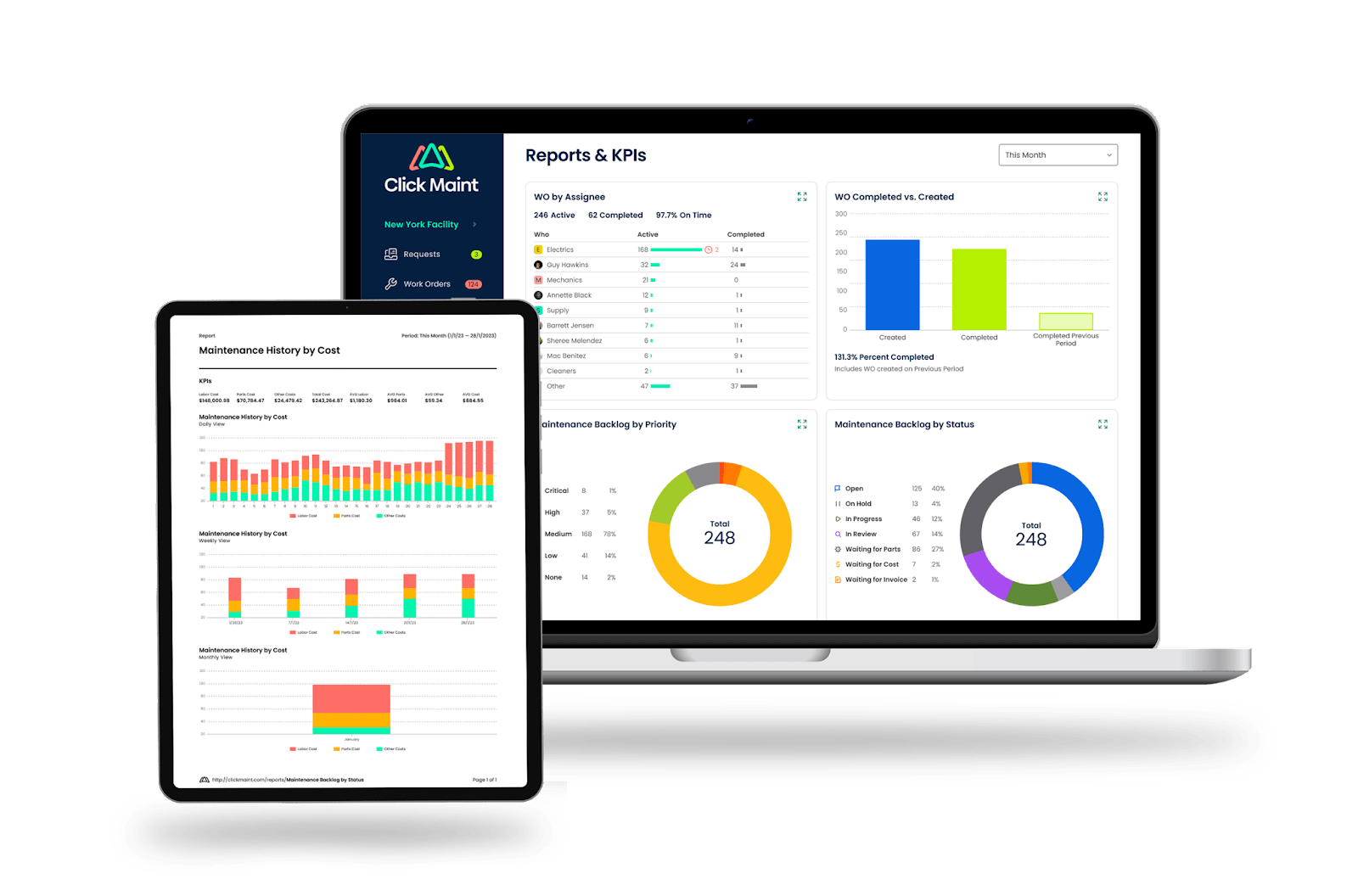
A Computerized Maintenance Management System (CMMS) is software used to organize and manage maintenance operations. Instead of maintaining separate paper forms, spreadsheets, calendars, emails, and files, maintenance teams can centralize important information. CMMS software helps manage:
- Work orders
- Maintenance requests
- Preventive maintenance
- Equipment and assets
- Maintenance history
- Spare parts and inventory
- Technicians and assignments
- Maintenance costs
- Reports and KPIs
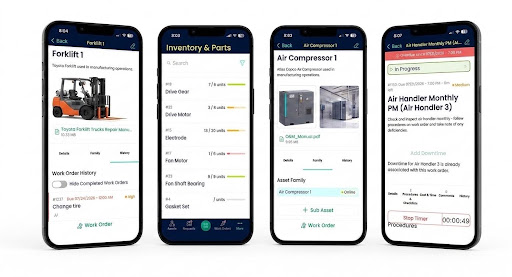
For example, instead of recording an equipment repair in a spreadsheet, a technician can complete a digital work order connected directly to the equipment record. That creates maintenance history that can be referenced the next time the asset needs service.
Spreadsheets and Paper vs. CMMS Software
|
Spreadsheets & Paper |
CMMS Software |
|
Information stored in different places |
Maintenance information centralized |
|
Work orders updated manually |
Digital work order tracking |
|
Paper forms can be lost |
Electronic maintenance records |
|
PM dates manually monitored |
Preventive maintenance can be scheduled |
|
Equipment history can be difficult to find |
Work orders connected to asset records |
|
Inventory updated manually |
Parts and inventory can be tracked digitally |
|
Limited real-time visibility |
Managers can monitor work order status |
|
Reports require manual preparation |
Maintenance data can support reporting |
|
Requests arrive through calls or messages |
Maintenance requests can follow a standard process |
The goal is not simply to replace a spreadsheet with software.
The goal is to create a more organized and repeatable maintenance management process.
How to Move From Spreadsheets and Paper to CMMS Software
A successful CMMS implementation should be planned rather than rushed. Here is a practical step-by-step process.
Step 1: Audit Your Current Maintenance Process
Before choosing or implementing CMMS software, understand how maintenance currently works. Document where information is stored. For example:
Work orders: Paper forms
Preventive maintenance: Excel spreadsheet
Maintenance requests: Email and text messages
Asset list: Spreadsheet
Inventory: Separate spreadsheet
Equipment manuals: Shared folder
Maintenance history: Filing cabinets
Reporting: Manually created spreadsheets
This exercise reveals where information is fragmented and which processes should be prioritized during the transition.
Step 2: Identify Your Biggest Maintenance Problems
Do not move to a CMMS simply because spreadsheets feel outdated. Identify the specific operational problems you want the software to solve. Ask questions such as:
- Are work orders getting lost?
- Are requests being forgotten?
- Are preventive maintenance tasks being missed?
- Can technicians easily find equipment history?
- Do managers know which work orders are overdue?
- Can you identify assets with repeated failures?
- Do technicians know whether required parts are available?
- How much time is spent creating maintenance reports?
Turn these problems into CMMS requirements. If your biggest issue is missed preventive maintenance, PM scheduling should be a priority. If requests arrive through texts, phone calls, emails, and handwritten notes, maintenance request management may be more important.
Step 3: Choose the Right CMMS Software
Once you understand your requirements, evaluate CMMS solutions based on how well they fit your maintenance operation. Important features may include:
- Digital work order management
- Maintenance request management
- Preventive maintenance scheduling
- Asset management
- Equipment maintenance history
- Inventory management
- Mobile access
- QR codes
- Notifications
- Photos and attachments
- User permissions
- Maintenance reporting
However, features are only part of the decision.
Ease of use matters.
If technicians find the system difficult to use, they may return to spreadsheets, paper, or text messages. A CMMS should simplify everyday maintenance work rather than add unnecessary administrative steps.
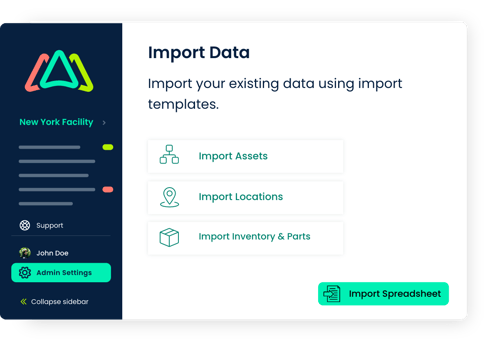
Step 4: Decide What Data to Move Into the CMMS
One of the biggest CMMS implementation mistakes is trying to transfer everything. You probably do not need every spreadsheet row or paper work order from the last decade. Prioritize information that will help your team going forward.
Asset Data
Import important equipment information such as:
- Asset name
- Asset ID
- Location
- Manufacturer
- Model
- Serial number
- Purchase or installation date
- Warranty information
- Criticality
Preventive Maintenance Schedules
Move recurring maintenance activities into the CMMS. These could include inspections, lubrication, cleaning, calibration, testing, and scheduled servicing.
Open Work Orders
Transfer active maintenance work that still needs to be completed.
Parts and Inventory
Import commonly used spare parts, quantities, storage locations, and other relevant inventory information.
Important Maintenance History
Consider transferring significant repair and failure history for critical equipment. Focus on useful information instead of trying to recreate every historical record.
Step 5: Clean Your Spreadsheet Data Before Importing It
Migrating inaccurate information into a CMMS only creates a cleaner-looking version of the same problem. Before importing data, remove:
- Duplicate assets
- Obsolete equipment
- Duplicate parts
- Inconsistent asset names
- Old employee information
- Incorrect locations
- Incomplete records that provide no operational value
Standardize naming conventions as well. For example, avoid having the same asset recorded as:
“HVAC 1”
“HVAC-01”
“Roof AC #1”
“Building A HVAC”
Choose one naming convention and use it consistently.
Step 6: Build a Standard Work Order Process
Moving to a CMMS is an opportunity to standardize how maintenance work is handled. A simple workflow might look like this:
Maintenance request → Review → Prioritize → Create work order → Assign technician → Complete work → Document results → Close work order
Define what information should be captured at each stage. For example, technicians may be required to record:
- Work performed
- Labor time
- Parts used
- Completion notes
- Equipment condition
- Photos when appropriate
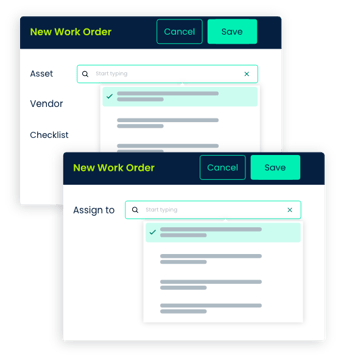
Consistent data creates more useful maintenance history.
Step 7: Set Up Preventive Maintenance
Preventive maintenance is one area where moving away from spreadsheets can provide significant operational benefits. Instead of manually checking a spreadsheet for upcoming tasks, teams can establish recurring PM schedules in their CMMS.
Examples include:
- Weekly equipment inspections
- Monthly HVAC maintenance
- Quarterly generator testing
- Forklift inspections
- Lubrication schedules
- Safety inspections
- Annual equipment servicing
The CMMS can generate or schedule work based on the configured maintenance program. This reduces reliance on individual memory, paper calendars, and manually maintained spreadsheets.
Step 8: Train Technicians and Employees
CMMS implementation succeeds when employees actually use the system. Training should focus on each person's daily responsibilities rather than trying to teach every software feature at once. Technicians may need to learn how to:
- View assigned work
- Update work order status
- Add repair notes
- Record labor
- Record parts
- Upload photos
- Access asset information
- Close work orders
Employees submitting maintenance requests need an even simpler process. Show them exactly where and how to report a problem.
Step 9: Start Small Before Expanding
Consider beginning with one facility, department, maintenance team, or group of assets. For example, start with:
20 critical assets + 5 technicians + current PM schedules + open work orders.
Run the process and identify problems.
Are technicians updating work orders?
Are maintenance requests reaching the correct people?
Are PM schedules generated correctly?
Is important asset information missing?
Fix these issues before expanding the system across the organization.
Step 10: Establish a Cutover Date
Running spreadsheets, paper, and CMMS software indefinitely can create even more confusion. Once the new workflow has been tested, establish a date when the CMMS becomes the primary maintenance system. After that date:
New work orders → CMMS
New maintenance requests → CMMS process
PM schedules → CMMS
New asset maintenance history → CMMS
Old spreadsheets can be archived when appropriate instead of continuing to operate as parallel systems.
Step 11: Measure the Results
Once your team is using the CMMS consistently, start evaluating maintenance performance. Useful KPIs include:
- Open work orders
- Overdue work orders
- Work order completion time
- Preventive maintenance compliance
- Planned vs. reactive maintenance
- Equipment downtime
- Maintenance costs
- Labor hours
- Work orders by asset
- Repeat equipment failures
Start with a few metrics that directly relate to the problems you wanted the CMMS to solve.
How Click Maint Helps Teams Move Beyond Spreadsheets and Paper
Click Maint helps maintenance teams replace disconnected maintenance processes with a centralized CMMS. Instead of managing work orders on paper, preventive maintenance in spreadsheets, requests through email, and asset information in separate files, teams can bring important maintenance activities together. With Click Maint, organizations can manage areas such as:
Work Orders
Create, assign, prioritize, track, and complete maintenance work digitally.
Preventive Maintenance
Organize recurring maintenance schedules and planned maintenance activities.
Maintenance Requests
Create a structured process for employees to report maintenance issues.
Asset Management
Keep equipment information and maintenance activity connected.
Inventory Management
Organize spare parts and maintenance inventory information.
Mobile Maintenance
Give technicians access to work order and maintenance information while they are away from a desk.
Maintenance Reporting
Use maintenance records to gain better visibility into work activity and performance. The objective is not simply to eliminate paper. It is to give maintenance teams a more organized way to manage daily operations.
Signs You May Be Ready to Move From Spreadsheets to a CMMS
Your organization may be ready for CMMS software if:
- Work orders are regularly lost or forgotten.
- Multiple people maintain different versions of the same spreadsheet.
- Technicians rely heavily on calls or texts for assignments.
- Preventive maintenance is frequently missed.
- Finding equipment repair history takes too long.
- Managers cannot quickly identify overdue work.
- Maintenance reporting requires hours of manual spreadsheet work.
- Inventory quantities are frequently inaccurate.
- Your maintenance operation has grown beyond what spreadsheets were designed to manage.
- You need better visibility into maintenance costs, downtime, and performance.
You do not necessarily need to experience every problem before considering a CMMS. The important question is whether your existing process is helping your maintenance team work efficiently, or holding it back.
Frequently Asked Questions About Moving From Spreadsheets to CMMS Software
When should a company move from spreadsheets to CMMS software?
A company should consider a CMMS when spreadsheets, paper, email, or other manual processes make it difficult to manage work orders, preventive maintenance, assets, inventory, maintenance history, or reporting efficiently.
Can a CMMS replace maintenance spreadsheets?
A CMMS can replace many spreadsheets used for work orders, preventive maintenance, asset records, inventory, and maintenance tracking. Some organizations may continue using spreadsheets for specialized analysis or other business processes.
How do you migrate maintenance data from Excel to a CMMS?
Start by identifying which data is worth transferring. Clean and standardize asset, preventive maintenance, inventory, and active work order data before importing it into the CMMS.
Should we transfer all old work orders into a CMMS?
Usually, not every historical work order needs to be transferred. Prioritize records that provide useful maintenance history, particularly for critical equipment.
What should we look for when replacing spreadsheets with CMMS software?
Look for software that supports your core maintenance workflows, is easy for technicians to use, offers mobile access, and provides the work order, preventive maintenance, asset, inventory, and reporting capabilities your team actually needs.
Is CMMS software suitable for small maintenance teams?
Yes. Small maintenance teams may benefit from CMMS software when manual processes begin causing missed requests, overdue work orders, incomplete maintenance history, or difficulty managing preventive maintenance.
Ready to Move Beyond Spreadsheets and Paper?
Moving from spreadsheets and paper to CMMS software is more than a technology change. It is an opportunity to create a more consistent maintenance process. Start with your biggest operational problems. Clean the data you actually need. Build simple workflows. Train employees on the tasks relevant to them. Then expand the system as adoption improves.
Click Maint helps maintenance teams centralize work orders, preventive maintenance, assets, maintenance requests, inventory, and maintenance information in one CMMS.
Ready to see what moving beyond spreadsheets and paper could look like? Take the quick 2-minute Click Maint interactive product tour and explore a more organized approach to maintenance management.
Move from spreadsheets & paper to CMMS Software?
TABLE OF CONTENTS






