



Reena Sommer | 12 Oct 2026


You should switch maintenance platforms when the current system creates more maintenance problems than it solves. Poor technician adoption, complicated workflows, rising software costs, limited reporting, disconnected maintenance data, weak mobile access, and inadequate support are strong signs that it is time to evaluate a CMMS replacement.
A computerized maintenance management system should make maintenance easier to organize. Maintenance managers need clear visibility into work orders, preventive maintenance, assets, equipment history, inventory, maintenance requests, and technician workloads. When employees avoid the system and return to spreadsheets, paper, text messages, or separate applications, the organization loses many of the benefits that maintenance software should provide.
For maintenance managers, maintenance directors, facility managers, plant managers, operations leaders, manufacturers, schools, nonprofits, healthcare facilities, and other organizations in the United States and Canada, replacing an ineffective CMMS represents an opportunity to simplify maintenance operations.
This guide explains seven signs that indicate it is time to switch CMMS software, what to look for when comparing CMMS alternatives, and how to prepare for a successful CMMS replacement.
What Does It Mean to Switch Maintenance Platforms?
Replacing CMMS software means moving maintenance operations from an existing computerized maintenance management system to a different platform. The process typically includes reviewing the current system, defining new software requirements, comparing vendors, cleaning maintenance data, transferring essential records, configuring the replacement system, training users, and launching new maintenance workflows. Organizations usually consider a CMMS replacement because the existing platform no longer meets operational requirements. Common reasons include:
- Poor technician adoption
- Complicated workflows
- High software costs
- Difficult reporting
- Limited mobile functionality
- Weak customer support
- Difficult implementation or configuration
- Missing maintenance features
- Poor scalability
- Continued dependence on spreadsheets
- Limited visibility into assets and work orders
The goal should not simply be replacing one software product with another. The goal should be improving the maintenance process.
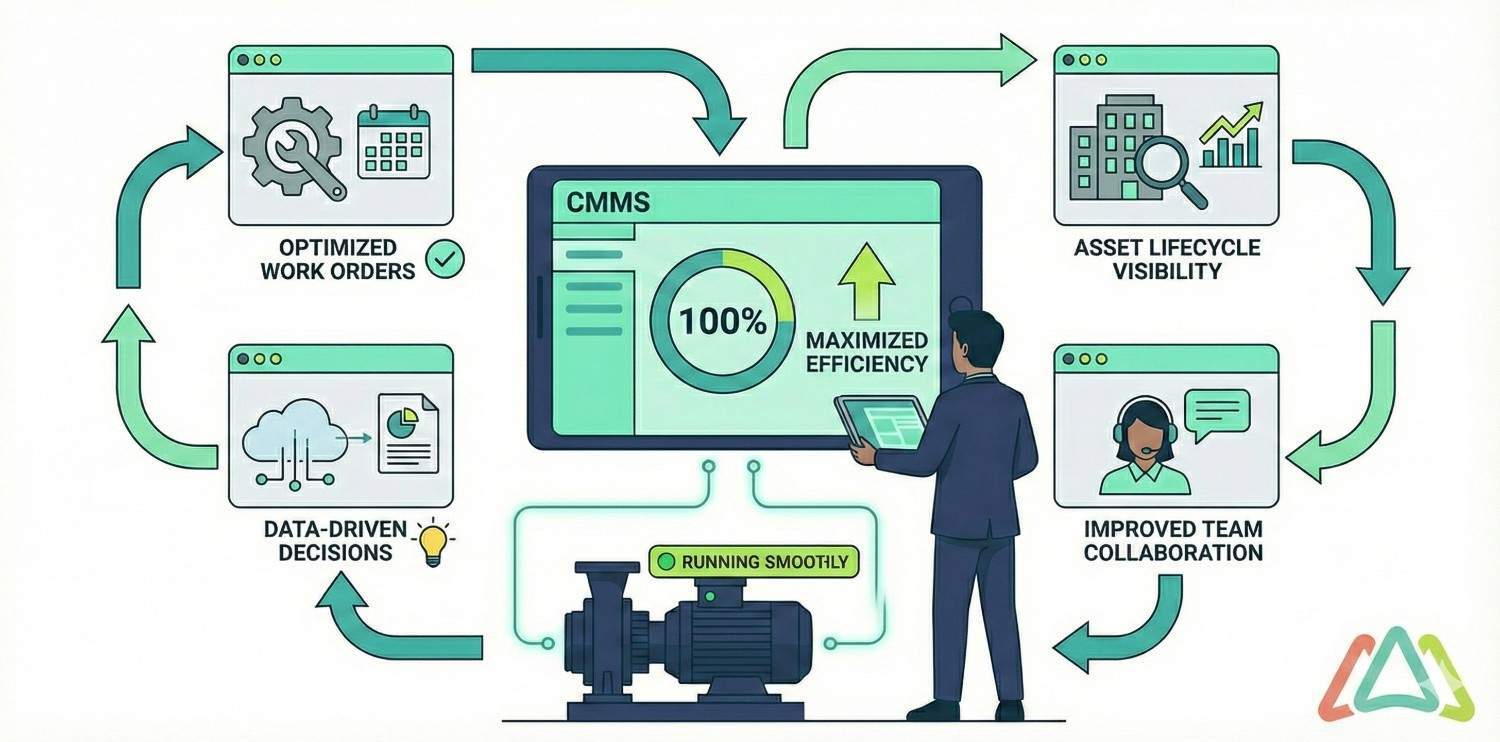
7 Signs It’s Time to Replace Your Current CMMS Software
Not every frustration requires new software. Configuration changes, additional training, or process improvements sometimes solve smaller problems. However, recurring issues across maintenance operations indicate a deeper mismatch between the software and the team using it.
1. Maintenance Technicians Are Not Using the CMMS
Poor user adoption is one of the strongest reasons to evaluate CMMS alternatives. A maintenance system provides limited value when technicians avoid it. Signs of poor CMMS adoption include:
- Work orders remain incomplete
- Technicians keep personal notes
- Maintenance updates arrive through text messages
- Employees use paper forms
- Managers manually enter technician information
- Equipment history remains incomplete
- Preventive maintenance records are missing
- Employees maintain separate spreadsheets
The problem is not always employee resistance. The software itself could require too many steps for routine maintenance tasks. Technicians need a straightforward way to review assigned work, access asset information, enter completion notes, record parts, and update work order status.
What Should You Look for in a Replacement?
Evaluate how quickly technicians complete everyday tasks. During a product tour or demo, ask the vendor to show how technicians find assigned work, update work orders, access equipment history, record parts, enter completion notes, close work orders, and use mobile workflows. An easy-to-use CMMS should support maintenance work rather than create additional administrative work.
2. Your CMMS Is Too Complicated for Everyday Maintenance
Enterprise software sometimes includes hundreds of features, settings, fields, reports, and configuration options. More functionality does not automatically create a better maintenance process. For a small or mid-sized maintenance team, unnecessary complexity slows adoption. Maintenance managers should pay attention when employees regularly say:
- “There are too many steps.”
- “I don't know where to find it.”
- “It is faster to write it down.”
- “I just text the maintenance manager.”
- “I keep my own spreadsheet.”
These statements reveal workflow problems.
A CMMS should simplify common maintenance activities:
Request → Work Order → Assignment → Maintenance → Completion
If completing a basic maintenance task requires navigating several screens or entering unnecessary information, employees start looking for shortcuts. Those shortcuts create fragmented maintenance data.
.png?width=466&height=378&name=work%20orders%20list_2%20(1).png)
Why Does CMMS Usability Matter?
Usability affects the quality of maintenance information. When technicians consistently use the system, maintenance managers receive better records for work order status, equipment history, labor, parts usage, preventive maintenance, and repair activity.
When technicians avoid the software, managers lose visibility. For organizations comparing CMMS for maintenance managers, ease of use should rank alongside functionality and price.
3. CMMS Costs Keep Increasing Without Enough Value
Software pricing changes over time. Organizations add users, locations, features, storage, integrations, or support packages. As a result, the total maintenance software cost increases. Higher costs are not automatically a problem. The important question is whether the organization receives enough value for what it pays.
Review expenses related to:
- Software subscriptions and user licenses
- Implementation and training
- Customer support
- Integrations
- Additional locations
- Premium features
- Reporting and data storage
Then compare those costs with actual system usage. Paying for advanced features provides little value when the maintenance team only uses work orders and preventive maintenance.
When Does CMMS Pricing Become a Replacement Issue?
Consider evaluating affordable CMMS software when pricing increases significantly, essential features require expensive upgrades, user costs make expansion difficult, support requires additional fees, or the organization pays for unused functionality. Do not compare vendors based only on advertised monthly pricing. Compare total cost and operational value.
4. Your Maintenance Team Still Relies on Spreadsheets, Paper, Texts, and Email
Your organization already has a CMMS. So why is everyone still using Excel? That question deserves attention. A CMMS should become the primary source for maintenance information. If maintenance teams still depend heavily on Excel spreadsheets, paper work orders, whiteboards, email, text messages, personal notes, and separate calendars, the existing system is not fully supporting everyday maintenance workflows.
Why Is This a Problem?
Multiple maintenance systems create fragmented information. One technician records a repair in the CMMS. Another writes it on paper. A facility manager emails a request. An employee texts a technician. A supervisor updates a spreadsheet. The organization now has several versions of maintenance activity.
This makes it difficult to answer simple questions:
- Which work orders are open?
- Which maintenance requests are waiting?
- Which assets need attention?
- Which preventive maintenance tasks are overdue?
- Who is responsible for each job?
- What repairs were completed?
- Which parts were used?
A successful CMMS replacement should reduce the number of separate tools required for everyday maintenance.
5. Reporting and Maintenance Data Are Difficult to Access
Maintenance software collects valuable operational information. That information loses value when managers struggle to access or understand it. Maintenance managers should have visibility into open and completed work orders, overdue work, preventive maintenance, equipment history, asset performance, maintenance costs, parts usage, technician workload, and equipment downtime. If obtaining basic information requires complicated exports, custom spreadsheets, manual calculations, or outside technical assistance, reporting becomes another administrative burden.
Why Does Maintenance Reporting Matter?
Maintenance data helps managers identify patterns. Equipment history reveals assets with repeated failures and rising maintenance costs. Work order data identifies growing maintenance backlogs. Preventive maintenance records show recurring overdue tasks. Parts records identify equipment consuming unusually high quantities of replacement components. The replacement CMMS should make important maintenance information easier to review.
6. Your Current CMMS No Longer Supports Business Growth
Maintenance requirements change as organizations grow. A business might start with one building, three technicians, and a limited number of assets. Several years later, the same organization operates multiple locations, larger maintenance teams, additional equipment, expanded preventive maintenance programs, and larger parts inventories. The original software becomes difficult to manage as maintenance complexity increases.
Signs Your CMMS Is Not Supporting Growth
Look for problems such as:
- Difficulty adding locations
- Poor visibility across facilities
- Limited user management
- Complicated asset organization
- Weak inventory tracking
- Limited reporting
- Difficult technician assignments
- Poor mobile workflows
- Rising software costs as users are added
Growth should not require rebuilding the entire maintenance process. When evaluating a CMMS replacement, consider where the organization expects to be in the next several years. Choose software that supports current maintenance needs while providing a practical path for growth.
7. Customer Support and Training No Longer Meet Your Needs
Software support becomes particularly important when maintenance teams need assistance with configuration, training, troubleshooting, or implementation. Poor support creates frustration and slows adoption.
Warning signs include long response times, difficulty reaching support, limited training resources, confusing documentation, expensive support packages, weak onboarding, and inadequate implementation assistance.
Questions to Ask CMMS Vendors
- What onboarding support is included?
- What training resources are available?
- How does customer support work?
- Is support included with the subscription?
- What implementation assistance is provided?
- What happens when our team needs additional assistance?
Support should continue beyond the initial purchase.
Should You Replace Your CMMS or Improve the Current System?
Not every CMMS problem requires replacement. Before switching, determine whether the issue comes from the software, configuration, training, or internal maintenance processes. Consider keeping the existing system when employees need additional training, workflows require minor configuration, asset data needs cleanup, preventive maintenance schedules require review, or user permissions need adjustment.
Consider replacement when employees consistently avoid the software, essential workflows remain complicated, important features are missing, costs no longer match value, reporting remains difficult, mobile workflows create problems, or support consistently fails to meet requirements. Document specific problems before starting the vendor evaluation process. This creates a clear set of requirements for the replacement system.
What Should You Look for When Replacing CMMS Software?
A replacement project is an opportunity to improve maintenance operations. Focus on the functions employees actually use.
Ease of Use: Technicians and managers should understand everyday workflows without extensive training.
Work Order Management: Look for straightforward processes for creating, assigning, prioritizing, updating, and completing work orders.
Preventive Maintenance: The system should organize recurring preventive maintenance tasks and provide visibility into upcoming and overdue work.
Asset and Equipment Management: Each important asset should have an organized maintenance record containing relevant equipment and service information.
Maintenance Requests: Employees need a structured process for reporting maintenance problems.
Parts and Inventory: Maintenance teams should have visibility into commonly used spare parts and stock information.
Mobile Access: Technicians need access to relevant maintenance information where the work takes place.
Reporting: Managers need straightforward access to maintenance information without excessive spreadsheet manipulation.
Data Migration: Understand how existing assets, work orders, preventive maintenance schedules, inventory records, and other information move into the new system.
Training and Support: Review onboarding, training resources, customer support, and implementation assistance.
Transparent Pricing: Understand the total cost before purchasing, including users, features, implementation, training, support, and integrations.
CMMS Replacement Checklist
Use this checklist when comparing CMMS alternatives:
- Easy for technicians to use
- Simple work order management
- Preventive maintenance scheduling
- Asset and equipment records
- Maintenance history
- Maintenance request management
- Parts and inventory tracking
- Mobile-friendly workflows
- Useful maintenance reporting
- Multi-location support
- Straightforward implementation
- Data migration support
- Training resources
- Customer support
- Transparent pricing
- Room for organizational growth
A shorter list of meaningful requirements produces a stronger evaluation than hundreds of low-priority features.
Current CMMS Problems vs. Replacement Requirements
|
Current CMMS Problem |
What to Look for in a Replacement |
|
Poor technician adoption |
Easy workflows and straightforward navigation |
|
Too many steps |
Simplified work order processes |
|
High software costs |
Transparent, sustainable pricing |
|
Heavy spreadsheet use |
Centralized maintenance information |
|
Weak reporting |
Accessible maintenance reporting |
|
Limited mobile access |
Mobile-friendly technician workflows |
|
Missing asset history |
Centralized equipment maintenance records |
|
Poor preventive maintenance visibility |
Organized preventive maintenance scheduling |
|
Weak support |
Accessible training and customer support |
|
Difficult growth |
Multi-location maintenance workflows |
How Do You Switch CMMS Software Without Losing Maintenance Data?
Data migration is an important part of any CMMS replacement project. Start by identifying which information should move into the new system, including asset information, equipment IDs, locations, preventive maintenance schedules, maintenance history, open work orders, spare parts, inventory quantities, vendor information, user information, and equipment documents. Do not automatically transfer every old record. Replacement provides an opportunity to clean maintenance data. Remove duplicate assets, outdated users, obsolete parts, unnecessary records, and inaccurate information before migration.
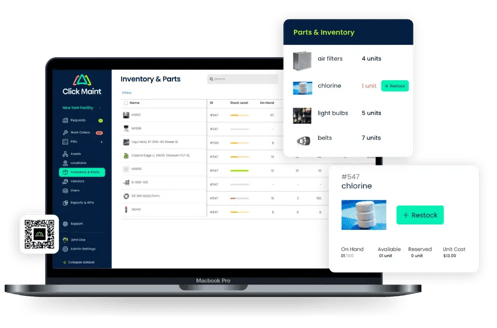
Create a Data Migration Plan
A practical migration process includes:
- Identify essential maintenance records.
- Remove duplicate and outdated information.
- Standardize asset names and IDs.
- Review preventive maintenance schedules.
- Prepare information for import.
- Test imported records.
- Verify assets, work orders, preventive maintenance tasks, and inventory.
- Train users before launch.
The goal is not to recreate every problem from the old CMMS inside the replacement system. Start with cleaner data and simpler processes.
How Much Does It Cost to Switch Maintenance Platforms?
The cost of replacing CMMS software depends on the selected system and implementation requirements. Include software subscriptions, user licenses, implementation, data migration, training, integrations, internal staff time, support, additional locations, and required features.
Ask vendors for the total first-year cost rather than focusing only on monthly subscription pricing. A lower-priced system sometimes requires additional fees for implementation, training, or essential functionality. An affordable CMMS solution should provide the features the maintenance team actually needs at a sustainable total cost.
How Long Does It Take to Switch Maintenance Platforms?
The timeline depends on the size and complexity of the maintenance operation. Important factors include the number of assets, users, locations, historical records, preventive maintenance schedules, inventory records, integrations, and training requirements. A small maintenance team with clean asset records and straightforward workflows usually has a simpler replacement project than a large organization with multiple facilities and extensive integrations.
A phased rollout reduces complexity:
- Phase 1: Assets and users
- Phase 2: Work orders
- Phase 3: Preventive maintenance
- Phase 4: Inventory and additional workflows
Prioritize the maintenance processes employees need most.
CMMS Replacement for Organizations in the United States and Canada
Organizations in the United States and Canada should evaluate more than features when replacing maintenance software.
Review software billing currency, contract terms, implementation support, customer support availability, number of facilities, user requirements, data migration, integration requirements, and total software cost. Canadian organizations should confirm whether vendor pricing is listed in CAD or USD.
Organizations operating multiple facilities across the United States or Canada should also evaluate how easily managers review maintenance information across locations. Geographic requirements should reflect actual operational needs rather than simply adding locations to keyword phrases.
Why Consider Click Maint When Replacing CMMS Software?
Organizations replacing complicated or poorly adopted maintenance systems should prioritize simplicity, usability, and the maintenance functions employees use every day.
Click Maint provides Maintenance Management Software designed to organize work orders, maintenance requests, preventive maintenance, assets and equipment, equipment history, parts, inventory, and maintenance information.
For organizations researching CMMS for maintenance managers, Click Maint provides a centralized approach to everyday maintenance management. The objective is straightforward: give maintenance managers and technicians a practical system for organizing maintenance work without unnecessary complexity.
Real Customer Results: Replacing Ineffective Maintenance Processes
Gracious Living: Replacing a Difficult-to-Use CMMS
Gracious Living, a plastics manufacturer operating in Canada and the United States, replaced a cumbersome eMaint setup that had pushed employees back to printed work orders.
After adopting Click Maint in November 2024, the company reported more consistent preventive maintenance, easier access to equipment drawings, and a 20% reduction in oil consumption through improved tracking. Its rollout began at one facility and expanded toward a second building.
Customer case study: https://www.clickmaint.com/case-study-gracious-living
TS Manufacturing: From Binders to Digital Records
TS Manufacturing in Lindsay, Ontario, moved from paper binders and handwritten preventive maintenance records to Click Maint in October 2024.
Technicians gained faster access to repair history, notes, and upcoming maintenance work. The company reported reduced administrative effort and better preservation of equipment knowledge.
Customer case study: https://www.clickmaint.com/case-study/ts-manufacturing
Southern Carton: Easier Work Order Adoption
Southern Carton, a corrugated packaging manufacturer in Tennessee, adopted Click Maint in August 2024 to improve work order tracking and maintenance communication.
Employees submit requests from their phones and attach images of issues and parts, making maintenance follow-up more organized.
Customer case study: https://www.clickmaint.com/case-study/southern-carton
Click Maint Industry Recognition
Click Maint displays several industry distinctions on its official website, including:
- G2 Easiest Setup 2025
- G2 Easiest to Use 2025
- G2 Highest User Adoption 2026
- GetApp Category Leaders 2025
- Capterra value recognition 2026
- Software Advice customer support recognition 2026
These distinctions provide additional evaluation signals for organizations comparing maintenance software. Awards are evaluation signals, not guarantees of operational outcomes.
Explore Click Maint: https://www.clickmaint.com/
When to Switch Maintenance Platforms: A Practical Decision Framework
The decision to replace CMMS software should follow documented workflow problems, technician feedback, total-cost analysis, and a short demonstration of everyday tasks.
Before changing systems, maintenance leaders should assess whether additional training, configuration changes, or process improvements resolve the underlying problems.
When those measures fail, a structured replacement evaluation becomes the next step.
Before You Replace Your System
Teams planning to replace CMMS software should test work orders, preventive maintenance, asset records, mobile updates, and migration requirements with real users.
Final Buying Consideration
A clear business case to replace CMMS software compares current costs and delays with realistic implementation effort, adoption expectations, and required functionality.
Frequently Asked Questions About Replacing CMMS Software
When should a company replace CMMS software?
A company should evaluate replacement when poor adoption, complicated workflows, rising costs, limited reporting, fragmented maintenance data, weak mobile workflows, or inadequate support consistently interfere with maintenance operations.
What are the signs that a CMMS is outdated?
Common signs include heavy spreadsheet use, incomplete work orders, poor technician adoption, limited reporting, difficult mobile access, weak integrations, and maintenance processes that operate outside the system.
Why do maintenance teams switch CMMS software?
Maintenance teams switch systems when the existing software no longer matches operational requirements. Common reasons include usability, pricing, functionality, reporting, support, implementation, and growth.
How do you choose a CMMS replacement?
Start by documenting problems with the existing system. Create a list of required features, evaluate everyday workflows, compare total costs, review implementation requirements, assess support, and involve technicians in the evaluation process.
How difficult is it to switch CMMS software?
Difficulty depends on the number of assets, users, locations, maintenance records, integrations, and workflows involved. Clean data and a structured migration plan simplify the transition.
How do you transfer maintenance data to a new CMMS?
Identify essential records, clean existing data, standardize asset information, prepare files for migration, import the records, verify the information, and test key workflows before launch.
What should maintenance managers look for in CMMS alternatives?
Prioritize ease of use, work orders, preventive maintenance, asset records, maintenance requests, inventory, mobile workflows, reporting, implementation, support, pricing, and scalability.
Is switching to a more affordable CMMS worth it?
A lower-cost CMMS deserves consideration when it provides the required maintenance functionality, supports strong user adoption, and delivers a sustainable total cost.
Evaluate value rather than subscription price alone.
How long does CMMS replacement take?
The timeline depends on maintenance complexity, data volume, users, locations, integrations, and training requirements.
A clear implementation plan and clean maintenance data support a smoother transition.
Is It Time to Replace Your CMMS Software?
Your CMMS should make maintenance easier to organize.
If technicians avoid the system, managers rely on spreadsheets, maintenance records remain incomplete, costs continue increasing, or basic information is difficult to access, the current system deserves a closer review.
Start by documenting the problems.
Then determine whether training, configuration, or process improvements solve them. If the underlying system remains the problem, begin evaluating CMMS alternatives based on usability, maintenance requirements, implementation, support, and total cost.
Replacing CMMS software is not simply a technology project. It is an opportunity to improve how maintenance work gets requested, assigned, completed, documented, and reviewed.
For maintenance managers, maintenance directors, facility managers, plant managers, operations leaders, and growing organizations across the United States and Canada, the right Maintenance Management Software should support the maintenance team rather than slow it down.
Ready to Replace Your Current CMMS?
If your current maintenance software feels too complicated, too expensive, or difficult for technicians to use, explore a simpler approach.
See how Click Maint helps maintenance managers organize work orders, preventive maintenance, assets, maintenance requests, equipment history, and inventory in one easy-to-use system.
Take the quick 2-minute interactive product tour or schedule a personalized demo.
Time to replace your CMMS ?

TABLE OF CONTENTS






