Dayo | 17 Jan 2025


Effective maintenance management requires systems that can streamline operations and ensure assets are performing at their best. For many businesses, Computerized Maintenance Management Systems (CMMS) are the go-to solution of choice due to their ability to streamline day-to-day processes like work order management and inventory tracking.
However, as organizations grow and maintenance requirements become more complex, CMMS systems often lack the advanced capabilities required for long-term strategic management. At this stage, Enterprise Asset Management (EAM) systems become essential, offering a comprehensive solution that addresses not just maintenance but the entire lifecycle of assets—from procurement, performance, and maintenance optimization to compliance and eventual retirement.
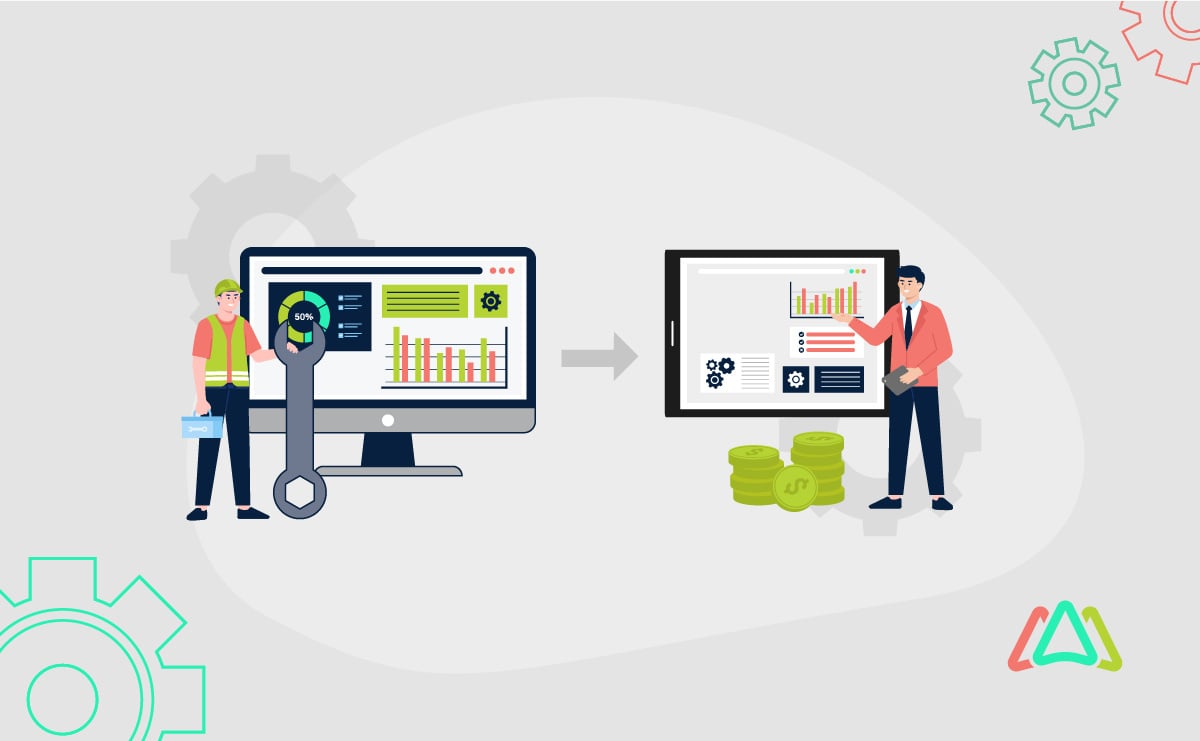
Transitioning from CMMS to EAM isn’t just an upgrade; it’s a transformation in how businesses manage their assets. This article will explain the difference between CMMS and EAM, explain why, when, and how to make this transition and equip you to stay ahead in a competitive landscape.
Keep reading!

Differences Between CMMS and EAM
The table below highlights the distinctions between Computerized Maintenance Management Systems (CMMS) and Enterprise Asset Management (EAM) to help you understand their unique roles in maintenance and asset management:
| Feature | CMMS | EAM |
|
Primary Focus |
Maintenance operations: scheduling, work orders, inventory management. |
Asset lifecycle management: procurement, performance, compliance, and retirement. |
|
Scope |
Limited to maintenance tasks and operational efficiency. |
Comprehensive, covering maintenance and strategic asset management across the lifecycle. |
|
Scalability |
Suitable for small to medium-sized operations. |
Designed for enterprise-level scalability, handling complex operations across multiple sites. |
|
Data Management |
Focused on maintenance data and operational tracking. |
Incorporates financial, operational, and performance data for deep insights. |
|
Integration Capabilities |
Basic integrations with maintenance tools. |
Advanced integrations with ERP systems, IoT devices, and analytics platforms. |
While CMMS is ideal for managing routine maintenance tasks, EAM goes beyond maintenance, offering a strategic approach to managing assets throughout their lifecycle. Organizations often transition to EAM when they require advanced functionality, broader scope, and enterprise-level capabilities.
Check out Click Maint blog on Top CMMS.
Why Transition from CMMS to EAM?
The global EAM market is projected to grow significantly, indicating its increasing importance across diverse industries. For instance, the market size was valued at USD 5.74 billion in 2022 and is expected to reach USD 19.68 billion by 2030, growing at a compound annual growth rate (CAGR) of 16.9% during the forecast period. This growth reflects the expanding adoption of EAM solutions as organizations recognize their value in optimizing asset management and operational performance.
As businesses scale, the limitations of CMMS become evident. Enterprise-level operations demand more comprehensive tools to manage assets, optimize performance, and support strategic growth. Let’s explore the limits of CMMS platforms and the advantages of EAM.
Limitations of CMMS
CMMS platforms are highly effective for managing maintenance tasks like work orders, scheduling, and inventory tracking. However, they often lack scalability for enterprise-level operations, making it challenging to manage complex, multi-location assets or diverse portfolios. Additionally, CMMS focuses narrowly on maintenance, offering limited capabilities for asset lifecycle management, performance monitoring, and strategic decision-making, which are required for long-term operational efficiency and growth.
Benefits of EAM
Comprehensive Asset Insights with EAM
EAM systems go beyond maintenance management by providing a broader view of asset performance across its entire lifecycle. This ensures organizations can monitor, optimize, and maximize the value of their assets, making EAM a strategic tool for enterprise-level operations.
Predictive Analytics for Better Decision-Making
One of EAM’s standout features is its ability to leverage predictive analytics. By analyzing historical and real-time data, EAM systems help organizations anticipate equipment failures, reduce unplanned downtime, and enhance maintenance planning.
Seamless Integration Capabilities
EAM integrates effortlessly with enterprise systems like ERP, IoT, and analytics platforms. This connectivity enhances collaboration, ensures data accuracy, and streamlines processes, making it a valuable solution for modern enterprises.
Industries Benefiting from Transitioning to EAM
Enterprise Asset Management (EAM) systems are increasingly adopted across various industries to enhance operational efficiency and asset utilization. Here's an overview of how different sectors benefit from EAM:
Manufacturing
EAM solutions help optimize machinery uptime, streamline maintenance processes, and ensure regulatory compliance, leading to increased productivity and cost savings.
Construction
By managing heavy machinery and equipment effectively, EAM systems assist construction companies in meeting tight deadlines and staying within budget constraints.
Oil and Gas
In this sector, EAM enhances safety measures, prevents equipment failures, and ensures compliance with strict environmental regulations, thereby minimizing risks and operational disruptions.
Healthcare
EAM ensures the reliability of medical equipment, which is vital for patient care. By maintaining equipment performance, healthcare providers can deliver consistent and high-quality services.
Telecom and Utilities
EAM systems help maintain service uptime and infrastructure reliability, which are essential for customer satisfaction and adherence to service-level agreements.
Fleet Management
EAM facilitates the coordination of maintenance schedules and extends asset lifecycles, reducing downtime and improving cost efficiency in managing vehicle fleets.

Key Considerations Before Transitioning
Assessment of Current CMMS
Before transitioning to an EAM system, evaluate your current CMMS's strengths and weaknesses. Identify areas where it meets your needs, such as scalability, integration, or advanced analytics. This will help you define the gaps the EAM system must address.
Define Organizational Goals
Clearly outline your short-term and long-term objectives for asset management. For example, are you aiming to optimize maintenance processes, improve lifecycle management, or enhance decision-making? Defining these goals ensures that the EAM system aligns with your strategic priorities.
Stakeholder Involvement
Transitioning to EAM requires input from key stakeholders, including maintenance teams, IT personnel, and finance departments. Their insights ensure the system is user-friendly, technically compatible, and financially viable. Collaboration across departments also helps build consensus and streamline implementation.
Data Migration Challenges
Migrating data from CMMS to EAM is a critical step. It involves cleaning, standardizing, and transferring data to ensure accuracy and usability in the new system. Proper planning reduces the risk of errors and ensures a smooth transition.
Budget and Timeline
Set realistic budgets and timelines for the transition. To avoid unexpected delays or expenses, consider software costs, training, and potential downtime during implementation. EAM systems are considerably more expensive than CMMS. You should expect to spend more on the software licenses due to the EAM’s additional functionality as well as the implementation and training due to its complexity.
Steps for a Smooth Transition from CMMS to EAM
Step 1: Evaluate EAM Solutions
Start by assessing various EAM systems to find one that aligns with your organization’s needs. Key factors to consider include scalability to support future growth, seamless integration with existing enterprise systems, and user-friendliness to encourage your team to adopt them.
Step 2: Develop an Implementation Plan
Create a detailed implementation plan outlining timelines, roles, and responsibilities. Identify key milestones to track progress and assign ownership to ensure accountability. A well-structured plan helps minimize disruptions during the transition.
Step 3: Data Migration Process
Data migration is a critical step in the transition. Before transferring your data to the EAM system, clean, standardize, and organize it to ensure its accuracy. Use best practices, such as running pilot tests and backing up data, to avoid potential issues.
Step 4: Training and Change Management
Prepare your teams for the new system through comprehensive training programs. Address resistance to change by clearly communicating the benefits of the EAM system and offering continuous support. Change management ensures a smoother adoption process.
Step 5: Monitor and Optimize
Post-deployment, monitor the EAM system’s performance against your objectives. Gather feedback from users, address any challenges, and continuously optimize the system to maximize its value.
Challenges and How to Overcome Them
Resistance to Change
Employees may feel overwhelmed by the new system's complexity or fear disruptions to their workflows. To address this, clearly communicate the value of EAM. Explain how it improves efficiency, reduces downtime, and aligns with long-term goals. Engage employees early, provide role-specific training, and emphasize the benefits to encourage acceptance.
Technical Difficulties in Data Migration
Ensuring data accuracy and compatibility during migration can be daunting. To overcome this, leverage vendor support for cleaning, standardizing, and transferring data. Most EAM providers offer migration tools and expertise to ensure the process is seamless, minimize errors, and reduce the risk of complications.
Budget Constraints
Transitioning to an EAM system can strain budgets, especially for organizations with limited resources. A practical solution is to prioritize phased implementation. Instead of deploying all features at once, focus on high-priority functionalities initially. This approach spreads costs over time and allows your team to adapt gradually while still gaining immediate benefits.
By addressing each challenge alongside its solution, organizations can navigate the transition from CMMS to EAM with greater clarity and confidence.
Conclusion
Transitioning from CMMS to EAM is a strategic step toward enterprise growth and asset efficiency. While CMMS handles routine maintenance, EAM provides advanced insights, predictive analytics, and seamless system integration for comprehensive asset management.
This shift aligns maintenance strategies with long-term goals, addresses limitations, streamlines operations, and enables data-driven decisions to thrive in today’s competitive landscape.
Evaluate your current processes, define objectives, and involve stakeholders to ensure a smooth transition. Investing in EAM enhances efficiency, reduces costs, and drives sustainable growth.
TABLE OF CONTENTS