



Reena Sommer | 21 Sep 2026


Maintenance supervisors have a lot to manage every day. They assign work orders, coordinate technicians, respond to equipment failures, schedule preventive maintenance, track parts, and make sure critical assets stay operational.
When maintenance teams rely on spreadsheets, paper forms, emails, or disconnected systems, work can quickly pile up. Technicians may not know which jobs should come first, preventive maintenance can get delayed, and equipment breakdowns increase along with unexpected downtime.
CMMS for maintenance supervisors provides a centralized way to manage these activities.
With Click Maint CMMS software, maintenance supervisors can organize work orders, schedule preventive maintenance, track equipment history, manage maintenance requests, and monitor work from one system.

What is CMMS for Maintenance Supervisors?
A Computerized Maintenance Management System (CMMS) is software that helps maintenance teams organize and track maintenance operations.
For maintenance supervisors, a CMMS provides greater visibility into what needs to be done, who is responsible, and which assets require attention.
Maintenance supervisors can use CMMS software to manage:
- Work orders
- Maintenance requests
- Preventive maintenance
- Equipment and assets
- Technician assignments
- Maintenance schedules
- Parts and inventory
- Maintenance history
- Reports and KPIs
Instead of switching between spreadsheets, paper records, phone calls, and emails, supervisors can keep important maintenance information in one place.
What Causes Maintenance Work Order Backlogs?
A maintenance backlog is the collection of approved maintenance work that has not yet been completed.
Some backlog is normal. Problems begin when new work orders arrive faster than technicians can complete existing ones.
Common causes include:
- Poor work order prioritization
- Too many emergency repairs
- Limited technician availability
- Missing parts or tools
- Unclear work instructions
- Poor maintenance scheduling
- Delayed preventive maintenance
- Incomplete asset information
- Lack of visibility into open work orders
Without an effective work order management system, maintenance supervisors may spend significant time simply figuring out what needs attention next.
A CMMS provides a clearer picture of outstanding maintenance work.
1. Centralize Work Orders in One System
One of the first steps toward reducing a maintenance backlog is knowing exactly how much work is outstanding.
When requests arrive through email, text messages, phone calls, and paper forms, it is easy for tasks to become disconnected.
CMMS software provides one system for organizing work orders.
Maintenance supervisors can see open tasks, priorities, assignments, due dates, asset information, and work status without searching through multiple systems.
With Click Maint Work Order Software, supervisors can create, assign, track, and manage maintenance work orders in a centralized platform.
This gives supervisors greater visibility into both planned and unplanned maintenance.
2. Prioritize Maintenance Work More Effectively
Not every work order has the same level of urgency.
A failed piece of production equipment may require immediate attention, while a minor non-critical repair may be able to wait.
Without clear priorities, technicians may simply work on the newest request or the easiest task.
That can leave critical maintenance unfinished.
Maintenance supervisors can use CMMS software to organize and prioritize work based on factors such as:
- Asset criticality
- Safety
- Operational impact
- Urgency
- Due date
- Equipment condition
- Production requirements
A structured priority system helps technicians understand which jobs should be completed first.
It also helps supervisors avoid treating every maintenance request as an emergency.
3. Assign the Right Work to the Right Technician
Work orders can remain open when assignments are unclear.
Technicians need to know what needs to be done, where the asset is located, and what information is required to complete the job.
A CMMS helps supervisors organize technician assignments and provide important work order details.
Instead of relying on verbal instructions or paper notes, technicians can access assigned work and update its status.
This can improve communication between supervisors and technicians while giving managers better visibility into maintenance progress.
For a busy maintenance supervisor, that means less time chasing updates and more time managing maintenance priorities.
4. Use Preventive Maintenance to Reduce Equipment Downtime
Emergency repairs are a major source of maintenance disruption.
When critical equipment fails unexpectedly, supervisors may need to pull technicians away from planned work. This creates delays and adds new tasks to the backlog.
Preventive maintenance helps reduce dependence on reactive maintenance.
Preventive Maintenance Software allows supervisors to schedule recurring inspections and maintenance activities for equipment.
Examples include:
- Lubrication
- Equipment inspections
- Filter replacement
- Belt inspections
- Cleaning
- Safety inspections
- Calibration
- HVAC servicing
- Battery checks
- Fluid checks
With Click Maint, maintenance supervisors can create preventive maintenance schedules and manage recurring maintenance activities from a centralized system.
A more proactive maintenance strategy can help teams identify potential issues earlier and reduce avoidable equipment failures.
5. Give Technicians Access to Better Asset Information
Technicians lose valuable time when they have to search for equipment information before starting a repair.
They may need to know:
- What repairs were previously completed?
- When was the asset last serviced?
- What problem occurred before?
- What parts were used?
- Are there existing maintenance notes?
- Which preventive maintenance tasks apply?
A CMMS for maintenance supervisors can keep maintenance records connected to specific assets.
This gives maintenance teams easier access to asset maintenance history.
When technicians have better information, they can spend less time searching through records and more time completing maintenance work.
6. Track Parts and Maintenance Inventory
A technician can be ready to complete a work order but still be unable to finish it because the required part is unavailable.
Parts shortages can increase repair times and leave work orders open longer.
Maintenance inventory management helps teams understand which parts and supplies are available.
A CMMS can help supervisors track maintenance inventory and connect parts usage with maintenance activities.
Better inventory visibility can help maintenance teams identify commonly used parts and prepare for planned maintenance tasks.
For supervisors trying to reduce backlog, having the right parts available at the right time can remove an important source of delays.
7. Make Maintenance Scheduling More Organized
Maintenance supervisors constantly balance planned and unplanned work.
There may be preventive maintenance due today, several open repairs, a new urgent request, and technicians with different workloads.
Trying to manage all of this manually can become complicated.
Maintenance Management Software provides a more organized way to plan and track maintenance activities.
Supervisors can review upcoming work, open work orders, due dates, priorities, and assignments.
This makes it easier to identify overdue tasks and determine where maintenance resources are needed.
.png?width=512&height=384&name=unnamed%20(2).png)
8. Use Maintenance Data to Find Recurring Problems
Completing work orders is important, but maintenance supervisors also need to understand why the same problems keep returning.
For example, one machine may require repeated repairs.
Without historical maintenance data, each repair may appear to be a separate problem.
A CMMS creates maintenance records that supervisors can review over time.
Maintenance data can help answer questions such as:
- Which assets have the most work orders?
- Which equipment experiences repeated failures?
- How much reactive maintenance is being performed?
- Which preventive maintenance tasks are overdue?
- How long are work orders remaining open?
- Where is the maintenance team spending its time?
These insights can help supervisors identify recurring problems and make more informed maintenance decisions.
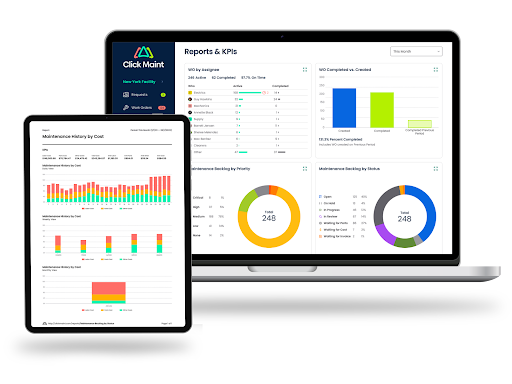
9. Track the Right Maintenance KPIs
Maintenance supervisors need more than a list of completed work orders. They also need ways to understand how the maintenance operation is performing.
Useful maintenance KPIs may include:
Work order backlog: How much approved maintenance work remains unfinished?
Work order completion: How many work orders are completed within a specific period?
Preventive maintenance compliance: Are scheduled PM tasks being completed on time?
Reactive vs. preventive maintenance: How much maintenance activity is planned compared with unplanned?
Mean Time to Repair (MTTR): How long does it typically take to restore an asset after a failure?
Mean Time Between Failures (MTBF): How much operating time typically occurs between asset failures?
Overdue work orders: How many work orders have passed their target completion dates?
Tracking maintenance KPIs can help supervisors identify trends and areas that require attention.
How Can CMMS Software Help Reduce Equipment Downtime?
CMMS software does not eliminate every equipment failure. Unexpected problems can still happen.
However, a CMMS can support a more proactive maintenance process.
Maintenance supervisors can use it to schedule preventive maintenance, track asset history, organize work orders, identify repeated equipment problems, and maintain better records.
The goal is to catch more maintenance needs before they turn into disruptive failures.
Reducing avoidable downtime can also help maintenance teams spend less time responding to emergencies and more time completing planned work.
CMMS vs. Spreadsheets for Maintenance Supervisors
Spreadsheets can be useful for basic maintenance tracking, but they become harder to manage as maintenance operations grow.
A spreadsheet may tell you that a work order exists. A CMMS is designed to support the maintenance workflow around that work order.
CMMS software can centralize work orders, preventive maintenance schedules, asset records, maintenance history, assignments, and reporting.
For maintenance supervisors managing multiple technicians and large numbers of assets, having this information connected in one maintenance system can improve visibility and organization.
What Features Should Maintenance Supervisors Look for in a CMMS?
When selecting CMMS software, maintenance supervisors should focus on features that solve everyday maintenance problems.
Important capabilities include:
- Easy work order creation and tracking
- Maintenance request management
- Preventive maintenance scheduling
- Asset and equipment tracking
- Maintenance history
- Parts and inventory management
- Mobile access for technicians
- Reporting and maintenance KPIs
- Simple technician assignments
- User-friendly navigation
Ease of use is especially important.
A CMMS only provides value when supervisors and technicians consistently use it.
Why Use Click Maint for Maintenance Supervisors?
Click Maint Best CMMS software gives maintenance supervisors a centralized platform for managing essential maintenance activities.
Maintenance teams can use Click Maint to organize work orders, maintenance requests, preventive maintenance, assets, inventory, and maintenance information.
For supervisors, this means greater visibility into what work is open, what requires attention, and what has already been completed.
Rather than managing maintenance through disconnected spreadsheets, paper forms, and messages, Click Maint helps bring maintenance activities together in one system.
Frequently Asked Questions
What is the best CMMS for maintenance supervisors?
The right CMMS depends on the maintenance team's size, assets, workflows, and operational requirements. Maintenance supervisors should look for software that is easy to use and provides work order management, preventive maintenance scheduling, asset tracking, maintenance history, inventory management, mobile access, and reporting. Click Maint provides these core maintenance management capabilities.
How does a CMMS help maintenance supervisors?
A CMMS helps maintenance supervisors organize work orders, assign maintenance tasks, schedule preventive maintenance, track equipment history, monitor outstanding work, and maintain centralized maintenance records.
Can CMMS software reduce work order backlogs?
A CMMS can help teams better manage backlogs by centralizing open work orders, improving prioritization, organizing assignments, tracking due dates, and giving supervisors greater visibility into unfinished maintenance work.
Can a CMMS reduce equipment downtime?
CMMS software supports preventive maintenance, asset history tracking, maintenance scheduling, and work order management. These capabilities can help teams identify maintenance needs earlier and reduce some avoidable equipment failures and downtime.
How do maintenance supervisors use preventive maintenance software?
Maintenance supervisors can create recurring maintenance schedules for assets and equipment. The system helps teams organize upcoming PM tasks and track whether planned maintenance has been completed.
What maintenance KPIs should supervisors track?
Common maintenance KPIs include work order backlog, preventive maintenance compliance, overdue work orders, work order completion, MTTR, MTBF, and the balance between preventive and reactive maintenance.
Take Control of Your Maintenance Backlog With Click Maint
A growing work order backlog and frequent equipment downtime can make it difficult for maintenance supervisors to stay ahead.
The solution starts with better visibility, organization, prioritization, and preventive maintenance.
CMMS for maintenance supervisors brings work orders, assets, preventive maintenance, maintenance requests, inventory, and maintenance records into a centralized system.
With Click Maint, supervisors can spend less time managing disconnected maintenance information and more time keeping their teams organized and equipment operational.
Reduce Work Order Backlog & Downtime
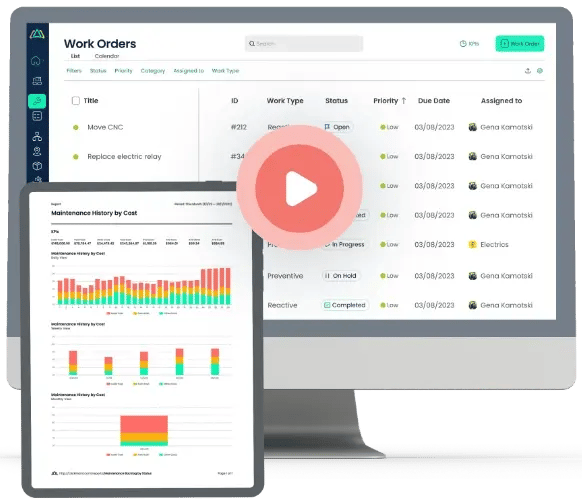

TABLE OF CONTENTS






