


Reena Sommer | 25 Aug 2026


Introduction
If your maintenance operation still runs on spreadsheets, whiteboards, relies on the institutional knowledge of your senior technician, or on outdated legacy software, you're not alone. Many small and mid-sized organizations start their maintenance journey with basic tracking tools, sticky notes, shared inboxes or use outdated software. These approaches work fine when maintenance tasks are minimal, but as volume and team size increase, a more modern and scalable CMMS may be needed.
A scalable CMMS replaces manual workarounds with a unified platform for managing work orders, assets, preventive maintenance, and inventory. Below are seven signs your organization has outgrown basic tools, and how Click Maint addresses each challenge.
Sign #1: Work Order Volume is Increasing & So is Backlog
Symptom:
Work orders are piling up everywhere—emails, texts, and sticky notes. Because there’s no central list, you’re constantly dealing with duplicates, losing track of critical repairs, and spending more time hunting for tickets than actually fixing equipment. When your team starts missing more than a few reactive requests a week, it’s a clear sign your current system is failing.
Why basic tools fail:
Spreadsheets and shared inboxes aren't built for queue management. They lack assignment workflows, status automation, and audit trails. Without prioritization and assignment rules, urgent and trivial work orders are treated the same, and there's no way to tell which technician is overloaded.
The Click Maint solution: Click Maint centralizes all requests into a single work order queue.
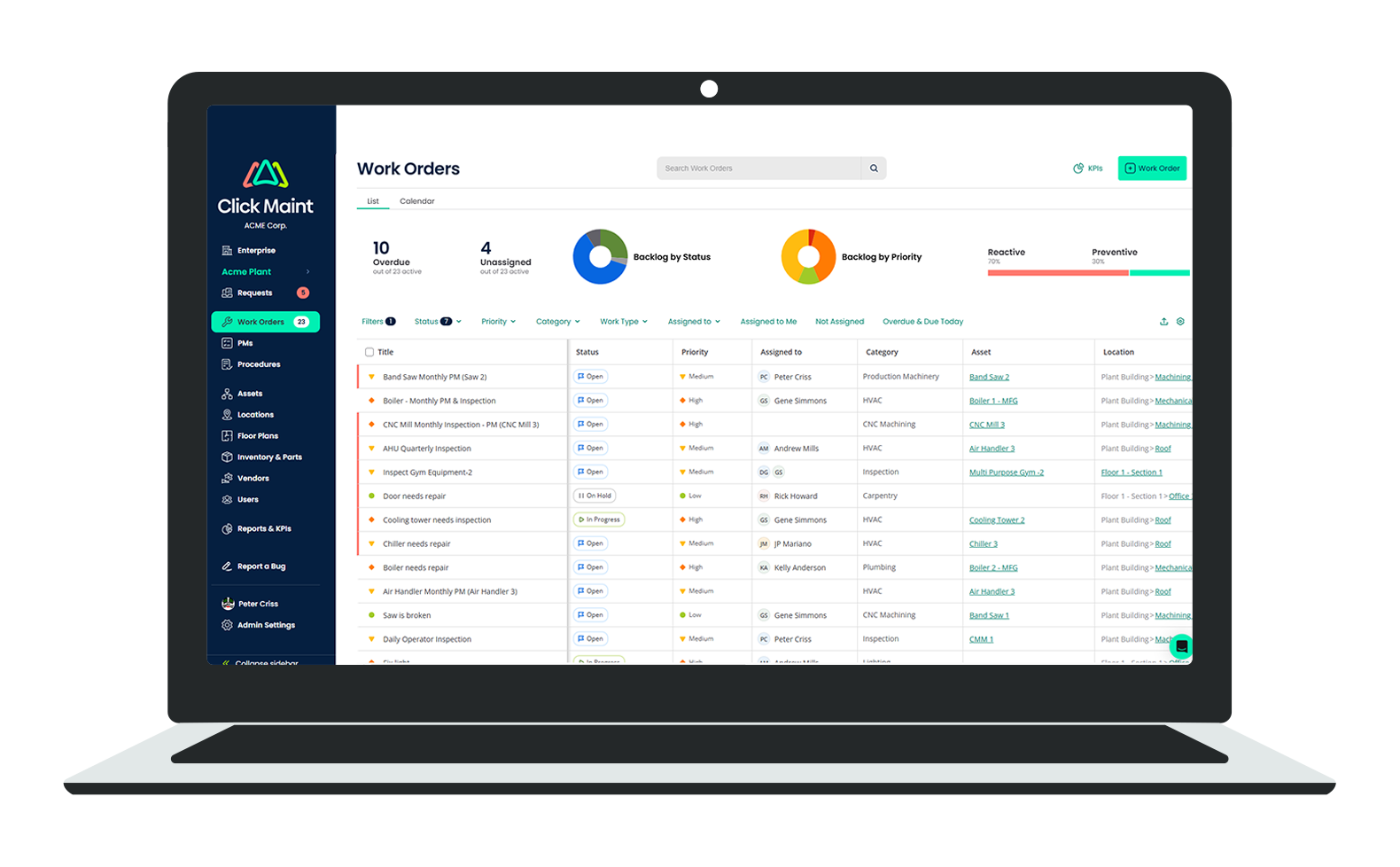
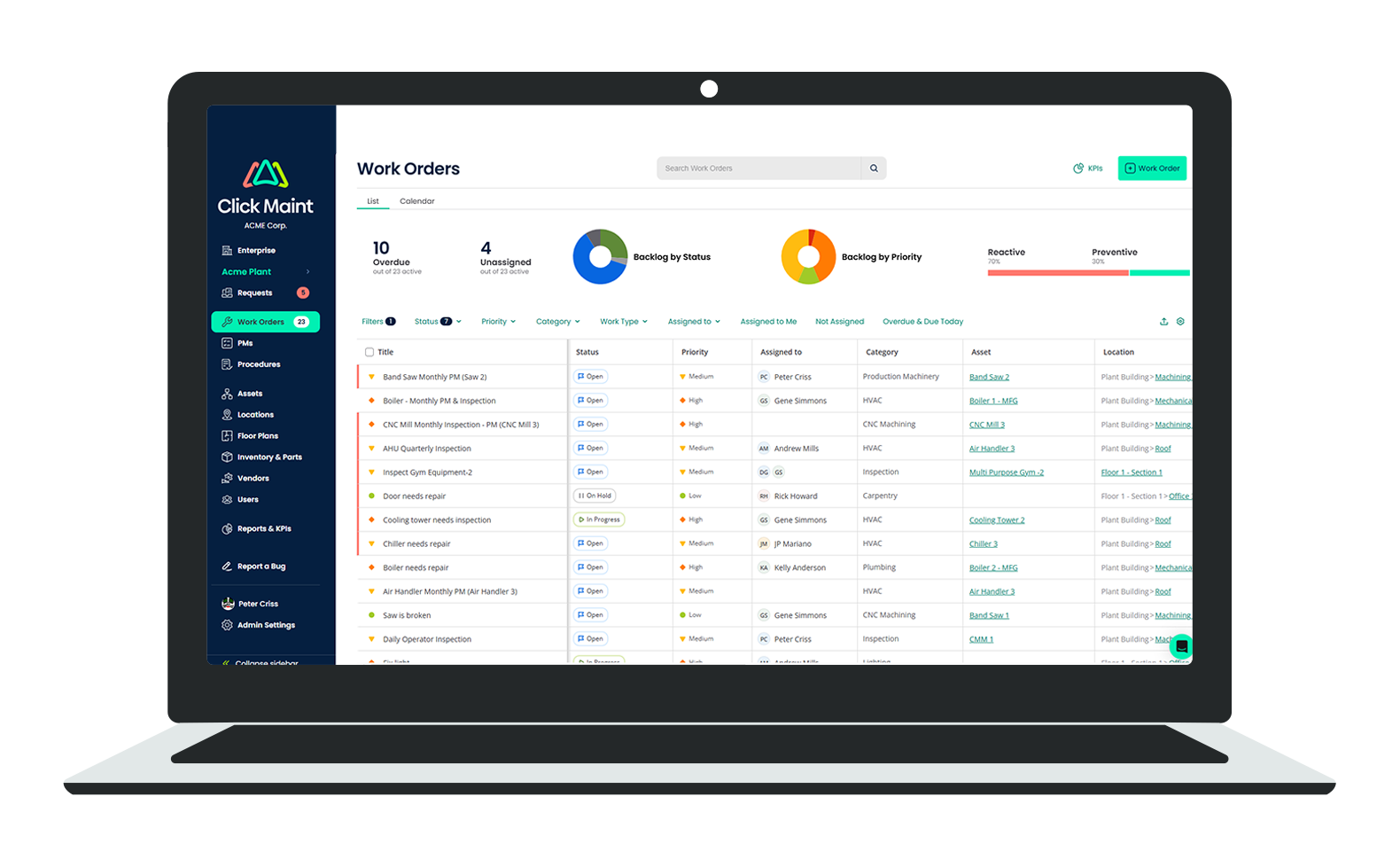
Technicians see exactly what's assigned to them, what's overdue, and what's next. Managers get filters by technician, asset, priority, and due date, so high-priority jobs never get buried. As request volume doubles or triples, the system absorbs it without a process overhaul. The platform's approach to work order management is "radically different" from older CMMS tools, designed for speed and clarity in the field. In addition, workflow rules can be created so that specific work categories (like HVAC, Plumbing, etc.) are automatically assigned to specific technicians or teams.
Sign #2: Your Asset Register Keeps Growing
Symptom:
Your asset list has grown from a few machines to a complex inventory spread across multiple spreadsheets. You aren't sure which equipment is current, retired, or still under warranty. When a technician asks for history or documentation on a specific unit, you can't find it without digging through folders or asking the senior tech who’s been here the longest.
Why basic tools fail:
Spreadsheets can't properly model asset hierarchy (parent/child relationships), location mapping, or criticality ranking. There are no built-in fields for runtime hours, meter readings, or service history tied to each asset.
How Click Maint solves this:
Click Maint's asset tracking creates a digital asset record for every piece of equipment, complete with images, specifications, purchase date, warranty, location, attached documents, and a complete service history. In addition, assets can have a QR code associated with them for instant access from the Click Maint mobile app. Every work order, PM task, and parts consumption is automatically attached to the asset record. As your register grows from hundreds to thousands of assets, the same structure holds. According to Software Advice, Click Maint includes key maintenance management features like work order management, preventive maintenance scheduling and asset tracking. Click Maint also provides real-time visibility into maintenance operations through its reporting and analytics capabilities, so leadership always knows the fleet's current state.
Sign #3: Preventive Maintenance is Slipping Through the Cracks
Symptom:
You have a plan for preventive maintenance, but it only exists on paper. In reality, PMs are frequently missed because of busy schedules or forgotten calendar reminders. You find yourself constantly reacting to breakdowns that could have been prevented, and you have no way to prove compliance or show leadership why equipment downtime is on the rise.
Why basic tools fail:
Calendar and email reminders don't enforce completion. There's no way to track PM compliance, capture completion notes, or automatically generate the next due task based on runtime or the last completion date.
How Click Maint solves this:
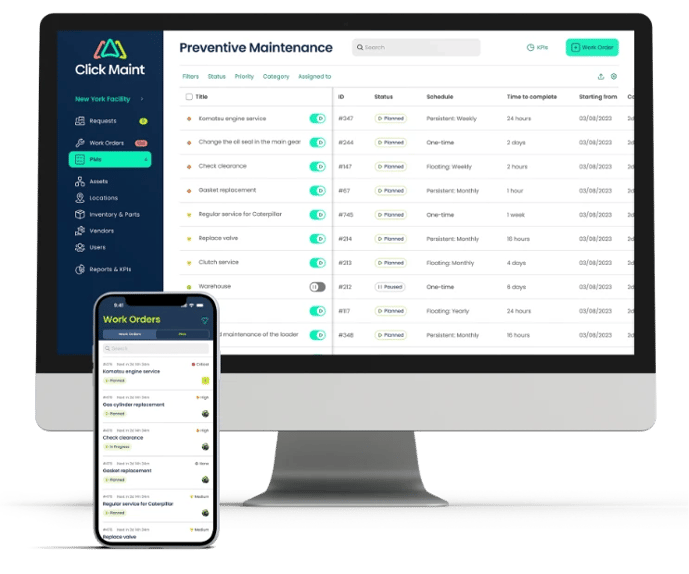
Click Maint automates preventive maintenance based on time intervals, usage patterns, or meter readings. The CMMS automatically generates a work order when an asset reaches a threshold—for example, every 500 runtime hours or every 90 days. Technicians get clear task lists with instructions, parts, and tools. Managers can measure PM compliance as a percentage and spot the assets that keep missing their schedules. As TechTimes notes, "based on predefined criteria like equipment breakdown or preventive maintenance schedule, the CMMS generates a work order automatically". The shift from calendar-based guesswork to trigger-based scheduling is one of the highest-ROI upgrades a maintenance team can make.
See Work Order Software in Action
See how easy it is to streamline maintenance processes and maximize productivity with Click Maint Work Order Software. Take the quick 2 minute interactive product tour.
Sign #4: You Have Poor Visibility Across Multiple Sites
Symptom:
Managing maintenance across multiple facilities has become a headache. Each site runs its own system—or worse, its own set of spreadsheets—making it impossible to compare performance or balance workloads. You struggle to get a clear view of which facility is performing well and which one needs support, forcing you to manually consolidate data just to see the big picture.
Why basic tools fail:
File-based systems don't unify. Each site becomes its own data silo, and consolidating the numbers for leadership requires manual consolidation at the end of every month.
How Click Maint solves this:
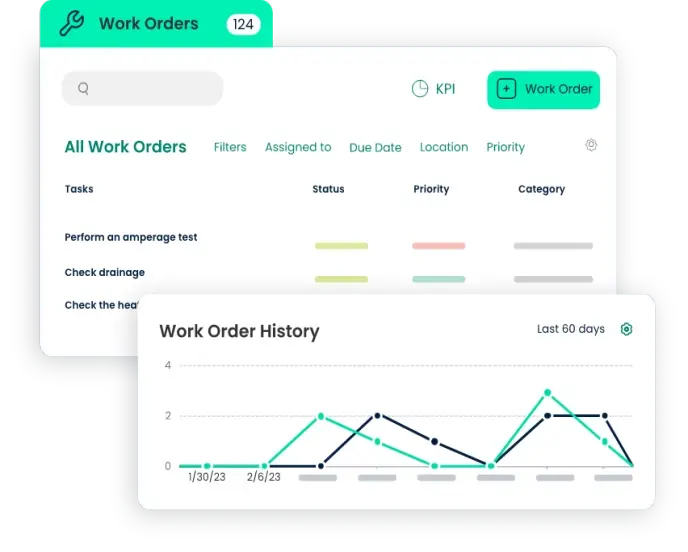
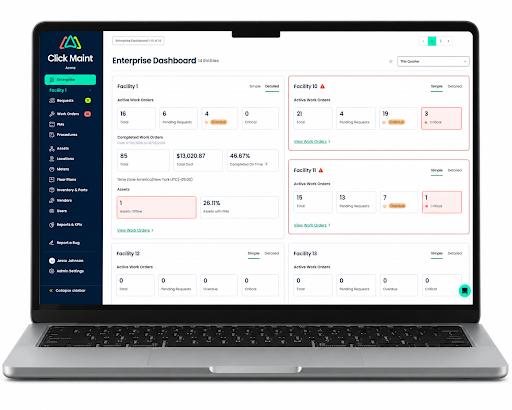
Multi-site maintenance operations demand shared processes, standardized terminology, reliable asset history records, and visibility across locations. A scalable CMMS provides multi-site access, enabling maintenance teams to achieve standardization and visibility across multiple locations. Click Maint supports shared processes, reliable asset history records, and centralized reporting across sites. Leadership gets a single dashboard with comparable KPIs, such as work order volume, mean time to repair, PM completion rate, and maintenance costs. Each can be broken down by facility and compared. Site managers retain autonomy to run their facilities, but the data flows upward into a unified view.
Sign #5: Your Data Lives in Five Different Places
Symptom:
Your team’s information is scattered. Asset lists are in Excel, PM schedules are in Outlook, and inventory is trapped in someone's head. When you need to pull a simple report or audit history, you’re forced to manually piece it together from five different places. It’s a time-consuming process that leaves you questioning the accuracy of your own data.
Why basic tools fail:
General-purpose tools such as email, spreadsheets and shared drives aren’t designed to be a maintenance system of record. Every tool captures a slice; nothing captures the whole picture.
How Click Maint fixes it:
By consolidating work orders, preventive maintenance, asset tracking, and spare parts inventory into a single platform, Click Maint serves as the definitive single source of truth. Every work order is directly connected to an asset or location, each part issued is tied to a specific work order, and all PM tasks link to the asset's overall history. As a result, auditors can easily access complete maintenance records for any equipment, while new technicians can quickly get up to speed using detailed asset records rather than relying on colleagues.
Sign #6: Your Spare Parts Inventory is Poorly Managed
Symptom:
Your parts inventory is a guessing game. You often run out of critical bearings or filters right when you need them, forcing expensive rush orders. At the same time, you're sitting on shelves full of obsolete parts that haven't been touched in years. You’re ordering based on gut feeling, not actual demand.
Why basic tools fail:
Predicting demand is near impossible without a parts database integrated with asset and work order records. Operating without min/max rules and reorder notifications leaves you relying on guesswork. Furthermore, lacking links between parts and assets prevents you from determining which spares are critical for specific equipment.
The Click Maint solution:
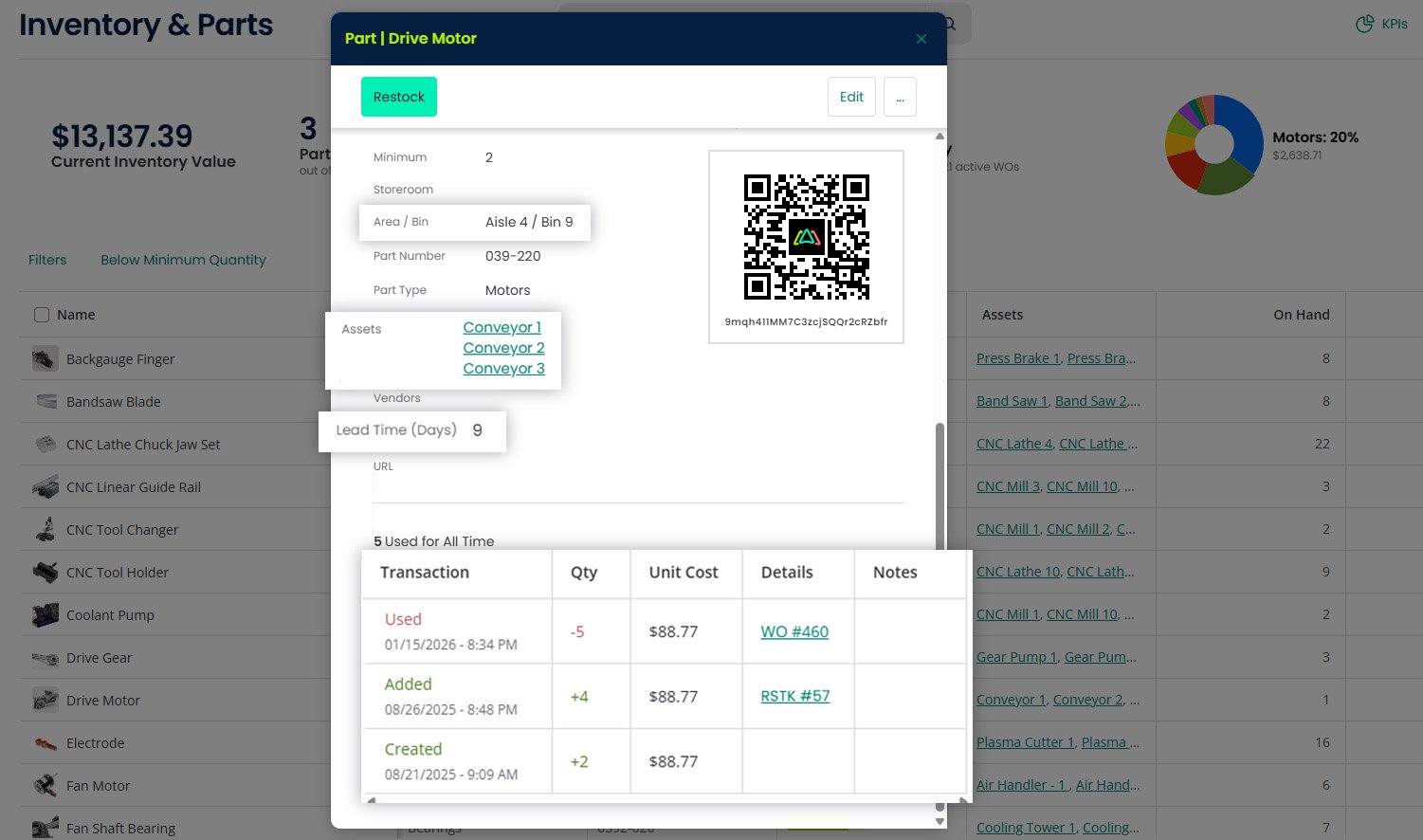
Click Maint addresses these challenges through its inventory module, which tracks live stock levels, connects parts directly to work orders and assets, and triggers notifications when inventory drops below set minimums. By integrating technologies like QR code scanning, it boosts asset tracking speed and precision, delivering real-time visibility and tighter inventory control. Technicians gain immediate insight into part availability as they create work orders, while usage data automatically feeds into cost analysis. Consequently, facilities experience reduced stockouts, minimized obsolete stock, and better accountability across the storeroom.
Sign #7: You're Stuck in a Reactive Maintenance Culture
Symptom:
Your team is trapped in a cycle of "firefighting." You spend your entire week reacting to urgent breakdowns, leaving no time for the planned work that actually keeps operations running. You’re constantly asked why downtime is rising, but without data to back you up, you can’t show the value of your team's hard work or identify the assets that are causing the most trouble.
Why basic tools fail:
A spreadsheet doesn't tell you that you've replaced the same bearing three times this quarter. A shared inbox doesn't measure mean time between failures. Without data, you can't tell whether the maintenance program is improving or just consuming funds.
The Click Maint solution:
Click Maint's reporting and analytics turn maintenance activities into measurable performance. Maintenance leaders gain visibility and insight into the ratio of preventive to reactive work, downtime trends, bad-actor assets, and maintenance costs. Over time, the data shows where investment in PM, new equipment and staffing will pay off.
How Click Maint Integrates Four Key Maintenance Functions into a Single Platform
Rather than being a glorified spreadsheet, a scalable CMMS serves as a centralized platform that unifies the four essential functions of maintenance management:
Work Order Management: Log, prioritize, assign, and fulfill requests from any submission channel. Tailored view options enable you to filter and save request lists by technician, assigned asset, or due date.
Preventive Maintenance: Set up automated scheduling triggered by time intervals, usage patterns, or meter readings. Monitor overall PM compliance as a clear percentage metric.
Asset Management: Build comprehensive digital profiles for each asset, complete with full service histories, attached documentation, and total cost rollups.
Inventory Control: Track spare parts inventory, connect stock directly to assets and work orders, and receive automated reorder alerts to prevent stockouts.
Click Maint provides this complete feature set in an affordable package. Plans begin at $35 per user per month with flexible monthly or annual billing. User reviews on Capterra, Software Advice and G2.com all praise Click Maint for it’s ease of use, value for money, great customer support, and ease of implementation.
FAQ: Scalable CMMS Questions Maintenance Leaders Ask
1. What is a CMMS, and what does it do?
CMMS stands for Computerized Maintenance Management System. It's software that centralizes work orders, preventive maintenance schedules, asset records, parts inventory, and reporting. A scalable CMMS grows with your operation, supporting more users, more assets, and more sites without forcing a process redesign.
2. How is a CMMS different from a spreadsheet or shared inbox?
Spreadsheets and inboxes are general-purpose tools. They have no queue logic, little automation, no asset hierarchy, and no real-time reporting. A CMMS enforces a workflow, links every record to an asset and a person and produces the KPIs leadership asks for, such as downtime, PM compliance, MTTR, and parts spend. All of this happens without manual consolidation.
3. How long does it take to implement a scalable CMMS like Click Maint?
For small and mid-sized teams, implementation is typically measured in weeks, not months. Click Maint is known for fast setup and easy training. Most organizations go live with work orders, assets, and PM schedules first, then layer in inventory and advanced reporting as users get comfortable. Typical implementation timelines range from 15-90 days depending on the size of the operation and number of facilities.
4. Is a CMMS overkill for a small team?
Many CMMS platforms have fees and features available for smaller operations that don’t require all the robust functionality that larger enterprises require. Click Maint subscriptions are $35/month per user and offer onboarding options that come at no cost.
5. What should I look for when evaluating a scalable CMMS?
Prioritize four things:
- It must centralize work orders, PM, asset tracking, and inventory in one system;
- It must be configurable enough to match your workflow without too much customization;
- It must meet your functional requirements but also be easy to use and implement to ensure all users adopt it; and
- It must be priced transparently, with no surprise fees for setup, training, or support.
Click Maint checks all four boxes, which is why it consistently earns high marks from maintenance managers evaluating scalable CMMS options.
Key Takeaways
Recognizing even two or three of these warning signs indicates it is time to consider an upgrade—you do not need to experience all seven. Outdated processes and fragmented tools quietly erode uptime, strain budgets, and lower team morale. By replacing disconnected workarounds with a unified, scalable CMMS like Click Maint, your team brings work orders, preventive maintenance schedules, asset history, and spare parts inventory into one central system. Establishing this single source of truth provides the essential foundation for a dependable, growth-oriented maintenance program.
TABLE OF CONTENTS






