


Reena Sommer | 15 Sep 2026


Equipment breakdowns cost more than the repair bill. Lost production, overtime labor, and rushed part orders add up fast, especially for maintenance managers running lean teams on tight budgets. The right maintenance management software can shift your operation from chasing failures to preventing them, but with hundreds of CMMS products on the market, finding the one that fits your workflow and your budget takes some work.
Click Maint CMMS gives you an affordable, user-friendly platform for preventive maintenance scheduling, equipment asset tracking, and downtime monitoring. This guide compares eight of the top options available to help you make an informed decision for your operation.
Quick guide: 8 best maintenance software for preventive maintenance
- Click Maint CMMS: The best overall CMMS for affordable preventive maintenance, asset tracking, and work order management
- MaintainX: A mobile-first platform with built-in messaging for frontline technicians
- Limble: User-friendly CMMS with calendar-based PM scheduling and onboarding support
- UpKeep: A field-ready option for deskless maintenance crews on smaller teams
- Fiix: A data-focused CMMS connecting maintenance costs directly to asset records
- eMaint: Configurable workflows for compliance-driven, multi-site operations
- Maintenance Connection: A cloud-based CMMS for healthcare and education facility teams
- Fracttal: A visual CMMS with Kanban boards and IoT sensor connections
How we chose the best maintenance software for preventive maintenance
Picking the right maintenance management software takes more than scanning a feature list. For this guide, we reviewed CMMS platforms based on how well they support real preventive maintenance workflows, equipment asset tracking, and downtime monitoring for small and mid-sized operations.
Here are the criteria we focused on:
- Preventive maintenance scheduling. Can you build time-based and meter-based PM schedules that trigger automatically, so nothing slips through the cracks?
- Equipment asset tracking. Does the platform let you track full maintenance histories, warranty details, and performance data for every piece of equipment?
- Downtime monitoring. Can you log and report on downtime events to identify which assets cost you the most in lost production?
- Work order management. How quickly can technicians create, assign, and close work orders from the shop floor or in the field?
- Speed to value. Does the platform get your team productive in days, not months, with minimal IT involvement?
- Total cost of ownership (TCO). Beyond the subscription fee, what does implementation, onboarding, and ongoing support actually cost?
The 8 best maintenance software for preventive maintenance
1. Click Maint: Best overall maintenance software for preventive maintenance
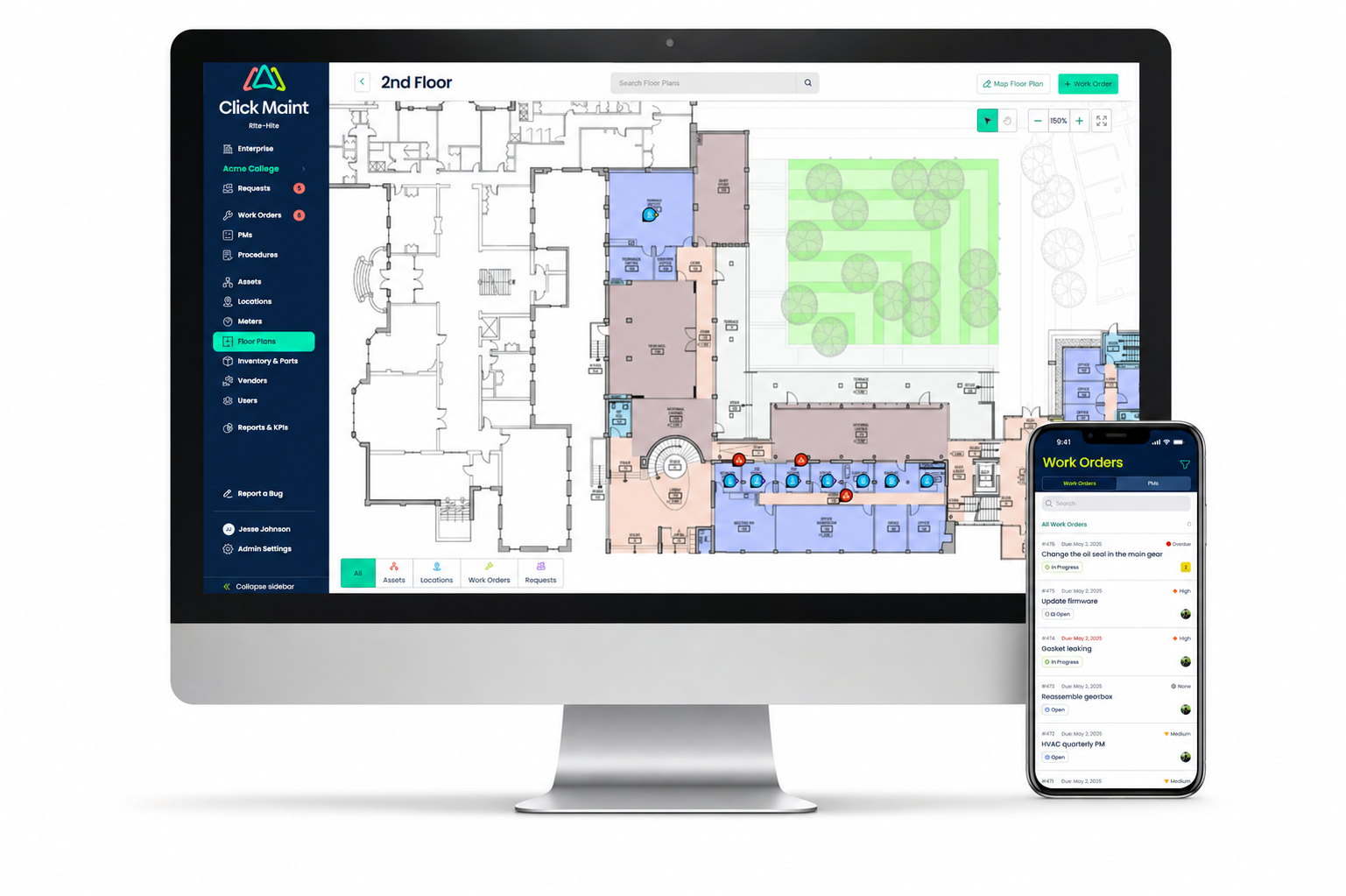
Click Maint CMMS stands out as a top choice for maintenance managers and facilities managers who need a user-friendly, cloud-based platform that covers the full maintenance lifecycle. From preventive maintenance scheduling to equipment tracking and inventory control, Click Maint delivers speed to value that cost-conscious businesses appreciate.
What makes Click Maint CMMS different is how quickly teams adopt it. Implementation typically takes days, not weeks, with hands-on onboarding and training included at no extra charge. Customers report maintenance cost reductions of up to 30% and improvements of 40% or more in work order completion rates after going live.
Click Maint CMMS also gives you mobile access with QR code scanning, voice-to-text input, and real-time notifications, keeping your technicians productive whether they're on the production floor or across campus. The platform's reporting and KPI dashboards help you track downtime costs and identify which assets need attention before they cause problems.
Click Maint features
- Automated PM scheduling. Build time-based and meter-based preventive maintenance schedules that generate work orders automatically, so your team always knows what's due next.
- Equipment asset tracking. Record full maintenance histories, warranty details, model numbers, and performance data for every asset, giving you a clear picture of equipment health over time.
- Inventory and parts management. Monitor stock levels, set reorder triggers, and link parts directly to assets and work orders through inventory tracking so you avoid stockouts that stall repairs.
- Mobile CMMS with QR scanning. Technicians can scan QR codes on equipment to pull up asset records, submit work requests, and update work orders from their phones.
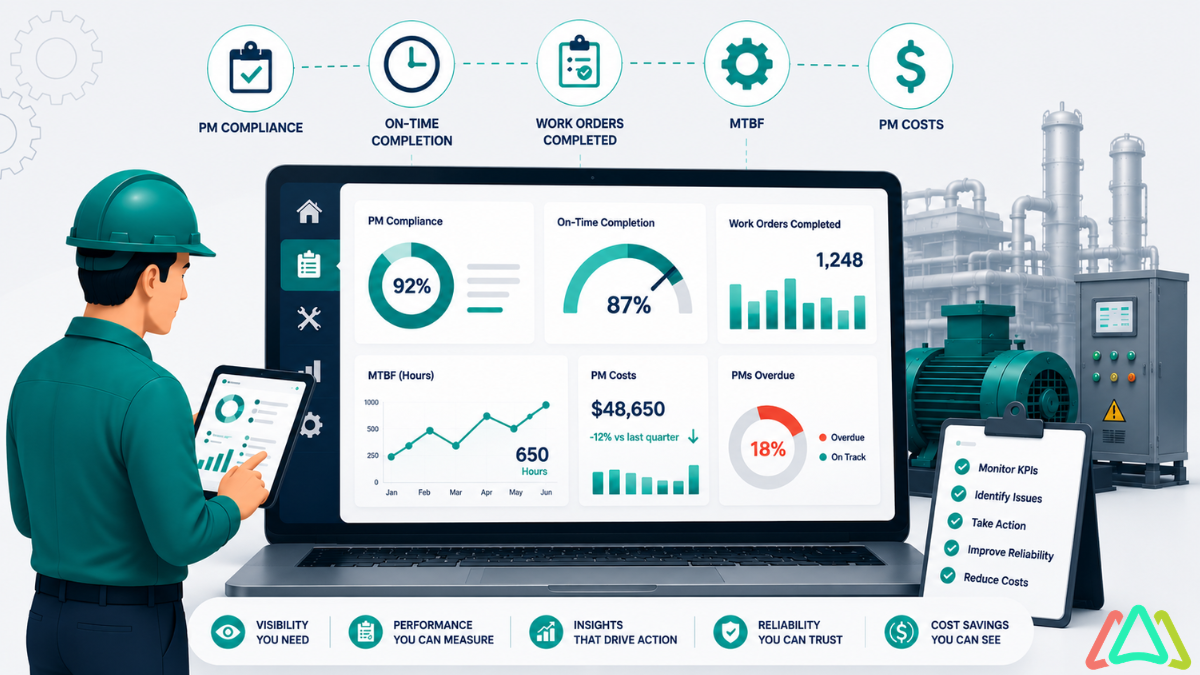
- Reports and KPI dashboards. Track key metrics like mean time between failures (MTBF), work order completion rates, and maintenance costs by asset or location.
Click Maint pros and cons
Pros:
- Fast implementation with hands-on onboarding and lifetime customer support included
- Competitively priced with transparent subscription fees and no hidden costs
- Reported customer improvements of up to 35% in request response time
Cons:
- Currently focused on cloud deployment, which may not suit organizations with strict on-premise requirements
- Advanced predictive analytics through IoT integration is a newer addition still growing in depth
- Enterprise-level customization options continue to expand with each product update
2. MaintainX: A mobile-first platform with built-in messaging
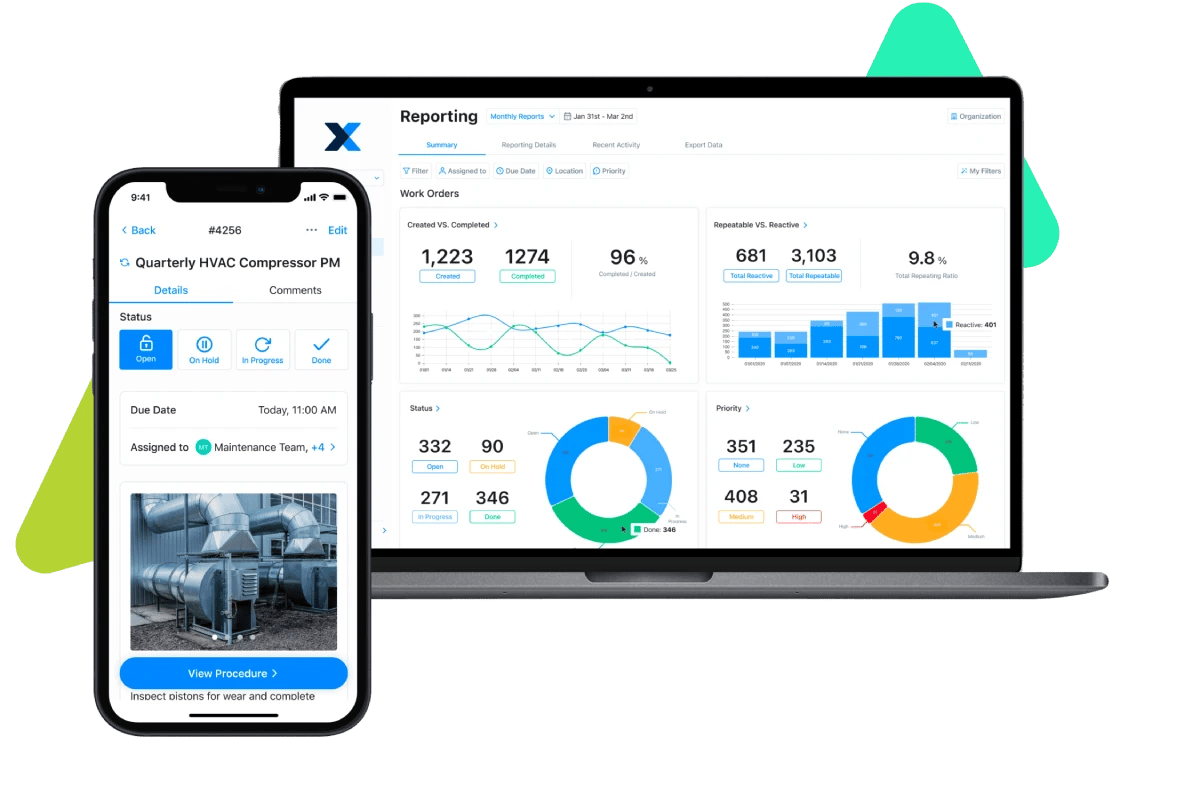
MaintainX focuses on mobile work order management with real-time messaging built directly into each task. Technicians can attach photos, ask questions, and log updates from their phones without switching apps. The platform covers preventive maintenance, asset tracking, and digital procedures.
Onboarding tends to be quick, and the interface requires minimal training for field teams. MaintainX has a free tier for basic work order tracking, which makes it accessible for smaller operations testing the waters with digital maintenance.
MaintainX features
- In-app messaging. Communication threads sit inside each work order, reducing email and text back-and-forth between technicians and supervisors.
- Digital procedures. You can build step-by-step checklists and standard operating procedures (SOPs) that technicians follow directly on their mobile devices.
- PM scheduling. Set recurring maintenance tasks based on time or usage, with automated notifications when work is due.
MaintainX pros and cons
Pros:
- Mobile interface is approachable for technicians with varying technical backgrounds
- Work order creation and messaging are tightly connected for faster communication
- A free basic plan is available for teams getting started
Cons:
- Reporting on lower-tier plans has fewer customization options
- Asset filtering and location-based views have limits for complex, multi-site setups
- Advanced analytics for reliability engineering programs are not included on all plan levels
3. Limble: User-friendly CMMS with calendar-based PM scheduling
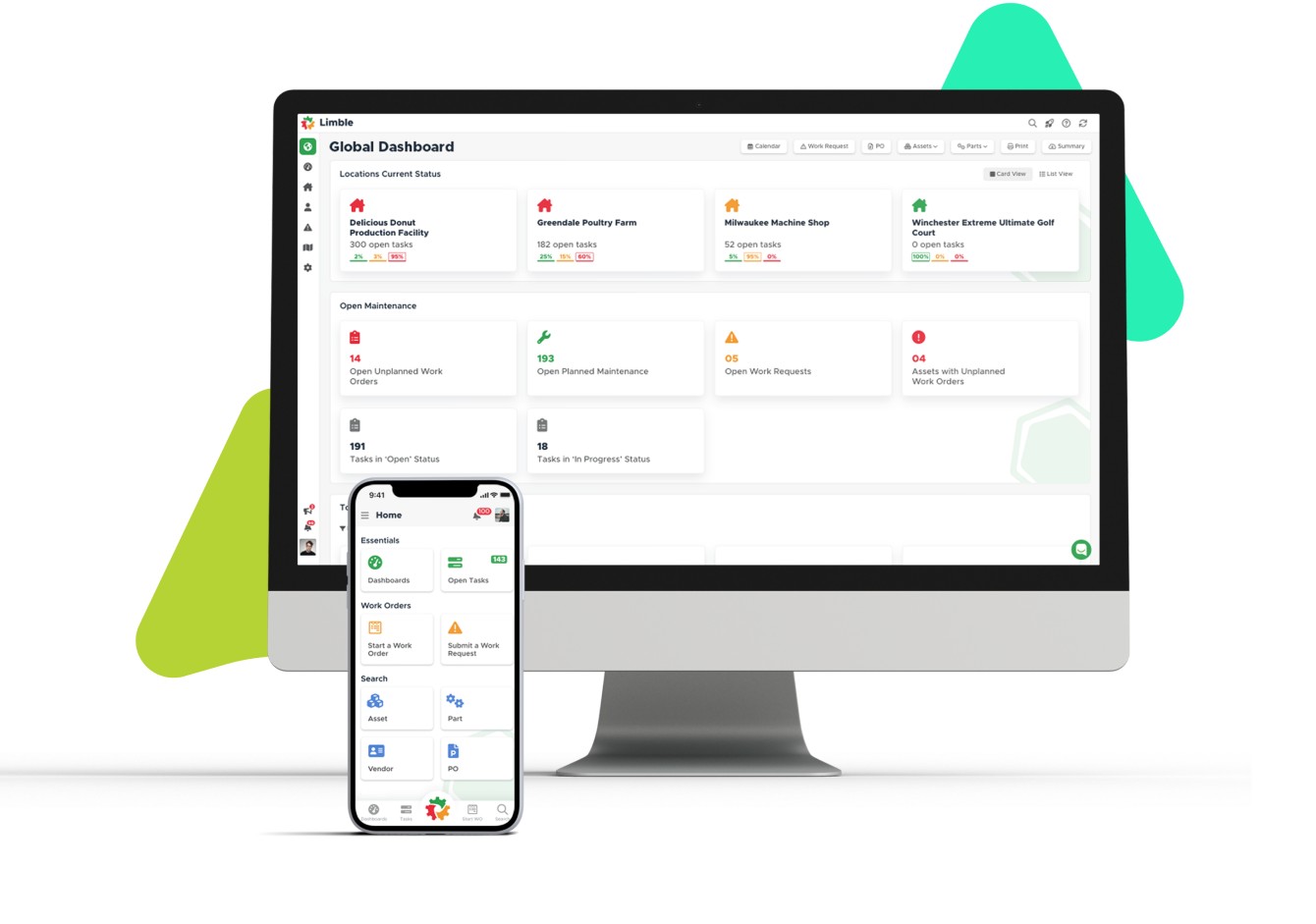
Limble offers a modern CMMS interface with PM scheduling, asset tracking, and work order management in a single platform. The calendar-based view of upcoming maintenance tasks gives planners a clear picture of what's scheduled across shifts and locations.
Onboarding includes live training sessions and a dedicated customer success manager. Limble also includes an AI-assisted manual scanning tool that generates PM recommendations from uploaded owner's manuals, which speeds up initial setup.
Limble features
- Calendar and dashboard views. Visualize PM schedules, asset health, and technician availability across daily, weekly, and monthly timeframes.
- AI manual scanning. Upload equipment manuals and let the platform generate PM task suggestions based on manufacturer recommendations.
- Downtime tracking. Log downtime events by asset to identify recurring issues and prioritize maintenance improvements.
Limble pros and cons
Pros:
- Dedicated customer success manager included during onboarding
- Dashboard views make it easy to monitor work orders and asset health at a glance
- AI manual scanning reduces the time it takes to set up PM programs from scratch
Cons:
- Shared PM relationships across assets need careful planning during initial configuration
- GIS-style mapping and asset reservation workflows are not part of the current feature set
- Pricing details are not published on the website and require a vendor conversation
4. UpKeep: A field-ready option for deskless maintenance crews
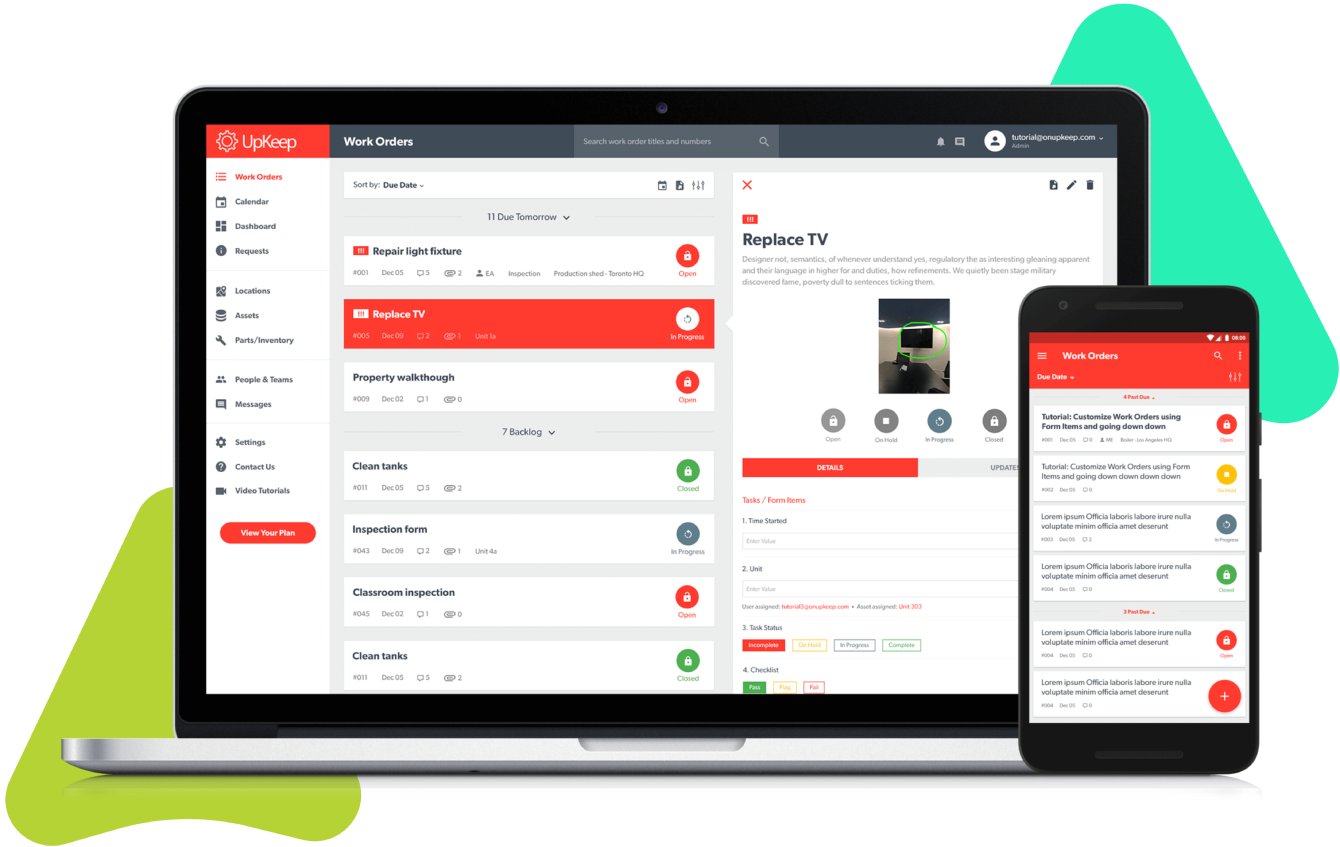
UpKeep is a mobile-first CMMS built for technicians who spend most of their time away from a desk. Work orders, asset records, and parts data are accessible through a native mobile app that supports offline use and barcode scanning.
The platform covers preventive maintenance scheduling, asset management, and inventory tracking. UpKeep offers a free plan and tiered paid options, making it accessible for operations at different budget levels.
UpKeep features
- Native mobile app. Technicians manage tasks, update work orders, and access asset information directly from their phones, including in areas with limited connectivity.
- PM triggers. Schedule recurring preventive maintenance tasks based on time intervals or meter readings.
- Parts and inventory tracking. Link parts to work orders and assets with reorder alerts to keep stock available.
UpKeep pros and cons
Pros:
- Mobile experience is designed for field-first operations
- Quick deployment that requires minimal IT involvement
- A free entry-level plan lets smaller teams get started without a subscription
Cons:
- Connectivity issues in areas with poor signal can affect upload reliability
- New users may need guided training to get comfortable with the full feature set
- Higher-tier plans are required to access more advanced reporting and analytics
5. Fiix: A data-focused CMMS connecting costs to assets
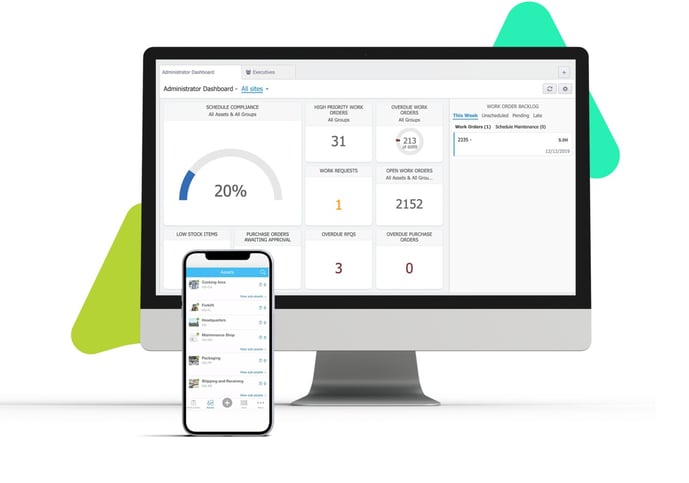
Fiix, now part of Rockwell Automation, ties labor, parts, and downtime costs directly to individual assets and work orders. This cost-level visibility helps you understand where your maintenance budget is going and which equipment costs the most to keep running.
The platform includes preventive maintenance, asset tracking, and MRO inventory management. Fiix offers a free plan for smaller teams and paid tiers with AI-assisted scheduling and deeper analytics.
Fiix features
- Cost tracking by asset. Labor hours, parts usage, and downtime costs are linked directly to each piece of equipment for asset-level spend visibility.
- AI-assisted scheduling. The platform uses data patterns to recommend maintenance schedules and flag assets that may need attention sooner.
- Integration with Rockwell ecosystem. Connect Fiix to industrial automation tools and ERP platforms for smoother data flow across operations.
Fiix pros and cons
Pros:
- Asset-level cost tracking gives maintenance managers clearer budget visibility
- A free plan is available for smaller operations to get started
- Responsive customer support that helps teams refine their CMMS workflows over time
Cons:
- MRO inventory search works most reliably when part naming follows a consistent convention
- Purchase order workflows use predefined categories that may require adjustment during setup
- Report generation involves SQL-based queries, which may require technical knowledge
6. eMaint: Configurable workflows for compliance-driven operations
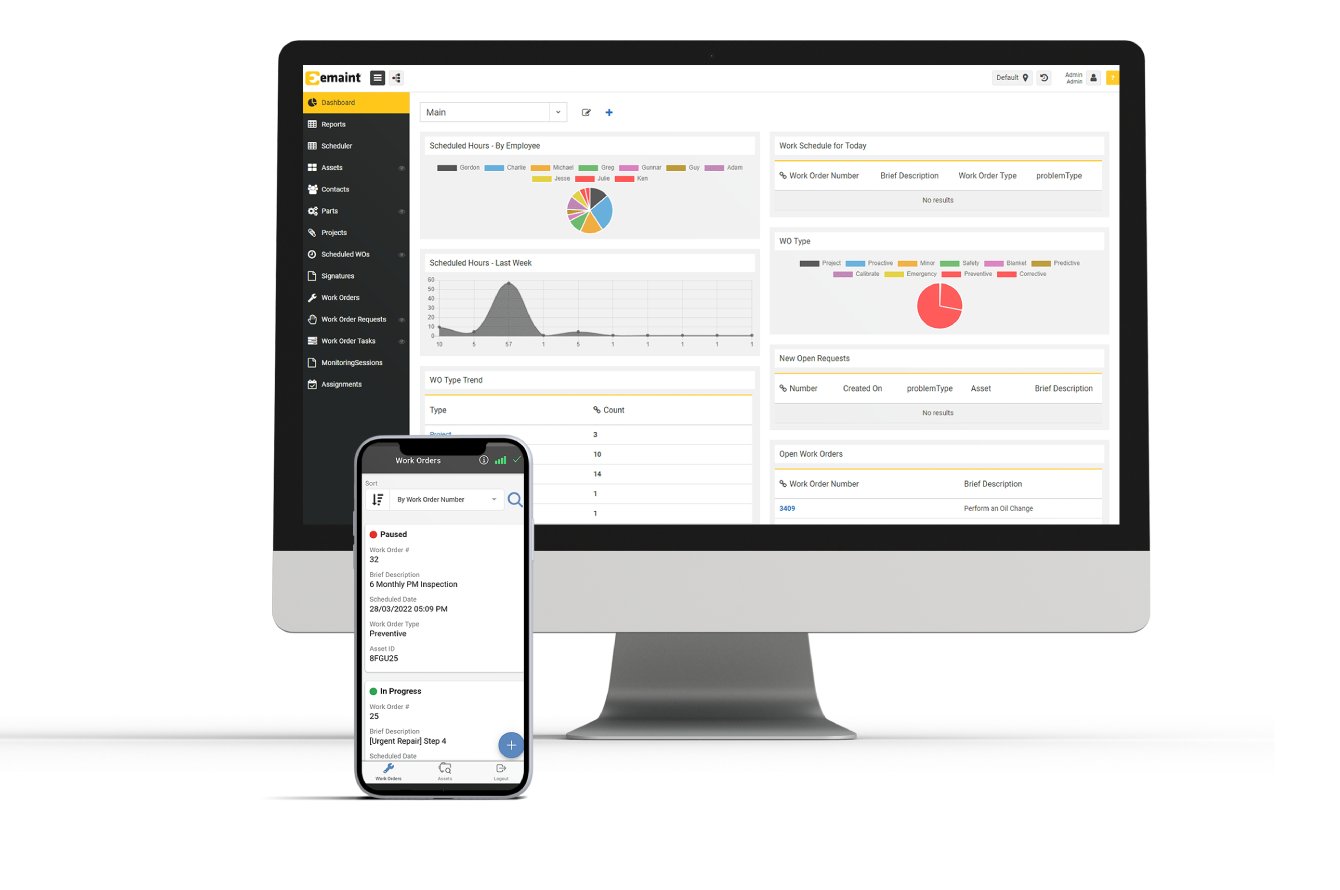
eMaint, a Fluke company, is built for regulated, multi-site operations that need configurable workflows and audit-ready compliance tracking. The platform supports preventive maintenance, asset management, and spare parts inventory with a focus on consistency across distributed teams.
Workflow customization is where eMaint invests heavily. You can tailor fields, dashboards, and approval chains to match site-specific requirements, which helps organizations maintain consistent execution across facilities.
eMaint features
- Configurable workflows. Adjust work order fields, approval processes, and reporting dashboards to match how each site operates.
- Compliance tracking. Maintain audit trails, inspection records, and regulatory documentation alongside asset and work order data.
- Condition monitoring integration. Connect Fluke sensors and other monitoring tools for real-time alerts tied to equipment health.
eMaint pros and cons
Pros:
- Workflow flexibility supports varied processes across multiple locations
- Audit trail functionality helps teams in regulated industries stay compliant
- Integrates with over 1,000 apps including SCADA, PLC, and ERP systems
Cons:
- Initial setup requires careful workflow mapping and dedicated ownership
- The platform does not offer a free plan or self-service trial
- Advanced predictive analytics sit outside the core platform's current focus
7. Maintenance Connection: A cloud-based CMMS for healthcare and education
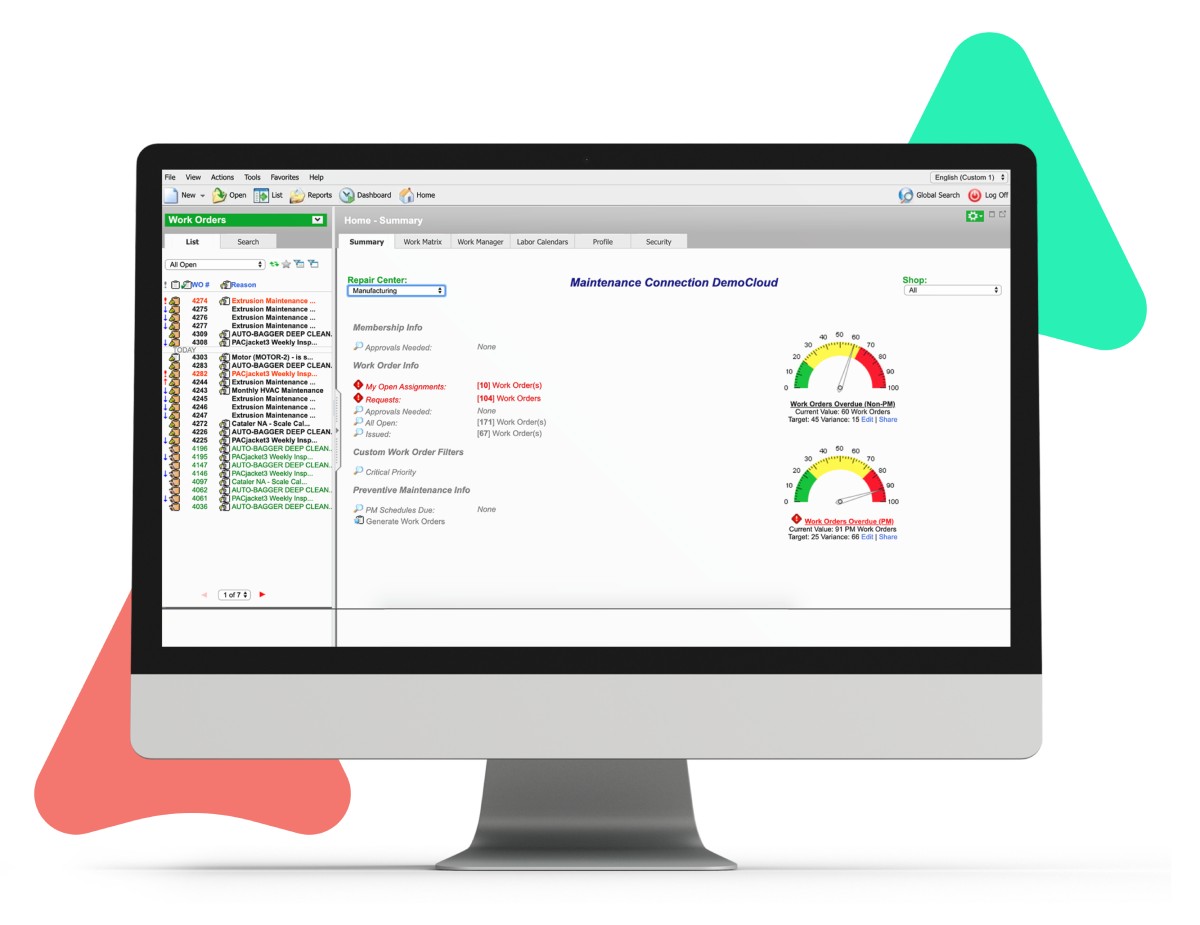
Maintenance Connection, now part of Accruent, is a CMMS with deep alignment to healthcare, higher education, and government facilities. The platform covers work orders, preventive maintenance, asset tracking, and inventory management with compliance documentation built in.
The platform has been serving facility teams for over two decades. It supports regulatory standards like FDA 21 CFR Part 11 and ISO 27001, making it a fit for organizations where audit readiness is a daily requirement.
Maintenance Connection features
- Regulatory compliance. Built-in documentation and audit trails support FDA, ISO, and other regulatory reporting requirements.
- Building area tracking. Track rooms and floor assignments alongside maintenance records for a combined facilities view.
- Mobile access. A mobile add-on lets technicians manage work orders and update asset records from the field.
Maintenance Connection pros and cons
Pros:
- Regulatory compliance features are mature and well-documented
- Support team is described as responsive and helpful during implementation
- Asset lifecycle tracking includes warranty, depreciation, and repair history
Cons:
- Mobile access is an add-on rather than included in the base subscription
- Some users have reported occasional inconsistencies in the user interface
- Pricing is not published publicly and requires a conversation with sales
8. Fracttal: A visual CMMS with Kanban boards and IoT connections
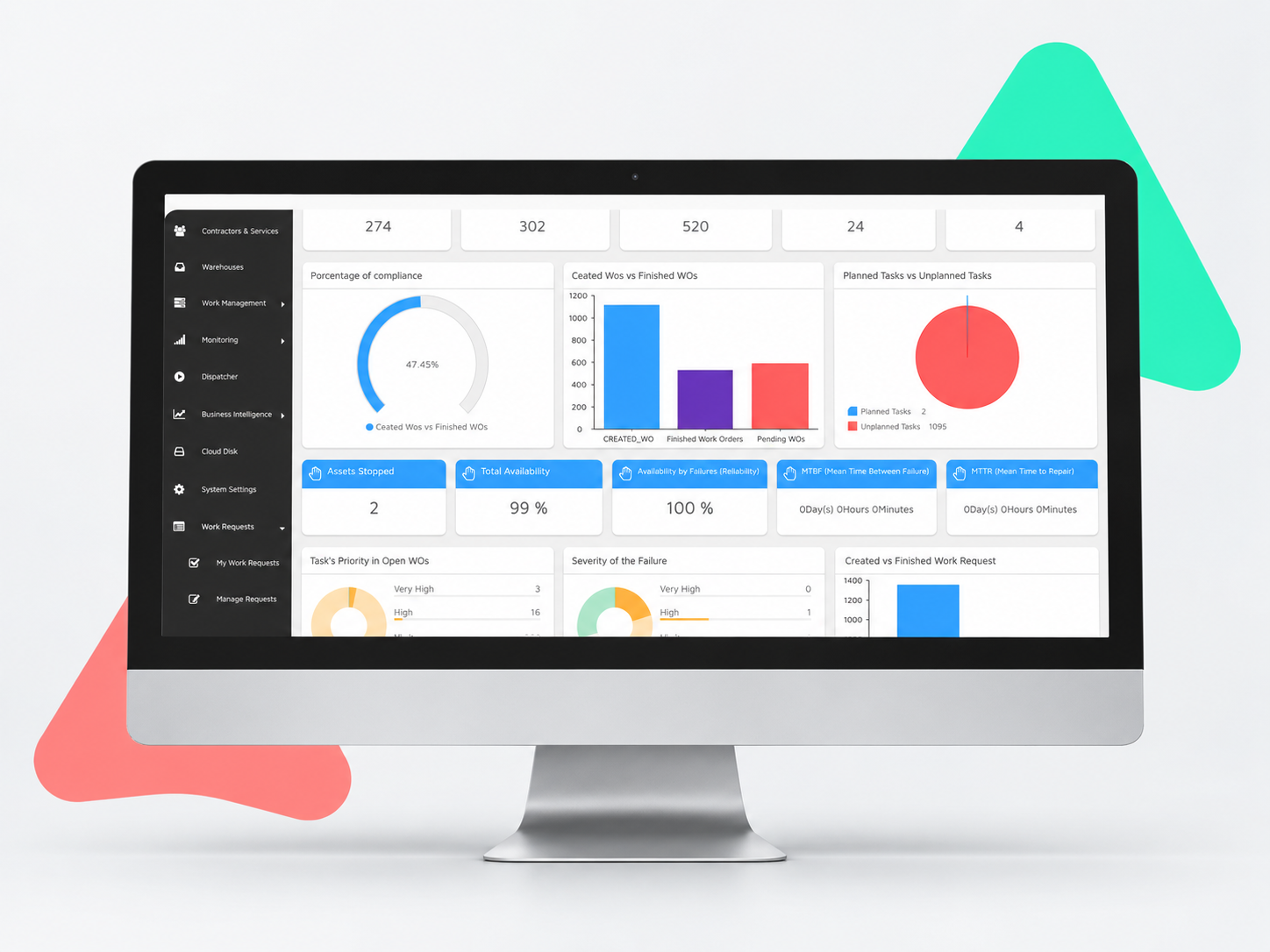
Fracttal One is a cloud-based CMMS with a visual approach to maintenance planning. Kanban boards, calendar views, and QR-based asset access give teams an at-a-glance view of what's scheduled, what's in progress, and what's overdue.
The platform connects to ERP systems including SAP and Oracle, and supports IoT sensor integrations for condition-based monitoring. Fracttal has a strong presence in Latin America and is growing in North American and European markets.
Fracttal features
- Kanban and calendar views. Drag-and-drop boards and calendar layouts give planners a visual overview of maintenance activity.
- IoT sensor integration. Connect sensors to assets for condition-based alerts that trigger maintenance before failures occur.
- Supply chain management. Track parts, suppliers, and warehouse inventory alongside work orders and asset records.
Fracttal pros and cons
Pros:
- Visual planning tools (Kanban, calendar) make maintenance scheduling more accessible
- IoT and sensor integrations support condition-based maintenance programs
- A free plan is available for teams evaluating the platform
Cons:
- Reporting output options are more limited for teams needing deeply customizable analytics
- Time-based downtime indicators require consistent work order discipline to produce accurate data
- Initial location and warehouse setup can take additional configuration time
Comparison table: The best maintenance software for preventive maintenance
| Platform | Mobile QR Scanning | Automated PM Triggers | Pricing |
|---|---|---|---|
| Click Maint | ✓ | ✓ | $35 |
| MaintainX | ✗ | ✓ | $65 |
| Limble | ✓ | ✓ | Not Listed |
| UpKeep | ✗ | ✓ | $45 |
| Fiix | ✗ | ✓ | $45 |
| eMaint | ✗ | ✓ | $65 |
| Maintenance Connection | ✗ | ✓ | >$65 |
| Fracttal | ✓ | ✓ | Not Listed |
How does preventive maintenance scheduling reduce equipment downtime?
Scheduling maintenance tasks before equipment breaks down is one of the most effective ways to protect production uptime and reduce planned downtime disruptions. A well-configured PM schedule uses time intervals, meter readings, or condition triggers to prompt inspections and part replacements at the right moment.
The payoff is measurable. According to a 2026 MarketsandMarkets report, the global CMMS market is projected to grow from USD 1.54 billion to USD 2.67 billion by 2032, driven in large part by the shift toward proactive and predictive maintenance strategies. Organizations that make this shift typically see fewer emergency work orders, lower repair costs, and longer equipment lifespans. Click Maint CMMS automates this process by generating PM work orders on schedule, notifying assigned technicians, and logging every completed task for future reference.
Connecting PM schedules to your asset records also creates a maintenance history you can analyze over time. Patterns in repair frequency or parts consumption become visible, which helps you adjust intervals and catch recurring issues before they escalate.
What should you look for in equipment asset tracking software?
A good asset tracking system does more than record serial numbers. You need a platform that connects each asset to its full maintenance history, associated parts, warranty information, and downtime records in one place.
Look for the ability to generate and scan QR codes on equipment, since this speeds up field lookups and reduces data-entry errors. Mobile access is equally important, especially for technicians who need to update asset records during rounds or inspections.
Click Maint CMMS gives you a complete asset management view with parent-child hierarchies, maintenance cost tracking, and QR code generation for every piece of equipment. This level of detail helps you make data-driven decisions about repair-versus-replace and budget allocation across your facility.
Why Click Maint is the best maintenance software for preventive maintenance
Choosing the right CMMS comes down to finding a platform that your team will actually use every day without requiring weeks of training or a dedicated IT department to manage. Click Maint CMMS was built with that reality in mind. Compare Preventive Maintenance Software Tool on TopAlternativesTo.
Click Maint gives you automated preventive maintenance scheduling, full equipment asset tracking, and real-time downtime monitoring in a single, affordable platform. The user-friendly interface means your technicians, maintenance planners, and facility managers can get productive fast. Customers consistently point to fast implementation, responsive support, and transparent pricing as reasons they chose Click Maint over more complex alternatives.
With reported maintenance cost reductions of up to 30%, work order completion rate improvements of 40% or more, and request response time improvements of up to 35%, the return on investment speaks for itself. If you're a maintenance manager or facilities manager looking for a CMMS that delivers speed to value, Click Maint CMMS is worth a closer look. Take the interactive product tour or start a free 30-day trial to see how it fits your operation.
FAQs about best maintenance software for preventive maintenance
What is maintenance management software?
Maintenance management software is a digital platform that helps you organize work orders, schedule preventive maintenance, track assets, and manage spare parts inventory. Click Maint CMMS is one example of a cloud-based platform built to simplify these tasks for cost-conscious businesses, with mobile access and real-time notifications included.
How does preventive maintenance software reduce costs?
Preventive maintenance software helps you catch equipment issues before they turn into expensive breakdowns. By scheduling inspections and part replacements at regular intervals, you reduce emergency repairs and extend equipment lifespans. Click Maint CMMS automates PM scheduling and tracks all associated costs so you can measure your savings over time.
What is the difference between a CMMS and an EAM?
A CMMS (Computerized Maintenance Management System) focuses on day-to-day maintenance operations: work orders, PM schedules, and inventory. An EAM (Enterprise Asset Management) system covers the full asset lifecycle from procurement to disposal. For most small and mid-sized maintenance teams, a CMMS like Click Maint CMMS covers the functionality you need without the complexity of a full EAM deployment.
Can maintenance software track equipment downtime?
Yes. Many CMMS platforms let you log downtime events by asset and generate reports showing which equipment causes the most lost production time. Click Maint CMMS includes downtime monitoring and reporting dashboards that help you identify problem assets and prioritize your maintenance efforts.
How long does it take to implement a CMMS?
Implementation timelines vary widely. Enterprise platforms like IBM Maximo can take 12 to 18 months to deploy. Cloud-based solutions built for small and mid-market teams, including Click Maint CMMS, typically go live in days, with hands-on onboarding and training included to help your team get productive quickly.
TABLE OF CONTENTS






