Reena Sommer | 13 Nov 2026


Maintenance supervisors manage daily work orders, assign tasks to technicians, schedule preventive maintenance, and respond to unexpected equipment breakdowns. Without an organized maintenance system, these responsibilities become difficult to manage.
Many maintenance teams still rely on spreadsheets, paper work orders, emails, and verbal instructions. These methods create communication gaps, delayed repairs, and limited visibility into maintenance activities.
An easy-to-use CMMS software solution helps maintenance supervisors organize work orders, track equipment maintenance, and improve technician productivity without complicated processes.
But which CMMS software is easiest for maintenance supervisors to use?
Quick Answer: Click Maint is an option for maintenance supervisors looking for straightforward work order management, mobile technician access, preventive maintenance scheduling, and equipment tracking. Its features support maintenance teams moving from manual processes to digital maintenance management.
The easiest CMMS for a particular team depends on technician experience, daily workflows, training requirements, and implementation needs.

What Makes CMMS Software Easy for Maintenance Supervisors?
Maintenance supervisors need software that supports daily operations without adding unnecessary administrative work. When evaluating maintenance management software, supervisors should focus on five essential capabilities.
1. Simple Work Order Management
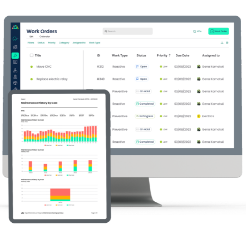
Maintenance supervisors spend significant time creating, assigning, tracking, and closing work orders. An easy-to-use CMMS should provide a straightforward process for managing maintenance tasks.
Key capabilities include:
- Creating work orders quickly
- Assigning tasks to maintenance technicians
- Setting work order priorities
- Tracking work order status
- Recording completed maintenance activities
- Reviewing maintenance history

Click Maint brings these activities into a centralized work order management system, helping supervisors reduce reliance on disconnected spreadsheets and paper records.
2. Mobile Access for Maintenance Technicians
Maintenance technicians spend much of their day working on equipment rather than sitting at a desk. Mobile work order software allows technicians to access maintenance information while working throughout a facility.
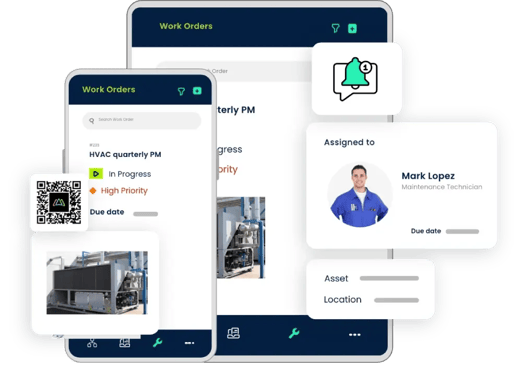
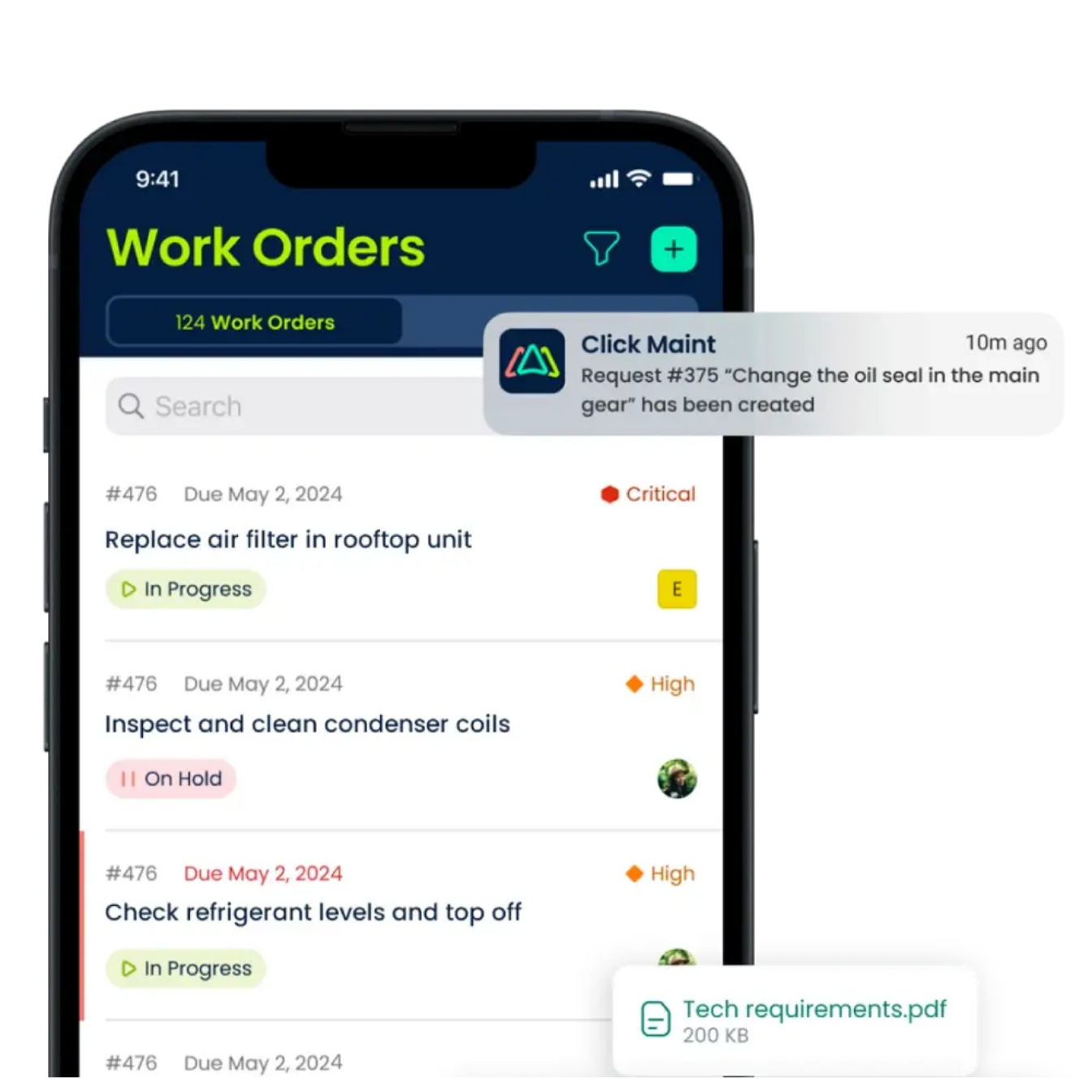
With Click Maint's mobile maintenance capabilities, technicians have access to assigned work orders, equipment information, and task updates.
Mobile workflows help maintenance supervisors:
- Communicate assignments without repeated phone calls
- Track work order progress
- Reduce manual paperwork
- Improve visibility into technician activities
- Keep maintenance records organized
A mobile-friendly CMMS is particularly valuable for manufacturing plants, schools, healthcare facilities, hotels, and multi-location operations.
3. Easy Preventive Maintenance Scheduling
Maintenance supervisors must balance planned maintenance with emergency repairs. Without an organized preventive maintenance schedule, important inspections and servicing tasks are easier to overlook.
CMMS software helps supervisors organize recurring maintenance activities, including equipment inspections, lubrication, cleaning, and scheduled servicing.
Click Maint supports preventive maintenance scheduling and tracking, helping teams coordinate routine maintenance alongside daily repair requests.
4. Centralized Equipment Maintenance History
Maintenance supervisors need reliable equipment records to understand recurring failures and prioritize repairs. A CMMS should keep asset information and related maintenance history accessible from one system.
Click Maint includes equipment and asset tracking capabilities that help supervisors review maintenance activities and maintain organized records. This reduces the need to search through separate files, spreadsheets, or paper logs.
5. Straightforward Implementation and Training
Software complexity is a major concern for smaller maintenance teams. Supervisors need a system that technicians understand without extensive technical training.
When evaluating a CMMS, ask:
- How long does the initial setup take?
- What training is included?
- Is the mobile interface easy for technicians to navigate?
- How are existing assets and work orders imported?
- What support is available during implementation?
An implementation plan should focus on getting essential work order processes running first, then introducing additional capabilities as technicians become comfortable.
Why Choose Click Maint as an Easy-to-Use CMMS for Maintenance Supervisors?
Click Maint is designed for maintenance and facilities teams that want essential maintenance management tools without unnecessary software complexity.
Its focus on usability, mobile access, and practical implementation makes it relevant for supervisors managing small and growing maintenance departments.
Key Click Maint Features for Maintenance Supervisors
|
Feature |
Benefit for Maintenance Supervisors |
|
Work order management |
Assign and track maintenance tasks |
|
Mobile CMMS |
Keep technicians connected in the field |
|
Preventive maintenance |
Organize recurring maintenance activities |
|
Asset management |
Review equipment history and repairs |
|
QR code scanning |
Access asset information from mobile devices |
|
Inventory management |
Track parts used during maintenance |
|
Reports and analytics |
Monitor maintenance performance |
|
Maintenance request portal |
Centralize incoming maintenance requests |
These capabilities are documented in Click Maint's product information. Explore work order creation, technician assignments, preventive maintenance, and equipment tracking through an interactive product tour.
How Does Click Maint Improve Technician Adoption?
Even a powerful CMMS provides limited value when technicians avoid using it. Maintenance supervisors should evaluate how easily their teams complete everyday tasks rather than focusing only on the number of software features.
Click Maint supports technician adoption through simple work order workflows, mobile access, QR code scanning, photo attachments, and maintenance notifications.
For example, a technician responding to an equipment breakdown follows this workflow:
- Receive a work order
Review the assigned maintenance task on a mobile device. - Review equipment details
Access the asset record, maintenance history, and task instructions. - Complete the repair
Record maintenance work, parts used, and relevant photographs. - Update the work order
Change the task status and record completion details. - Supervisor reviews progress
Track completed work and outstanding maintenance activities.
This process gives technicians a consistent way to document maintenance activities while helping supervisors maintain accurate records.
How Long Does Click Maint Take to Implement?
Implementation time depends on the number of users, facilities, equipment records, and data migration requirements.
Click Maint offers several onboarding options:
|
Implementation plan |
Published timeframe |
|
Quick Start |
Within 15 days |
|
Standard Onboarding |
Within 30 days |
|
Advanced Onboarding |
30–60 days |
|
On-Site Asset Audit |
Approximately 90 days |
Click Maint also provides onboarding assistance, configuration support, data migration services, user acceptance testing, and administrator and technician training.
For maintenance supervisors transitioning from spreadsheets, a practical implementation approach is to begin with work orders, introduce mobile workflows, and then expand into preventive maintenance, asset tracking, and inventory management.
Real Customer Example: How YMCA-YWCA of Winnipeg Improved Maintenance Management Across Multiple Facilities
YMCA-YWCA of Winnipeg — Nonprofit, Wellness & Fitness | Canada
YMCA-YWCA of Winnipeg needed a centralized maintenance management software solution to manage maintenance requests, work orders, and preventive maintenance across four facilities.
Before adopting Click Maint, the organization faced challenges tracking work order status, coordinating maintenance activities between locations, and managing preventive maintenance schedules.
After implementing Click Maint CMMS, the organization improved maintenance visibility, streamlined work order tracking, and reduced manual coordination.
Employees now submit maintenance requests through an easy-to-use request portal, while maintenance teams prioritize, assign, and track tasks in one centralized system.
Key results include:
- 2,644 work orders completed using Click Maint.
- 65.13% of completed work orders focused on preventive maintenance.
- 78.9% of work orders completed within five days.
- Improved maintenance reporting through Microsoft Power BI integration.
The experience demonstrates how an easy-to-use CMMS helps multi-location maintenance teams improve work order visibility, strengthen preventive maintenance planning, and make data-driven decisions.
Read the full customer success story: YMCA-YWCA of Winnipeg Case Study.
Click Maint Recognition for Ease of Use
Click Maint displays several industry recognition badges relevant to software buyers evaluating ease of use and implementation:
These distinctions support Click Maint's positioning as a user-friendly maintenance management platform, although buyers should still test the software with their own technicians.
How Should Maintenance Supervisors Evaluate CMMS Software Before Buying?
Before selecting maintenance supervisor software, test how the platform handles actual daily maintenance activities.
CMMS Evaluation Checklist
- Create and assign a work order in a live demonstration
- Ask a technician to complete a work order on a phone
- Test preventive maintenance scheduling
- Review equipment maintenance history
- Confirm onboarding, training, and data migration support
- Request a quote based on team size and implementation needs
A successful evaluation should include maintenance technicians, not just supervisors and management. Their experience with the mobile interface helps identify adoption challenges before purchasing.
Frequently Asked Questions
What is the easiest CMMS software for maintenance supervisors?
Click Maint is a strong option for supervisors prioritizing simple work order management, mobile technician access, preventive maintenance, and guided onboarding. The easiest choice depends on each team's workflows and technical requirements.
Is Click Maint suitable for small maintenance teams?
Yes. Click Maint offers onboarding options designed for small maintenance teams, including teams with 1–5 users, as well as implementation plans for larger operations.
Does Click Maint support mobile work orders?
Yes. Technicians use mobile devices to manage work orders, attach photographs, scan QR codes, and receive maintenance notifications.
Does Click Maint require technical expertise to implement?
Click Maint is designed for straightforward adoption and provides onboarding assistance, administrator training, and end-user training. Implementation requirements depend on the complexity of the maintenance operation.
What should maintenance supervisors look for in CMMS software?
Supervisors should prioritize simple task assignment, mobile usability, preventive maintenance scheduling, asset history, clear reporting, and responsive onboarding support.
Final Thoughts: Which CMMS Should Maintenance Supervisors Choose?
The right CMMS should make daily maintenance management easier for both supervisors and technicians.
Click Maint offers a practical combination of work order management, mobile access, preventive maintenance, asset tracking, and onboarding support.
For supervisors replacing spreadsheets, paper work orders, or complicated legacy software, Click Maint is worth evaluating.
Ready to Simplify Maintenance Supervision?
Stop spending valuable time chasing work order updates, managing spreadsheets, and coordinating maintenance tasks manually.
See how Click Maint helps maintenance supervisors assign work orders, improve technician adoption, organize preventive maintenance, and track equipment activities from one centralized system.
Ready to Simplify Maintenance Supervision?

TABLE OF CONTENTS