



Reena Sommer | 1 Sep 2026


Parts Inventory Management Software by Click Maint
Searching for parts inventory management software can turn into a rabbit hole fast. Every vendor claims fewer stockouts, cleaner storerooms, and real-time visibility into every bin, shelf, and truck. Between review sites, sales decks, and near-identical feature lists, it's hard to tell what's actually different from one platform to the next, and what's just marketing fluff.
This guide cuts through that noise. We compared the leading inventory management software options built for maintenance teams, looking specifically at the workflows that make or break a storeroom: mobile execution, parts-to-work-order linkage, reorder automation, and reporting you can actually act on.
Here's what we found, plus a practical framework you can use to evaluate parts management software for your own operation.
Searching for parts inventory management software can turn into a rabbit hole fast. Every vendor claims fewer stockouts, cleaner storerooms, and real-time visibility into every bin, shelf, and truck. Between review sites, sales decks, and near-identical feature lists, it's hard to tell what's actually different from one platform to the next, and what's just marketing fluff.
This guide cuts through that noise. We compared the leading inventory management software options built for maintenance teams, looking specifically at the workflows that make or break a storeroom: mobile execution, parts-to-work-order linkage, reorder automation, and reporting you can actually act on.
Here's what we found, plus a practical framework you can use to evaluate parts management software for your own operation.
Key takeaways
- The best parts inventory management software keeps stock counts tied directly to the maintenance work that consumes them, not sitting in a disconnected spreadsheet or standalone system.
- Click Maint stands out as a top choice for maintenance teams because it combines an easy-to-use interface, mobile parts access, and inventory tracking that's built into the same platform as work orders, assets, and preventive maintenance, without the cost and complexity of enterprise-heavy systems.
- Mobile execution is non-negotiable. If technicians can't search, issue, and update parts from the field in a few taps, inventory counts drift and stockouts follow.
- Look for core inventory controls that prevent audit headaches: low-stock alerts, reorder points, QR/barcode scanning, and clear reporting on usage and spend.
- Ease of setup matters as much as feature depth. A platform your team can actually adopt in week one beats a feature-rich system that takes months to configure.
Why parts inventory belongs inside a CMMS
Spare parts inventory doesn't exist in isolation. Every part in your storeroom is tied to an asset, a work order, a supplier, and a budget line. When inventory lives in a spreadsheet, or in a system that wasn't built for maintenance, that connection breaks, and the cracks show up as stockouts, rush orders, mystery parts, and counts nobody trusts.
A computerized maintenance management system (CMMS) solves this by sitting at the intersection of assets, work orders, and materials. Instead of tracking parts as a separate exercise, a CMMS lets you:
- See which parts are tied to which assets and work orders
- Get notified automatically when stock drops below a minimum threshold
- Track usage trends to right-size reorder points and reduce duplicate SKUs
- Give technicians the ability to search, confirm availability, and issue parts from their phone, in the moment
This is the standard parts inventory management software should be measured against — not whether it has an inventory tab, but whether inventory is actually integrated into daily maintenance work.
Best overall parts inventory management software: Click Maint
What makes Click Maint a strong fit for maintenance teams managing spare parts inventory:
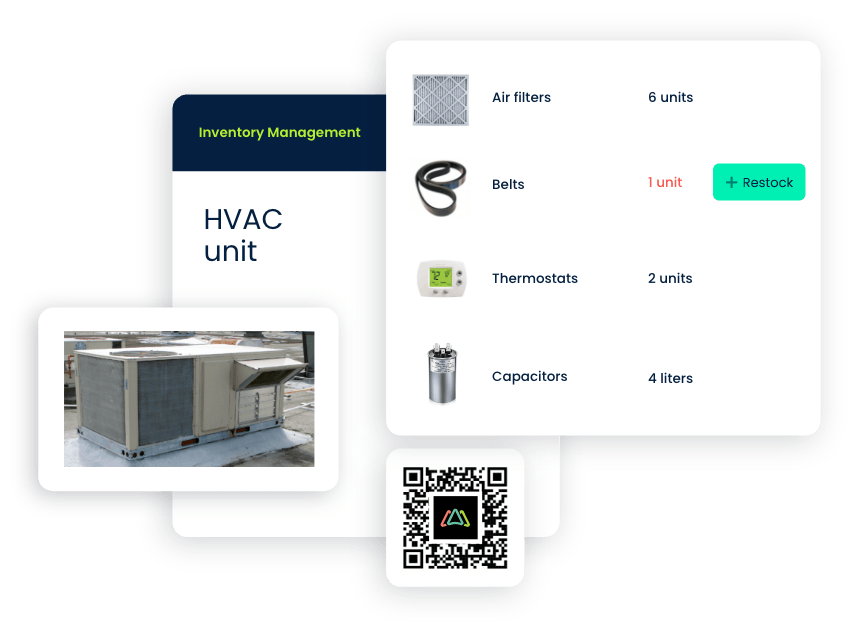
- Inventory connected to work orders and assets out of the box. Parts are linked directly to the equipment they serve and the work orders that consume them, so technicians and managers always know what was used, where, and why, eliminating the need to cross-referencing separate systems.
- Mobile-first parts access. Technicians can look up parts, check stock levels, scan QR codes, and update quantities directly from the Click Maint mobile app, which keeps counts accurate instead of relying on someone updating a spreadsheet after the fact.
- Automated low-stock alerts and reorder points. Set a minimum quantity for any part and get notified automatically when it's time to reorder, helping teams move from reactive scrambling to proactive purchasing.
- QR code generation and scanning for parts and locations. Teams can generate and print QR codes for parts, bins, or storage locations and scan them on the spot to pull up details, history, and quantities, reducing manual lookups and data-entry errors.
- Fast, guided setup. Because Click Maint is built for small and mid-sized maintenance teams, getting a parts catalog loaded and work order-to-inventory workflows running typically takes days, not months, and comes with a 30-day free trial to test the full feature set before committing.
- Straightforward, transparent pricing. Teams get inventory management as part of the core platform rather than as a costly add-on module, which matters for organizations that don't want enterprise-level pricing for a mid-market feature set.
Where Click Maint continues to build out capability: teams running very large, multi-warehouse operations with complex kitting and sub-assembly structures may want to evaluate reporting depth and advanced inventory hierarchies against their specific requirements during a trial.

Comparing parts inventory software: how the major platforms stack up
Click Maint
Strengths for parts inventory management
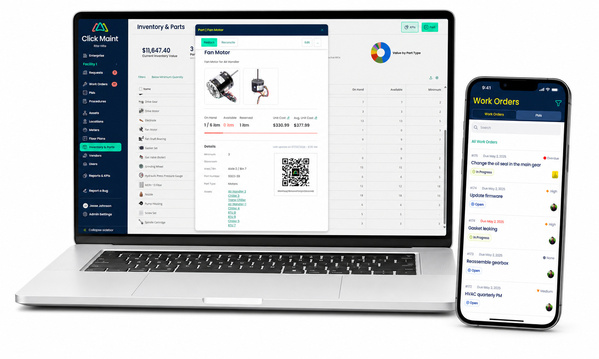
- Parts, assets, and work orders live in a single connected system, so issuing a part against a work order updates stock counts in real time.
- Mobile app support lets field technicians handle inventory tasks; searching, scanning, and updating quantities, without returning to a desktop.
- Automated reorder alerts and configurable minimum stock levels help prevent both stockouts and overstocking.
- Straightforward reporting surfaces usage patterns, high-demand items, and slow-moving stock so teams can make better purchasing decisions.
- Onboarding is designed to be fast, with support and a free trial that lets teams validate the workflow with their own parts data before rolling out broadly.
Where teams should evaluate closely
- Very complex multi-tier bill-of-materials or kitting structures may require checking specific configuration options during a demo.
- As with most mid-market CMMS platforms, deep custom reporting across very large, multi-site inventories is worth testing against your exact use case.
MaintainX
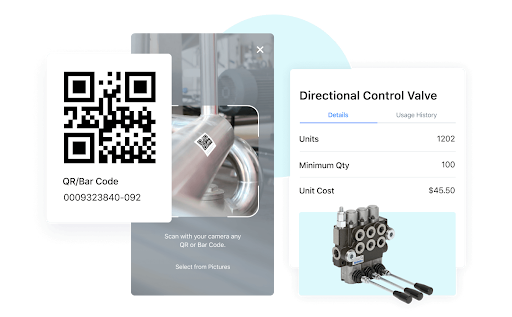
MaintainX offers mobile-first inventory tracking with a bill of materials tied to work orders, along with purchase order and vendor management in the same system. Teams managing operations across multiple sites generally find the mobile experience strong. Reporting depth for advanced inventory analysis and support for more complex sub-part or kit structures are commonly cited as areas for growth, and initial setup can take meaningful time when loading a parts catalog from scratch.
Fiix
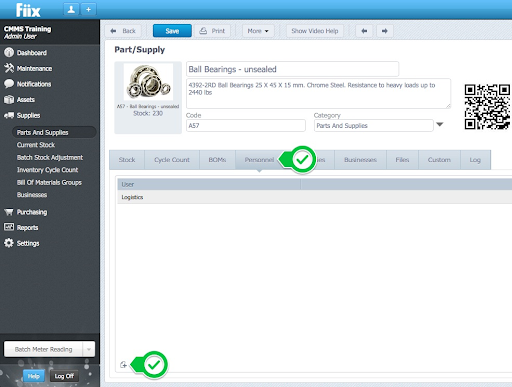
Fiix connects parts and supplies to a broader purchasing workflow, with links from work orders through purchase requests and purchase orders. Cost tracking and vendor association are notable strengths. Storeroom-level detail, such as numbered bin locations and tracking part movement between locations tends to be less flexible, and cycle counting functionality is often described as limited for teams that run structured, recurring count programs.
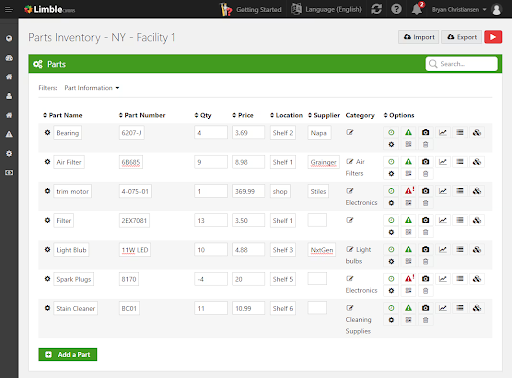
Limble
Limble supports parts inventory with automated restock alerts and bulk import tools that speed up initial parts catalog setup. Assets, parts, and work orders are searchable in one system. Some teams report that part search works best with exact matches rather than partial or fuzzy terms, and that usage and inventory-movement reporting could go further. Overall, the parts inventory functionality is robust and supports operations with multiple store rooms and warehouses, but with a heavy price tag.
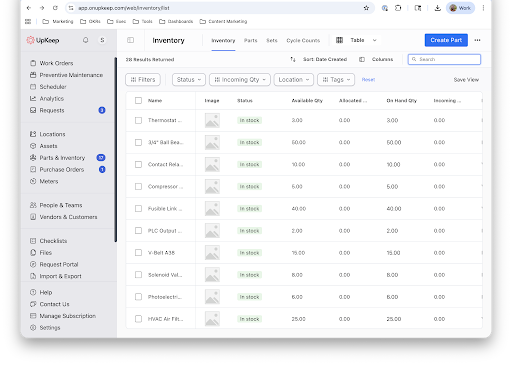
UpKeep
UpKeep offers accessible parts tracking, low-stock alerts, and the ability to log part usage directly on work orders, with reasonably quick initial setup. Integration with external systems can limit how well inventory data stays synced, and some teams find it hard to cleanly separate assets from inventory categories, or navigate large parts lists as they grow. This CMMS software offers robust inventory management including the ability to make purchase orders, automate approvals and allows for kitting which is not available in many platforms.
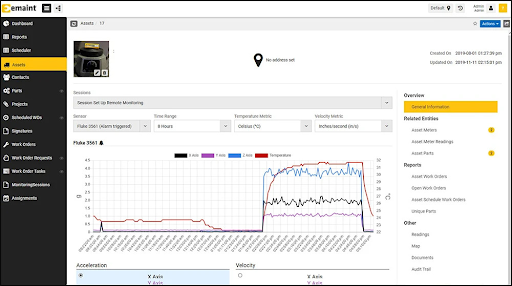
eMaint
eMaint ties spare parts to inspections and work orders, with flexible, customizable reporting for tracking costs and usage at the asset level. Deeper report customization often requires more technical or coding skill than other platforms. Integration gaps with separate purchasing systems can lead to duplicate data entry, and the mobile experience is sometimes described as harder to navigate for quick, in-the-field lookups.
Brightly Asset Essentials
Brightly gives teams visibility into parts usage and stock needs, with scanning workflows that help keep inventory current. Customizable fields allow teams to tailor parts records to their process. Adding parts directly within an open work order can require switching screens, and some teams want more granular location detail (shelf, row, bin) along with more flexiblereporting exports. 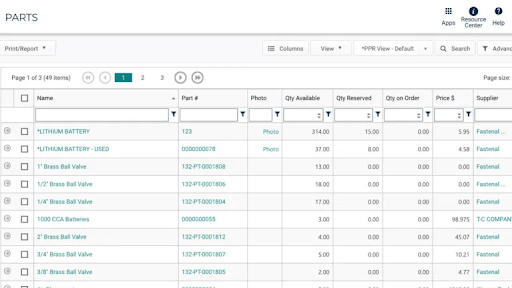
Maximo
Maximo supports spare parts management across multiple sites and plants, with purchasing, materials, and invoicing handled in one system. It's a strong fit for large, complex enterprise operations, but search and navigation are frequently described as complicated, the learning curve is steep, and asset history can become harder to trace when equipment moves between locations, all of which can slow adoption for small and mid-sized teams. Maximo is often used by very large enterprises, willing to pay a much higher price and have dedicated internal staff to support the application, train new staff members and allocate significant resources to implementation and license fees.
Maintenance Connection
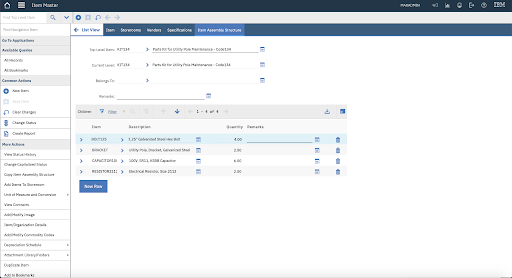
Maintenance Connection provides multi-site inventory visibility, so teams can locate parts at other locations and coordinate transfers. Asset-level bills of materials and reporting for cycle counts are commonly highlighted strengths. Some teams find parts search and lookups slow, role-based limitations can restrict what technicians see, and building out parts records from scratch is often described as time-consuming. Similar to Maximo, Maintenance Connection is used by larger organizations, willing to pay a much higher price and have dedicated internal staff to support the application, train new staff members and allocate significant resources to implementation and license fees. This is probably not the best option for smaller teams, with limited budgets and time to spend on onboarding and implementation.
Six steps for evaluating parts inventory management software
A good evaluation isn't a feature checklist — it's proof that the system can run your actual inventory workflows without friction.
1. Build a demo around real data. Bring a representative sample (25 to 50 parts), a handful of assets, and two or three common work order types. Then pilot test the workflow: create a work order, attach parts, issue them, and confirm the stock count updates.
2. Test the mobile experience yourself. Hand a phone to a technician or supervisor and count the taps it takes to search for a part, issue it, and log a receipt. If it's clunky, your inventory data will be too.
3. Validate core inventory controls. Ask to see cycle counts, variance handling, and audit logs in action. Accuracy depends on how well the system manages adjustments, not just how it displays current quantities.
4. Probe search and data hygiene. Try partial part numbers, common nicknames, and manufacturer numbers. Weak search is one of the fastest ways storeroom teams lose trust in a system.
5. Ask the vendor to prove reporting value. Request specific reports on the spot — top parts by spend, usage by asset, low-stock trends. If the answer involves exporting to a spreadsheet, take note.
6. Score on workflow, not promises. After each demo, rate speed, clarity, and completeness across the scenarios above. The best system is the one your team will actually use every day in the field.
Parts inventory management features that matter most
- Mobile-first inventory access — searching, scanning, and updating parts from a phone or tablet.
- Parts tied to work orders and assets — so usage history rolls up automatically into asset-level cost and consumption data.
- Automated low-stock alerts and reorder points — to stay ahead of stockouts without manual monitoring.
- QR code and barcode scanning — for fast, accurate stock receipt, issuance, and physical counts.
- Cycle counts and audit-ready controls — including variance tracking and traceability.
- Connected purchasing workflows — linking parts to vendors, purchase orders, and receiving in one place.
- Fast catalog setup — bulk import tools that let teams load parts data quickly instead of entering it line by line.
- Flexible, forgiving search — supporting partial part numbers, nicknames, and manufacturer numbers.
- Actionable reporting — surfacing usage trends, high-demand items, and spend by part or asset without exporting to a separate tool.
The final word: ease of use promotes high user adoption
Parts inventory management lives or dies on whether your team actually uses the system day to day. A platform can check every box on a feature list, but if issuing a part takes too many steps, if search doesn't return what technicians expect, or if the mobile app feels like an afterthought, people will work around it, and your counts will slowly become unreliable.
That's the case for choosing a platform like Click Maint: parts inventory that's genuinely built into the daily flow of work orders and assets, accessible from the field, and fast enough to set up that your team is running accurate counts in days rather than months.
If you're ready to evaluate options, start with your non-negotiables, involve the people who issue parts every day, and pressure-test your shortlist with real workflows on both desktop and mobile. The platform that feels easiest in those scenarios is usually the one that delivers the biggest gains in inventory accuracy and uptime.
TABLE OF CONTENTS






