Reena Sommer | 16 Nov 2026


Maintenance supervisors manage multiple responsibilities every day. They assign maintenance tasks, respond to equipment breakdowns, coordinate technicians, track repair progress, and ensure work orders are completed on schedule.
Without a centralized system, these responsibilities are difficult to manage. Paper work orders, spreadsheets, emails, and phone calls create communication gaps, missed assignments, and limited visibility into maintenance activities.
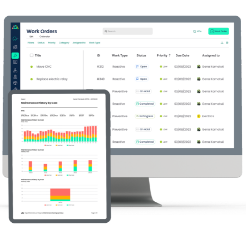
Work order management software helps maintenance supervisors organize daily tasks, prioritize urgent repairs, monitor technician progress, and maintain accurate maintenance records.
But what is the best work order management software for maintenance supervisors?
For supervisors seeking straightforward work order assignment, mobile access, preventive maintenance scheduling, and maintenance tracking, Click Maint is a strong option to consider.
This guide explains the essential features maintenance supervisors should compare, how Click Maint supports daily maintenance operations, and what to check before selecting a system.

Quick Answer: What is the Best Work Order Management Software for Maintenance Supervisors?
The right work order management software depends on the maintenance team's size, industry, budget, and operational needs.
Maintenance supervisors should prioritize software that provides:
- Simple work order creation and technician assignment
- Priority levels for urgent maintenance requests
- Real-time work order status updates
- Mobile access for maintenance technicians
- Preventive maintenance scheduling
- Equipment maintenance history
- Labor, parts, and maintenance cost tracking
- Reporting and work order performance visibility
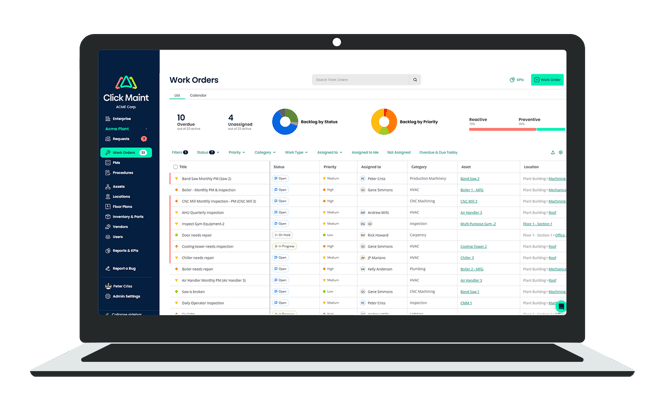
Click Maint brings these functions together in a centralized maintenance management system. Supervisors assign work orders to technicians, teams, or vendors, establish priorities and due dates, and monitor work from creation through completion.
Why Do Maintenance Supervisors Need Work Order Management Software?
Maintenance supervisors are responsible for ensuring maintenance work is completed safely, efficiently, and on time.
When maintenance teams rely on manual tracking, supervisors face several challenges.
1. Difficulty assigning work orders
Without centralized work order assignment software, supervisors rely on phone calls, emails, or handwritten instructions.
This creates confusion about who is responsible for each maintenance task.
2. Limited visibility into technician progress
Supervisors need to know which jobs are open, in progress, waiting for parts, or completed.
Manual tracking makes it difficult to identify delayed work orders before they affect operations.
3. Poor maintenance prioritization
An equipment breakdown that stops production requires different attention from a routine inspection.
Work order management software helps supervisors organize tasks by urgency, equipment impact, and deadlines.
4. Missed preventive maintenance
Without automated scheduling, recurring inspections and equipment servicing are easier to overlook.
Preventive maintenance software helps maintenance teams plan routine tasks and reduce dependence on reactive repairs.
5. Incomplete maintenance history
When repair details are scattered across spreadsheets and paper documents, supervisors struggle to identify recurring equipment problems.
A centralized work order system maintains maintenance records for future troubleshooting, reporting, and planning.
How Does Click Maint Help Maintenance Supervisors Manage Work Orders?
Click Maint provides work order management software designed to help maintenance teams coordinate daily activities without complicated administrative processes.
1. Assign work orders to the right technicians
Maintenance supervisors need a straightforward process for distributing maintenance tasks. With Click Maint, supervisors with the appropriate permissions create work orders and assign them to individual technicians, maintenance teams, or outside vendors.
Each work order includes important details such as:
- Work order title and description
- Assigned technician or team
- Equipment or location
- Priority level and due date
- Maintenance instructions and checklists
- Supporting images and documents
This gives technicians clear instructions and helps supervisors track responsibility for each job.
Example: A conveyor motor stops working during production. The supervisor creates a work order, assigns it to the appropriate technician, marks the job as critical, and includes the equipment location and repair instructions.
The technician receives the assignment and updates the work order as the repair progresses.
2. Prioritize urgent maintenance requests
Not every maintenance task has the same level of urgency.
Click Maint supports work order priority levels, including Critical, High, Medium, and Low.
Maintenance supervisors use these priority levels to organize daily work and focus attention on urgent equipment failures.
For example:
|
Priority |
Maintenance task |
|
Critical |
Production equipment breakdown |
|
High |
HVAC failure affecting operations |
|
Medium |
Equipment showing early wear |
|
Low |
Minor nonurgent facility repair |
These examples illustrate how a supervisor could establish a priority system. Actual priorities should reflect each organization's safety requirements and operational impact.
3. Track work order progress in one place
Work order tracking is one of the most important requirements for maintenance supervisors.
Click Maint provides status options such as Open, In Progress, On Hold, Waiting for Parts, In Review, and Completed.

Supervisors use the work order list, filters, and calendar to identify outstanding tasks and review overdue work.
Instead of asking every technician for updates, supervisors have a shared record of each job's progress.
4. Give maintenance technicians mobile access
Maintenance technicians spend much of their time working on equipment rather than sitting at a desk.
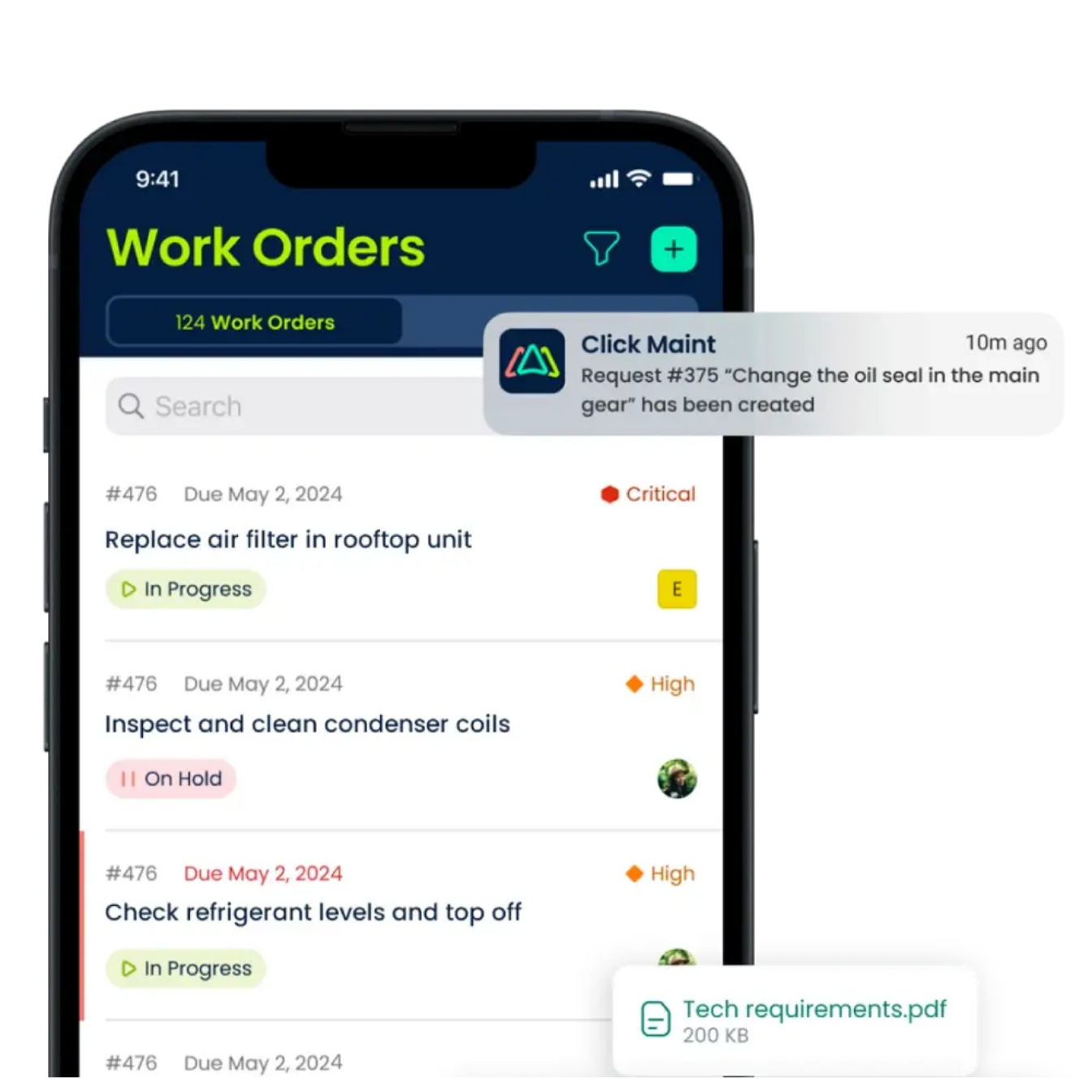
Click Maint's mobile app supports work order updates, images, QR code scanning, maintenance requests, and equipment information.
Technicians access relevant work order details while working in the field. Supervisors receive updated maintenance information without waiting for paper forms to be returned.
5. Schedule preventive maintenance automatically
Reactive maintenance is unavoidable, but maintenance supervisors also need to ensure routine inspections and servicing are completed.
Click Maint supports recurring preventive maintenance work orders, including calendar-based and completion-based schedules.
Supervisors organize inspections, lubrication, equipment servicing, and other planned maintenance activities using recurring schedules.
Click Maint Help Center
6. Track equipment maintenance history and costs
A work order should provide more than a record of a completed repair.
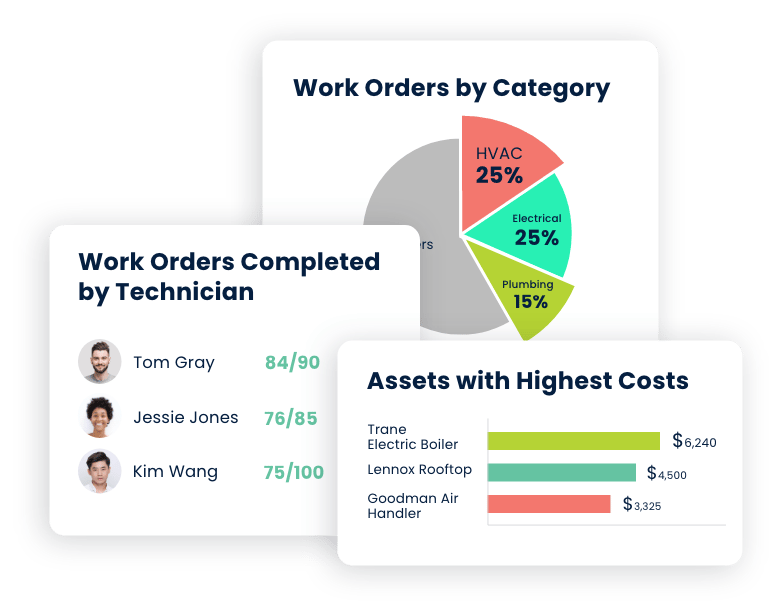
Click Maint links work orders to equipment and locations, allowing supervisors to review maintenance history, labor, parts usage, and associated costs.
This helps identify recurring problems and provides useful information for maintenance planning.
7. Review work orders before closing them
Maintenance supervisors need confidence that assigned work has been completed properly.
Click Maint includes an In Review status for work completed by a technician but awaiting an authorized user's review.
This supports a more consistent work order approval process and helps maintain accurate records. See how Click Maint simplifies work order assignments.
Explore how supervisors create, prioritize, assign, and track maintenance work orders in one system.
Explore Click Maint Work Order Software
Work Order Management Software Comparison Checklist for Maintenance Supervisors
Before choosing maintenance supervisor software, compare how each system supports everyday maintenance responsibilities.
Use this interactive checklist to evaluate the features your team needs.
Software evaluation checklist
- Check the features you've verified in your software evaluation.
- Simple work order creation and assignment
- Work order priorities and due dates
- Live work order status tracking
- Mobile access for maintenance technicians
- Automated preventive maintenance scheduling
- Equipment and asset maintenance history
- Parts, labor, and maintenance cost tracking
- Maintenance reporting and KPIs
- Technician notifications and communication
- Straightforward onboarding and training
- Pricing that fits the maintenance budget
When comparing software, ask vendors to demonstrate the complete work order process rather than simply reviewing feature lists.
A practical demonstration should show how a supervisor receives a request, assigns a technician, updates the priority, monitors progress, and closes the completed work order.
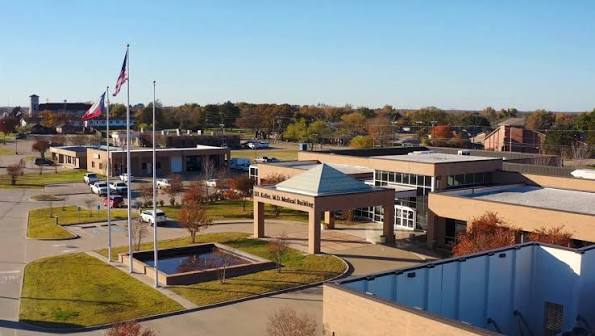
Click Maint Customer Story: Freestone Medical Improves Maintenance Management
Healthcare | Medical Facility
Freestone Medical is a healthcare organization that uses Click Maint CMMS to improve maintenance operations, organize work orders, and support facility maintenance activities.
The Challenge
Healthcare facilities require reliable equipment, well-maintained infrastructure, and organized maintenance processes to support daily operations.
Freestone Medical needed a more structured approach to managing maintenance tasks, tracking work orders, and improving visibility into facility maintenance activities.
The Solution
Freestone Medical adopted Click Maint CMMS to centralize maintenance management and simplify daily work order tracking.
With Click Maint, maintenance teams have access to tools that support:
- Work order management: Organize, assign, and monitor maintenance tasks.
- Preventive maintenance: Schedule recurring maintenance activities to support equipment reliability.
- Asset management: Maintain organized records of equipment and maintenance history.
- Maintenance communication: Improve coordination between maintenance personnel and facility staff.
- Maintenance reporting: Track maintenance activities and monitor work order progress.
The Results
Click Maint provides Freestone Medical with a centralized platform for managing maintenance activities and supporting more organized maintenance workflows.
The customer story highlights the importance of selecting easy-to-use maintenance management software that supports work order visibility, preventive maintenance planning, and technician adoption.
For healthcare maintenance supervisors, Freestone Medical offers a relevant example of how CMMS software supports maintenance coordination in a healthcare environment.
Read the full customer story: Freestone Medical Case Study.
How Much Does Work Order Management Software Cost for Maintenance Supervisors?
Pricing is another important consideration when comparing maintenance management systems.
Click Maint currently advertises a starting price of $35 USD per user per month with annual billing. Monthly subscription options are also available, and implementation services may involve additional costs.
Supervisors should evaluate total costs based on technician users, supervisor access, onboarding, training, and the features included.
For a small maintenance team, the right system should provide essential work order capabilities without requiring an unnecessarily complicated setup.
How to Choose Work Order Management Software: 5 Steps
1. Identify your maintenance challenges. Determine whether your team struggles most with assignments, overdue work orders, technician communication, or preventive maintenance.
2. Compare essential features. Use the checklist above to evaluate work order tracking, mobile access, scheduling, and reporting.
3. Request a personalized demonstration. Ask the vendor to show how a maintenance supervisor manages a typical day using the software.
4. Test the software with technicians. Have team members create, update, and complete sample work orders to evaluate usability.
5. Review pricing and implementation requirements. Compare subscription costs, onboarding support, training, and long-term operational needs.
Frequently Asked Questions
What software do maintenance supervisors use to manage work orders?
Maintenance supervisors use work order management software or a computerized maintenance management system (CMMS) to create, assign, prioritize, schedule, and track maintenance tasks. Click Maint is one option that combines these functions with preventive maintenance, asset tracking, and mobile access.
How do maintenance supervisors track work orders?
Supervisors track work orders through a centralized dashboard that displays assigned technicians, priorities, due dates, and current status. Click Maint includes work order lists, filters, calendar views, and maintenance reporting.
What is the difference between work order software and CMMS?
Work order software focuses on creating, assigning, and tracking maintenance jobs. CMMS software includes work order management alongside preventive maintenance scheduling, asset management, parts inventory, maintenance history, and reporting.
Is Click Maint suitable for small maintenance teams?
Click Maint is designed for maintenance teams seeking straightforward maintenance management software. Its work order tracking, mobile app, preventive maintenance features, and published pricing make it relevant for smaller teams to evaluate.
What features should maintenance supervisors prioritize?
Maintenance supervisors should prioritize technician assignment, work order status tracking, urgency levels, mobile access, preventive maintenance scheduling, equipment history, and maintenance performance reporting.
Final Thoughts: Is Click Maint the Right Work Order Management Software for Your Maintenance Team?
The right work order management software should make a maintenance supervisor's daily responsibilities easier.
It should provide clear visibility into assigned tasks, help technicians stay organized, and give supervisors reliable information about outstanding maintenance work.
Click Maint offers a practical solution for supervisors seeking centralized work order management, preventive maintenance scheduling, mobile technician access, and maintenance reporting.
For teams moving away from paper work orders, spreadsheets, or complicated maintenance systems, Click Maint is worth including in a software evaluation.
Looking for Work Order Software for Your Maintenance Team?
Discover how Click Maint helps maintenance supervisors simplify work order management, track maintenance tasks, and improve team productivity. Looking for Work Order Software for your maintenance team? Take the 2-minute interactive product tour or schedule a personalized demo to see Click Maint in action.
TABLE OF CONTENTS