


Reena Sommer | 28 Aug 2026


Work Order Management Software
If you're responsible for equipment upkeep, responding to maintenance requests, and technicians’ workload, you already know the cost of a broken work order process. Sticky notes, spreadsheets, and email chains lead to slow response times, missed jobs, duplicated effort, and equipment breakdowns that could have been prevented. That's why more maintenance and facilities teams are investing in work order management software to centralize requests, assign tasks, and track every job from creation to completion.
This guide breaks down what to look for in the best work order software, how it differs from broader maintenance work order software platforms, and which providers are worth shortlisting, including Click Maint, a CMMS built specifically to make work order management simple for growing teams.
What Is Work Order Software?
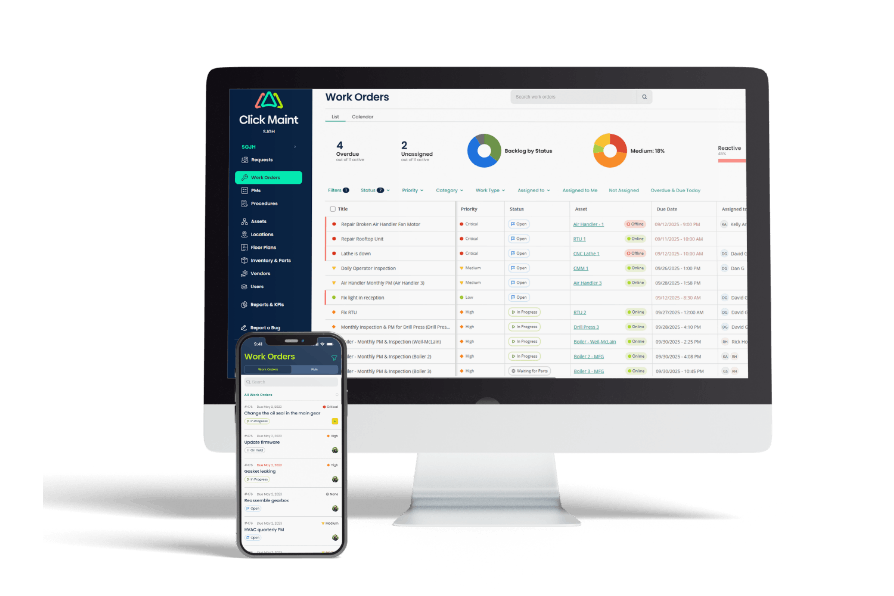
Work order software is a digital system that lets maintenance and facility teams create, assign, track, and close maintenance and repair tasks. Instead of routing requests through phone calls, paper forms, or scattered spreadsheets, a work order platform gives everyone; requesters, technicians, and managers, one shared view of what needs to get done, who's doing it, and when it's due.
At its core, good work order software should let you:
- Submit and log maintenance requests from any device
- Automatically assign or route work orders to the right technician or vendor
- Track status in real time (open, in progress, on hold, completed)
- Attach notes, photos, checklists, and parts used
- Report on completion times, backlog, and costs
Work Order Software vs. Maintenance Work Order Software: Is There a Difference?
The terms are often used interchangeably, but there's a subtle distinction worth understanding when you're evaluating options.
Work order management software is the broader category. It covers any system used to manage tasks and requests. This could apply to IT service desks, facilities teams, or field service businesses.
Maintenance work order software refers specifically to platforms built for equipment and asset maintenance. These tools typically live inside a CMMS (Computerized Maintenance Management System) and add maintenance-specific capabilities on top of basic work order tracking, such as:
- Preventive maintenance (PM) scheduling
- Asset and equipment history
- Parts and inventory tracking
- Downtime and cost reporting
- Meter-based or condition-based triggers
If your work orders revolve around machines, facilities, or physical assets, you'll get far more value from maintenance-specific work order software than from a generic task-tracking tool.
Many organizations opt to use basic work order systems designed for broader IT or office use, but they lack key functionality that is specific to maintenance operations; scheduled and planned maintenance, asset history and downtime tracking, inspections with failures tracking and meter based triggers.
What to Look for in the Best Work Order Software
Not all platforms are built the same, and the "best" choice depends on your team's size, industry, and maintenance complexity. That said, a few criteria consistently separate strong platforms from weak ones:
1. Ease of use and fast adoption The most feature-rich system is worthless if technicians won't use it. Look for a clean interface, minimal training requirements, and mobile access so field staff can update work orders on the go. Also refer to software buyers’ listings like Software Advice, Capterra, and G2.com and see how users rate ease of use and user experience for the software you are evaluating.
2. Quick implementation Long, expensive rollouts delay the value you're trying to capture. The best platforms get teams managing real work orders within days or weeks, not months.
3. Preventive maintenance built in Reactive-only work order tracking still leaves you exposed to breakdowns. Look for software that supports scheduled and recurring preventive maintenance work orders. The software should have calendar based (time-interval) triggers as well as meter-based if tracking assets like vehicles and production machinery.
4. Transparent, scalable pricing Per-user pricing should be predictable as your team grows, without forcing you into an enterprise contract you don't need yet.
5. Reporting you'll actually use Downtime, cost per asset, technician response time, and backlog trends should be easy to pull without a data analyst on staff.
6. Responsive support When a system goes down or a question comes up mid-shift, you need a support team that responds quickly, not a ticket that stays in queue for days.
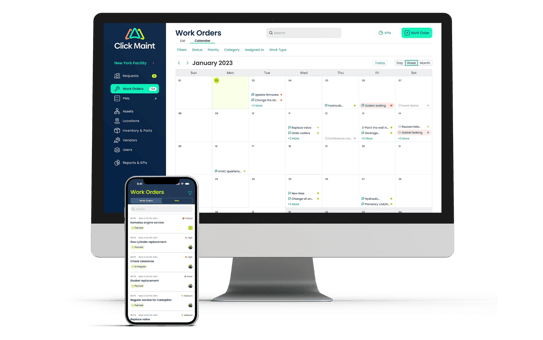
See Click Maint Work Order Software in Action
See how easy it is to manage work orders, maintenance requests and PMs with Click Maint CMMS. Take the quick 2 minute interactive product tour.
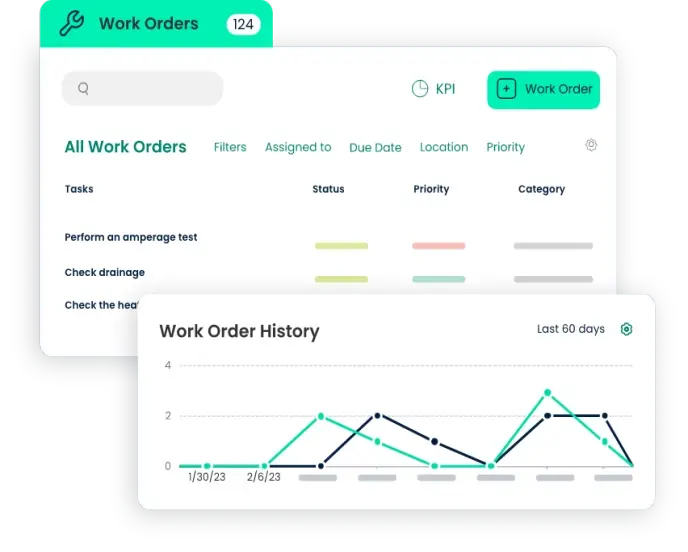
Top Work Order Software Options to Consider
Here's a look at some of the most commonly evaluated platforms in the work order and maintenance management space.
Click Maint
Click Maint is a CMMS built around one core idea: maintenance software should be easy to use, without the complex interfaces, long implementations, and low adoption rates that plague many traditional CMMS platforms. Its work order software streamlines task creation, tracking, and completion so nothing falls through the cracks, with flexible scheduling options for recurring tasks.
Beyond work orders, Click Maint centralizes maintenance requests, preventive maintenance, assets, inventory, labor, costs, downtime, and reporting in one fully mobile platform, and supports maintenance and facilities teams across industries including manufacturing, healthcare, facilities management, agriculture, energy and utilities, higher education, hotels and resorts, and municipalities.
What stands out for teams comparing options:
- Affordability: Click Maint costs 20–60% less than many leading CMMS platforms, with listed pricing at 35 USD per user per month for a yearly subscription, compared to CMMS tools that can run up to $150 per user per month.
- Fast setup: Most customers get set up quickly, managing work orders and assets within 30 days.
- Dedicated support: Every customer gets a dedicated Customer Success Manager throughout their subscription.
- User reviews: On Capterra, reviewers highlight that Click Maint handles everyday work orders well, especially for small maintenance teams that need simple tracking and updates, making requests, priorities, notifications, and technician follow-up easy to manage. The platform is also recognized for supporting the three features reviewers rank highest — preventive maintenance, maintenance scheduling, and work order management — helping teams reduce downtime and keep repair work organized.
Click Maint is a strong fit for small to mid-sized maintenance and facilities teams that want core work order and preventive maintenance functionality without the cost or complexity of enterprise CMMS platforms.
Check out Click Maint’s Work Order Software - Interactive Product Tour
UpKeep
UpKeep is a mobile-first CMMS known for its inventory management and preventive maintenance scheduling features, popular with field-heavy maintenance teams.
eWorkOrders
A longer-standing CMMS platform aimed at businesses of any size that need to manage daily maintenance operations and asset tracking, with a focus on reporting.
Maintenance Care
Often recommended for small to midsize businesses with lighter maintenance needs, including a free tier that appeals to startups looking to get started without upfront cost. They also offer unlimited users which is appealing to large facilities with large maintenance teams, and limited budgets.
How Much Does Work Order Software Cost?
Pricing varies based on the number of users, feature set, and deployment model. As a general guide, work order management software pricing can run up to $150 per user per month for subscription-based models, while more affordable platforms like Click Maint at roughly $35/user/month, offer core functionality at a fraction of that cost. Some work order software providers also charge extra for customization, training, and support services, so it's worth requesting a detailed quote before comparing totals across vendors.
Try Click Maint’s instant price calculator for an estimate.
Get your Click Maint CMMS estimate instantly!

Frequently Asked Questions
What is the best work order software for small maintenance teams? For small to mid-sized teams, the best work order software is usually one that balances ease of use with core maintenance features without the cost or complexity of enterprise platforms. Click Maint is a popular choice here, offering work order tracking, preventive maintenance, and asset management at a lower price point than many other software providers, with most teams up and running within 30 days.
What's the difference between work order software and a CMMS? Work order software focuses specifically on creating, assigning, and tracking tasks. A CMMS (Computerized Maintenance Management System) is broader and includes work order management as one module alongside preventive maintenance scheduling, asset tracking, inventory management, and reporting. Most maintenance work order software today is delivered as part of a full CMMS platform.
How much does work order management software cost? Pricing depends on the number of users, features, and deployment type. Subscription-based work order software can run anywhere from around $20–35 per user per month on the lower end up to $150 per user per month for more feature-heavy platforms. Some vendors also charge extra for onboarding, training, or customization, so it's worth comparing full quotes rather than headline pricing alone.
Is work order software the same as a maintenance request system? Not quite. A maintenance request system is typically the intake side — how a request gets submitted (by a tenant, employee, or technician). Work order software takes that request and turns it into a trackable task with an assignee, priority, status, and history. Most modern platforms, including Click Maint, combine both in one system.
Can work order software handle preventive maintenance, or just reactive repairs? The best maintenance work order software handles both. Reactive work orders cover unplanned breakdowns and requests, while preventive maintenance (PM) scheduling automatically generates recurring work orders based on time, usage, or asset condition — helping teams catch issues before they cause downtime.
Is work order software mobile-friendly? Most modern platforms are. Technicians need to view, update, and close work orders from the field, not just from a desktop. When evaluating options, confirm whether mobile access is a native app or just a scaled-down web view, since that affects usability on the shop floor.
How long does it take to implement work order software? This varies by platform and the size of your operation, but simpler, purpose-built tools can have teams managing real work orders within days to a few weeks. Legacy or heavily customized CMMS platforms can take months. If implementation speed matters to your team, ask vendors directly about typical time-to-value during a demo.
Do I need a free trial before choosing work order software? It’s a good idea - most reputable vendors, including Click Maint, offer a free trial or live demo. Testing the software against your actual work order volume and workflows is the best way to confirm fit before committing to a subscription.
Final Thoughts: Choosing the Best Work Order Software for Your Team
The best work order software isn't necessarily the one with the longest feature list — it's the one your technicians will actually use every day, that your managers can get real visibility from, and that fits your budget as you scale. For teams that want maintenance work order software combining ease of use, fast implementation, and preventive maintenance capabilities at an accessible price point, Click Maint is worth a close look. Most vendors, including Click Maint, offer free trials or live demos, so testing the software against your actual workflows before committing is the best way to confirm it's the right fit.
TABLE OF CONTENTS






